OPERA'S NEW Insane AI TOOL SHOCKS The Entire Industry! (FINALLY ANNOUNCED!)
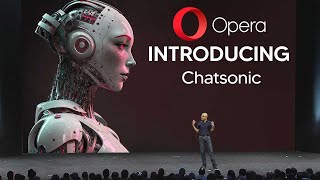
YouTube walkthrough by LARRUZ demonstrating Opera's newly announced AI integrations (ChatGPT and ChatSonic) in the Opera browser. The presenter shows how to enable the AI sidebar and highlights features: highlight-and-explain prompts, AI prompt text highlighter, and built-in ChatSonic settings (Google search, image engine choices, voice, memory, personalities). He runs live examples—summarizing a web article, explaining a Tesla 10‑K excerpt, and researching breaking news—while noting bugs (prompts opening but not sending), premium/credit limits for ChatSonic, and differences versus Bing and ChatGPT. The tone mixes hands-on demo, critique of glitches, and practical recommendations for users.
Chapters
So Opera has just announced its new AI tools which are going to be integrated into the Opera browser, which are going to enable you to use many different AI products in your web browser. And it seems like companies are starting to join the AI race as they've deployed this tool. Let's take a Look at this 30 second trailer and after this I'm going to show you guys exactly how you can use this tool in your workflow and exactly why this tool is actually very interesting. So you can all see that the tool is right here and it says you can browse the web like never before with built in AI, you can with prompts. I'm going to be showing you exactly how this works. So you can see right here that there are four different prompts and these are two separate programs. This one right here is Chat GPT, and this one right here is another AI program that I'm going to be showing you how it's built into Opera and how exactly this AI tool works. So you can see right here that this user is using it and they can generate certain prompts. With ChatGPT, you can also see that they said explain like I'm five. And of course right here they managed to get different data from the Internet. And what's also cool, right here, you can see that they said get something a bit different and ChatGPT is literally right there. So of course that is the overview of the tool. Now essentially why this is very interesting is because Opera haven't exactly deployed their own AI tool just yet, but they've integrated certain AI tools into the workflow. So I guess Copper's kind of getting into the AI race a little bit. But I don't think they've actually made their own specific AI tool just yet because. Because I'm pretty sure they don't have an AI research department. Now what's interesting about this is that Opera actually does release many different browsers. You can see right here on the browsers list, they actually do have the normal browser, the browser for gamers, the browser for Crypto, and the browser for your Chromebook. So Opera does have many different browsers, but this is going to be integrated into the main Opera personal browser. As you can see right here on the left, we have these two things called chatgpt and chatsonic. Now an important thing to note is that this was only announced last week, but it didn't get too much coverage because the AI tools that it has released aren't that insane. But, but we're going to get into some key examples to show you exactly how this stuff kind of works and exactly why this is kind of interesting, but at the same time kind of not that interesting too. So if you want to use these AI features in your browser, just make sure you go over and you update your Opera that way. The new AI tools are there. You also need to make sure that on the sidebar right here you have AI prompts enabled and it says early access. So you can see AI service in the sidebar, AI prompts in the address bar, and the AI prompt text highlighter. So that is exactly what you need to enable if you're going to want to have. So I'm going to just demonstrate with a normal Google search just to see exactly how this can be used. So let's say, for example, I was browsing this article. So essentially the two main features, or I guess you could say four, are the two different softwares that's integrated into Opera. So let's say you're browsing an article and you want to know a bit more. So if I immediately highlight something, you can see that it's going to pop up with AI prompts right here. They can see right here that there are around five different prompts. Now, there's two different applications that you can use. You can see right here on the top we've got cs, which stands for Chat Sonic, which says explain briefly or Explore this. And then you can see right here it links also. In fact, let me just do this again, it links also to ChatGPT for around six different prompts. Now, I'm not sure if this is just a bug or maybe it's just a feature, but if you do click these prompts, it doesn't actually go straight to ChatGPT. You it does open ChatGPT, but it doesn't actually send the message. I'm not sure why this is, but it doesn't actually do that. I tried this multiple times and this is just a feature which doesn't seem to be working at the moment. Now, maybe this is a bug, maybe this is just a glitch on my end, but this is just something that doesn't seem to be working. The other part of this that does actually seem to be working very, very well is the integration of the Chat Sonic feature. Now, this is where things do get interesting because I do believe that this is definitely very, very useful. And I'll explain in more terms why this is really cool. So if you don't know what Chat Sonic is, this is going to quick overview before you start using it, because it's important to understand exactly how this works before you start to use chatsonic. So you can see right here it says what unique benefits does Chatsonic provide over ChatGPT? Now it actually has integrated Google search for the latest information which it does have. It does have AI image generation which apparently isn't that great. It does have voice commands so you don't need to type if you do wish. It also remembers your past questions in your conversation that you can easily follow up questions you text to speech like Google Siri and there are many different other things. Now additionally here when you are using your chat sonic, you can actually customize it by integrating Google search or not having the text to speak conversation or the follow up memory there. Now of course you guys can see right there, you can see exactly how the image generation is going to come about. You can also set this to stable diffusion. And if you are using this for the first time, this is exactly what you'll see when you use this browser. So make sure that if you do use this browser you, you're going to be able to know which ones you want. Maybe you prefer Dall E2 because it does have that option right there. Or maybe you want stable diffusion and you can change that with that box right there. So that's just the way you can actually set these things up. So with that being said, let's get into how you can actually use this and the examples of this in practice. So let's say for example, I wanted to see exactly what is going on. If I highlight this. Like I said before, we get some many different things that pop up. Now for some reason, like I said before, I've restarted the browser several times. This doesn't pop up. Although it is pretty Nice to have ChatGPT just right here on the side. As you guys can see, it doesn't actually do what it says because of course it gives some questions, but it doesn't exactly create a quiz to this. Like if I click this, nothing actually happens, it just pops up. And I'm not sure exactly why that is. So if you want examples of how buggy this is, and I'm just going over this quickly before we get into the actual tutorial, if you type in create a quiz question, it doesn't actually come up with exactly what you want. But if you type in like a comma or just anything and then you actually hit enter, you're going to see that the question is actually there, but it doesn't recognize that the question has been input. Long story short, it's just buggy. But let's take a look at the other feature that Opera has announced, and I'm pretty sure that it's going to be fixed soon, and it's actually going to be really, really good. So let's say, for example, we wanted to know about Bitcoin's brutal 2022 crash. We could say explain this briefly or explore this. So if we click explain briefly, you should get the response right here. So this is loading. And you can see right here it says, briefly explain the highlighted text. And it actually does that pretty, pretty well. So it says Bitcoin plunged 40% in 2022 following a brutal crash in the crypto market. BlackRock, the world's largest asset manager, issued a stark warning about the Fed's monetary policy. And of course, the boom in 2021 was led to a bubble. So what's also cool here is that you can see that there are two main things that make this really, really good is, and this is definitely a competitor to ChatGPT, because I would say that this is really nice because it's a general assistant. So you can see right here, we've got Google enabled. And what's also cool is that we do have the memory right there, which is definitely really, really cool. Now, the thing is, is that chatsonic is actually premium, so if you don't pay for it, I'm pretty sure that there are some features that are going to be left out. And I actually didn't pay for this, so I'm actually going to be using the free version that most people are going to be using, so that I can show you exactly how you're going to be getting this data done. Now, what's also cool about Chat Sonic that many people may not understand is that when you're using this, you can see the top bar right here, it says personality. And this is really cool if you want to customize how your AI actually speaks to you. So we have many different things here that are going to be useful to us as we use the Internet for many different things. So maybe we want to use the Internet for a travel guide, maybe we want to use it for something else. But you can see right here, general AI is definitely going to be your best bet, because I can pretty much presume that many of these that are right here aren't going to be the very best at what they're going to be doing. But nonetheless, I'm going to be running some tests on this later on in the video. But like I said, this is definitely Very, very good. As you can see right here, it actually gives you that real time Google data. And of course maybe if you are browsing something, you might not know exactly what's going on. So this is going to be something that definitely helps you out a lot. Now another thing that's important to note here is, is that this is very different from Opera's inbuilt tool. So for example, if I highlight this and if you're wondering what I'm looking at, I'm looking at a Tesla balance sheet. Just because I want to be able to show you guys if this can actually help you while analyzing balance sheet and financial documents. If you actually right click and then you click search with and you click Google. This is actually very different than actually using the traditional chat sonic that we had just there because it actually gives us way better answers. So for example, you can see right here, if we just do Google, it just gives us a very, very basic information. But if we actually highlight this again and then we say explain this briefly, you can see right here, it's actually going to explain exactly what's going on in three concise bullet points, which is actually really, really a lot more helpful than just simply searching. Because whereas we've gotten this data right here and it's in our browser and we can go right back to here here we have to open a new tab and we have to scroll down and, and we have to look through some of these answers, it's just not that effective. So using this is definitely going to be more effective. And I'm wondering if Google is going to launch something back to compete with this because once again this is going to take use away from the traditional method of Google search. Now I'm not exactly sure how much it can do. I think if I just go ahead and see if I can explain this briefly, I'm going to see exactly how much it can do. So you can see right here that even if I highlight a little bit more text, it's actually very, very good at being able to explain exactly, exactly what's going on. In the highlighted text. You can see right here that I highlighted some information that I didn't really understand. You can see here that it explains it in a very concise manner. Tesla is developing self driving technology primarily using vision based sensors and neural networks and it actually explains exactly what's going on and it says that these plans were mentioned in the company's 10. So this is actually really useful if you want to explore certain things. Now I do know that online There are tools that do actually help you with the PDFs, especially chatting with them in ChatGPT, but the only problem is, is that those don't offer real time data with search. So once again, when we're looking at these AI tools, we have to understand that every single AI tool that comes out is going to beat another one in perhaps another small way. So if you're someone that enjoys having a personal assistant right there, someone that actually has access to Google search, definitely understand that this is going to be something that is really, really useful for you. Maybe you're researching what new AI came out. Let's search on the new GPT5 thing that actually did come out. The petition, for example. So this is something that is breaking news. This is something that I will cover. Another video, maybe I've covered it already. I'm not exactly sure when this video is going to be released, but let's say I click explain this briefly and let's see if it can actually explore how this data, which is very, very new, is relevant to today. So you can see right here, just based off this title right here, it was able to go onto Google and get tons of data based on exactly this title. So it says over 1100 people, including philosophers, scientists, tech entrepreneurs, signed an open letter calling for a six month pause on training AI systems more powerful than GPT4. The signatories raised concern about the risks posed by AI, yada yada yada. And this is actually really good because if you're someone who didn't want to reload of this because of course this is a lot of information, you could just say, hey, you know, chat Sonic. Let's just get this through. And of course you just highlight the title and, and you get this information. So I'm guessing that what they've done is combined the data that's probably on this web page with information that is, you know, all around and it looks really, really interesting. So another thing as well is that we can click explore this, which I'm guessing is a bit different. So it says help me further explore the pausing Giant, giant AI experiments. An open letter. So this is definitely something that is also cool as well. So an important test to run is exactly seeing how much this is different from Bing and, and you can see right here that Bing Chat also does a very decent amount of generating responses for you. So I essentially what I did right here was I decided to use Bing and see if I could generate a response based on the same prompt that we just gave Chat Sonic. So you might Be thinking this is just basically a worse version of Chat Sonic, but it definitely is interesting to see exactly how these go. So this one states Elon Musk. It also gives some links which I can click right there so it says Elon Musk, Noah and several others of course, for an experiment being paused, citing a risk to humanity. So this is definitely really, really good. You can see right here that Bing does as well. And to be honest, the Chat Sonic version definitely does this as well. Because you can see right here it links to a pause, obviously the official letter. It links to an article on autonomous weapons and links to the AI race. So you can see right here it's definitely very, very good. Because of course it has some things right here like AI arms race and autonomous weapons, and then has that to explain it. So this is what happened when I clicked Explore. Now remember, if you are using this as a free version, eventually you are going to run out of maybe it's credits, maybe it's words. So this, as far as I know, this isn't just unlimited like ChatGPT. But just remember that when using so quickly, one way that this chatsonic that is integrated into Opera. And I do know that Chat Sonic is technically a separate one way that it did actually just beat Bing was I did just copy the same exact amount of data. Remember, you can just click explain this briefly. And when I clicked on Chat Sonic, it did actually mention that it was in the 10K's filing. Okay, this is definitely an important point because maybe someone wants to know exactly where this data has come from. You can see here that on Bing it does talk about Tesla's powertrain technology and it does identify that it is actually talking about Tesla, even though it doesn't say it directly there, although it does mention the car models, but it doesn't actually mention that it is talking with specific regards to its 10k filing. So I'm guessing that chatsonic definitely has some advanced kind of referencing software that possibly searches the Internet and scours every single document to see if there are similar pieces of text to see where the text originated from, which is definitely a point in its favor. It's also important to note that chatsonic can just be used independently if you wish. For example, the same way that you can use ChatGPT, you can simply just use Chat Sonic in its browser, just like that. So if you don't just want to use it with within Opera, you can see that it says experience the power of GPT4 on all paid plans. You can see right here that there's many different ways that you can use writesonic on many different things and it's definitely a really interesting tool that is, I guess you could say, very broad in its ability to write content. So I would argue that this isn't better than Chat GPT if you are just using it for, you know, maybe just copywriting based on data that you can feed ChatGPT. But if you're definitely trying to write about current events or trying to reference current events, it definitely is very good at that. And I know that Bing is of course good at that, but sometimes just the way that, you know, you can highlight text and it give the exact, you know, reference, it definitely is very, very good in that aspect, if I'm being honest. Now, something to remember about this writesonic is that it does offer a free trial of, you know, 10,000 premium words, which is sufficient enough to give it a try. I'm going to be honest with you guys, I might actually upgrade to this because I do think that it is pretty decent and if I do, I may do an additional video. But I've got to be honest. Okay, for something that is, I'm not sure if it's powered by GPT4 GPT 3.5 because many people are saying many different things on the Internet. It definitely does a very good job at online reference and arguably in some instances it does do it a little bit better than Bing, depending on where you stand. So I'm going to show you guys the last side by side example of how good this software really is. Because honestly, it's actually good. Better than I expected. So I typed in one sentence from a document that is talking about the new research paper that Microsoft recently released. And I said explain this. And it said the statement you provided is from an open letter. The authors of the letter believe that GPT4's capabilities are so broad and deep that it could be viewed as an early version of AGI. Then I used this on the Opera browser. You can see right here that I highlighted one sentence. Then of course it gave me this. So it says the topic is about analyzing OpenAI's GPT4 large language model. Could be a version of AGI, but it actually introduced some recently information, but it actually included some really cool information that I really was glad it talked about because you can see right here that it says. However, the CEO of OpenAI has mentioned that the model is still flawed and limited, with Microsoft researchers also highlighting its limitations and bias. And the term AGI is not well defined. And some argue that while GPT4 is impressive. It's not intelligent, but rather a sophisticated statistical interference tool. So I would argue that this response is far better than the one we did get from Bing. So honestly guys, on Google search in a lot of areas this actually does beat Bing search. And of course Bing is going to beat it in some areas. So yeah, if I'm being honest guys, I would test this out based on what you may want, but overall I do think that this is much better than people have given it credit for. And I'm actually glad Opera did add this, because if I'm being honest with you guys, sometimes the AI models that we do have only regurgitate the information and don't really give you, I guess you could say, other viewpoints that you may want to use if you are someone like a content creator or if you're someone who's genuinely trying to do more research. Given the type of research that I was trying to do, this response is definitely far more better. But let me know what you think down in the comment section below. Now, one thing about this that I didn't think worked too well. I asked them how could I become a better YouTuber as a normal general AI? Right there it gave me a decent amount of information. Then I asked it as a motivational coach and it simply just gave me the same information, albeit a little bit less, which was definitely very interesting. But I just don't think that this personality tool right here works that well. What is also cool right here though? Another feature that I do want to add is that they do have a prompt tab right here. So public prompts, personal prompts, and this is something there are like little add ons and stuff like that that you can have on Chrome, but this is definitely something that's really cool because you can see exactly immediately what's going on with the community. For example, you can see here that someone said 24 days, seven hours ago, exactly what's gone on. And this is actually really really useful if you're someone that's struggling with prompts of your own and someone perhaps hasn't made a video on the type of prompts that you do want to use. So this is definitely something that can definitely really, really help you out.










