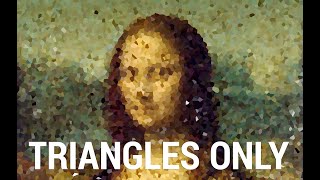
Dr. Zsolnai demonstrates a new method that converts raster images to vectors, letting you sculpt and manipulate shapes instead of pixels. The technique reconstructs the Mona Lisa with triangles in about one second, outperforming Adobe's vectorization tool.
Chapters
Dear fellow scholars, this is Two Minute.
Papers with Dr. Zsolnai. What you see here is a bunch of vector images. Vector images are not like most images that you see on the Internet. Those are raster images. Those are like photos and are made of pixels. While vector images are not made of pixels, they are made of shapes. These vector images have lots of advantages. They have really small file sizes, can be zoomed into as much as we desire, and things don't get pixelated. And hence vector images are really well suited for logos, user interface, icons and more. Now, if we wish to, we can convert vector images into raster images so the shapes will become pixels. This is easy. But here is the problem. If we do it once, there is no going back, or at least not easily. This method promises to make this conversion a two way street. So we can take a raster image, a photo if you will, and work with it as if it were a vector image. Now what does that mean? Oh boy, a lot of goodies. For instance, we can perform sculpting, or in other words, manipulating shapes without touching any pixels. We can work with the shapes here instead. Much easier. Or my favorite, perform painterly rendering. Now what you see here is not the new algorithm performing this. This is a genetic algorithm I wrote a few years ago that takes a target image, which is the Mona Lisa here, takes a bunch of randomly colored triangles and starts reorganizing them to get as close to the target image as possible. The source code and the video explaining how it works is available in the video description. And now let's see how this new method performs on a similar task. It can start with a large number of different shapes and just look at how beautifully these shapes evolve and start converging to the target image. Loving it. But that's not all. It also has a nice solution to an old but challenging problem in computer graphics that that is referred to as seam carving. If you ask me, I like to call it image squishing. Why? Well, look here. This gives us an easy way of intelligently squishing an image into different aspect ratios. So good. So can we measure how well it does, what it does? How does it compare to Adobe's state of the art method when vectorizing a photo? Well, it can not only do more, but it also does it better. The new method is significantly closer to the target image here. No question about it. And now comes the best part. It not only provides higher quality results than the previous methods, but it only takes approximately a second to perform all this.
Wow.
So there you go. Finally, with this technique we can edit pixels and as if they weren't pixels at all. It feels like we are living in a science fiction world. What a time to be alive.
This episode has been supported by Lambda GPU Cloud. If you're looking for inexpensive cloud GPUs for AI, check out Lambda GPU Cloud. They've recently launched Quadro RTX 6000, RTX 8000 and V100 instances and hold on to your papers because Lambda GPU Cloud can cost less than half of AWS and Azure. Plus they are the only cloud service with 48 gigabyte RTX 8000. Join researchers at organizations like Apple, MIT and Caltech in using Lambda Cloud instances, workstations or servers. Make sure to go to lambdalabs.compapers to sign up for one of their amazing GPU instances today.
Our thanks to Lambda for their long.
Standing support and for helping us make.
Better videos for you. Thanks for watching and for your generous support and I'll see you next time.