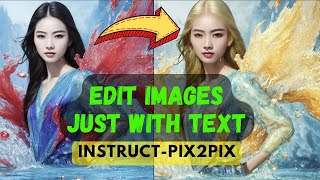
A YouTube tutorial by LARRUZ (uploaded Jan 29, 2023) demonstrating Instruct Pix2Pix (instruct-pix2pix) — a Stable Diffusion–based image-editing technique from Tim Brooks et al. (UC Berkeley). The video shows before/after examples (e.g., swapping sunflowers for roses, adding boats, changing clothing), explains key parameters (image CFG weight, text CFG score, steps, seed), and demonstrates a free Hugging Face web demo while noting caveats (face artifacts from the Stable Diffusion autoencoder).
Questions this video answers
LARRUZ; January 29, 2023.
"Learning to Follow Image Editing Instructions" by Tim Brooks (et al.).
Hugging Face (free hosted demo).
Stable Diffusion (uses a Stable Diffusion autoencoder).
image CFG weight, text CFG score (text CFG weight), steps, and seed.
Chapters
Today I will show you how to go from this to this. Or swap sunflowers with roses. Or make Elon Musk wear a leather jacket. All without Photoshop. All you need to do is to describe what changes you want to make in the image and it will happen like magic. And the best part is that it's all free and you don't need to install any softwares to achieve this. The technique is called Instruct Pixel to Pixel and it's based on the work from Tim Brooks. The work is titled Learning to Follow Image Edition Image Editing Instructions. This work was done at UC Berkeley. The basic idea is to give instruction to the model and following that instruction it simply modifies images. In the abstract they described it as a combination of two models. One is the language model, the other one is a text to image model. So it's a stable diffusion based model. You don't need to understand the technical details in order to use these two. But if you're interested, I would encourage you to actually go ahead and read the paper. Let's look at some results from the paper before we try this on our own images. The first instruction is to add some boats to the water to the input image. So you see that the model is able to add some boats. In the second example we are asking it to replace the mountains with the city skyline. So the good thing about the model is it's context aware. If you look at the third image, you will notice that it not only added buildings to the the background, but it also added reflection to the water. So it seems like it is able to learn the context of the images. So here are a few other examples. But let's try this in our on our own images. To do this we will use Hugging Face. There is a free server for you to use. Just keep in mind since free it might be a bit slow, so it takes some time for the models to run. But the great thing is that you do need, you don't need to actually install anything on your local machine. So let's look at an example. For example, we want to modify the color of the car, right? So we want to, let's say replace it with a red color. Idea is I want to change the color of the car, but nothing else, right? So let's see what it does while it's generating. Let's look at what's happening in here. So there are a few parameters that you need to consider. Consider one is called this image CFG weight, right? So basically this defines how much importance going to give it to the original image. Right. So they're suggesting that if you're not getting what you want, maybe there are a few reasons. So is the image changing enough? Right. So based on this weight, it will give too much importance to the input image. So if you want, if you don't, if you're not seeing changes, maybe it's better to decrease this image. CFG score. Right. And similarly, this text CFG score, which is another parameter in here that defines how much importance is given to the instruction. Right. So if you don't see much changes, then you can actually increase this. Right. Okay. So let's look at what it was able to generate in here. If you look at based on the input image and the output image, it's able to actually preserve the overall structure of the image and it simply change the color of the image. So that's pretty neat. Let's see what happens if we ask it to add mud to the road. Just keep in mind that the model discards the previously generated image and will use the original image as an input. I think it did pretty nice. It added some mud on the car, a puddle of water, but for some reason the mountain color has been changed. But overall I think it was a pretty nice modification that it did. Let's say we have this field filled with sunflowers and we want to replace all the sunflower with roses. So our instruction in this case is swap sunflowers with roses in the image. Let's run this. One thing to notice is this parameter called steps. It will basically control the speed of your models. So if it's too high, it will take longer. But if you want quick images, you. You can reduce it, but the quality image might degrade. But if you look at the result, that is actually pretty, pretty great because it replaced individual sunflowers with roses. Let's look at another example as well. So here we have the Eiffel Tower picture and we wanted to add fireworks to this guy while running. While it's running, let's look at some other parameters that you can change. Right. So the seed here is every time it will simply run Liam generator seed. You can fix it as well. And sometimes you actually need to look at the instructions that you're the way you are providing it. So if something is not working, you might want to rephrase it. For example, they are saying that turn him into a dog versus make him a dog or as a dog. Right. So it seems like you probably will need to try different things to get the results you want. And one thing actually which I have noticed as well. So usually the faces looks pretty weird. We will look at an example and that's because of the underlying model that they're using. So they're using Stable diffusion Autoencoder and usually it has a hard time generating faces or modifying chip faces. So the suggestion they have like cropping the image so that the faces look like takes up a larger portion of the frame. That could help. So let's wait for this to generate the results. Here's the final result. So it did add actually fireworks to the sky. It tried to preserve the overall structure of the Eiffel Tower. So I think it's a pretty good starting point. If you're not happy with, let's say if you think the fireworks away too much, you can basically go ahead and reduce it to let's say 0.5. So I'll run this, I'll show you the results. So here are the results. It seems like I put the importance to the instruction pretty small. That's why you see a very small amount of fireworks added. Here are a few other examples. In this case, the original images on the left and the modified images on the right. The prompt here was to make her blonde. So it did a good job changing the color of the hair. But it did change the color of the water. So I think something to play around with. Another prompt was to make her look like old. And it, I think if you see it has modified the skin tone, right? So this texture has been modified as well as on the. This skin on the hand is also been modified. The rest of the overall structure remains consistent. Another example where I asked it to change the jacket to a leather jacket, right? So for Elan Musk, it actually changed it to a leather jacket. So it did, I think a good job here as well. Another example, convert sunflowers into roses. In this case, I think I asked it to convert to make him a cyborg. The last example is simply to change the modifier to put a. Sorry, a train in the background. So play around with the tool. It's free and you can do a lot of cool stuff with it. Hope you liked the video. Consider subscribing. Thanks for watching.