Sound Like Any Celebrity - Free AI-Powered Voice Changer
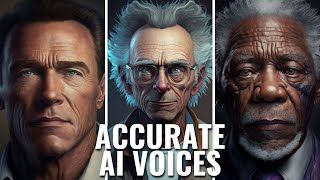
A YouTube demo (hosted by Matt Wolfe) of the Voice AI app that converts the user’s spoken input into celebrity-style voices. The video shows the app running on multiple platforms, explains and demonstrates the app’s credit system and pricing, trains new celebrity voices (using credits), compares quality vs latency settings, and tests both live and recorded output across several celebrity targets (Morgan Freeman, Rick Sanchez, Bryan Cranston, Joe Rogan, Arnold Schwarzenegger, Barack Obama).
Questions this video answers
Windows, Mac, iOS and Android.
252,000 credits.
$5 for 5,000 credits; up to $100 for 200,000 credits.
4,600 credits per voice (high-quality training).
About a minute and a half (≈1.5 minutes).
Chapters
Do you want to sound like Arnold.
Schwarzenegger or like Rick Sanchez or like Morgan Freeman?
Or maybe you want to sound like Joe Rogan?
I'm going to show you how to set this up in this video. Let's go. Hey, what's up? Matt Wolfe here. Today, I want to talk to you about a really cool tool that could change your voice into pretty much any celebrity. And if you head over to their site and check it out, you can see that it actually works on Windows, Mac, iOS and Android. So it should work on whatever device you are using. It's actually an app that you download and then you can flip a switch on or sound like any celebrity. And I've actually downloaded it and I've played with a little bit and I want to show it off a little bit. Here's what I'm going to do. I am going to open up the Voice AI app. You can see it uses a credit system. I have a handful of credits already because I refer this through The Future Tools IE website. And with this amount of credits, I can pretty much download any voice. And let's take a peek at some of the voices that are available here. If I click in here, you can see the ones that I've already trained. Impression of a politician, impression of a pop star. I believe these are the two that it automatically comes trained with when you download. I've trained Barack Obama, Rick Sanchez, Morty Smith, Elon Musk, and Morgan Freeman. And I'm going to test a few new ones live on this show. So let's go ahead and use Morgan Freeman to start. It's going to show that it's initializing now that it shows that it's ready. I've got a slider here of do I want it to process faster but be less like the actual voice, or do I want it to process better and actually have more of a delay on my voice? Now, as I'm recording this, it actually is delaying my voice just slightly. So when I'm editing it, I'm going back and sort of lining up my voice a little bit better. But it's probably not going to look exactly perfect as I'm speaking because it's not exactly spot on real time, but it's pretty dang close. Now what I'm going to do is I'm going to go ahead and flip on the Morgan Freeman voice.
And what you're going to notice is as I flip on the Morgan Freeman voice, it might sound a little funky at first, but then once it gets used to my voice, and the cadence of my voice, it actually starts to get better and better and smoother and smoother. And the audio starts to sound cleaner and cleaner and more like Morgan Freeman. Now, you might hear some little clicks and pops and some things that can make it sound a little bit digital. It is still a very new tool, a very new process. The company still dialing in. So it's not a hundred percent perfect, but it's pretty dang cool.
So let's go ahead and flip off the Morgan Freeman voice there, and let's try a different voice. Let's use Rick Sanchez. All right, so it's initialized, it's ready. And let's go ahead and flip on Rick's voice.
So now I should sound sort of like Rick Sanchez. Again, the audio might be a little funky as I start talking, and then it should sort of smooth out as I'm talking more and more and it gets used to my voice cadence. But it's a really, really cool tool. I've used this to actually tell stories. I made a podcast episode where I had Rick and Morty and Morgan Freeman all having a conversation. So you can actually check that out. This was the tool that I was using, voice AI.
So I'm going to turn the Rick voice off, and let's show you what happens if I want to pick a new one and train it. So again, I've got 252,000 credits. If I wanted to add more credits, you can see the cost here. It's $5 for 5,000 credits, up to $100 for 200,000 credits. But you can earn free credits by referring people. That's exactly how I've gotten all of these credits is the Future Tools website has referred quite a bit of people to the website already. So that's where my credits came from. But when you do download it, they will give you a handful of credits. I believe it was enough to get, you know, two or three voices on here and start playing with it for free. So if you do download the app, you can use it completely for free, pick a handful of voices and start playing with it. Refer a few friends, you could get even more voices. And then if you want to pay for it and you can pay for it and, you know, get as many voices as you'd like. So now I'd like to try a different voice here. Let's go ahead and sort this up top to most popular, see what people think are the most popular ones. Let's go ahead and use Bryan Cranston here. So if I click this little train button, it says, are you sure you want to train high quality for 4600 credits? So it's going to use 4600 credits. So let's go ahead and train that. You can see my credits just went down, and now it's going to take a minute to train. So I'm going to go ahead and fast forward this boom. And just like magic, it took about a minute and a half to train it, and you can see success. Voice training finished. So let's go ahead and use the Bryan Cranston, Walter White voice here.
My name is Walter White, and I sell blue methamphetamine to people to cure my cancer. And that's what I do. Don't forget, I am the one who knocks. Hopefully this sounds something like Bryan Cranston. So far, most of the voices I've tested have sounded pretty good. Hopefully Bryan Cranston does as well.
All right, so now we sorted by most popular. Let's sort by top quality. I guess these are the ones that, you know, the training actually sounds the best. Biden, Sarah Palin, George W. Bush, Hillary Clinton, Mr. Mask, obviously supposed to be Dr. Fauci. Impression of Trump. Another Obama AOC, Justin Eber, Ellen Emma Watson, Arnold Schwarzenegger, Colbert, Patrick Stewart, Joe Biden, Cardi B. Magneto, Homer Simpson, Mr. Beast, Billie Eilish. So there's just tons and tons of celebrities. I'm not going to list them all off, but you could kind of get an idea of what's available here. Let's try Joe Rogan. Let's train it on Joe Rogan here. This is also going to use 4600 credits. Let's go ahead and train it. With the power of editing, Joe Rogan's voice has been trained. Let's go ahead and use this Joe Rogan voice here. Let's flip this on.
So you are listening to the Joe Rogan podcast. These psychedelics, these are crazy. Try some dma, smoke a little weed, and then watch some UFC fights, and it's some crazy stuff. That's my Joe Rogan impression. I mean, obviously I sound exactly like Joe Rogan now, because this thing is making me sound like Joe Rogan. Hopefully it sounds like Joe Rogan. Otherwise I'll just look like an idiot. Well, too late for that.
All right, so there's one more mode that I want to show you on this site. I'm going to go ahead and train one last voice here. Let's scroll up and let's grab Arnie's voice. Let's See if we can train it on Arnold Schwarzenegger. I'll click the train Button, use my 4600 credits and it'll train and bada bing, bada boom. And just like that, we've got Arnie. So let's go ahead and click on Arnold Schwarzenegger and use it and let's switch it to record mode and I'll show you what this does. Now, record mode lets you record about 15 second clips. They do have a little watermark at the end. You can click this to remove the watermark, but then it's, you know, 14.99amonth to be able to do that. But let's go ahead and take a listen. If I record something as Arnie, what you'll notice is that it seems to process a little bit better when you're recording versus when you're actually live. So let's go ahead and record something.
Hello, my name is Arnold Schwarzenegger. I am the governor of California. I was in True Lies. I like to eat sauerkraut and fly jets. Voice AI So there you go.
It actually shut off my mic and muted me for a second while I was actually recording. But that was the actual recording that came out of it. Switched over to live mode and hear the difference. Just to make this fun, let's go ahead and use ChatGPT here. Write a story about flying jets in voice of Arnold War Synagar. I don't know if that's spelled right. It actually knows how to autocorrect his name. All right, I got my story. Here we flip back over to Voice AI, turn the voice changer back on, then we'll go for a read.
I was flying high in the sky, pushing the limits of my jets. The wind was whipping through my hair and the adrenaline was pumping through my veins. I was in control, a true action hero. As I soared through the clouds, I thought back to the days when I was just a young man dreaming of flag jets. I never could have imagined the one day I would be living that dream. But here I was, a seasoned pilot taking on the toughest missions and coming out victorious. My jet was a beast. Powerful machine that responded to my every command. We were one, united in our quest for speed and thrills. I could feel the G force pressing against me as I pulled off daring maneuvers. The world a blur below me. But it wasn't just about the rush of flying. It was also about the precision and skill required to pilot such a powerful aircraft. It took discipline, focus, and a will of steel to be the Best. And I was determined to be the best, to be the top dog in the skies. As I landed my jet safely back on the Runway, I couldn't help but feel a sense of pride and accomplishment. Buying jets was more than just a job. It was a passion, a calling. And as long as I had my trusty jet by my side, there was nothing we couldn't do.
So let's do one quick experiment here. Let's go ahead and test Barack Obama on the. On various settings. We'll try it on faster, we'll try it in middle, and we'll go all the way up to better, and we'll see how they sound. Now, this part, I'm not going to go back in and editing and sync up my voice. I'm just going to let you see how much the delay actually is. So this. This portion of the video you're going to see me talking about, but the voices are going to come out a few seconds later. And I'm assuming faster, you'll see the voice come out a little bit faster. And when I move it up to better, you'll probably see a little bit more delay between me actually saying something and the words coming out. And let's see how the quality sounds. So let's go ahead and set it to faster, and we'll go ahead and flip the voice changer on like Barack.
Obama as I talk. This is on the fastest mode, but also the lowest quality mode.
We'll bring this up to about middle of the road. Flip it on again.
So once again, I am speaking like Barack Obama giving a very presidential speech right now. I think everybody needs a big tax cut and health care for all and more money in their wallets. And that's what I promised to do for you.
All right, so let's turn that off and let's crank this all the way up to the best quality here and let's see what happens.
Obama, I really want you to succeed in life, and I want everybody to be happy and make a lot of money. And I think we should just give everybody a free home in America and free Internet access. And that is the stance that I'm going to run on on my third bid to run for president.
And there you go. So that's the comparable between fastest, middle of the road, and best. And hopefully it sounds interesting to you. So there you go. Not too bad, actually. There's a little bit of, you know, crackles. And you can tell it's a little bit more of a digital voice. I don't think it's going to totally convince anybody yet, but definitely something fun to play with. You want to do a co voicemail on your phone or do a sales video in the style of somebody or you know, have some fun on a podcast or something like that. I think it's a really, really cool tool to do that. Can tell that it's designed for, you know, gamers to mess with their voices a little bit because it's got integrations with, you know, things like Discord and World of Warcraft and Fortnite and Among Us and Minecraft CF Scope. So you can tell they're angling it towards gamers and people that just want to kind of have fun with their voice while on live streams. Obviously it works with Zoom and Google Meet and things like that. So maybe if you want to do your next meeting with your boss and sound like Sarah Palin or something like that, go for it. But again, totally free to download. You do get certain amount of credits. I don't remember exactly how many, but I'm pretty sure I was able to get about three voices or so for free the first time I downloaded it and started playing with it. If you really want to do something kind of cool and experiment with this a little bit, come on over to Fiverr and maybe you could sell some, you know, voiceover work. Let's do like voiceover impressions. I will record a professional mix Mickey Mouse impression. I'll do a Joe Biden voice over narration, an impression of various characters, a goofy voice. So people are on here on Fiverr actually selling impressions of people's voices. So if you were to mess around with voice AI and you were just doing audio only, you weren't trying to sync it up to video. It doesn't perfectly sync up to video. But if you were just doing the audio only, you can definitely do voiceover impressions and sell them on Fiverr. And I'm going to go ahead and wrap this one up. Before I do, make sure you head over to FutureTools IE. This is the resource where I curate all of the coolest AI tools. If you need help with something, let's say you're a YouTuber. Type in YouTube. This is going to curate a bunch of tools that'll help you on YouTube. Let's say you are an SEO specialist. Type in SEO. It's going to find 21 tools for you that'll help you with SEO. Maybe you're a graphic artist. You can come down here and click on some of these pre selected tags for you. So maybe image scanning, image improvement, generative art. You get 97 tools that'll help you with your graphic art here. So really, really cool tool. Completely free. It's sorted by all the newest tools as I come across them, but you can also sort by the most upvoted tools and see what other users of the site find the most valuable on the site. Also check out the Future Tools newsletter. If you go to FutureTools IE newsletter, it'll redirect you where you can sign up to the newsletter where I give you the five coolest tools that I came across this week. So every week I'm looking at 15 to 20 tools every single day. Seven days a week I narrow it down to the five coolest tools that I came across and I email you about it. I also share three really fascinating news articles from the week, three really cool YouTube videos that I think you should watch, and one new way to make money with an AI tool, one cool tactic that you can try and I send that email every single Friday. So if you haven't already, make sure you sign up FutureTools IE newsletter thanks so much for tuning in. Make sure you press the like button and the subscribe button because I'm going to keep on making cool videos about awesome tools and digital life hacks and hopefully you'll keep coming back and watching them. Thanks for tuning in. See you in the next one.










