Tanka AI's New AI Brain Could Change Work Forever...
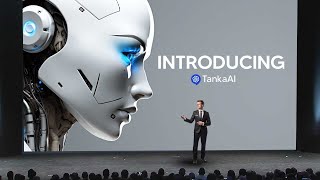
LARRUZ demos Tanker AI, a platform that connects Gmail, Slack, and messaging apps to generate smart replies and remember conversations across channels. It stores memos and files so the AI can answer questions with full context, cutting down repetitive messages for teams.
Chapters
So if you are tired of the messages and the meetings and the drudgery that comes with being in a business that is remote, why don't you meet your new AI brain? This is Tanker AI. It's an advanced AI messaging and collaboration platform designed to enhance team communication and productivity. It actually stands out by incorporating long term memory capabilities which actually allow it to retain and organize information from conversations, emails, documents and other interactions. And this structured memory enables Tanker to provide context, rich, intelligent responses and insights, making it a powerful tool for modern teams. So one of the biggest features of Tanker AI is the long term memory. This is where it can convert scattered data from chats, emails and documents into a centralized, retrievable knowledge base. And this is something that is very useful as your business grows, as you collaborate with data and as you go through many different pieces of information. So before we get into the long term memory, one of the key features that I think is going to be one of the most efficient features from this app is the time saving feature called Smart Reply. This is where if you have a response that you need to immediately send. Since this thing is connected to all of your apps and applications, it means that the tedious task of responding to work emails is something that is quickly done. For this demonstration, I connected a fake email to show you guys exactly what happens when you want to use quick response. So you can see right here on my unread emails, since it is connected, you can see that I get all emails here immediately. If you have a work email that is connected to this, this is going to be something that is really useful because you manage to see all of the emails immediately and you can even get notified by them by just unmuting them and you will see them pop up as soon as they arrive. So you can see right here I have an email about my school community and it's got all of these details. All I would need to do is click to draft a reply. You can see it quickly manages to think of a reply and then you can see I'm thrilled, yada yada yada, please count me in. And then I can immediately send this back. And because I clicked send, you can see that this is the email that is immediately sent off. And this is going to be something that is really useful that allows me to stay in touch with my team as quickly as possible and as effectively as possible. You can see here it's granted me a security alert for Google and it's manages to give me all of these details. Now, of course, email isn't the only thing that you can do this with, you can see it's got Slack right here. So for those of you who don't want to respond to those very basic messages as often as you are, you can see just right here, just click Connect Slack and you'll be able to respond to those messages. It also has a Telegram integration, something that works rather effectively and of course WhatsApp messages. So if you have any of these apps that you'd like to use, this is going to be something that quickly allows you to respond instantly. And this is something that's absolutely great if you just want to respond and immediately get back to work. Having these context aware replies for emails and messages is going to make you ten times more effective. So let's actually move back to the memory section. So if you're not on the chat section and you go to the memory section, this is going to be where the AI brain is essentially orchestrated. So there are several sections that you need to pay attention to. And, and this is what I like most about this app as it is essentially a central hub for all the things that you need. So if you work across a variety of different apps like Gmail, Outlook, WhatsApp, Stack, Notion, Google Calendar, Telegram, this is going to be something that basically allows you to aggregate, organize and basically summarize all of that data into something that you consistently reference. So with this what you can do is you can basically organize all of your stuff rather than swapping from 50 different tabs, you can just have everything in one clear place. Now this is where you have your contacts. For now I just have myself because it's just me in the team. But this is where you would invite other members and you would have conversations and that conversation would just be immediately added to the memos area. So you can see right here, this is where you have your assistant memory. And of course if you want certain things added to the assistant memory, this is where you can add it. So for example, I could add a new member here and I could say, you know, the goal of AI Grid is to become the best educational YouTube channel surrounding AI and to have the best community that teaches the best AI. So that would be my thing. The goal of AI Grid is to become the best you can running AI and the best. So you can see right here, this is the memo. But for, you know, other stuff that would actually be useful, I would say maybe it would have context, background and things that the business focuses on. But of course if I wanted this to actually be more useful, I would actually have A list of things that are really useful towards my YouTube channel. So basically what I did is I quickly went over to chat GPT to get an AI YouTube channel summary of everything it knows about my YouTube channel. I basically just copied this and now I can just simply paste this in the Air Grid YouTube channel summary. Because of course that is the thing. And of course now this is saved right here. So it's already saved at the bottom right. And I can just click off that. So now you can see it has pretty much a lot of data surrounding my YouTube channel that I can use to deliver better responses. And all of this memory is going to be something that works really well. So now the way how the memory actually works as well, and what I wanted to show you guys with how great this stuff is, is the fact that, remember earlier on in the video I actually responded to an email and I actually asked it. I was like, what recent event am I going to that I responded to on email? And. And I spoke about how I recently responded to an email invitation for an AI and finance community event. You expressed your excitement about participating and inquired if any preparation was needed for that event. So this memory works across the emails, so it has context of that stuff as well. So you can ask it about the emails, ask it about certain things that are going on, and if you ever need a refresher, you can just simply ask your AI assistant as it has that memory too. So when you do get emails in, you can ask it exactly what has happened. Now, another feature that actually is really effective is that you have CO memory here. And CO memory is something that's different to your personal AI assistant. So if you're a personal AI assistant that has its own memory, you can of course set the custom avatar wasn't trying to do that. But this is something that you have for your personal. But let's say, for example, I was in a group chat with other individuals and they were also talking. What I could do is I could click this button right here, I could go over to my assistant, and then what I could do is I could add some CO memory. CO memory is basically collaborative memory that basically allows all AI assistants to work together. You can see here it says co memory is collaboratively managed by all members, enabling their assistants to deliver tailored responses. So here I can add a file, I can add an image, I can add a link, or I can add another memo, for example, I can add this one, for example. Done. And then now this one is going to be here for my AI assistant. And this is going to be something that's really useful because it allows the bot to actually know exactly what's going on. So overall, you should see why this is a very powerful tool. You can connect it across many different apps. You can have multiple different pieces of memory that it never forgets. As you manage to talk, you can immediately respond to various different emails. It also is able to know which events you're going to. It's able to have all of the context of the emails and messages. Your AI assistant is basically at your fingertips, and this is going to be something that saves you hours and hours of time. Don't forget to click the link in the description to check out Tanker AI and thank you to them for sponsoring today's video.










