The #1 Way to Make Money Online in 2024! (AI Pinterest Automation)
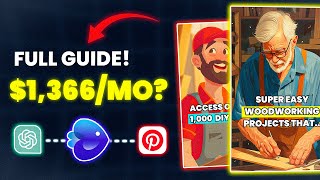
LARRUZ walks through an AI Pinterest automation system for affiliate marketing. Pick a niche like woodworking, find products on ClickBank, verify demand on Pinterest Trends, then use InVideo AI to generate short videos from articles or scripts. Publish to Pinterest with a Linktree for affiliate links.
Questions this video answers
February 11, 2024
"as low as $20 a month" (paid plan recommendation)
Shigir idol described as "over 11,000 years old"
"over 7,000 years old"
An account with ~100 followers that reportedly gets over 100,000 monthly views (used as evidence of demand)
Chapters
Inside this box, I got an AI business that could transform your dashboard from this to this. I like to call it AI Pinterest Automation. It begins with selecting a popular affiliate product. Then we'll get into video AI where we'll look at three ways to create content that will set you apart. Following that, we will send free traffic from Pinterest and eventually start making money. So I asked ChatGPT to research and create a list of the best niches on Pinterest. And in seconds it provided that list which includes the niches, sub niches and some insights. As you can see, we have different ones. Crafts and hobbies, design, education, beauty and so on. Now, based on ChatGPT, these are the top niches. But I'll show you later how to actually verify a trending niche. We can choose any of these niches, but for this video I'll choose crafts and hobbies because based on my knowledge, this niche is popular on Pinterest. So after choosing a niche, we need to find a product within that niche to promote. And here you have different options. The easiest method will be to head to Google and search for the best affiliate programs in your niche. So in my case, best crafts and hobbies affiliate programs. I found this site 11 arts and crafts affiliate programs in 2024. So I can look through this list and apply to the ones I like. So by just using Google you'll get hundreds of ideas. Another method is to use popular affiliate websites like clickbank. Inside this website you'll see the different categories and here you need to find the category that is most closely related to your niche. In my case I found mine under Home and garden and then Crafts and Hobbies. You will get a list of products to promote and next to each one you'll see how much you could potentially earn. I've noticed that woodworking related products like this one and the one below are selling really well. You may verify this by checking the gravity score and conversion rate. I honestly have a good feeling about this product. But before we make a decision, we should double check it on Pinterest. Head to trends.pinterest.com and on this page you can see and verify current trends. So here are the top trends for the last 30 days. If you scroll a bit down, you'll see different keywords based on what people are searching for. And this is also great for product ideas. But we'll actually use this search bar up here and enter product related keywords. So I can start with woodworking. You'll see this graph which tells you how Often people are searching for this keyword, and as you can see, Woodworking is popular and has very good search results. Under the graph, you'll see some related keywords and demographic information, such as the gender and age of your target audience. You can also look at popular posts related to your niche. But I'll show you later in the video how to use InVideo AI to make content that that will 100% stand out. Okay, so based on the research we did, I can confirm that this product has the potential to work well on Pinterest. However, I did more research and came across this account and even though it only has 100 followers, it gets over 100,000 monthly views. You see how crazy that is? But you know what's even crazier? If we click the affiliate link in their bio, we'll find the same product we saw on ClickBank. But that wasn't the only one, as I found many accounts getting hundreds of thousands, even millions of views promoting similar stuff. And this is a very good sign. I know you're worried about the competition, but please don't be as the way we are going to promote our product is going to be totally different. If we look at Pinterest, we'll see that all of the videos are pretty much the same. I'll show you how to stand out using InVideo AI. Now, if you're not familiar with InVideo AI, it's basically a tool that turns your line of text into a custom video. So after clicking the first link under this video, you'll be redirected to this page where you can create a free account. When you enter InVideo AI, the first thing you'll see is this text box right here. And this box is the simplest way to generate videos. So I could type, for example, create a three minute video about woodworking. And InVideo AI is smart enough to make that happen.
Did you know that the oldest wooden structure in the world, the Shigir idol, is over 11,000 years old? That's a testament to the durability and longevity of wood.
However, this is not the best way to generate videos as this tool offers much better abilities. So I'm going to share three methods I use myself, and the second is actually my favorite. The first will be turning blog articles into engaging videos. So I searched for woodworking related articles and found this one called Woodworking Tips. Every Worker Should Know. It sounds like a perfect video idea. So I'm going to copy the articles link and go Back to InVideo AI. I will select the workflow. As you can see, there are different options, but since we're creating Pinterest content, the short format is what we need for now. You'll notice a few additional boxes. In the first box describe fully what your video is about and the more details you provide, the better the outcome. I can start with something like create a YouTube short about woodworking tips every woodworker should know, but we're going to be more specific. So I'm going to ask to start the video with a story. Strong hook to capture attention and also keep the script dynamic and informative. Finally, I will paste the article link to use as a reference. As you can see, we've specified the look and overall style of the video plus providing an article as a reference and this will help us get much better results. Then choose the voiceover setting, like the gender and accent. Or you can use the voice plugin to add or clone a new voice. I'm going to choose a male with a middle aged British voice for this one. Then you select the style of the subtitles. Yes, you can add subtitles to make your video more engaging and there are many styles. I will choose the subtitles where only one word is shown at a time. So once you've filled everything in, click on Continue. Here you can see and edit your prompt and once you're happy, click on Generate a video inVideo. AI will start planning the video like summarizing the article, writing the script and and creating the scenes. You'll notice further customization options appear. For example, the target audience, woodworkers, DIY enthusiasts or craftsmen. I'm going to go with woodworkers. Then we have the look and feel. Professional, crisp or inspiring. I'm going to select Professional. Then you can choose the platform. But since we're making a short video format, it doesn't matter. After that, click on Continue and in a couple minutes your video will be ready.
Did you know that mastering different joinery methods can take your woodworking projects from amateur to expert? Invest in a dust control system because your health and the longevity of your tools are paramount. Spend time at a tool store and learn about lumber grades. It's an education in itself. Join a local woodworkers guild where you can exchange knowledge and experiences.
So as you saw, the video turned out pretty well. And the fact that we only provided the article link to make this video is actually impressive. But don't forget that this is one out of three methods I'm going to show you. So let's say you don't like something and want to make some changes. Well, that's actually very simple to do. The first option will be to use this text box underneath the video and what you can do here is give a text based command to change or add something. You can request to add more scenes, delete a specific clip, change the music, the voiceover or whatever you like. And if you want a more advanced edit, you can click on this edit button here. You have the option to either edit the media or edit the script. As you can see, here are the clips used in the video. And if we select any of these, the related text will be highlighted in yellow. So let's say you don't like this clip right here. You can easily use the search bar to find new clips and once you see something you like, hover over it and click Replace and it'll be changed. Or you can use this button to upload your own media, but we'll cover that a bit later. The same thing with the script. Let's say you don't like this part right here. You can basically delete that and the AI will adjust the video and the voiceover accordingly. Or you can change the structure. So I can take this part for example and put it on its own. For example, we can add a call to action to redirect people to the affiliate page. So I can add a new scene here and type. If you want to get your hands on over 16,000 emails easy to make woodworking projects, check the link in bio and once we click on apply changes, this will happen.
And if you want to get your hand on over 16000 easy to make woodworking projects, check the link in bio. Now go on, craft your masterpiece.
This is actually impressive. Now the second method is actually very unique as we'll combine the power of Chat GPT Mid Journey and Nvidia AI to create a masterpiece. Chachi PT will generate six some form of script. Midjourney will convert the script into Visuals and InVideo AI will bring everything together. Here's how it works. I will first ask ChatGPT to generate a list of mind blowing facts about woodworking. I'll also ask to format them with introductory phrases like did you know? Or speaking of for a smooth transition into each fact. And as you can see, here's the list ready exactly as requested. After that I will ask the bot to use only keywords to describe the imagery for each fact in detail and again in seconds. We've got what we needed. For example, the first fact is that woodworking dates back to the Stone Age. So the related keywords are ancient tools, primitive woodworking, etc. Etc. So I'll start copying the keywords and then use Midjourney to create visuals for each fact on the list. And you'll have a whole story, a list of scenes, each with an illustration representing that scene. Once you have that, head to InVideo AI, open the media library and upload the illustrations you've generated. We'll need them for later. Then from the dashboard select the script to Video Workflow, which will create a video using exactly our script. As for the format, you can select TikTok or Instagram, it doesn't matter. And in this box we're going to paste the facts list we've generated in ChatGPT. I'll also add a simple intro, something like Here are woodworking facts that will blow your mind. And after that we'll generate the video. Okay, now click on Edit and you'll see the illustrations we've uploaded in the media library. So now start replacing the current clips with the illustrations we've generated, just as you can see on the screen. And after we click on Apply changes, we'll have this.
Here are woodworking facts that will blow your mind. Did you know that woodworking originated in the Stone Age, illustrating our millennia long relationship with wood for tools and shelter. Speaking of ancient crafts, the Neolithic well in the Czech Republic, over 7,000 years old, is the oldest wooden structure showcasing early human engineering.
As you saw, the video concept is unique and will definitely stand out on Pinterest. Now the last method is quite similar. Start by asking ChatGPT for a woodworking video idea or whatever niche you are in. Then copy the idea you like and let InVideo AI generate the video. And just like we did before, then use TikTok to find clips related to that video and replace some of the clips you have with the new ones from TikTok. This will add a personal touch to your videos and make them more engaging to watch.
Ever wondered how to choose the right wood for your project? Let's dive right in. First, let's talk about the type of wood. There are two main categories, hardwood and softwood. Hardwood comes from deciduous trees.
If you want, you can use this tool for free, but the video will be in low resolution and have a watermark on top, which I don't recommend. I highly recommend upgrading to a paid plan starting as low as $20 a month. This will give you many cool features such as unlimited exports, high quality resolution, access to premium footage and more. So after you generate the content, it's time to start promoting, Head to Pinterest and create a free account if you don't already have one. Also, be sure to customize your profile with a profile image and bio that are relevant to your niche. Once you do that, you'll be ready to start posting. So click on your profile and then the plus icon right here, select the pin and upload your first video. Add a catchy title and description related to your video and in this field you can add your affiliate link. However, you cannot add the link as it is on Pinterest as this might get your account banned. So as a solution we will use a free website called linktree. This website will act as a landing page redirecting visitors to the affiliate product. So first copy your affiliate link. Then on your linktree dashboard, click on Add a link, paste the affiliate link here and click on Add. Then give it a name and you should be all set. So now copy your linktree profile link and add it under your video. Finally, click on Publish. So here's how it works. When people watch your video and click the link, they'll be taken to your linktree profile where all of your affiliate products are listed. And when they click on the affiliate product, they will be taken to the sales page. And if they decide to buy, you'll receive your commission. I also recommend including the linktree link in your bio so anyone visiting your profile can access the products. And I promise if you stay consistent you will see results. And if you want to learn how to make money selling AI books, check out my last video. Thanks for watching.










