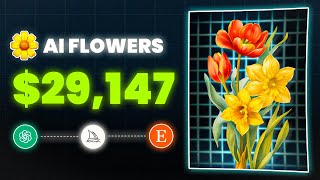
YouTube tutorial by LARRUZ explaining how to create and sell a "Family Birth Flowers" personalized digital product on Etsy. The video describes the birth-month flower concept, shows market evidence (bestselling Etsy listings with claimed monthly revenue figures), and gives a step-by-step workflow: generate a months/flowers/meanings table using ChatGPT; produce flower illustrations with Midjourney (using art-style prompts); remove backgrounds with Canva Pro or Remove.bg; build poster mockups using Freepik PSDs and Photopea; and set up and fulfill Etsy digital listings (personalization fields, pricing, tags, and delivering files via "Complete Order"). It also notes an option to sell physical prints via print-on-demand (Printify).
Chapters
So this product is making over $30,000 per month. And the one you see right now I created in five minutes without any designing experience. This business is called Family Birth Flowers.
I know this may be unfamiliar, so.
Here'S a quick explanation. Birth flowers are like birthstones, where each flower represents a specific month of the year. For example, the carnation flower represents January, and the violet flower in February, the daffodil in March, the daisy in April, and so on for each month of the year. And the idea behind the family birth flowers is to express love among family members. So let's say you were born in.
June, your mom in December, and your dad in October. We would take the rose, which symbolizes June, the narcissus for December, and the marigold for October.
These flowers will then be artfully combined to create a personalized bouquet design to either use digitally or print out as a physical poster. Now, if we search for family birth flowers on Etsy, we'll see many best sellers and many different styles and concepts, as well as a good number of recent reviews. This listing right here is a best seller, as you can see. When we dig into more details, we'll find out that it's making over $10,000 a month and has made around $30,000 in total revenue so far. And this one is selling a different design style, but as a digital version.
The listing makes over $30,000 a month and has made over 80k in revenue.
And I've noticed two popular designs for this product. The first shows flowers arranged in a bouquet, and the second shows flowers next to each other with the family names written under them. So by following the steps I'll outline in this tutorial, you'll learn how to create these beautiful designs yourself and list them online to make money. Okay, So I asked ChatGPT to create a family birth flowers table that includes the months, their related flowers, and the meaning of each one. And as always, ChatGPT will never disappoint. For example, the flower for January is carnation, and the meaning of it is love, fascination, and distinction. And for October, the marigold, which means creativity, passion, and endurance. Now, we need to turn these flowers into actual illustrations, just like these listings on Etsy. And there are literally thousands of styles to stand out from the others. For example, this is the pseudo watercolor art style, and this is the line art style.
And this one is called the scribble art style.
So the possibilities are endless. And I created all these designs by using midjourney, by writing a prompt with an art style reference. So you no longer need any design experience. And to help you out, I created a list of 50 plus art styles and artist references that you can use for your designs and stand out. The link to that will be in the description below. In this video I'm going to use the watercolor art style. The first flower we have is carnation, so I'm going to go ahead to midjourney and use the following prompt.
A single carnation flower in the style of watercolor pseudo white background AR 9x16.
And there we go. Here's how the illustration turned out. It looks amazing. The next is the violet flower. So I'll simply use the same prompt and just change the flower name to get this professional looking illustration you see. So basically repeat the same process until you have all the flower illustrations ready. Once you have that, we can start building our Etsy listing. After I did some research, I noticed that all listings have the following structure. Mockups show the finished product and and an image showing each month's individual flowers. And since this is a personalized product, there's also a box where customers can provide information like the number of people names and birth months. So I started by removing the background for the illustrations. I personally subscribe to Canva Pro, so doing that is super easy with one click. However, there are lots of free websites like the one called Remove bg. After removing the background, I started creating a demo design for the mockup images. I as you can see, I started by adding a paper textured background and then combined some of the flowers we made in a nice looking way. But how do we turn this into a mockup like our competitors? Well, the easiest way is to head to a website called Freepik and search for poster mockups and using the filters, select PSD as the asset type and free for the license. Then look through the templates and download the one you like. I after downloading head to a website called Photopea and open the template you've downloaded. Now on the right hand side you can see the layers. Find the design layer and double click on it. Then upload your design and replace it with the current one. Once you do that, press Ctrl and S to save. And now if you go back you'll see this beautiful looking mockup with your own design. I created a couple more mockup images just to add more variety. I then created an image that shows each blossom individually and it was simple, just the flowers next to each other, the name for each one, and of course the related month. So we pretty much have everything ready now and we can create our listing. And here you have the option to either sell digital designs or physical designs. Digital means that you send the design as a PNG file to your customers, and physical means you ship the design as a printed poster. I'm going to focus on digital products in this video, but if you intend to sell physical ones, you can use print on demand companies like Printify, which I've explained multiple times on this channel. Okay, so after creating your Etsy account, click here on listing and then add a listing here, I'm going to choose the product type, which in this case is a digital product. And using the dropdown menu under the when it was made section, I want you to select the made to order option. Don't worry, I'll guide you through fulfilling orders later in the video. Okay, now click on continue and give your listing a title. The title must include keywords that help people find your listing. To find these keywords, you can use paid tools like Alura, which will quickly give you the best results. Or you can use similar listings as a reference. So simply check their titles and come up with something similar. Once you have your title, click here and upload the listing images. That includes the mockups and any other images you've created. Then click Add a Description again. Look at your competitors to get an idea and make sure to add a disclaimer telling people that this is a digital item and no physical product will be shipped. And using the personalization option, we can get info from buyers just like the text box we saw on the competitors listing. So first click on Add Personalization, and here you can specify what you need for your customers. In my case, I will ask for the title, family names, and of course, birth months. And I recommend providing an example next to each one, just like I did here. It helps guide your customers on what information you're looking for. You're almost done now. Just set your price and quantity, add your category, and include related tags. And once you have everything filled in, click on Publish. Congratulations. Your listing is now live and ready to make money. So I've made a test order and here's how it will work. When customers land on your listing, they'll first fill in the required information and then complete the checkout. After paying, they'll see a message saying, we'll email you when your files are ready to download. So the order is not done yet and all they need to do now is wait. In the meantime, you can see their order on your Etsy dashboard. And what you need to do first is check the info your customer provided like the names, birth months and more, and based on that, you choose the flowers and fit finish the design nicely. Once the design is ready, save it as a PNG or whatever format you like and move to the last step. Now to deliver the order, click the Complete Order button. Then click on Upload Files and upload the design and you can upload five files up to 80 megabytes each. Finally, click on Complete Order and just like that, you fulfill the order and the customer will receive a confirmation email to download the files. And as always, if you keep testing new designs and styles, I promise you'll start to see results. Good luck.