The Easiest AI Side Hustle You Can Start Today! ($600K+)
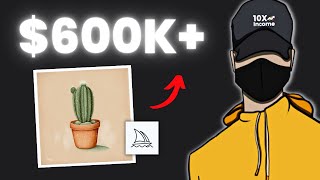
Sam shows how to make watercolor clipart with Midjourney and Photopea, then sell it on Etsy. Use Midjourney v5 to generate images, upscale them 8x, remove backgrounds in Photopea, and package as PNGs. Some stores doing this make over $600K.
Questions this video answers
Over $600,000.
About $9,000 per month.
About $300 per month and over $11,000 total.
About $400 per month and $8,000 total.
About $3,000 per month and over $100,000 total.
Chapters
This store has made over $600,000 by selling simple digital products that no one talks about. So in today's video, I'll show you step by step how you can easily start a similar business with the help of AI. You'll learn everything you need to know to launch your first product and start making sales. You'll also have the chance to get my secret prompt guide for midjourney. More on this a little later in the video. So after doing some research, I found that there's a high demand for watercolor clipart graphics. But. But surprisingly, there isn't so much competition out there. And maybe that's because you need some design skills to make these kinds of graphics. For those who don't know, Clipart graphics are pre made illustrations that can be used to enhance the visual appeal. So basically it's a PNG image with a transparent background. And if you search for this product on Etsy, you'll see there's way less competition for it than for other digital products like Planners, for example. So I did more research and came across this store. And as you can see, the entire store specializes in selling clip art graphics in all different niches and styles. And I can tell from the number of reviews that this store makes a lot of money. But I wanted more information. So I used a paid tool called Alura to learn more about the store. And the results were actually impressive. So as you can see here, the store makes about $9,000 per month and has made over $600,000 in total revenue. And if we scroll down, we'll see all listings this store has. This one for example, provides simple flowers illustrations. And if we look at the analytics, we can see that this listing alone makes about $300 per month and has generated over $11,000 in total revenue. And another listing makes about $400 per month and has generated $8,000 in total revenue. Now let's check out a different store I found that also specializes in clipart graphics. As you can see, the store makes about $3,000 per month and has made over $100,000 in total revenue so far. So it's clear now that there's a high demand for these kinds of products and I'm sure there's room to make sales and stand out. And don't forget that we have an advantage over our competitors because we can publish more listings in less time with the help of AI. And the more listings you have, the quicker you'll likely make sales. Another free way I like to use to check if a product is doing good is is by looking at the reviews. So if we take this one we can see that it has a good amount of reviews and most of them have been published recently, which is a good sign that the product is making money. Then you'll need to read the reviews and get more information about the product so you can find out what people like and don't like. You can also see what people are using this product for because understanding this information will help you stand out from your competitors. You can check this video on my channel to learn more about analyzing good selling products on Etsy. So I want you now to do some research to understand the products and get as much information as possible. And once you have a good idea, you can move on to the next step, which is creating the graphics in midjourney. But before you start generating the images, make sure the Midjourney bot is set to version 5. You can access this list by typing Forward slash and then settings. Okay, let's say you want to create something similar to this product, the Wild Flowers Clipart. All you have to do is copy the main keywords from the title and head off to midjourney. Start by typing the Imagine prompt. After that, paste the design keywords you want to create and hit Enter. Once it's finished generating, you'll have four options to choose from and two rows of buttons will appear under the generated image. The letter U stands for upscaling and V for variations. So if you like the first image and want to make it big bigger, all you have to do is click the U1 button to upscale it. Or maybe you like the third one but you want different variations from it. Then simply click V3 and the bot will generate four new versions. But if you want to make your designs look even more professional, let me tell you about my secret prompt guide for Midjourney. So basically, this guide includes professionally written prompts to help you generate AI images and illustrations in a very unique way. It includes so many different styles and advanced techniques to get the best results and stand out. All you have to do is copy and paste the prompt and use your imagination to create endless works of art. So if you're ready to take your midjourney game to the next level, click the first link in the description. While it's still available, let's get back into the video and show you another example so you can better understand this concept. So again, once you find a listing you like, you first need to get an overall idea about it. Like what? It includes how many graphics, which style is being used, and so on. Then go to the reviews section to see what people like and don't like, and try to build your product based on this information. After that, use the product's keywords to generate the illustrations in midjourney. And don't be afraid to try different prompts and get more creative. Once you're happy with the results, you can simply download the image. Another way to find Clipart ideas is by using ChatGPT. So you can ask the bot to make a list of Clipart ideas in general or for a specific niche. Then, just like you did before, copy the keywords and head to Midjourney to create the actual design. But you might notice that not all of the images Midjourney creates have a high resolution. That's why you should enlarge the image after downloading it from midjourney. Many people overlook this step, but I recommend it because you can ensure your customers are satisfied with the product quality. There are many tools out there, but personally I use AI Image Upscaler. So basically, you upload the picture you want to improve, then you decide how many times you want to make it bigger. Since we want high quality illustrations, we can go with the highest option, which is eight times. And when it's done and zoom in to compare, you'll notice a big difference in the image quality. After that, you can download it and move on to the next step, which is making the product ready to sell. The Clipart images should be delivered separately in a transparent PNG format. So our goal now is to get rid of the background and separate the graphics from each other. The best way to do that is by using a website called photopea.com, which is simply a free version of Photoshop. To begin upload the enlarged image and remove the background. And since we have a white background, it'll be much easier. As you can see, on the left there's a toolbar, and when you right click on the Eraser tool, three options will appear. Select the Magic Eraser, then click on the background and it will be removed. You can also zoom in to check if everything was removed correctly. After that, you have to separate the illustrations and put each one in its own template. So let's start with this one right here. First, select this tool from the toolbar and draw a circle around the design you want to separate. Then press Ctrl X on your keyboard to cut the design. After that, click on File at the top and then New to create a new template. Make sure the background is set to transparent and click on Create. Once the new template is created, press Ctrl V on your keyboard to paste the design. After that, just repeat the same process for all illustrations and when you're done, simply export each one as a. PNG file. From here you're pretty much done and ready to sell your product. The best way to deliver the finished product to the customer is to upload all designs to a Google Drive folder and copy the link. After that, head to Canva and create a simple PDF page with a button that leads the customers to the folder that you've created. That means anyone who buys the product will receive this PDF file and when they click the button they will be taken to the Google Drive folder to access the clipart illustrations and the best way, in my opinion, to find customers and sell digital products is Etsy. I know many people will say it's too competitive and difficult to sell on Etsy, but believe me when I say that it is possible if you know how to stand out. This could be done by giving customers more value than your competitors, or even by making your listing look more appealing. Other than that, I believe most people are just making excuses because they don't want to put effort into any side hustle. I also have a detailed video that shows you how to set up an Etsy shop and list your first item. The link to that will be in the description. And since we've reached the end of the video, I want to thank you all for your support and I know you like it more when I try out the ideas myself and tell you what happened. But I wanted to share this side hustle with you because I believe it has huge potential, especially with the power of AI. Let me know in the comments if you have any questions. Thanks for watching and I'll see you next time. Sam.










