The ONE ChatGPT Feature Everyone Should be Using
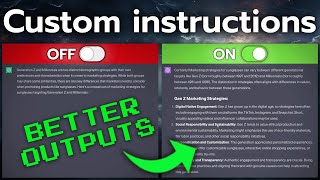
LARRUZ shows how to use ChatGPT's Custom Instructions to remove the "as a large language model" disclaimers and force instructions to apply to every response. A step-by-step reasoning template improves answers for math and analysis, and persona templates like serial entrepreneur profiles are included.
Questions this video answers
LARRUZ
September 1, 2023
Chapters
OpenAI just rolled out the most useful feature in ChatGPT to everyone. I'm talking about the custom instructions feature here and everybody with an account can use them now that includes free users and Europeans like myself. Check it out, no VPN and I can access it. And let me tell you, if you haven't given these a try yet, it's time. There's no reason for you not to use these at all. And that's why today I'll show you some use cases ranging from beginner to advanced that you can set up in literally seconds, because I'll put them in the description below and I posted promise you that each one of these is going to improve your ChatGPT experience no matter what you do with it. So without further ado, let me show you what to put into these two fields so you get better results out of ChatGPT. Alright, so let's start with the no brainer that is useful to absolutely everyone. This one by Jeremy over on Twitter, which now I guess I should refer to as X posted about this a month back when this feature came out. And honestly, if you take nothing else away from this video, you should be using this because as you might know, ChatGPT has strong ethical filters and this custom instruction here removes them. And this is simple yet powerful. Never tell me as a large language model or as an artificial intelligence, I already know you're an LLM. Just tell me the answer. So let's start by customizing our ChatGPT experience. Three dots at the bottom, custom instructions and in the first field you simply paste these two little lines. And from here on out you will never get the typical disclaimer that is utterly useless. And now if you have them enabled for new chats, you can start asking it controversial questions like who is the best person president in the world? You're trying your best, but it never feels like enough. With opinionated things like this, it always gives you a disclaimer, right? So this is not a jailbreak that forces it to give you every answer, but you get rid of that annoying disclaimer in the beginning, which is only a good thing. So I think that everybody should at the very least use this. And before we move on to the next one, that is going to be more specific and therefore more useful, I wanted to show you this little tweet by Wes Roth Money over here. And it's just a little tweet reply, but this is really powerful because if you add this little line to your custom instructions, this is relevant to every prompt I ask like, so it's going to force ChatGPT to apply this to every single answer, because ChatGPT in the background is instructed to only apply this if it's relevant to the response. And from my testing, I found that it sometimes happens that it considers it not to be relevant, although it is. So consider adding this little line by Wes over here to any custom instructions you use, if you want them to be applied to every message. Okay, so this is useful, but let's move on to something that will actually increase the quality of your outputs as opposed to just getting rid of the disclaimer. And that's where we get to this tweet by Jeremy P. Howard. He wrote this custom prompt that you can read yourself. But essentially what this does Is it forces ChatGPT to think step by step. And for all you advanced users, you will already know that forcing large language models to think step by step is one of the best hacks to get better results. A great example would be math. It's terrible at math if you just ask it basic questions, but if you add things step by step, it will do so and you will get usable results because it thinks for one thing at a time and it avoids multitasking, which language models are really bad at. So again, we'll head on over to Custom Instructions, and this time we'll post this into the second paragraph that tells ChatGPT how to respond, aka what it should consider when it answers. So again, you can read the whole thing. And if you don't have coding use cases, you can remove this last paragraph because. Because this is specific for Python code. So let's just do that in our case. And why not combine it with the first prompt, remove the disclaimer and think step by step. And right here we have a super powerful setup already. We enable this for all new chats, say save. And every time you come back to ChatGPT, you're going to be dealing with the upgraded version, no disclaimer, and it's going to think step by step. So let's see, let's just use one of these preset prompts, compare marketing strategies. And right here, the little I shows you. Yes, we're using these custom instructions for, for this particular answer. All right, this is with custom instructions, and now let's turn them off. Save and run the same prompt and then we can compare. So if you have a look at this, the results are very different and I wouldn't dare to say which one is better in this use case. They're just different and you'll have to experiment. But what I dare to say is that the conclusion on the one with the custom instructions is way better. Look at it. It's longer, it's more detailed, and it ends on an actionable step, which I always like. If I were forced to describe the differences, I would say the second one is maybe a little more human. Like you're talking to a rational person and they're thinking step by step and explaining their thought process process. Whereas this is more of a guide. Okay, and now that you got a quick win and a universally applicable custom instruction that you can pretty much use most of the time, I want to show you a very specific use case which is only going to be relevant for specific situations. To be even more precise, we're talking about the profile of a serial entrepreneur managing a portfolio of diverse ventures, having had multiple successful exits. And then as you can see right here, there's many more details. If you've seen my other custom instructions video, I introduced this framework of how to work through this and how to get give ChatGPT a specific type of custom instructions. At this point, I want to shout out my co author, Rastislav Dujava, that helped me put all this together. He's a prompt engineer from the Czech Republic and we put this framework together and created 200 of these. In the other video, you can get a digital marketer. In this video, we're giving you the serial entrepreneur. So just feel free to copy paste this from the description by clicking copy to clipboard. Custom instructions paste. And we do the same thing for the second half paste. And as you can see, this is very specific. So this is an MBA from Stanford. He's fluent in English and Mandarin. Right. So not all of this is going to apply to you. But guess what, you can go ahead and customize this to your very own needs. But now you have a specific profile. So if you throw something generic at it, like what market should we focus on with our new product? It's going to have a lot of that context built in already because look, it knows that we're interested in AI and blockchain and it's going to hit you with the things that a serial entrepreneur would want, right? Reflective questions, action steps. And it's doing that because we have the custom instructions. Look, if I go ahead and turn these off and by the way, I just like using code interpreter because it seems better in some use cases. But that's up to you to test. Look at that. It gives you a generic output and just some guidelines that a beginner could use. But hey, if you're using custom instructions, you're not a beginner anymore. You want to go specific, and that's what exactly this Persona does. So feel free to go ahead, copy paste this from the description. And if you're interested in having 199 more of these, we have a product that does exactly that. You can check that out from the first link in the description below. And if you haven't seen it, I strongly recommend you check out this other video that talks about this template for custom instructions more in depth. And now that you're equipped with multiple custom instructions that are useful, you will get even more out of this video. I'll see you there.










