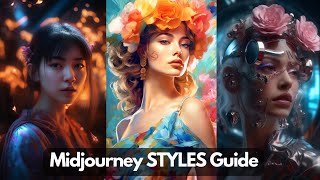
YouTube tutorial (by LARRUZ) demonstrating many Midjourney prompt patterns and style keywords that elevate AI images. The host explains prompt structures (e.g., "X as Y", "made of [material]"), and demonstrates artistic techniques and keywords: double exposure, knolling, 8-/16-bit pixel art, isometric/asymmetric art, backlight, cutaway diagrams, tilt-shift, macro/super-macro, fish-islands effect, coloring pages, caricature, stained glass, translucent/molten bodies, anthropomorphism, outline neon/glass icons, 3D icon sets, and celestial motifs. The video also contains a sponsored segment for Wirestock explaining how to monetize AI-generated images (include “AI generated” in metadata, upscale images before upload) and offers a 20% discount with code "prompt".
Questions this video answers
LARRUZ
May 14, 2023
Code: "prompt" — 20% discount
Include the phrase "AI generated" in the additional information field.
Chapters
You're likely already aware of the exceptional images Midjourney can produce. But in this video, I will guide you on enhancing your creations even further. The exciting part is all it takes is the addition of a few keywords to your prompt. By simply integrating various photography styles, you can set your work apart from others. In this video, we will delve into styles that will elevate your mid journey photography skills to professional levels. So without further ado, let's dive in. The first prompt structure that we are going to be looking at is to put one subject as another subject. So for example bear is a soldier. So here is how it turned out. Then I tried it another one that's Panda as a space commander and you can actually even play along with actual characters. For example, if you wanted Tom Cruise as an Ironman. So this is how Midgeny thing it's going to look like. The next prompt structure that we are going to be looking at is you have a subject and then made out of whatever material you want. So here is one example. In this case the prompt was Eiffel Tower made out of colorful strings and if you click on it you can see the details. So it simply use colorful strength to create replicas of Eiffel Tower and it looks pretty neat. Now the second example is isometric castle out of colorful flowers. And you see the whole structure is made out of flowers. This is a pretty neat trick. You can create any material. Next we will be looking at double exposure which is a fantastic technique to mix two different photos into one unique eye catching image. So for example, in this case the prompt is double exposure of a woman and an island. And as you can see in all of these images both island and the woman is mixed in with different level of exposures. Here is another example. This one is a pirate and the ocean. Now you can do it in two different ways. First is, let's say you write out the the prompt as double exposure of a woman and an island. Or you can use the plus sign. So that's pilot plus double ocean and then followed by double exposure. The next one is Knolling, which is one of my favorites. It's an amazing art form that involves taking various items and arranging them in a neat 90 degree formation. So for example, here's a noning of a solar system. Then annulling of landscape. You see that all the landscape items are arranged at 90 degree formation. And here is annulling of fire department. Another pretty neat technique is to add 16 bits pixel art or 8 bit pixel art with your prompt for Example Here is a 16 bit pixel art of hot air balloons at night and it looks pretty beautiful. Is Mona Lisa as a 16 bit or a city landscape at sunset with 16 bit pixel art? AI generated content is gaining immense popularity and many are profiting from it. You too can capitalize on this trend thanks to our sponsor Wirestock. So Wirestock is a user friendly platform that enables you to monetize your digital content effortlessly. It takes care of distributing your AI generated images, stock photos and videos to major marketplaces like Adobe Stock Pond 5 and deposit photos. Signing up for Wirestock is absolutely free. Simply upload your content and submit it within seconds. Wirestock will manage all the tedious tasks such as keywording and captions, allowing you to concentrate on producing more incredible content and boosting your revenue. Now there are a couple of things you need to be aware of. So when submitting AI generated content, remember to include AI generated in the additional information field. Now you also want to upscale your images before uploading because they accept only the best quality images. You will receive a complimentary portfolio to sell your digital content or even printed material while Wirestock is free. A premium upgrade unlocks additional features such as faster submission reviews and increased submission limits. This is an option worth considering for those aiming to maximize their Wirestock experience. Premium users can also participate in photo challenges and win cash prizes. If you decide to upgrade to a premium membership, use my code prompt to receive 20% discount. Get started on Wordstock today and unlock your content's potential. Another great way to distinguish your creations from others is to use asymmetric art style in your images. It's a beautiful and unique way to represent 2D image which is or figures in a 3D perspective. So for example, this one is an isometric submarine. Now here is another one with a more detailed prompt. So isometric art of a cup of coffee with creativity and ideas flowing. So you see there are some really nice and neat structures added to the image. And here is an isometric futuristic city. So it's a great little tool that you can use as a part of your prompt to give it extra creativity. One of my other favorite is to add backlight to different subjects in the images. So for example here we have pandas, there's backlight, bicycle backlight, and this one is a more detailed descriptive prompt. So in this case it's luminous backlit glowing forest mushrooms, neon lights around the mushroom, faded hyper detail and you see the backlight adds a lot of dramatic effects to this. You can also create cutaway diagrams of different subjects that you want. So cutaway diagram is simply peeling layers away from 3D objects to illustrate and explain what's inside. So you can use midjourney and it's very simple to do. So for example, you have the subject and then you simply write a cutaway diagram. For example, in this case we have the Death Star cutaway diagram and then it will add some infographics to it as well. You can also create different lens effects with imagen and it's pretty easy to do so. For example, in this case we are creating the tilt shift effect. So the normal tilt shift lens lets you change its position relative to the camera's image sensor by tilting or shifting. And you can create some really dramatic effects. So let's say in this case for the first one is tilt beach hurt tilt shift and it created tilt shift effect for the beachheart. Here is a concert in times squares or we have a normal concert. Another great camera lens effect that you can add is called macro. So the macro lens lets you take detailed close up shots of the things or subject. So for example, here's a macro shot of a leaf and you can you like, you can see all the details of the leaves and even there are some water droplets as well. Here's another one of a bee. It's an extremely detailed and close up shot. And here is one of a coin. Right. So in terms of the prompt, I'm just adding the keyword macro with it. Now there you can take this a step further and you can use the keyword super macro. So that will take it even closer compared to what you had before. Now in terms of lens effects, here's another one that you can add. So this is a fish islands, for example clown fish islands. Or we have fish fish islands. I think here's another example of a fighter jet fish islands. So just adding the keyword fish islands will actually add a fish islands effect to your images. Now you can use Mid Journey to create coloring pages. And it's very simple to do as probably you guessed. You simply need to add the keyword coloring pages. For example spaceship coloring pages. Or here's a village hut coloring pages or a Batman coloring pages. Now with Mid Journey, the possibilities of image creation are endless. For example, if you want to have exaggerated and funny features of the images, you can use the keyword caricature. So for example, here is a caricature of a monster, a ninja. Here's that of a rhino. And I think I like, really like this one. This is a spider man. So just by using the single Word you can really exaggerate different features of your subject. Another great art style is this stained glass windows. So for example, this is a stained glass windows of a wolf in a moon. This is extended glass art style of garden Star wars battle shape. So it's very easy. All you need to do is just add stained glass window of whatever character, character or scene you want and it will create that for you. Now you can also use mid journey to create 3D icon sets. So for example, this icon set was created with a very simple prompt. So here's the prompt. Colorful 3D icon set of food beverage industry 3D rendering white background isometric. So you probably have already seen the isometric art style and translucent and then blender for rendering. Right. And you can create really highly detailed icon sets using a very simple prompt. So for the rest of the video, we're going to be quickly looking at some of amazing different styles that are available. So for example, celestial is one that you can use to give your images a more of astronomical vibe. So this one is a celestial map of the solar system. And here is the celestial map of paradise, which is looks pretty neat. Next, I want to show you how you can create these see through objects Molten items Keyword. So the main keyword that we are using here is translucent molten body. So using this specific keyword, it will midgen you will create see through objects. Another important style that you probably want to look at is anthropomorphism. So basically you want to attribute human characteristics or behavior to gods, animals or objects. So for example, in this case we are creating a panda with anthropomorphism. The prompt that we are using is this panda anthropomorphism. Who is a Chinese ink style Amazing epic ancient theme, right? And I created a very similar image just by replacing panda with a fox. Right? And these looks pretty, pretty amazing. So if you look at this, they are basically the human like the way they are standing and acting. And this is one of the styles that you might have seen in a lot of images and it is way easier to achieve. All right, so the final style that we're going to be looking at is this outline neon glass icon style. So you can actually create outlines of different icons with neon glass. So for this specific case, the prompt that we're using is basically outline icon of medical forest to the glass icon set. Colorful UI design. Right. I hope you liked the video. If there are any questions, please put them in the comment section below. As always, thanks for watching. See you in the next round.