This Text-To-Video Tool Got A Major UPGRADE! (VideoMakerGPT) Creates Videos IN SECONDS
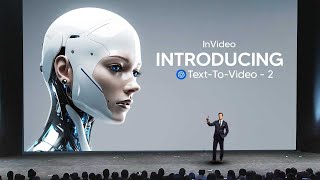
LARRUZ reviews InVideo's upgraded text-to-video tool that generates documentary-style videos from natural language prompts. The new voice-cloning feature lets you upload 30+ seconds of speech to create a reusable voice that re-syncs when scripts change. Free tier available, paid membership around $25/month.
Chapters
With OpenAI's recent advancements in AI technology, which is their newest text to video model, which is super realistic, it's clear that the text to video and video editing landscape is about to change dramatically. And one of the recent advancements in technology was this app called Invideo. Now, some of you may have seen InVideo AI before because I recently did a video on that technology, but since then it's actually got a recent upgrade. So if you don't know what it is, I'm going to give you guys a quick demo. So basically it is just essentially chat GPT, but of course you can see you can use a GPT, but essentially you can talk to this AI and you can literally ask it to make a video for you in any style. If you're wondering how it works on the back end, they do have a website that's connected to, I'm guessing, a bunch of APIs, and essentially it just translates your prompt into a fully edited video. Now essentially you can see once you've entered your prompt, you're going to get your video. All it does is it just takes a bit of moments to essentially refine your video to a final version. But once that's done, essentially you do have a video that you could then go ahead and potentially publish. Now, the recent kind of change that they made that makes this technology rather interesting is something in voice control. So essentially they've added the ability for you to be able to clone your own voice, for you to be able to add that into your videos, which is a really huge thing because although while some people are scared about their voices being cloned to due to deep fake technologies, this software actually makes you say, I give you permission to use my voice. Which means that software like this isn't going to be replicating your voice without your permission anytime soon, which is a very, very big step in the right direction for AI safety. So you have to do a few things. Just make sure it's at least 30 seconds, you do have to pause in between sentences and of course make sure your voiceover is quite clear. But, but once you've done that, essentially all you have to then go ahead and do is drag and drop your would be voiceover into the software. And then now, unlike before when you would have your video being done by an AI voiceover, you essentially have your video being done by you. Now this is really good because if you have perhaps a work assignment, maybe you have a presentation and you just want to beef up that presentation really quickly, let's say you only have five minutes or you got to do is just, just put in an existing recording of you talking, add it there, and you simply now have your voice there. That's going to sound like some studio edited stuff. Now, I do want to say that it is a little bit hard to do that for my voice because I try to make my voice sound as engaging as possible, which means that the AI doesn't always quite understand what kind of accent I have. Sometimes it thinks I'm Australian, sometimes it thinks I'm American, and sometimes. And sometimes it thinks I'm a British. And that is a little bit of the problem for the system. But you're about to see that once it's able to get my voice, you're going to hear how it sounds. Now, hopefully you guys do think it sounds good. And of course I'm going to pick up on small details that you won't be able to. So it won't sound completely natural to myself. But I'm definitely sure that some of the AI voice cloners that I've seen before, this is definitely better than a lot of them. So you can see there that once I've got my voice, all I literally need to do, and I'm just deleting the one from earlier is just go ahead and click use, use. And then of course I'm just going to go ahead and rename this because I want to make sure that I know which voice it is. And of course, so that when I ask the AI system to be able to use whatever voice I want it to use, I can always specify that it's my voice, which is of course, the AI grid. So essentially what I do now is of course I already have the settings in there. I'm just going to ask it to prompt a documentary. So I'm going to say do a documentary about, I guess you could say the interesting one, wildlife documentary about giraffes. Okay. And I don't have any particular fascination with giraffes. I just feel like, you know, with the stock footage combined with what this technology is able to do, it should give you guys a real demonstration on how this could look. So I'm going to go ahead and prompt that. And essentially all we have to do now is just wait for it to analyze certain things. And one thing I did actually like about this was that it actually did actually allow you to refine your, I guess you could say prompt. So essentially it's going to come up in a moment where it has a screen that shows you some small things. So you can, you know, change it for different platforms if you want it in different aspect ratios. You can also change the conversation of it, essentially the conversation of the script, essentially. Quite a lot of stuff that you're going to want to, I guess you could say, refine if you do want it in a certain way. And it's really good because it actually does open your eye up to the vast amount of different styles that do exist within media. And then essentially, once that's all done and that's all cleared, essentially, eventually you do get a video. Now, let me know how you guys think this sounds. You can see right here, it says the fragility of life. There's many scenes being loaded, and I'm kind of excited actually to see how this entire video is going to turn out. So here it is, here we go. It is time for the big reveal. And even if this video isn't as good, and even if my voice does sound weird, what I am going to do is I am going to show you guys how you can actually change this with this really easy command box interface that's super easy to use with natural human language trait. It's elongated neck. More than a mere tool for accessing the tallest branches, it's a giraffe's prime advantage. The next role isn't limited to this. It also plays an integral part in thermoregulation. It aids the giraffe in maintaining a cool body temperature amid the intense African. So let me know what you guys thought about that. I did think that sometimes did sound a little bit strange. But like I said, my voice is super dynamic and literally right now, even the state of the art AI voice cloners literally can't do my specific voice voice just because I sometimes I speak slowly, sometimes I speak fast, and then times I speak really, really, really slowly to emphasize in some points. So I do think that this would work for like your average standard person. But that isn't of course, the biggest feature of this. The biggest feature is of course, the software. And remember these, you know, little watermarks that you do see here, they will disappear. So one thing I didn't like about this was of course the transition. So I'm going to say remove the transitions and just have it cut naturally. And then I'm going to say that because I feel like that is something that I didn't want. So I'm going to go ahead and remove those transitions and I'm going to just click generate. And this actually doesn't take that long. So it says, let's make those transitions disappear. And this is what I so like about it, guys, because think about like this, if you were like 90 or like 80, or let's say you weren't that good with technology. And let's say you hook this up to something where you could literally just voice type. You could say, ah, this isn't good, you know, you know, remove those transitions, make the background music a little lower, change this to make it more serene. Put that first clip over there. And it's just doing it like this is definitely some next level futuristic stuff. And obviously we're in the early days, but what I really want to see is maybe in the next five years I probably want to come back to this exact video. And then I actually want to see how much this software has advanced since then. Because if it's this good now and you can see it changed the script and I'm guessing it got rid of that stuff. So I'm guessing that's just the title. Okay, so actually what I wanted to do was I actually wanted to remove the transition animation because when I said remove the transition, it actually removes the transition in the text. So that actually shows you that sometimes you do actually need to be a little bit more specific on what you do want. And of course there's like a whole library of stuff that you can specifically stay. But of course, once you're talking to it, it's much easier than, you know, trying to figure it out, trying to watch a tutorial on how to do xyz. So it will be kind of fascinating to see how that does really, really works. So, yeah, I'm guessing it's removing the transitions, but I probably should have said remove all of the transitions. So, yeah, so, I mean, after that, I do think that it is definitely looking a little bit better. But one thing that I probably would do is I probably might reduce the background music a little bit. So what I can say is that lower the background thick a little. And then of course, one thing that is really, really good about this is, is that if I decide to change the script. So, for example, let's say I wanted to change a script to be a bit more enthusiastic or I wanted it to be a bit more cinematic when I did that and actually changed the script. What's good about this is that it's going to automatically update that with my voice. So I guess a real use of this is not having to rerecord things. I mean, my voice is just too dynamic for me to be able to use this. And of course we're talking about AI technology that is completely new. But I do think that this does have some genuine use cases, like for example, creating a documentary or creating something as the basis of your video for maybe some kind of project, personal project, home project, film project. There's just a million different things. And then of course, like I said, even if you don't like this little chatgpt style user interface, what you can do is you can go to edit, you can go ahead and change these kind of clips. Of course you can see, you can change the duration and. And of course what's interesting as well is you can edit the script yourself if you want some more specific things and you can see some titles, you can essentially delete these if you want, you know, if you're really good at a computer or you can simply talk to this and play around with it. The great thing about Invideo as well is that you can actually start for free. So even if you don't want to sign up to this and you don't want to spend any money, you can just test out the technology if you really want to, just to see where development is heading. Because I do think like, things like this do get overshadowed by some of the crazier tech that was released, really. Not to mention, of course, OpenAI Sora, which is absolutely insane. But I'm pretty sure that this kind of technology is going to be integrated with that in some way in the future, likely due to some kind of API or perhaps some kind of potentially partnership or integration. So I wouldn't be surprised if something like that does happen in the future. Now, of course, as well, they do have a mobile app which you guys can check out, because I know that many people do just use ChatGPT on their phone. So being able to edit this on your phone is going to be really cool as well. In addition to that, they do have a membership that does start at around 25 doll month for all of the additional features that you might do want, including loads and loads and loads of stock footage. So that is of course something that you do want to check out. So let me know if you guys think this is the future of video creation. I think that this is really cool. I think this kind of technology is going to be more and more improved and I think this is going to be the worst it's ever going to be. And that doesn't mean that this is bad. But remember, GPT4 is insane. It's the worst it's ever going to be and it's kind of showing and telling us where technology is going to be and how the future of user computer interaction is going to change completely over the next decade.










