Untapped AI Products You Can Start Selling Today!
LARRUZ walks through six digital products you can make and sell with AI tools like ChatGPT and Midjourney. GoodNotes stickers, phone wallpapers, educational posters, printable bookmarks, affirmation cards, and travel planners all have low competition and need minimal startup costs.
Chapters
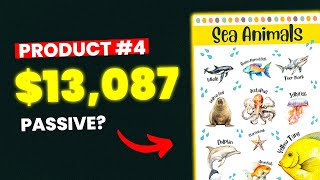
I'm going to share with you a list of digital products with low competition. But not only that, I'll go through each one and show you how to build them all using AI. Spoiler alert. An upcoming product is making over $13,000 and I'll show you how to create it in under 10 minutes. So make sure not to skip any part because the competition starts high and decreases toward the end of the list. If you open Etsy and search for digital stickers, you'll get half a million extremely competitive results. But if you search for GoodNotes stickers, you'll find less competition. Don't worry about the 100,000. We'll get back to that in seconds. Now, GoodNotes stickers are just PNG images that people use to enhance the look when taking notes on the GoodNotes app, and this will be our first product on the list. Now, I've done my research and verified that it's currently selling well. This listing is making $1,400 per month, and this smaller one makes around $400. But even though it sells well, a niche with 100,000 results could still be hard to break into if you're just starting out. So the best solution is to use the space key method. Enter your main niche into the search field, then press the space key to get sub niches. And as a beginner, these sub niches usually have less competition and are easier to target. So if we choose GoodNotes stickers for school as an example, we'll get only 10,000 results. And don't forget that the competition gets lower as long as you keep watching one of the listings in the school niche gets lots of new reviews and makes $1,900 per month. But the question is, how can we create similar stickers using AI? I'll show you how to do that by using ChatGPT to automate the process and midjourney to create the illustrations. So let's say you want to create school related stickers like the listing we saw. Start by asking ChatGPT to generate a list of topics related to school. Then pick your topic and ask to list sticker ideas based on it. I chose the school supplies and here are the sticker ideas I got. Now we can go to midjourney and start writing the prompts and creating illustrations for each one. But what if we could let ChatGPT write the prompts for us with only one click? Paste the midjourney formula into the chat, which is mostly made up of the image description and style, then ask to write a prompt for each Sticker on your list, hit Enter and watch the chatbot write the prompts for you. After that you can copy the prompts individually and put them in midjourney to generate the illustrations. And here on the screen you can see how the stickers came out. All you need to do after that is remove the Background and your AI generated GoodNotes stickers should be ready to sell. I hope you're still watching because an upcoming product is making over $13,000 and I'll show you how to create it in a of clicks. But for now let me show you a simple product that could be created in under five minutes. Phone Wallpapers so as always, you need to pick a niche. To start with, I will create affirmation wallpapers like this listing right here. ChatGPT gave me the quotes and the illustrations ideas for each one. Here for example, we have I am strong and resilient and the suggested illustration is a mountain. So now we need to generate the background in mid journey and head to Canva to finish the design. As for the illustration, it's very simple. You basically use the same formula as before. Here we need to create a vertical image. So you need to type dash dash and then AR9X16 and in a matter of seconds you will get a high quality background. After that head to Canva and add the text. And just like that you've created professional looking phone wallpapers in under five minutes. Let me know if you see a big difference between ours and the competitor. The next product is similar to the flashcards we created in a previous video. Educational Posters this listing right here is killing it. At the moment they're making over $10,000 in revenue by selling printable posters, which I'll show you how to create. There's so many styles and topics for educational posters, but as an example, I'll choose the sea animals topic. And by the way, the listing is making $13,000 in revenue. So as always, ChatGPT is the quickest starting point. I generated a list of sea animals and then went to midjourney to generate the graphics using the same art style as my competitor. And if you look closely, can you really tell a big difference? So in the end I used Canva to design the final poster where I put all the graphics together and added a name for each one. And once you're done, you can sell it as a printable or physical poster. Speaking of printable products, have you heard of printable bookmarks? This is a very good product to sell on Etsy with low competition. Besides that it's very easy to create, especially with the unique method. I'll show you right now. Say you like this product's aesthetic and wanted to make something similar. At first it may seem difficult, but what if I told you that what you see on the screen was generated in a couple of minutes? Let me show you how. Start by screenshotting the image you like. To do that, basically hold down the Windows key and Shift and S together. Then simply paste the picture in midjourney and copy the link. Then type Forward slash and choose the Describe option. Then click on Upload File. Paste the link here and click Open and finally hit Enter. Now this command will give you four different prompts that describe the image. You can try each one and see which one works the best. And this will sit save you lots of time as you don't have to come up with the prompts yourself. After that, you can save the images you've generated and head to Canva, where you'll find many bookmark templates. Basically replace Canva's design with yours and save it to your device. And just like that, your product should be ready to sell and we can now move on to the next product. Printable Affirmation Cards this product has very low competition, and there are listings on Etsy making up to $600 selling simple designs like this. Most designs are a compilation of quotes and simple graphics, and sometimes only simple quotes. I'll show you how to create hundreds of these cards in only a few minutes. So instead of writing the sentences yourself, ask ChatGPT to generate the number of cards you want. And at this point we usually start copying each text and going to Canva to make each card individually. But this will not be the case if you use the method I'll show you now. First, head to Canva and create a base template for your design. So add the text, choose the font you like, add any effects, etc. After that, head back to ChatGPT and copy the quotes. Then go back to Canva and click on Apps. Now simply type Bulk in the Search and click on the Bulk Create app. Then click on Enter Data Manually. Once the app opens, click Clear Table at the bottom. Name the column Quotes, for example, and paste the quotes from ChatGPT underneath it. And if you did everything correctly, you should see all quotes listed like that. Once you're done, click on Done. The final step will be to right click on the text in your template, click Connect Data and choose the Quotes column. And click on Continue. And finally click on Generate Pages and like Magic We've generated 50 affirmation cards in under five minutes. And you can now make some changes to the designs. For example, change the background color, add graphics, and more. But in general, this method will save you hours of work. And that brings us to the last product on our list, Printable Travel Planner. The competition for this product is very low and I believe it has a lot of potential, not just on Etsy, but also to build an entire store around it. I also sold something similar in the past and it did very well. Now in terms of Etsy, we have this listing that is making over $1500, this listing that is making $1300, and this one that makes $500. So there's definitely a demand for it. I recommend starting by analyzing your competitors listings. Check how many pages they provide and what style they're using and think about how you can stand out. And to create your Planner, you'll need ChatGPT to generate the content and CANVA to design the pages. Ask ChatGPT to give you the structure for a 20 page printable travel planner, for example. After that you can copy each page individually and ask for the content. This will give you a clear idea of what each page should include. And with the help of Canva, pre built templates and some inspiration from your competitors, you'll be able to create something professional. And you can sell this product as a printable or editable planner. You can watch this video to see how I made $1764 selling something similar. Thanks for watching. And always remember, patience is the key.










