Use This AI Tool To Make An Entire Slide Presentation
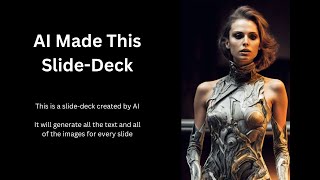
Matt Wolf demos Tome, an AI tool that builds entire presentations from a few words. He creates decks on Future Tools and keto diets, edits AI images, records narration, and shows how it works for YouTube videos and pitch decks.
Questions this video answers
Matt Wolf (aka Mr. Eflow)
Tome (Tome App)
DALL·E (OpenAI)
Eight-page slide deck
He said creating one slide used 20 credits and mentioned starting with 500 credits (later observed balance ~580).
Chapters
Hey, what's up everyone? Mr. Eflow here, aka Matt Wolf. Today we're going to look at a tool that claims that it could make your slide decks and pitch decks for you using AI. Now, this tool is called Tome. So I'm going to search it up over here at FutureTools IO t o m E and we're going to check this one out here. So this is the first time I've actually used this platform. I did create a login previously, but today is the first day that this tool is actually available to the public to use. So I wanted to get in, be one of the first people to actually play around with it and see what it can do. So I'm inside of Tome here. Let's go ahead and click Create. I'm going to skip a lot of the tutorials because, well, that's what I tend to do. I tend to try to figure it out as I go. So let's see. Create a presentation about. Lately I've been promoting my Future Tools IO website. So let's go ahead and create a presentation about Future Tools in aggregator for awesome AI tools. Let's see what it does for us. Right now it's generating an outline and this is going to create supposedly an entire slide deck for us with text, with images, everything pretty much done for us. I could see it generating the slides over on the left side over here, and down here you can see how many pages it's generated so far. And so far you've seen all I've entered. The only text I've entered was Future Tools and what the site was actually about. All right, so it looks like my slide deck is done. What happens now if I go up to play? Okay, so this is page one. Unlock the future with Future Tools AI Tools Aggregator. All right, so that might need a little bit of tweaking. Let's go ahead and go to the next slide. Exploring the possibilities of future tools. Unlocking the potential of AI Streamlining your AI workflows. The ultimate AI toolbox. The benefits of future tools. The future of AI Exploring the possibilities of future tools. All right, so this last one must have been like the table of contents. Exploring the possibilities of future tools. The world of technology is ever changing and Future Tools is at the forefront of this revolution. Future Tools is an aggregator of the most cutting edge AI tools that are pushing the boundaries of what's possible. So far, so good. Unlocking the Potential of AI Future Tools brings together the most powerful AI tools and capabilities, allowing users to unlock their potential from natural language Processing to facial recognition and more. Future Tools is the only platform that offers the full range of AI capabilities and not, not quite what it does. But one thing I need to point out too is there's images on all of these and these images were also created with AI. So the text was created with AI and the images was created with AI as well. Streamlining your AI workflows Future Tools makes it easy to integrate AI into your existing workflows, streamlining your processes and saving you time. With Future Tools, you can quickly and easily access the latest AI tools, making it easier than ever to stay ahead of the competition. Perfect. I like that a lot. The ultimate AI toolbox. Kind of a cool toolbox image. I mean, you can tell it's an AI generated toolbox because none of those tools actually look like anything real. But it's. I like that image a lot. Future Tools is the ultimate AI toolbox, offering a comprehensive suite of AI capabilities to help you work smarter and faster. From data visualization to predictive analytics and more. Future Tools has everything you need to stay ahead of the competition. The benefits of Future tools. Future Tools is the only platform that offers the full range of AI capabilities, allowing you to unlock the potential of AI. With Future Tools, you can streamline your workflows and save time, making it easier than ever to stay ahead of the competition. I mean, Future Tools itself isn't actually an AI tool. It's an aggregator database of AI tools. But it's trying its best. The future of AI. The future of AI is here and Future Tools is leading the way. With Future Tools, you can unlock the potential of AI and and stay ahead of the competition, making it easier than ever to succeed in the digital age. All righty. So that is the slide deck. It created an eight page slide deck for me here so I can add comments to it, I can duplicate it, rename it and add my logo. Let's see here. So we've got add title, record narration, set theme. So let's go ahead and set the theme to a light theme. So over on the left I could right click and duplicate slides or copy or cut them down. Here I can add a new slide. See what happens if I add one like this and then come over here and AI create. What's it going to do? Add a page about how many cool AI tools are available. Let's see what it does. The AI tool universe. The possibilities of AI tools are endless. Stretching out across galaxies and beyond. From the vastness of space to the depths of the oceans, AI Tools can take us Anywhere and everywhere. So this is the AI text that it generated. It didn't actually generate it in the new slide that I created. It made a sort of new slide. Looks like I can kind of drag and drop them around here on the left. Very, very smooth, very clean. I like that a lot. And then you can actually record a narration. I doubt it's going to work because I'm recording audio for this video, but it looks like you can actually record a narration over your slide deck as well. And let's go ahead and create another one. You can see down here, I use 20 credits to create that last one. I started with 500 credits and if I refer more people, I can get more credits. Apparently I have 580 credits. A minute ago it said 400 and something. So maybe I just referred somebody and didn't even realize it. Wouldn't be surprised. So let's go ahead and click Create again. So let's go ahead and switch this to a light background. All right, so let's click AI Create. Create a presentation about, just for fun, just to mix it up, the benefits of the Keto diet. Why not? All right, so it looks like it's finished generating the text. It's still working on the images over here. Looks like it's using, I'm assuming it's using Dall e to pull in these images. I noticed the little OpenAI logo. OpenAI makes the dall e image generator. So I'm pretty sure it's using the OpenAI DALL E2 images. But here's our presentation. Keto diet Unlocking the benefits of a healthier lifestyle. And by the way, this can be used for YouTube videos as well. If you want to make a YouTube video about the Keto diet, you could literally type in the benefits of the Keto diet and let it create a presentation with you, with text, with images, with everything. I might do that for some future videos. Make a whole presentation, do the whole video and then at the end of the video show you that I use this tool to make the entire presentation. All right, so let's read this here. Keto diet unlocking the benefits of healthier lifestyle. And then here's our little table of contents. The benefits, Weight loss, improved blood sugar, blah, blah, blah, blah. All right. The benefits of the Keto diet. The Keto diet is a low carb, high fat diet that has been around for centuries. It has been used to treat a variety of health conditions from obesity to diabetes, weight loss. The Keto Diet has been shown to be effective for weight Loss as it helps to reduce appetite and cravings. It also helps to increase the body's metabolism, which helps to burn more calories. So far, so good. Obviously there's more information for it to pull from on the keto diet than there is about my site Future Tools. So with that in mind, it's going to make a lot better presentation for more commonly known topics that are available out there. Improved blood sugar control. The Keto diet has been shown to include blood sugar control in people with diabetes. Helps to reduce the amount of sugar in the blood, reduced risk of heart disease, improved brain health, and reduced risk of cancer. This is really, really cool. I mean, look at this. It made a whole presentation for me. I don't really know what this art has to do with what we're talking about. This kind of looks like a wizard in the forest or something like that. Weight loss. Okay. This one kind of makes sen. It looks like somebody standing on a scale, maybe holding a clipboard or something in the middle of outer space. Improved blood sugar. An hourglass, a rainbow and farmer holding a stick or something. Reduced risk of heart disease. Okay, okay. Yeah, that one makes sense. A person holding a heart. Improved brain health. Yep. All right, this one is. This one makes sense. That one's good contextually. And reduced risk of cancer. I don't know what I'm looking at here. I think it's a person with maybe a shield on their back, like they're defending against cancer and they're holding up a flag of some sort. I don't know. I'm trying to interpret what AI is trying to create here. But the point being you can make a pretty good presentation. Let's see what happens here. I can actually download the images. Here's our Dall? E setting. So that confirms that it is using Dall E. And you can see what prompt it used. A figure stands in a field of stars surrounded by swirling mix of colors. The figure holds a large shield in one hand representing the potential of the keto diet to reduce the risk of cancer. The sky around the figure is filled with a mix of reds and blues representing the potential of the keto diet to improve overall health. Fantasy art style, Digital art. Highly detailed. Intentional 4K. So that's really, really cool. I can actually look at these and see exactly what the prompt was. So if I click on the image, click over here on Dall E settings, you can see the prompt that it used. And let's go ahead and come up to this one where it's some sort of like wizard and See if I can actually get it to prompt something better. A tall muscular figure stands in a dark forest illuminated by a bright white moon. The figure is wearing a long flowing cloak and holds a staff with a flame on the end. The figure is surrounded by a swirl of colors representing the potential health benefits of the Keto Diet. Fantasy art style, digital art, highly detailed, intentional 4K. All right, so what's something we could use for the benefits of the Keto Diet? Tall muscular figure stands in. Let's go like a doctor's office. That might make more sense. See, illuminated by a bright white moon. Let's just get rid of that part. The figure is wearing a long flowing cloak and holds a staff with a flame on the end. Don't know how that has to do with anything. Okay, let's just go ahead and generate that and see what it, what it changes. And it looks like it's going to even give me possibly four options to choose from. So these to me all look like a better representation. I don't know what's going on. Let's just go ahead and use that. Let's edit image. Let's click on fill so it zooms in. Very cool. So now if I click over here, I wonder if I can edit the text prompt. Let's see. I can edit the text settings. Looks like I can pull in some other stuff here. So yeah, this is really, really cool. I can see one use case of this would be if you want to create a YouTube channel, you can actually use this tool to make your YouTube videos. So let's say you have a channel on, for instance, the Keto Diet. You can go in here and think of various topics around the Keto Diet. Enter the prompt, let it generate the slides for you. And then you might have to do a little bit of adjusting on the images and some of the text to get it exactly what you want. But you've pretty much got your entire presentation created for you. And then if you wanted to use a text to voice generator, there's a whole bunch of them over on future tools. You could actually have it spoken out for you as well without you even having to do the voiceovers. And you can have a complete video created using 100% AI tools. So that's one way that you can use it. Also, it looks like it's great for any sort of pitch decks. If you're pitching a product or anything like that, you can use this to actually pitch the product. I can see a lot of marketers actually using this as a starting template for some of their webinars. That would be kind of cool, especially if it was a webinar about how to use various AI tools. So, really cool design tool. I really like it. It's called Tome. You can actually find it at Tome App. T O M E A P P and go give it a try. It's a pretty cool tool. Also, if you haven't checked it out already, go over to FutureTools IO. This is where I've been aggregating all of the various tools that I've been coming across. You can literally search any type of tool that you can think of. Let's say you want to look up an AI tool that can help you generate code, click on Generative Code. It'll show you all of the tools that I've come across so far that you can use for Generative Code. Or you can do a search. Let's say you want an AI art avatar. I can type avatar up here and it'll show you all the various avatar tool makers. And if some of this stuff confuses you, I've even created a glossary of the various terms that you might come across in the world of AI up here. And I am building this out every single day. It's a totally free tool. Right now. I'm just trying to build a really cool resource that I think people will benefit from. And every single tool on this list is a tool that I've clicked on and used and messed around with myself and looked into. It's not just a giant database of every tool available. It's just the stuff that I've kind of taken a peek at myself. So check it out. It's @FutureTools IO. And I appreciate you taking the time to watch my videos. See you in the next one.










