Use This MidJourney Alternative For Free
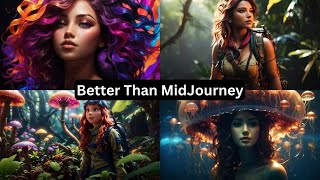
Matt Wolfe reviews Leonardo AI, a free Midjourney alternative with strong color and contrast. The free tier has daily tokens, a $10/month plan exists, and a no-credit-card trial unlocks pro features. New models include Dream Shaper v7 and Absolute Reality v1.6, plus canvas editing and community prompts.
Questions this video answers
$10/month "apprentice" plan.
Dream Shaper v7; Absolute Reality version 1.6; 3D animation style.
Stable Diffusion XL 0.9 (used as part of Leonardo's custom pipeline when Alchemy + Prompt Magic v3 beta + fine-tuned models are active).
Prompt Magic turned on (V3 beta), Prompt Magic strength ≈ 0.55, Raw mode off, Alchemy on, High Resolution off, preset: Dynamic, input dimensions: 1360×768 or 10×768.
No — the presenter says the free trial for pro features did not require entering a credit card.
Chapters
When it comes to super realistic images that almost nobody can tell are actually generated with AI, Midjourney is probably still the king at that. However, when it comes to really colorful, beautiful, artistic images, I actually think there's a better platform to play around with. And it's a platform that you can play around with for free. I'm talking about Leonardo AI and recently this has been my go to AI art generation platform. Now the way this one works is you can sign up for free and Leonardo offers a free tier that includes a daily quota of tokens. So with their free plan, you can generate a certain amount of images every single day without actually having to pay. They also have a paid subscription which gets you a lot more tokens per day, plus a few features that are only available for the premium members. Now, I've made a handful of Leonardo videos in the past, and since those videos, they've added quite a few new features that I find to be really, really impressive. They've added some new models like the Dream Shaper version 7 model, the 3D animation style model, and the Absolute Real version 1.6 model. These are all custom models that are only available to Leonardo users. Another thing that I really like about Leonardo that makes it really unique is that you can actually train your own models in here. So if there's a certain style that you're going for, you can upload a whole bunch of images in that style, train a model on it, and then generate more images in the style that you trained. Now, jumping over to their AI art generator here, they've added a handful of new features that really up levels it above the other AI art generators that are out there. So first off, the they did add the ability to use stable diffusion XL 0.9. They're one of the few third party platforms that actually have access to this model. Although it's grayed out right now. If you're using one of their fine tuned models along with prompt magic v3 beta and you have Alchemy turned on, it is actually using Stable Diffusion XL as part of the custom pipeline that's unique to Leonardo. Now I just had a call with the founders of Leonardo, but because I wanted to ask them what are the best settings to get the best results and what are some prompts that you find work really, really well. And they gave me a exact breakdown of how to dial this in. Over on the left sidebar. We want to have Prompt Magic turned on. We want to have this set to V3 beta. We want to leave our Prompt magic strength at 05, 5. Keep raw mode off, turn alchemy on, turn high resolution off. And then for input dimensions, we want to be either 1360 by 768 or 10 by 768. One of these two dimensions is what's recommended by the founders. We'll leave everything else the same and then under this preset here, we're going to go ahead and leave it set on dynamic. Now, the new models that are really, really impressive are Dream Shaper v7 Absolute Reality version 1.6 and this 3D animation style. These are all new pipelines that are created inside of Leonardo that have been generating some really, really impressive results. They also told me when I had a chat with them, they that you can actually get some really, really creative, amazing images with shorter prompts using their new features. They did tell me that longer prompts you can get more detailed with and get more specific with what you want the image to look like. But just using short prompts is fairly effective. Now with these new models in Leonardo, if you need some inspiration on how to get some really, really cool images, head on over to the front page of Leonardo here and skim through some of these other images that people have generated to see what kind of prompts got these images. There are some pretty impressive images coming out of Leonardo right now. I particularly like this wolf for some reason. Let's head back over to the AI image generation page and let's test out some prompts. I've got my settings all dialed in the way I described earlier and let's try this prompt. A vibrant, cinematic photo of a female adventurer in the jungle. Octane render, high quality. This is one that the team over at Leonardo said, try this and see what kind of results you get from it. So I'm going to go ahead and generate the suggested prompt that they told me to try out and look at these images we got out of it. I just love the deep colors and the contrast that you get from this image generator. They all look really, really good. And you know how in mid journey they have that pan feature where you could kind of pan to the left of the image or pan to the right of the image. Well, guess what? You can actually do that inside of Leonardo as well. Let's grab this image right here and we'll click on this little edit in Canvas button. We'll set our height down here to 1152 so it matches the height of our image here to zoom out a little bit, just so I can see it a little. And if I scroll this box over to the left, but make sure it overlaps a little bit. Let's plug this same prompt in that I used before, but this time let's take out the female adventurer. So it just says a vibrant, cinematic photo of the jungle octane render high quality. And click generate. And we'll watch as it actually adds a pan left to the image. You can see it gave me two variations and they just continue the image. Let's go ahead and accept that. And let's say I want to widen it on this side. I'll drag my box over here, generate on this side. It gives me two variations that I can pick from. I can accept this. And now I just made a wider image out of that original image here. I could do the same thing with the height or just do it all the way around to get a similar zoom out effect. Now let's play around with the absolute reality model here. This is another newer model that generates some really, really cool images. We're going to leave these settings all the same. B3 beta prompt, magic 0.55 prompt magic strength, alchemy turned on. Everything else is staying the same. Let's go ahead and use the 1360 by 768 this time so it gives us that 16, 9 aspect ratio. And let's use this prompt. A beautiful woman with a jellyfish on her head. Deep ocean lighting. This is another prompt that they recommended. In fact, this jellyfish concept has been a little bit of a theme. Leonardo has a very thriving Facebook community. I'm not on Facebook a whole lot, but I have started jumping onto Facebook from time to time to pop into the Leonardo community because they share some amazing artwork in there. And like I said, this whole jellyfish thing, it seems to be a bit of a theme inside of their Facebook group. Here's one from Albert Gonzalez here where he generated a bunch of images with jellyfish. Here's another one from Tomas Koulke. I'm sorry if I mispronounced your name, but more jellyfish. Another one from Tomas with more jellyfish imagery. And here's one from Justin Clark. That kind of jellyfishy, octopus, evil alien kind of images. So let's take our own stab at creating one of these jellyfish images and use the absolute reality model and see what we get. Let's go ahead and click generate. And here are the images we get with that combination of prompt and model. A woman underwater with a jellyfish on her head. And I mean, just the contrast of these images, the color palettes of these images are just so pleasing and Then finally, let's try the 3D animation style. This is another one of the newer fine tuned models that uses this same pipeline here. So here's a prompt they gave me to test, but I'm going to tweak it a little bit. A vibrant cinematic photo of a female adventurer exploring an alien jungle. Strange plants, colorful Rick and Morty style. I think I'm going to go ahead and get rid of that. Instead of floating jellyfish, let's turn it to octopus mushrooms, fungi, cordyceps, giant Venus fly Trap octane render high quality. I kind of tweaked their suggested prompt a little bit and let's see what we get out of this one. And then look at these. These look like they're straight out of a Pixar movie. The col colors are so vibrant and just awesome. I the contrast on these so good. I'm a huge fan of what Leonardo generates with these various new models that they've added in here. I also wanted to show off some more images that have come from the community here. Here's one from Annie F here where they're actually using these for product shots for a hot sauce. Here's some images that were generated with these new pipelines of flamingo skeleton monster thing. And somebody actually asked what prompt they used and they freely shared it. Melting man in pain. Man on fire. Inside flames bones organic matter burning from inside clothless burned skin. Extreme immolation competition High definition global illumination style raw. They were using the absolute reality version 1.6 and then they used the photography preset instead of the dynamic preset and got some pretty cool images out of it. This was done by Andre here. Here's some really cool guitar images that look they're splashed with paint along with some skull images. They actually uploaded a whole set of 52 different images that they created here of all sorts of different paint skulls and paint mushrooms and just some really crazy cool splatter paint psychedelic images. They didn't specifically share their prompt on this one, but it does look like they used Dream Shaper to create it. So this is from Daniel Yates here. Here's another character that looks like straight out of a Pixar movie created by anonymous participant here. Here's some images of Beauty in the Wookiee by Mark D. Corey where you can see it looks like Leia with Chewbacca. These were all made in Leonardo as well and they just look amazing. They look straight out of a Disney movie. Well, I guess Star wars is a Disney movie these days, so same thing. Here's some Images from Pekka here on Facebook of some very impressive characters. These look straight out of like a AAA video game in my opinion. So really cool artwork. And then here's another one with more Mark Corey that look like a more modern version of like Tomb Raider. And look at that, she even has the right amount of fingers. So these look pretty, pretty good. I'm a fan of what Leonardo can generate. I feel like I'm beating a dead horse just saying how much I like what Leonardo can generate here. Here's one of Don Draper from Zhang here on Twitter. Apparently he's double fisting it with some whiskey here and wine or whiskey here. And here's a cool image from my good friend Heather Cooper where she actually shared the prompt. A woman's face with colorful hair and waves surrounding her in the style of realistic fantasy neon color palette, dark bronze and violet split toning exotic realism Contest winner, gorgeous colors. And this was the result. I'm actually going to go ahead and copy this one and see what we get out of it. But let's go ahead and switch back to the Dream Shaper V7 model and look at these images we get. I would say they're almost as good as Heather Cooper's, but you know, Heather's a pro at this point. So again, if you're using these models with version 3 beta and alchemy and Prompt Magic, you're actually using SDXL as part of the pipeline. And the team over at Leonardo told me that as of this recording, next week, they're adding a new feature that's going to allow you to generate even more photorealistic images. So like I mentioned in the beginning, right now midjourney is pretty dang good at Photorealism. But just wait until you see what Leonardo is rolling out with their Photorealism features that are coming within the next week or so from the time of this recording. Now, some of these features like Alchemy and prompt magic version 3 are actually pro features. You gotta have a paid account to use them. However, if you sign up to Leonardo right now they are offering a free trial where you can test out these new Alchemy and version 3 beta features completely for free. You don't need to enter any sort of credit card. You can just try it for free. Now, when you sign up, it does say join the waitlist. However, they did tell me that they're approving people on the waitlist almost instantly. So if you join the waitlist, you're most likely going to get access to Leonardo like within an hour. Or less of actually joining the wait list. It's pretty dang quick to get into Leonardo these days. Also, if you do sign up for the waiting list for Leonardo and you don't hear back from them, let's say within an hour or so, make sure you check your spam folder. Some people have said that some of the emails from them have gone to spam. You should get that acceptance letter pretty quickly and if you don't, there's a good chance it ended up in spam, so be sure to check there again. I've mentioned it so many times already, but I'm a huge fan of Leonardo. I'm finding myself using this more and more often more times than Mid Journey because I just love the color palettes, I love the contrast, I love the types of images that Leonardo is generating these days with these new pipelines that they built in. This isn't a sponsored video from Leonardo. I did have a call with them this week where they broke down all the cool new features for me and they gave me some of the best prompts to try and they gave me some of the best settings to try and I figured I might as well make a video on what they told me while I was all still fresh in my head. So this video of course is all about showing off all of these features and what they told me and making sure I got this information into your hands as quickly as possible. Honestly, Leonardo is an awesome product. I love using it. I do pay for it myself. I don't have free credits to it. I'm actually on their $10 a month apprentice plan here. And it's another tool to add to your AI art toolbox that I think you'll find yourself coming back to over and over again. And honestly, you can use it for free. Right now they got a free trial on all these premium features and even once that free trial is up, you still get allocated a certain amount of tokens every single day that you can use on the non premium features. So really, really cool AI art tool. I highly recommend it to everybody. If you have access to Midjourney and you have access to Leonardo AI, you can pretty much generate any image you can imagine. I mean, it's also got some other stuff that I didn't even talk about. It's got Control Net built in, it's got tiling features built in, it's got image prompting built in, it's got all sorts of extra settings that I didn't even play with on this video because I was trying to use the recommended sort of best practice settings that the team over at Leonardo told me to use so I can share them with you. But there is so much more settings and tools and little things that you can try inside of Leonardo. You can generate textures for your 3D images. You can train your own models. They've got this whole canvas feature. So there you have it. There's my breakdown of Leonardo. If you haven't tried it yet, go try it now. If you like staying in the loop with all the latest AI news and tools and image generators and all that cool kind of stuff, check out Future Tools IO. This is where I curate all the coolest tools that I come across. I update it almost every single day. When I come across new tools, I keep the AI News section up to date for you. And if you just want a once a week breakdown of all the coolest tools and news that I came across, join the free newsletter and I'll send out that newsletter to you every Friday with just what you need to know about what's going on in the AI space. You can find it over at FutureTools IO. All right, that's all I got for you today. Hopefully you enjoyed this video. Go check out Leonardo. Go check out Future Tools. I really, really appreciate you tuning in. I'm having so much fun playing around with all these AI tools and I'm excited to bring more to you inside of your YouTube feed. So make sure you like and subscribe if you haven't already. And once again, I really, really appreciate that you watched these videos of me nerding out about AI, because it just makes me want to keep coming back more of them for you. So once again, thank you so much. I really, really appreciate you. See you in the next video.










