Using AI To Build A Game From Scratch (NO Experience)
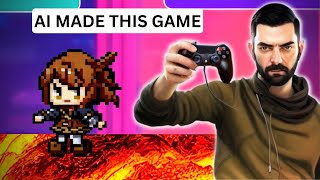
Sam builds a playable side-scrolling platformer using ChatGPT and GPT-4 with no coding experience, generating all the game logic through prompts and fixing bugs iteratively. He spends about $20 on API usage, sources pixel art from MidJourney and Leonardo AI, and ends up with a game featuring parallax scrolling, collectible coins, and a score system.
Questions this video answers
April 2, 2023
index.html, style.css, script.js
A little over $20
Chapters
So I've watched a handful of videos now where people have used ChatGPT to build video games. The thing about all those videos is almost every single one of them, the person already had at least a little bit of coding knowledge. Me personally, I have like no coding knowledge. I have no clue how to start to build a video game. So in this video I'm going to see if I can use ChatGPT to build a very basic video game. So let's go ahead and see what we can do. So, so the first thing I did was I went over to code.visualstudio.com and I downloaded Visual Studio code. This is a free tool to sort of help organize any code that you write. So I created a folder on my computer here called Building a Game. It's a completely empty folder. There's nothing in it yet inside of Visual Studio code. I'm going to open that folder. Building a Game select folder. And now you can see I've got a completely blank slate here to start building something. Problem is, I don't really have an idea for a game yet. Now I don't want to use any sort of advanced coding languages yet. I want to keep it fairly basic. So let's just keep it to HTML, CSS and JavaScript. Give me concepts for a simple game that I can create using HTML, CSS and JavaScript only. The game should have visual elements and not to be a text based game. All right, so it gave us five games. I think a platformer sounds the most fun, probably also the most challenging of the list. So let's go ahead and see if we can make it make a simple platformer. I'd like to create a simple platformer game. What are the first steps to create it? Okay, so it actually gave me a whole bunch of steps to follow. So step one, set up the project structure. Create a folder for your project and create the following files within it. Index HTML style CSS script JS so let's jump back over to our Visual Studio code here and let's create these three files. Index HTML style CSS script JS all right, so now we've got our three files and I could quickly jump between any of these and add code into any of these pages here. So now if I jump back over to ChatGPT here it says create the HTML structure in the index HTML file, set up a basic HTML structure, include a canvas element to render the game. And then it just gave me this. So let's go ahead and copy all this code and we'll paste this into our index HTML page here. And like it said to now down here in step three, style the game in the style CSS file, add some basic styles to center the canvas and set a background color. So let's go ahead and copy this code here. And in our style css, we'll go ahead and just paste that whole thing in there. Step four, set up the JavaScript in the script JS file. Start by getting the canvas element and 2D rendering context. So we'll copy this into our JavaScript file here. All right, game loop and rendering. Set up the game loop using request animation frame and create functions to update the game state and render objects on the canvas. So we'll go ahead and copy this code and this looks like it goes into our JavaScript JS file here. We'll go ahead and paste that in. And then it stopped giving me code here. So it says create game objects, define the player and platform objects, their positions and any necessary physics properties like gravity velocity and collision detection, player movement and controls, collision detection, level design, polish and testing. So it gave me some basic code for the first handful of steps, but then stopped giving me the code for the rest. So I think we're going to have to have it render out the code for us for the rest of these objects. But let's see what this does right now. So if I go to index HTML, let's go ahead and open this in Chrome and literally nothing happens. I just get a blank white screen when I open this in Chrome. So we'll go ahead and close that. So I think the problem now is that we haven't created any game objects or player movement controls or anything like that. So I think we need to tell ChatGPT to do that for us. How do I create the game objects from step six? All right, so it gave me a bunch of code here. So we've got constant player, a bunch of code, platform form, a bunch of code. Again, I don't know coding. So I honestly don't totally know what I'm looking at. I actually I'm going to have to ask GPT, where do I put the code? Where do I paste the above code snippets into my game code? So this is pretty cool. It's actually telling me where in the original code to paste everything. So it says paste the player object definition right after the CTX constant initialization. We can see here we've got our CTX constant initialization right here, I'm assuming. So let's go ahead and grab all of this code Here, paste it where it told me to paste it, which is right there. All right, now let's see what happens if I run our index here. Now we have a little blue square. Our blue square is our object. I think we're going to figure out how to make it move next. All right, so it says after integrating these snippets into your script JS file, your game should now render the player and platforms on the canvas. So I guess the little blue rectangle is our player. Next, you can work on implementing player movement controls and collision detection as mentioned in the previous responses. So if we scroll all the way back up here, we created our game objects. We did step six, so now step seven, player movements. So let's say write the code for player movements. Please include where I should paste them into my current code. Let's make sure it's very clear that I don't know what I'm doing here. It gave me a bunch of code to paste into our existing JavaScript code here. Let's go ahead and start doing it now. Let's go ahead and run our index HTML file here. Go, run. Start without debugging. Now. If I hit now, I can make a blue line go across the screen. It doesn't seem to go up or down, but that's so far all that happens. It says now your player should be able to move left and right, jump and be affected by gravity. The the collision detection is basic and only checks for the ground canvas bottom. You'll need to add more advanced collision detection to handle platforms and other objects in the game. The above code seems to make a giant blue line on the screen that goes left or right, but it doesn't appear to jump and the object leaves a trail of where it's been. How do I resolve this? Here's the updated render function. Let's go ahead and update this render function here. And now let's go ahead and run this again, see what happens. Now our player moves left and right, but there doesn't appear to be any sort of jump still. This fixed the trailing issue, but the player still does not appear to jump. How do I get the jump to function properly? All right, so it gave me a new piece of code to try and go ahead and try to run it. Well, I still got left and right, but I still don't have up or down jumping movement. I feel like this is where those previous videos people actually know what they're doing with code would be able to go, I see the problem. And then they went and fixed it. I Don't know what I'm doing with code and so I can't spot the problem to fix it myself. So I guess we'll just come back to this aspect of it. Let's move on to what the next step was. So I'm going to scroll all the way back to the top here. So, collision detection. Implement collision detection between the player and platforms so the player can stand on them and not fall through. How do I add the code for step eight, Collision detection? Please include where I should paste the code. All right, so now it's writing me some code for the collision detection. Let's go ahead and copy this. We'll paste it down below the last code that we wrote here. So I can still move left and right. Still can't seem to jump. So I'm just going to continue through the process right now. Let's follow all the original steps and then we'll start troubleshooting whatever it seems to be missing. We just did the collision detection steps. Now we need level design. Create the layout of the level, placing platforms and obstacles for the player to navigate. Please write the code for the level design in step nine. Remember to tell me where to paste each piece of code. It gave me a bunch of code. I'm just going to go ahead and copy and paste it exactly where it tells me to copy and paste it. I finished copying and pasting all the code that it suggested here, not seeing any difference. What I want to do is I'm going to take all of this JavaScript code that I've pasted here, I'm going to copy it, and I'm going to come over to ChatGPT and say, here is the JavaScript that I have so far. Can you please debug it and give me better code? Let's just see what it does. All right, so now it completely rewrote all of the code that I pasted in and gave me new code to replace it with. Let's go ahead and copy all of this here. Come over to our JavaScript and let's just literally replace everything. And now if we go run our game, let's go ahead and refresh this. We've got our player moving left and right, but it didn't seem to fix anything. So it still moves left and right just like it did before. But supposedly we got cleaner code, I guess. All right, so now let's go ahead and start getting it closer to what we actually want. Our game has no floor. Please create a green floor for the game to represent Grass. Tell me where to paste the code into the existing game script. All right, so now I'm going to go ahead and replace the function render here as it specifies. So now I actually have a green floor, I have a blue player that moves left and right, still doesn't jump. I've got a green grass floor and I've got a couple platforms. If I run to the edge of this, I was able to make it jump at the edge, but that was it. So let's go back into our ChatGPT and it looks like we need to update some collision detection on these platforms and we still got to figure out this jump thing because the jumping doesn't seem to work on its own. Let's just say the player seems to be able to walk through the platforms. How do we code it so that they will run into the platforms instead? Please tell me where to paste the new code. We'll just go ahead and replace all of this with the new code it just gave us. Now we've got our game and it still goes right through the platform. The player still appears to go behind the platform instead of colliding with it. How should I fix this? Paste this whole thing? That seemed to fix it, but I still can't jump unless I'm at the edge of a platform. Jumping only seems to work when I come to the edge of a platform. How do I make it so the player can jump at any time? Please tell me where to paste the new code. All right, so it appears that I've reached my usage Cap of GPT4 for right now. So what I'm going to do to get around that, I'm actually going to go to the OpenAI playground here. I'm going to switch the mode to chat and then switch it to GPT4 and I should be able to pick up where I left off using the GPT4 chat using my API key here on the OpenAI playground. So what I'm going to do is I'm going to go ahead and pick up where I left off by copying all of the code here, pasting it into the GPT playground and typing Building a side scrolling platform game. This is my existing JavaScript code. Please use this as reference for future questions. Then it says thank you for sharing your code. I'll use it as reference when answering your future questions related to this side scrolling platform game. If you have any questions or need assistance, feel free to ask. I'm going to go ahead and add a message and say in the current code the player can only jump when it reaches the edge of a platform, it can't jump while in the middle of a platform or while on the ground. Please help me debug this and tell me which code needs replacing. So it's telling me to replace everything in the update section. So let's go ahead and copy this code. Go ahead and replace this update date section if that actually solves anything. Okay, so literally after about an hour and a half of going back and forth with GPT and saying, that didn't work. What should I try next? That didn't work. What should I try next? I now have a blue square that can jump while on the platforms and also jump while on the ground. I'm getting somewhere. Can't believe it, but I actually have code that does what it's supposed to do. My little blue character moves around. He could jump on the ground. If he. If he hits the platform above him, it's. He won't go through it anymore. He could jump off the ground onto the platforms. He's not moving through the platforms. So far, we have a game that's actually starting to look like an actual platformer. I didn't write a single line of code. Pretty much. I just told it what I wanted, and when it didn't work, I just kept on going back to GPT and saying, that didn't work. What should I try next? I've literally been doing that for hours now. All right, so let's go ahead and see if we can change this square into something else. Can we change the square player into a stick figure instead of a square? Let's see if it'll allow me to do that. All right, so let's replace the code for function render here. Hey, look, we got a little stick figure, dude. Instead of a square jumping around. Oh, my God, I can't believe that actually worked. Okay, so at this point, I had to actually stop recording because I had recorded about four hours worth of footage of me creating this game, and the file sizes were starting to get insane, and I knew it was gonna be a nightmare to edit. So I decided I would continue to work on the game and then show you what I did instead of trying to record it all in real time as I'm doing it. So I managed to get back into ChatGPT, and I was able to start having conversations with it again. So what I did was I pasted in all of the existing code because, if you remember, I jumped over to GPT playground to continue the code. So now ChatGPT didn't have the context of any of the new changes I made. So I pasted in all of the existing code that I had created inside of GPT Playground here. And then when I got to the bottom, I said, here's the JavaScript for the game I'm developing. I'm going to ask questions to improve it. At this point, it was still the game that was just the three little platforms and my little dude could just jump around on the screen and nothing else happened. So I said the game should be a side scroller. As the player moves to the right, the game should continue to move with him and new platforms should appear. Please write the code for this. Tell me where to paste the new code. It gave me a whole bunch of new code. I still got confused and said, where do I paste the code for step two? So I said, my apologies. And it told me, exact or paste it. It said, replace this code with this code. You gave me new code. Now you have to tell me where to put the code and ChatGPT will tell you where to put the code. So if you're not a coder, you can literally have Chat GPT write the code and then say, make sure you put the code in this exact spot in your existing code. And that's what I was doing. So I said, now I'd like to add little coins throughout the level for the player to collect. It wrote a bunch of code for me, and once again I said, where do each of these code snippets need to be based in? And I went back and forth and back and forth like this until eventually I've got a little dude who can run around and collect coins. You can see up in the top left, he's got a score and I can jump between platforms and collect coins. And as I collect coins, the score increments and if I press spacebar, I jump between and it's just an infinite scroller. I just keep on going and if I fall off, it's game over. So to prettify the game, let's jump to our friends over at midjourney. Okay, so I created a background image with Mid Journey. This was the background that I created here. I made it giant wide background image with a 10 to 1 aspect ratio. And then back inside of GPT playground, I said I would like to use an image for the background of the game. The image should be full width and loop as the player moves. How do I implement this into my current code? Explain exactly where to paste the code. And you can see I already pasted my entire JavaScript code over here. On the sidebar, you can see it put that giant background image behind my player, but it's not taking up the full height of the screen. All right, so now I need to solve that problem. Going to jump over to GPT here, and I'm going to say the background image is not filling the full height of the game canvas. How do I resolve this? All right, so it gave me some new code, I pasted it in, and now it's taking up the full height of the canvas here, as you can see. I'm going to go and make some additional tweaks to it. Probably go back and forth with ChatGPT. I want to make sure it adds a reset button here so I don't have to refresh the page. I want to change the look of my character. I'll probably generate something else with Mid Journey, I want to add some more color to the platforms. So I'm just going to go back and forth with ChatGPT a little bit until I kind of dial in on the game that I'm looking for. Okay, so now I just added a reset button. So if you die, you press reset and it starts you back over. All right, so after going back and forth a whole bunch, here's where I'm currently at with my game. I've got my background here that I generated with Mid Journey. I've got a little character that I generated in Leonardo AI. And then this background texture here, I generated with this tile maker app by typing Lava. This isn't the exact texture I'm using, but that's how I got the tech. I put a white background behind the scoreboard here so you can actually read it. I added a high score. I made it so when the player is going to the right, they're facing the right. When they're moving to the left, they face to the left. When they die and they fall in the pit of Lava, it actually adds a reset button. I put a white border around all of the platforms so that you can actually see the platforms. They were kind of blending in with the background a little bit too much. I also added this cool parallax effect where you could see the background moves slower than the foreground, so it's not all moving at the same pace anymore. Kind of just gives it a cooler, more polished look. And all of that was just me going, here's what I want to do next. And if it didn't work, I would just tell GPT4 that didn't work. What should I try? That didn't work. What should I try. I also kind of gave the coins a spinning effect. Kind of more looks like they're pulsating, squeezing than spinning. But that's supposed to be a coin spinning, and that's as far as I got. I've also been trying to make the character animate, so the legs actually, like, animate back and forth when they move. I've been spending hours and hours and hours just trying to get GPT to make the legs animate. I have two images. You can see that there's one where it looks like there's only one leg and one where you can see both legs. The idea being if you animate them back and forth, it kind of makes the character look like they're walking. I've been trying really, really, really hard to get GPT to write the code to make this animate. So as the character walks, the legs look like they're moving. But so far, after probably two hours or so of going back and forth with GPT saying, that's not working. Here's my entire code. It's still not working. What do I need to fix next? Here's the entire code. What do I need to fix? Now? I still have not gotten these legs to animate properly. When I'm on the platform, they don't move. But we. You can see when I'm on the floor, the legs actually move the way they're supposed to. But it's already a game over. So I don't need the legs to move with it on the floor. I need the legs moving on the platform. So still trying to debug this. So it took a little going back and forth, but I finally got it. You can see my player actually animates like they're walking when they're on the platform. Now when they jump in the air, the animation stops like it's supposed to. It took me forever to get that walking animation to finally work. Here's what I did. I pasted my entire JavaScript code over here on the left inside of the OpenAI playground here. I had to make sure that my maximum length was set all the way to maximum, otherwise the code would cut off as it was replying. And then down here, I put, here's the current JavaScript for my game. I'm running into a problem where the player animation works when the player is on the ground, but the animation does not work while the player is on the platform. What code do I need to replace or add to fix this? I found that it's super helpful to give as much context as possible when trying to solve the problem. So, for example, I wanted to make sure it knew that the animation was working when it was on the ground, but it wasn't working well on the platform. If I was just to put in the animation is not working, what do I do next? It kept on giving me solutions that weren't working, Weren't working, weren't working. But when I started to give it more context, like seems to work when I'm on the ground, but not when I'm on the platform, then it started to actually come to a conclusion. Now we've got our little character actually animating and walking while on the platform like she's supposed to. One of the issues that I was running into using the playground and GPT4 is there's only so many characters it'll let you generate before it makes you sort of reset the whole thing. So if I was to say this finally works now, I'd like the character to explode in a fireball when hitting ground. How do I accomplish this? The model's maximum Context length is 8192 tokens. However, you requested 8405 tokens. Please reduce the length of your message. So I'm kind of stuck here. I can't continue. So what I've had to do over and over and over again is completely reset Playground here. Come over to my JavaScript code, copy the entire code, jump back into Playground, paste it into the system box here. Make sure my maximum length here is set all the way to the top so it doesn't cut off. While trying to generate new code for me, I've been getting good results by setting the temperature at 6 instead of 7 for whatever reason. And then I'll type my first prompt down here in the system box. So let's generate a little explosion inside of Mid Journey, and we'll use that when the player hits the lava. Just, just for fun, imagine an orange fireball explosion. Let's add the word video game in here. All right, so I kind of like this one down here on the bottom right. Upscale number four here. I pulled it into Photoshop real quick. I'm going to see if I can get it more of a transparent background. Now, it doesn't have to be perfect because, you know, it's kind of a cheesy quick game. So that should do. Let's go ahead and export this as a PNG. And now I'm going to ask GPT4 how do I add flame explosion when my player hits the lava? I'd like to replace the character with explosion PNG image when the character hits the ground. How can I accomplish this? Now it's going to give me some instructions, going to tell me what to copy and paste, and I am just going to follow the instructions. All right, While I was waiting for the code, I just beat my own personal high score at 227. So let's go see what code it generated. Now it's copy and paste time. All right, so I finally have my game where my character is actually animated with a walk. When they die, they die with a fiery explosion. I'll probably add even more to it over time, but I think this is probably good enough to show the capabilities of GPT4 without any coding experience whatsoever. So my final thoughts on this process were it took a lot longer than I thought it would. I spent quite a bit of time going back and forth with GPT, saying that didn't work. What do I try next? Copying and pasting all of the code back inside of GPT4 playground, giving it new instructions of what I want it to fix, and just doing that process back and forth and back and forth and just copying and pasting. Literally not changing any of the code myself. Now, I wouldn't say this was particularly inexpensive. I got to a point where I couldn't use ChatGPT anymore because ChatGPT kept on saying the message you submitted was too long. So I was no longer able to just paste all of my code in here. Luckily, the GPT4 API instead of Playground allowed me to actually paste longer text, so I was able to kind of continue on using Playground. But the benefit of chat GPT is for the $20 a month, I could get 25 messages every three hours, as opposed to using tokens. With GPT4, if I come over here and I look at my account, I did end up spending a little over $20 with my GPT4 usage. I mean, still a lot cheaper than if I was to hire a coder to do it myself, but, you know, not necessarily inexpensive either. Also, after going through this process, I no longer feel like I can say I have with coding whatsoever. This felt very much like learning a language through immersion. I kept on saying, that didn't work. What do I do next? And it would give me new JavaScript code. And when it gave me new JavaScript code, it would explain what it was fixing. For example, here in ChatGPT, I explained an issue and it said, create a new variable to store the background image outside of any functions, just after the canvas. And then it gave me the code. And so after reading this repeatedly over and over again with the explanation of what I was doing, adding comments to the code like this is telling me this is where I set the background image source. Doing this enough times, I feel like I have a little bit of a grasp of how JavaScript works now because of just this back and forth. Not only did this build the game for me, but it also kind of taught me how to code with JavaScript as I go now. I couldn't code anything from scratch right now. I wouldn't be able to start with a blank screen and just start coding. But I do feel like if I was to look at some JavaScript code and there was issues and things weren't running, I would probably better be able to spot some little issues. So this has been a super helpful, beneficial process not only to create a game but also to learn JavaScript. I'm a little bit more knowledgeable on it now, so I know I had to jump over some of the steps. This was literally about eight hours of recording going back and forth with GPT, so it wouldn't have been too exciting to show you every little step. I did just know I didn't go in and change any code myself. Every everything I did was copying and pasting and asking chat GPT what to do next and I got this game out of it. All of the images were generated with AI, the background, the little character, the lava, even when the player dies. That little explosion was created with AI as well. So pretty cool process and I'm excited to go and make more games. I want to take it to another level. I want to try to make a game using Unity or Unreal Engine now and see if I can go to another level and make something maybe even more 3D or a much more in depth game. This is a really basic sort of casual game where you just keep on going and try to beat your high score. I think it'd be really cool to try to develop something a little more in depth and see how much GPT4 and these various AI tools can help me get there. I will link to this game if you actually want to try to play it yourself. I'll put the link down below in the video comments and you can check this game out. And if you really enjoy nerding out about all of this cool AI stuff with me, head on over to FutureTools IO. This is where I curate all the cool tools that I come across. Click this button to join the free newsletter Every single Friday I'll send you an email with my five coolest tools that I came across, a handful of news articles, handful of YouTube videos, and one cool way to make money with AI. It goes out every Friday. It's the TLDR of the Week in AI and I really think you'll dig it. Thanks so much for tuning in. If you enjoyed this video, maybe give it a thumbs up and subscribe to this channel if you want to see more videos like it in your feed. All right. Really appreciate you. Thanks again. See you next one. Bye. Sam.










