Windows Turns AI: GPT-4 Powered Copilot + AI Studio + Microsoft Fabric
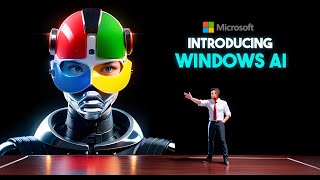
Microsoft announced GPT-4-powered Copilot for Windows with voice commands and proactive suggestions, launching in June 2023. Bing integrated into ChatGPT with plugins for Spotify and Netflix. AI Studio gives developers tools for testing and monitoring AI models, while Microsoft Fabric bundles Power BI and Azure ML into one data platform.
Chapters
Microsoft Build is a must see event for those who love technology and development, offering a peek into the latest and greatest from Microsoft's diverse range of platforms and services. This year the spotlight was on AI for everyone, with Microsoft rolling out some truly impressive features and tools that use AI to enhance our day to day productivity, efficiency and enjoyment. In this video we'll be touching on some really exciting points including ChatGPT and Bing working together for plugins, Windows Copilot, AI Studio, Microsoft Fabric and some other cool updates. Okay, let's dive right in. So during the Microsoft Build conference, Microsoft announced that it has integrated Bing into ChatGPT as the default search engine. This means that ChatGPT can now access the latest web data and information to provide more up to date and precise answers. It can also cite its sources and provide links to relevant web pages, which is a huge improvement over the previous version of ChatGPT, which could only rely on its internal knowledge base that was frozen at September 2021. To use Bing with ChatGPT, you'll need a Microsoft account. You can then use the Edge browser or download the Bing app on your phone. Moving on to our next topic, Bing has teamed up with ChatGPT for plugins as well, empowering them with Bing's search prowess for improved services and functionalities. Some examples are playing trivia Using the plugin, it can now consult Bing to check answers and provide explanations. The Travel plugin can sift through Bing's data to present you with the best deals and choices for flights, hotels, car hire and more. The Weather plugin now has the ability to serve up to the minute forecasts and so on. Actually, I've made a separate video just focusing on Chat GPT plugins. So if this new feature sparks your interest, you might want to check out that video. But here's what's really exciting. Bing just introduced a few fresh plugin partners during the Build conference. Kicking off with Spotify, ChatGPT can now help you discover new tunes fitting your mood or likes. Then there's Netflix, so you can now identify your next must watch series based on your unique preferences and you can also ask it for movie reviews. And lastly, we have Wikipedia. If there's a pressing subject or individual you're curious about, Chat GPT is now equipped to pull up all the details you need from Wikipedia. Now, Moving on from ChatGPT, let's talk about Windows Copilot, which is another exciting product that Microsoft introduced during the Build conference. Windows Copilot is an AI assistant that helps you get the most out of your Windows PC by providing smart suggestions, shortcuts and modes. It is based on GPT4 as well, which means it can understand natural language commands and generate natural language responses. Copilot works in two ways. It monitors your activity on your PC and and provides proactive suggestions based on your context and preferences. For example, it can suggest apps or websites that you might need or like, or it can remind you of tasks or appointments that you might have forgotten. It can also help you optimize your PC performance by suggesting settings or updates that you might need. It also responds to your queries or requests by using voice or text input. You can ask Windows Copilot anything you would normally ask Cortana, such as setting alarms, checking weather, or sending emails, but you can also ask it for help with any window, Windows feature or function, such as how to change wallpaper, how to split screen, or how to use keyboard shortcuts. It will either execute your command directly or guide you through the steps with visual cues. But one of the coolest features of Windows Copilot is that it can create custom modes for different scenarios such as work, gaming or entertainment. You can activate these modes by saying hey Copilot, switch to work mode or hey co Pilot, switch to gaming mode. Windows Co Pilot will then adjust your PC settings accordingly, such as turning on focus mode, dark mode, or optimizing graphics performance. You can also customize these modes according to your preferences or create new ones by saying, hey Co Pilot, create a new mode. Then it will ask you some questions to understand what you want in your mode, such as which apps or websites you want to open automatically, which settings or features you want to enable or disable, and what name you want to give your mode. So you are able to activate your mode anytime by saying its name. Currently, Windows Copilot is available as a preview for Windows Insiders running Windows 11 on their PCs and its official release is in June 2023. Okay, now let's talk about AI Studio, which is another amazing product that Microsoft announced during the Build conference. AI Studio is a development environment that helps you build AI applications with safety as a priority. It is designed for developers who want to create AI solutions that are reliable, trustworthy and ethical. AI Studio offers several key features that simplify and enhance AI development. These include Grounding, which allows access to up to date data from sources like Bing, Search Engine and Azure Cognitive services, ensuring accuracy and avoiding biases. The Testing feature enables thorough evaluation of AI models through unit testing, integration testing and adversarial testing, ensuring correct, efficient and robust performance provenance allows tracking the origin and history of AI models and data sources, verifying quality and credibility. Deployment facilitates deploying AI models to various platforms, making them accessible and scalable. Monitoring enables real time monitoring of AI model behavior and impact, aiding in issue detection and user feedback collection. The Responsible AI Dashboard evaluates and improves safety and ethics, addressing transparency, accountability, privacy, security, fairness and inclusivity. AI Studio is currently available for preview to Azure account holders with an official release planned later this year. Now Microsoft Fabric, also announced during the Build conference, is an impressive data platform that aims to simplify data management for developers creating data driven AI applications. This means you can store and process various types and formats of data effortlessly without worrying about compatibility issues. Microsoft Fabric is a comprehensive data platform that provides powerful analytics tools like Power bi, Azure Synapse analytics and Azure Machine Learning. It prioritizes governance with data compliance and security policies. A flexible business model. Users can pay for what they use, optimizing costs Currently in preview, Microsoft Fabric will be officially launched in coming weeks, offering a free trial for developers now. During the Microsoft presentation, several other intriguing topics were discussed, such as Azure Arc enabling the management of hybrid cloud environments across various platforms and devices. Azure Quantum providing access to quantum computing resources from Microsoft and its partners. Azure Percept, a platform empowering the development of edge AI solutions with vision and voice capabilities. Azure Orbital facilitating satellite communication through Azure ground stations Project Reunion striving to unify the Windows app development experience across Win32 and UWP APIs. Project Acoustics utilizing ray tracing technology to deliver immersive and lifelike sound effects for gaming experiences. Lastly, Project Bonsai harnessing machine teaching techniques to create autonomous systems. Alright, that wraps up this video. I hope you found it engaging and picked up some fresh insights. Microsoft really bowled me over with their advancements in AI and I'm genuinely looking forward to giving them a whirl. These emerging technologies hold enormous potential for the future, and I'm thrilled to envision how they'll revolutionize the experiences of developers and users alike. What's your take? Is there any particular product or feature that has caught your eye? Feel free to share your thoughts in the comments section below. If you enjoyed this video, don't forget to hit the like button, subscribe to my channel and click the Bell icon to stay updated on all my future uploads. Thanks for tuning in and I'll catch you in the next one.










