You Can Actually Chat With Images Now! (MiniGPT-4)
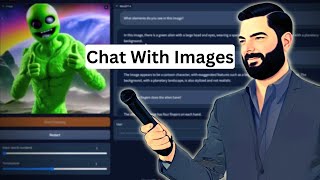
MiniGPT-4 lets you chat with images, but it's slow and makes mistakes. The roundup also covers Meta's depth and animation tools, Apple's 3D relighting from a single photo, and Adobe Firefly generating video sound and B-roll.
Chapters
Well, the AI space keeps on moving forward and there's a ton of new things coming out every single day that we can play with and explore and test the limits of their capabilities. In this video, I'm going to break down six cool advancements that have happened in the last few days and get you up to speed with what's happening and how you can play with this stuff. One of the biggest talks of the AI world right now is Mini GPT4. Mini GPT4 brings multi modality to our chats so we can now upload pictures, ask questions about these pictures and get answers. So for example, in their demo video, they uploaded this picture of a plant here and said, what is the issue with my plant? What should I do now? It looked at the image of the plant, diagnosed what the issue was, and then explained what to do next with it. In this next example, they said, describe this image. It described the image of a cactus plant standing in the middle of a frozen lake, etc. Etc. And then it said, can it happen in the real world? No, this image is not common in the real world. While it is possible for cacti to grow in cold climates, it is rare to see one standing in the middle of a frozen lake. Here's another example. We designed new mugs shown in the image. Can you help us write advertisement? And it goes ahead and writes an advertisement for it. How should I make something like this? Shows some picture of some lobster over there and it gives them a recipe for how to make lobster that looks similar. Generating website code from handwritten text and the rendered website. They're taking a page directly from the GPT4 live demo that they did and they say Write brief HTML JavaScript to turn this mock up into a colorful website where the jokes are replaced by a real joke. It then goes ahead, writes some HTML HTML forum and here was the resulting website. Can you write me a beautiful poem about this image? A man sits on a hill with his dog by his side. The sun sets behind them, casting a golden light. The city below is bustling, but they are at peace, enjoying the moment in each other's embrace. Now, if you read the mini GPT4 paper, you'll realize that yes, they called it mini GPT4, but it's actually not built on top of GPT4. In fact, it says it utilizes an advanced large language model, Vicuna, which is built upon Llama and reported to achieve 90% of what ChatGPT's quality as per GPT4's evaluation. So it's not actually using GPT4 to write its output. Now they do have a demo. If you come over to mini GPT4 GitHub IO, you can play around with the demo on the website. Now, I will warn you that using the demo is very slow. There's a lot of people using this demo right now trying to play around with it. There isn't a hugging face space yet where you can just clone it and play with it yourself yet. Nobody's made a Google collab that I've found yet where you can clone it there and use it independently from everybody else. You kind of have to use their demo that they created for you. To show off some examples of what I've been able to do with it, I actually opened three instances at once and added three different images to simultaneously have it run multiple images for me. So in the first image, I uploaded this image that I made with midjourney, and I said, describe this photo. And it says, this is an image of an astronaut standing in front of a planet with bright light in the background. The astronaut is wearing a white spacesuit and has a helmet on. The planet in the background appears to be a blue and green planet. I mean, it's supposed to be Earth, but the light in the background is bright and appears to be coming from the planet. The image is in focus and the colors are vibrant. And then I wanted to test it a little bit. What is the sex of the astronaut in the spacesuit? And then it says, it is not possible to determine the sex of the astronaut in the spacesuit from the image provided, which I thought was going to be kind of a softball, because if you look close, he does have sort of a mustache and goatee, and it's most likely a man. Then I said, describe in as much detail as possible the astronaut spacesuit. And then it gave a lot of detail about the spacesuit. It's white with silver accents. It has a helmet that covers the head and visor that covers the face. Long sleeves and legs. I don't know how it knew that. I guess it just assumes, since it's in space. It appears to be made of flexible material that allows for movement and flexibility. Has several pockets and compartments. There's several straps and buckles. The suit appears to have a zipper down the front. And it kind of looks like it might. I don't know. Can't tell. Overall, the suit appears to be well designed for use in space, with features that allow for functionality and comfort. Now, if I try to ask another question here. Let me just give you an idea. Of how long it takes just to answer one question that I ask about this image. What planet do you think is in the background you can see here? Now I'm in Q79 of 79 and it's going to take at least 387 seconds to get the answer, and I found that it usually takes quite a bit longer than that. It takes probably a good 10 minutes and every single time I ask a question. So if you do want to go play around with this, be prepared for it to be really slow right now. Here's the second image I uploaded. It's supposed to be a house on a cliff overlooking Los Angeles at sunset. And it says the image shows a modern house perched on a hill overlooking a cityscape. Has large glass walls, so it does a pretty good job of describing the house. And it also gave keywords to the house, modern house, hilltop, cityscape, sunset, etc. Added some tags as well. Not quite sure the difference between a tag and a keyword in this sense, but mini GPT4 just kind of did that on its own where does it appear this house is located in the world? I was trying to get it to say this looks like it could be Los Angeles or the Hollywood Hills or something like that, but it says it is not possible to determine the location of the house in the image. And then I said what era does it appear the house was built in? I was kind of hoping that it would say that it's a mid century modern house because that's kind of what it looks like to me. But once again it said it is not possible to determine the era in which the house in this image was built. So then I threw at some easier questions. What is the landscape like around the house? The landscape around the house of the image appears to be hilly with a steep incline leading down to the city below. Perched on a hill, commanding view of the cityscape, the area around the house is relatively rugged, rocky outcroppings, trees scattered about. The sun is setting behind the city. And then I went huh. I wonder if there is some more commercial use for this kind of thing yet. Would this house be expensive to insure? And then it goes it is not possible to determine the cost of insuring the house and the image based on the information provided. It does say down here though. In general, houses with unique features such as large glass walls are likely to be more expensive to insure than more traditional houses as they may be considered higher risk due to the potential for damage or theft. And this was the third Image. I tossed at it another one. I don't remember what I actually made this with. I think this might be a stable diffusion image of a green alien. And I said, what elements do you see in this image? In this image, there's a green alien with a large head and eyes, wearing a space suit and standing on a rocky surface with a planetary background. Is the image realistic or a cartoon? The image appears to be a cartoon character with exaggerated features such as a large head and eyes and a spacesuit. The background with a planetary landscape is also stylized and not realistic. How many fingers does the alien have? The alien in the image has four fingers on each hand, so it got that right. What colors can you spot behind the alien? I was trying to get it to spot the yellow and pink and purple up here, but this is what it gave me. Behind the alien in the image, there appears to be a rocky surface with various shades of brown and gray, as well as a blue sky with white clouds in the background. There's also a planetary landscape visible with shades of green and brown. I'm not really even seeing shades of green and brown really in the background. And it didn't really get all of these. And it also claimed that this was a sky with clouds. I mean, it's okay. What emotion does it appear the alien is conveying? Alien in the image appears to be conveying a sense of excitement or enthusiasm as it is giving a thumbs up gesture with one hand while holding onto a rocky surface with the other. The large head and eyes also suggest a sense of energy and liveliness. Describe the texture of the skin of the alien. The skin of the alien in the image appears to be smooth and slightly shiny with a slight texture that suggests it may be made of a rubbery or plastic material. Can see that for the face. I was trying to get it to describe this almost like furry thing, but it also thought that that was a suit. So the skin appears to be a light green color with a slightly darker shade on the edges of the face and the hands. Overall, the skin of the alien appears to be stylized and not meant to be a realistic representation of an extraterrestrial being. Now if I pop back over here to my original mini GPT where I gave it that prompt. You can see Now I'm in Q30 of 88. It's already gone for 320something seconds and the time has gone up. I'm not going to keep on waiting for this one. Just trust me, it takes a long time. If you want to play around with this one. Right now, again, this one's called mini GPT4, enhancing vision language understanding with advanced large language models. You can play with it right now if you want. There is a GitHub page for it where you can install it on your computer. But right now it claims it needs a pretty beefy graphics card. But this does tend to show where things are going and also gives us a little peek of what GPT4 might be like in the future when it starts to add in more multimodal capabilities and we can add images and have it talk about those images. All right, so next up we've got Dyno V2, the state of the art computer vision models with self supervised learning. This one actually comes from Meta AI and it's another computer vision tool which can map the depth of videos. You can see their original Dyno here and here's their Dyno V2. It just got a little bit cleaner at picking up the image that's running around in the video. Now it says here that Dynov2 delivers strong performance and does not require fine tuning. This makes it suitable for use as a backbone for many different computer vision tasks. Because it uses self supervision, Dyno V2 can learn from any collection of images. It can also learn features such as depth estimation that the current standard approach cannot. And this one Meta has also open sourced. It's very interesting to see how Meta keeps on putting out these new research papers and code and just allowing people to go use it and build off of it and iterate off of it. If you scroll down to the bottom of their blog post about it, they actually do have a demo that you can explore, but it doesn't seem to actually use videos yet. It seems like the demo more shows it off with images. You can upload an image and it'll make a depth map around the image. It will also segment out elements of the image which we also saw in their segment Anything demo that they put out last week. And it can also use frozen features to find art pieces similar to a given image from a large art collection. So I'm assuming you upload an image and it will find similar images for you. And those are the demos we have available. These sort of videos that we've got up here where you can see it segmenting inside the video. We can't actually seem to do this yet. If I click on try the demo here, you can see it created a depth map out of this image, but it only gives us the option to upload another image but not a video Speaking of Meta Meta also put out this animated drawings research which you can play with right now where you can take like a children's drawing and actually animate it. They also open source this one and put it on GitHub so you can download the code and actually run it on your computer if you want. It will output MP4s, it will output animated GIF files for you, and you could build your own fork and create off of the top of this technology. They also gave us a demo where we can actually play around with it ourselves right now. So if you go to sketch.metademolab.com and click on get started, you can upload a photo. I was too lazy to hand draw a photo, so I made this little dude inside of Microsoft Paint. So let's go ahead and upload this guy that I made here. Click next. It scans, it asks you to agree to some terms here. It asks you to make sure that the guy is within side the box here. So I'll go ahead and stretch it so it knows where to scan. And now it found my little character. You could see it masked out the character here with this little white outline. So we'll go ahead and click next. And now it wants us to adjust where the various joints are. If I hover over this, you can see that's where the right ankle is. If I move this one up, you can see that's the left ankle up at the top of my little picture there. Then it wants to know where the knees are. So you adjust it to where the knees are. The left hip, the right hip, right shoulder, left shoulder, elbow, elbow. Put the wrist right there, the wrist right there. Where's the center of the head? The right eye is right there. The left eye is right there. And then this guy doesn't have ears, so that'll just be good enough for the ears. Now I click next. And here's my little dude animated that I just drew with Microsoft Paint. There's different animations. Doesn't seem that you can upload your own video of you doing stuff and it'll animate it to that like it showed on this initial picture yet. But it does give us a lot of options to animate our little dude. So let's go ahead and see him wave here. His feet are a little limp, but that's okay. Get him to box for us or do a little dance. Here's another little dance we can have him do. A little wonky. Looks a little rubbery to me, but you know, fun, cool technology that will only get better. And it's a fun way to animate your kids drawings. And this is really just the first use of this. I don't see why it only has to be used for kids drawings. I think over time this technology will be used for more and more realistic sort of imagery that you'll be able to animate. In fact, here's an image I made in Stable Diffusion that's supposed to look like me as Buzz Lightyear. I wonder what happens if I try to animate. This seems to be struggling, actually to find me. So I'm going to go ahead and highlight some more of it here. So it took a little more effort and you can see some weird, funky outlines. But, you know, we'll be able to do some more stuff with this in the future, I'm sure. Again, that one's called Animated Drawings. You can find it over@fair animateddrawings.com and the next thing that I want to point out is actually news that came out of Apple. Apple's been very qu it lately when it's when it's come to the world of AI. But this week they announced facelift neural 3D relightable faces. It's a tool where you can upload a single image and it will map the depth on it and make it look 3D. And then you can also relight it. They also have some examples of them doing this on actual artwork here. It's cool to see Apple getting into the picture, and I have a big feeling they're going to move into the game in a much bigger way in the coming weeks and months here. This. It leaves a little bit to be desired. Some of these animations we've already kind of seen with tools like Leia Picks, where it will map the depth on an image and make it look a little more 3D. We've seen some of that relighting stuff already inside of Clip Drop, where you can change where the lighting source is and it will adjust the shadows accordingly. So it feels like it leaves a little bit to be desired. I mean, I'm sure it's really groundbreaking technology in the way that they're accomplishing what they're accomplishing. But from the point of view of an AI nerd who's just looking for cool, creative uses, it doesn't feel like it's introducing anything super exciting. But I know Apple's in the works with a lot of really, really cool stuff. One of the most exciting things that came out for me this week was the introduction of Adobe Firefly with Video Some of these examples are so cool. Now I'm not going to play the audio because I don't know the licensing behind the music that's being played on this. There's a video here. It's asking the AI to generate music and sound effects for what's going on on the screen. And then it's actually generating the ocean foam sounds and adding some background music to what we're seeing on the screen right here. It then has a picture of a woman walking and they change the time of day that she's walking in. Using AI, they also said brighten the face and it changed the face. And here's one of the really cool things. It's analyzing a transcript right now and then it's adding text on the screen using AI. And then it also uses some of the cool 3D firefly text image stuff. But this part is really cool. Finding B roll to go over the script that it's hearing. So it knows she's talking about shoes. It found B roll of somebody putting on shoes and she was talking about climbing and she. It found B roll of somebody climbing. Here's another one. It imported a script and said generate storyboard and then it looked at the storyboard and generated AI images for that storyboard. This to me is really, really cool. The ability to add AI sound effects where it analyzes what's on the video and then adds music and sound to go along with it. The ability to analyze the words spoken in the video and then find B roll to go along with it. The ability to take a script and then create a storyboard from that script. All of that to me is just mind blowing. It's going to make the creative process so much faster for creating videos. Now personally I edit all of my videos in DaVinci resolve, but as this rolls out I can see my some of Adobe's products and maybe jumping back and forth. And speaking of DaVinci Resolve, Blackmagic Design announced DaVinci Resolve 18.5 and some of the biggest new features inside of 18.5 are AI features. It's going to use AI to generate subtitles for your videos. It's going to have an AI text based editor where you can edit the text and move text around to reconfigure the video. It's going to have a relighting tool where you can use AI to relight and better color grade your videos. And it's going to have AI based audio classification which to be honest, I don't totally know what that means, but it's going to have that. And that's pretty much the rundown of what's been going on in the AI space just in the last few days. I mean, that's how fast this stuff's moving. That's why I've made it my job to try to keep up with all of the stuff that's coming out, make videos for you to give you the TLDR as often as possible over on my Twitter over at mreflow. I'm typically tweeting about this information as it comes up, so if you're not following me on Twitter, follow me at mreflow. And if you just want to find all sorts of cool AI tools that you can use in your life or your business right now, head on over to Future Tools IO. This is where I curate all of the coolest tools that I come across. And while you're there, click this button to join the free newsletter. Because every single Friday I send you an email with just the five coolest tools that I came across for the week. I also send the TLDR of all the news that you need to know for the week. I'll send you a handful of YouTube videos and one cool way to make money with AI. You'll be joining about 75,000 people that get this email every single week to stay in the loop and get the TLDR of AI for the week so you can find that over at FutureTools. I oh, thank you so much for tuning in. If you like this kind of video and you want to stay in the loop with all the latest AI news and research and the occasional tutorial, make sure you give this video a thumbs up and subscribe to this channel and I'll keep putting them out there for you. Thanks so much for tuning in. I really appreciate you. I'll see you guys in the next video. Bye bye. Sam.










