You Need To See What AI Made This Week
Igor demos the week's best AI releases: Meta's speech translator that works in under 2 seconds, Google DeepMind's NotebookLM for research, Midjourney's new prompt features, and Leonardo's image-to-motion video tool. He tests each one and weighs whether they're actually useful or just hype.
Chapters
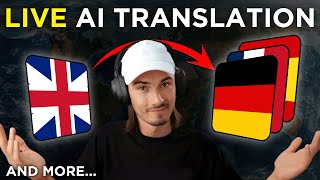
Most people might be enjoying their holidays, but I've been all across the Internet collecting all the most useful AI use cases that have popped up over the course of the last week. And today I'll be showing you all of them, including this live speech translator from Meta, a little AI art technique where you can create figurines of anyone. This little workflow creating surprisingly good AI video of humans. And then also Google's DeepMind released NotebookLM, a brand new way of collecting your thoughts and working together with AI. And there's so much more. So, without further ado, let's dive into all the AI applications that came out over the course of the last week that you can actually put to work today, starting with Meta's Seamless streaming service app. So just have a quick look and I'll show you how to use this yourself. Our model can help us talk to people from the whole world. So the point here is that this isn't just AI translation, it's real time translation with a latency of under two seconds. So you'll be speaking in one language and in under two seconds it outputs the voice in a different language. Now, rightfully so. The top comment on Twitter is, is it real time translation or a Google like Gemini demo? And I love how they just linked the hugging face model. So if you click this, also link in the description below, you can simply create a new room and we could put this to the test right away. So the model is seamless streaming. My target language is going to be German because then I'm going to be able to judge the outputs accurately. We're just going to do speech, no text. I'm going to be using my microphone and that's it. We can start streaming. As mentioned, this happens live, so let's just get into it and see how this performs. Hey, how are you doing? My name is Igor.
Mein ist Igor.
This is a quick test of live translation. I've never experienced this before. This is quite interesting. Wait a minute. This can do this Many languages? Are you serious? Wow. So honestly, for translation purposes that really worked. It would have got the point across to anybody that speaks German. Some words it repeated here and there, mistranslated the phrases, just like a beginner in a language would. But that's completely fine. It would already serve the purpose. And with a two second latency, I would feel confident using this on my phone and walking around a foreign country. Please just put this in app and let's do it. If you want to try it yourself, it's completely free. It does all these languages and heck, I guess you could even walk around with this link open and just use it on your phone already. So there you go. Have fun. Okay, next up we have an AI speech enhancement model. And this one is something that we've seen before, but this one is fully open source and what that means is that you can use it freely without signing up and you could build your own apps on top of it. So when I say we've seen this already, I'm referring to Adobe's podcast. It's been around all year. It's a very, very good tool that actually enhances speech, cleans it up. Now you can do it here too. So let's test this quickly. I downloaded this famous speech by Charlie Chaplin and we're just going to upload a 30 second clip of the speech just because for the web interface you can't do more than a minute. And I'll just use default settings, say submit and we can compare the before and after.
I don't want to be an emperor. That's not my business. I don't want to rule or conquer anyone. I should like to help everyone, if possible. Jew, gentile, black, man, white, we all want to help one another. Human beings are like that.
Okay, now the after.
I don't want to be an emperor, that's not my business. I don't want to rule or conquer anyone. I should like to help everyone, if possible. Jew, gentile, black, man, white, we all want to help one another. Human beings are like that.
Not bad. Not bad. Not bad, but also not perfect. There was two mistakes in there that I caught, but also there's some background music here, so that makes it harder. So there you go. Another tool that you could be using to enhance any type of audio in this case, even programmatically. Alright, so let's move on to this fun little use case. It's just a midjourney prompt, but I think it's worth showing off because this has been happening all over Twitter. You can create a little figurine of yourself and in midjourney. And look, there's all kinds of variations of this. I'll just try to do this on myself. And the way you do this is with this prompt. It's going to be linked in the description below. Basically, I'm just going to go in and yes, this does require midjourney subscription and enter this prompt. And all I did is replace these parts and the name on the box with my own. So as you can see, I described my physical appearance. You could get as precise with this as you want. But I'm showing you this because it's kind of a cool post, either for social media or it could be a gift to somebody. Look at that. I didn't even do a great job of describing myself, but this, this is not bad. Look, it used the AI YouTuber title here. And there you go, social media post, profile picture gift. And you know what, if I wanted to take this even a step further, I would paste prompt in here, upload an image of my profile picture, copy the link to that, and then you can just add the link in the prompt separated with a comma from the prompt itself, hit enter, and there you go. That's how you remix profile pictures in midjourney. Okay, so moving on to Google's Notebook LM. This is a brand new app released by Google's DeepMind. And I find this one particularly interesting because it's an entirely new way of interacting with your thoughts and also researching topics. So whenever you really want an AI companion on your research journey, this is one of the better ways to do that. So if you try NotebookLM, you're gonna quickly find out that, ugh, it's only available in the us but as you might know, the standard workflow is just using a vpn. So I activated mine and when I refresh this page, this should work. Nope. So what I actually needed to do here is go into my Google admin console and I had to turn on early access apps for everyone. All right, now that that is done, I can actually access the this feature. So let's click this button again and there you go, it works. So let's just look at this introduction notebook, because this is different from any other notebook you might have seen so far. You have this chat interface at the bottom and all these different files on the left side, right? So you can add notes, PDF files, text, and then ask questions on top of it. And the key is that it processes all of it. So it's literally like an assistant that reads all the things that you give her and then you can work together and look. From all the demos I've seen so far, I think the coolest part here is that it's interactively suggests questions. It doesn't just allow you to ask questions, it actually goes here and tells you what you could be asking. So it's proactive in a way that ChatGPT wouldn't be right. You would need to prompt it to ask questions. But here it takes that step. So I really like that. It's also a little technique you could take away for ChatGPT, but either way, look at this. Who gave the marketing plan and it finds all the data. This is going to be super useful for companies when they work together. All the different people can just add their knowledge. You upload standard operating procedures or external databases, PDFs, research and heck, even when you're preparing a YouTube video, you could really go deep into some of the data here. I'll be exploring this more and more, but I think this is definitely worth checking out as this really feels like a better interface for research as opposed to something like ChatGPT where it's input only and you really have to know all the questions you need to ask here. It does a lot of the work for you. And also this is a way better way of collaborating. And by the way, this is not a use case, but I just tried accessing ChatGPT and it gave me this captcha phrase that I can't even solve myself. Good lord, am I doing this right? What's going on here? I've never seen this before. Two of these objects. These are a little different though, and I gotta try again. Anyway, moving on to the next use case. So while we're on the topic of ChatGPT, let's talk about this medical use case right here. So Mike Higgins here is saying he's not an AI bro, but whoa, this stuff is getting wild. So what he did is he fed his blood work and his DNA tests to ChatGPT. And look, I wouldn't particularly recommend this, especially because of privacy issues, but hey, he did it. And look at that. These results are surprisingly good. And this is not even a specialized model or it doesn't have any external knowledge that is specialized on this. Right? It's just a general purpose language model that gives you usable medical advice. Again, not suggesting this at all. More of a, hey, look at what's possible with a general purpose model today. So just think about what we're going to be able to do throughout 2024 with models that are only trained for medical use cases. And what I found interesting is that he prompted it to give him suggestions as different popular personalities. So he asked it, how would Huberman suggest I approach my health? Or imagine you're Peter Attia md, Tell me exactly what you suggest I do and you get different types of recommendations from different personalities that it also knows. And he claims that this surfaced some recommendations that his doctor actually missed. So now you know that you could be doing this again. I don't recommend it, but I thought it was worth mentioning as this is a super unique use case and I love how he combined the personalities with medical data on a general purpose model. Moving on. So we're kind of having AI video season, so there's a few things I should point out here. One is particularly interesting because I discovered a new workflow where humans actually look good. But first let me point out that Video Poet was announced by Google Research but it's not actually usable so we're not going to be talking about it. But this looks quite interesting. Some of this restyling looks very promising. We'll talk about it more once it's out. But this is the workflow I've been talking about here. Action movie Quid on X produced this little commercial type looking clip where I was surprised by how good the human images are and even describes the workflow that he used here. Look. It's a combo of Midjourney 6 to stable diffusion video and then using Topaz Video AI to interpolate some of these frames aka to make it look like actual video. And this is actually super simple. It just this does require midjourney which is $10 a month at minimum and topaz video AI which right now is like $220 for a lifetime license. Let me just speedrun you for this workflow so you can consider if this is worth for yourself or somebody you might know. So we'll be starting in discord with midjourney and I'll just use this prompt that I came up with myself. Water photo shoot of female model in a futuristic dress. Face above water. Volumetric lighting. High fashion, colorful. I'll sprinkle in this little photography technique as I usually like to experiment. And I'm going to use refraction here. So I'm just going to add this refraction keyword and hit enter. This creates the base for our video. Now I'll use stable video diffusion that I showed you a few weeks ago. And I'll be using the 14 frames model with 6 frames per second as we'll be adding additional frames with Topaz and I just say run. Okay, look at that. This is actually a great result. Let's download this video clip. But there's one problem left with this. It's a little stuttery, right? At six frames per second we want 24. So I'll just drag and drop into Topaz and on the top right here I'll pick 1080p so it upscales. And for the frame rate I'll set 24 because that looks like video to the human eye. And the poly model works better here for water from what I experimented with, hit export. And now let's have a look at the result. There you go. Way better. Not perfect, but way better. So we went from an image to a stuttery video to a fluent full HD video. Certainly not perfect, but the best I've seen. And I really wanted to show you this workflow as it shows off the fact that all the tools that we look at in these weekly videos can be combined for superior results. Okay. And while on the topic of AI video, Leonardo, one of our favorite AI art generators, actually added video generation. So here's how it works. By the way, this one is free to use right now, and they made it extremely simple. Once you're logged in, you just click on any image here and there's a new button which says this image to motion. And then you can use the motion strength. This is very similar to Runway. So less is more. And I'll just say generate. And that's it. That's how easy creating AI videos is these days. Okay. And after about 30 seconds, here we have the result. Look at that. This is surprisingly good. They have a great video model. So now you could generate your own images, animate them. It does cost 25 tokens. You only get to do this six times for free with video. But hey, I guess you could be creating multiple accounts and so on. Really great tool, worth exploring. I got to be honest, this is one of the better ones right now. Oh, and just a little side note, PColabs that we also talked about a few weeks ago is now available to everybody. So yeah, it really is AI video season. But what does every video need, especially on social media channels? Captions. And that brings me to my next use case, which is adding captions with AI. Look at this. This is also available on Replicate and it's the best one I've seen so far because it actually tracks the words that are being said and it does the transcription super well. So my only issue with this is the letters are a bit too close to each other. So let's just do this ourselves. I have a little intro clip from one of my videos. So let's add captions to this completely automatically with AI. I'll deselect this as I don't need the transcript. It's going to be in the bottom for the font. I'll actually use Arial Bold and I'll set the kerning to zero so the letters have a little more space. That's it. Hit run and it's generating captions for me. Can you believe this is free? And here we are. Let's have a Look at this. GPT4 with vision is absolutely insane and a team of researchers in Microsoft just published this brand new paper that pushes this vision module to its limits. Wow. Come on, that's flawless. It got every single word right including GPT4 with the little dash in between. Now this is actually really impressive. You could combine this with all the other video workflows and tools I showed you. So I'll dare to say all of this is really going to change content creation in 24. We didn't have most of these tools in spring 23 so these are my favorite AI use cases from this week. Leave a comment below which one you enjoyed the most. Subscribe for weekly episodes just like this and check out the playlist for more AI use cases that you can put to work today. Happy New Year and I'll see you in January.










