Your Favorite AI Tools Just Got Huge Upgrades & More AI Use Cases
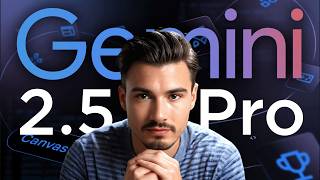
LARRUZ covers major AI releases: Google Gemini 2.5 Pro can rebuild web apps from video, ChatGPT added GitHub integration, Suno 4.5 makes longer AI music, and OpenAI acquired Windsurf for roughly 3 billion dollars. Midjourney's new reference tool works better for products than faces, and NVIDIA's Parakeet transcribes fast and free.
Chapters
Another week, another batch of practically I use cases yet again, a bunch of things that we haven't seen before. For example, the new Google model can take a screen recording a video and turn that into an application. You could record any app that you already use and just tell it recreate this. ChatGPT has a bunch of new connections and now there's a tool that takes one image and turns that into AI avatar of you. We'll be testing that and so much more in this week's episode of AI News. You can use the show that takes all the AI releases. We research, we test them, and then we show you the ones that really matter. And let's get started with the Google story here because this is quite incredible, but I just want to do something that I do way too little off and that is ask some of our repeat viewers here. If you enjoy the show, please leave a like and really helps the channel. And apparently I should be telling you so leave a like if you watch the show. And now let's get into Gemini 2.5 Pro, the Google I O version of this. So there's a blog post detailing it, but there's really two things that stand out here. First of all, some context. If you're not familiar, Gemini 2.5 Pro by many people considered the best development model. The other competitors are anthropic sonnet 3.7 and then the OpenAI thinking model or 4.1 through the API. But basically this is Google's flagship model and they just updated it with two things that actually really matter. First of all, it's really good at doing front end. Now it was okay, but now it's excellent. As you can see in this thread on Twitter here that I'll link below, you can just create all different kinds of applications and websites at a level that before only Claude could. But secondly, and this is the thing we'll be testing now, it can take video recordings of application and can rebuild it for you. So what I did is I headed over to the site that I actually use regularly. It's just a time converter with my favorite interface. And this is super convenient for a person like me that has a fully remote company for obvious reasons. And what I did is I ran a quick little screen recording about 30 seconds before I hit record on this video. So as you can see, I just go through the different functionalities that I use and what I'll do now is I'll open up Google Google AI Studio where this new model is available. As you can see here, Gemini 2.5 Pro Preview, you got to select the one that says 0506, which is May 6th. By the way. The same model is now available through Gemini advance. Although if you go for Gemini advance, you can't really upload the videos, at least from what I can see. Maybe I'm missing something, but if I go here into the studio and I'll upload the screen recording of this application that I'm using every day, rather than me having to prompt around it, I'll just show it the functionality and I will try and let it recreate a clone. And all I'll say is recreate this web app for me. And because the video has so much context already, I'll just let it do its thing and let's just fast forward to when this is done thinking and building, which hopefully won't take too long. Hold up. I wanted to record a different segment while this was loading, but in 26 seconds this already started to work. And initially it created an outline, but I had to follow up with telling it to do it. Very sophisticated prompting right here. And then it wrote the files and I downloaded them and tried this out. But this is what the application that it built like looks like. So not exactly what I would expect expect right here. But hey, to be fair, I didn't expect this to work right away. I just expected it to take the context from the video. So I'll try one more follow up prompt which refers back to specific elements from the app that I would like there improve the interface to look like the original, especially the way it displays the various time zones at once. That's the main feature I want here. And now it's going back to work and luckily I don't have to prompt a lot because it has all the context from the original video. And there it is, three new files. Obviously if you use this map model with something like cursor, this process would be a whole lot smoother. Aha. And after a bit of troubleshooting, it created the JavaScript file with the wrong name. Okay, that is something I can fix. So let's try one more time. There you go. So yeah, surely I could keep playing here. Keep iterating and giving video as context is very nice, but even update like this doesn't make the model magical overnight. From some of the examples see it's really, really impressive with some demos, but from this quick first 15 minute review it's not exactly what I hoped for. But that's okay. I'll keep trying and keep you posted in the future as we Learn more about these new models. Next up, let's talk ChatGPT, the different models and what's new this week. So first up, there's an improvement for developers. This seems to be a developer heavy week, but stick with me, some other stories here. Definitely not dev focused, but what they essentially did is they added the ability to connect your GitHub to the deep Research feature. So now the Deep Research has a little arrow next to it. Now this is still rolling out and I couldn't get access to to it yet, but this is pretty straightforward. It just connects to your GitHub and then it can see an entire application as it runs its Deep research, which can be incredible to get started on a brand new repo, making it easier for beginners to get into building things and understanding things than ever before. And another thing that they kind of silently did. I mean this is not the biggest deal, but in their help center they updated this short little guide to the various models telling you when to use which one. So if you've ever had any confusion around that, which at this point I think everybody has had some sort of confusion confusion around this, well you have explanation in their very own words. I would disagree with one part here and that is some of the prompts that it recommends for 4.0. I think if you do anything writing related and you have access to it, you just want to use 4.5 in ChatGPT. And if you're doing anything idea related and planning related, I would always default to 03 if you can. Alternatively 4.5 but as I said before, if you need quick results or Images, just go GPT4O. If you want to write or do something that is psychological like a coaching session or understanding other people. 4.5 and everything business related. O3 Talking about that, I'm running a lecture next week in a community titled O3 for business looking at various use cases, prompts, workflows. Really looking forward to that one. I did some magical things for my company like expense optimization and it makes a real difference what kind of context you give it there. So I'll be running a little lecture like that in our private community. If you're interested in getting more out of O3, that might be a good choice. As you might have noticed, this channel is all about generative AI use cases, whether it's talking about the new releases, actually putting them to work, or showing specific cases and tutorials on how to apply them yourself. Now we can only go so far with the channel because we are at the mercy of the YouTube algorithm. Certain things just don't perform well here, but we wanted to do them anyway. And that's why we built the AI Advantage community. And specifically within the community, we post new guides and resources on a weekly basis and a brand new course every quarter. For example, in the last week of March we published a fine tuning course that is included in the community membership. If you're not familiar with fine tuning, it is by far the best way to customize a model to sound exactly like you. You give it dozens of examples of your own writing and you train a model like GPT4O to not just write, but also think like you. And it works really well, but it's a bit of a technical process. You have to collect the data, prepare the data, train the model, retrain, test. All of that we covered in our step by step course, which takes you by the hand every step along the way. And if any questions come up, well, the community provides a personalized support support. So if you ask a question in the appropriate space, you're guaranteed to get a response by one of our team members. And this is just one of six courses we have now. All of them are included in the community membership. We have Prompt engineering, GPT building, Advanced prompting, now the fine tuning course, and then two creative courses on mastering midjourney and using various creative AI tools for business branding purposes. It's sort of a vibe marketing course. So if that sounds interesting to you, check out the AI Advantage community. There's a lot more included. All details are on the sales page, but I think particularly for the YouTube viewers, the, the courses we have in there are real value adds that I genuinely think you should consider the next time you're wondering what you can do to upgrade your AI skills. We've laid out the way for you step by step and all you got to do is just follow along inside of the Advantage community. I hope to see you there. And now let's get back to the video. All right, so the next release from this week would be Midjourney's Omni Reference, a feature that allows you to give it one image and then reference that image in your next creations. Very convenient. And spoiler. The main use for this is is really product photography because as you might know, when it comes to midjourney, they're not the best at recreating people. Even if you provide reference materials. ChatGPT is okay at that. And if you want the very best results, you will want to fine tune your own model like flux. If you're interested in how to do that we'll actually include a link in the video description below. But back to this midjourney feature. So essentially, it allows you to upload one image and then reference it in multiple images. And look, these are the marketing images from midjourney. And either even in these, if we really zoom into this grandma down here, for example, this is not the same grandma on this picture. And on the second one, there's just different facial features. And us humans tend to be really, really good at recognizing nuances. In a human, it's essential to discerning one person to another. So we've become really good at that over the course of history. I mean, it's no coincidence that the first image they picked here, the guy actually has glasses on midjourney. He's just not that good at redoing faces. So I don't think that's the main selling point of this image image. As you can see, some of their other examples immediately go to products. And as we looked for other use cases among the Internet, for things that this works really well on, the best ones were all products. So essentially, Image Journey now has an amazing product regeneration tool in which you can take a image of a couch and put it in different scenarios, or you can give it a pattern, turn that into a shirt, and then put the shirt onto various models. Stuff like this works really well, as you can see from some of the other examples here, like the sneakers or this reference image of these Louis Vuitton Uggs. I suppose in various images you can even see it preserving the logo really well here in all of the cases, which is essential. Now, I do have to point out that if you start getting nitpicky, the little logos here are just off. So be careful, regenerate multiple times. But I think for product, this is really something powerful. By the way, if you're not aware, the one use case for AI images and especially AI video that has just proven itself beyond any doubt is generating ads. So now you can do it directly in midjourney. And for anybody who's using it, there's a very welcome feature that is available now. Okay. And the next release is actually from Nvidia. It is called Parakeet and it is a brand new, completely open source transcription model. Now, the one limitation is that this is only designed for the English language, but it does transcription super well. And I want to quickly show you that in a practical demo here. So all I need to do is tab over to microphone here, then I hit record. Okay. I'm testing this brand new model that Is supposed to transcribe my speech. Now usually these models are paid, so I need to pay per token. And this one I could just run locally and transcribe anything I want. Kind of powerful. And as I hit stop, I see the recording in here. All I need to say is transcribe microphone input and look at the speed of this thing. In less than two seconds essentially. Okay, that took 3.5 seconds. I have a transcription of this along with the timestamps, Meaning you could quite easily download this model, Fire up something like Cursor Windsurf, cloud code codecs and just vibe code. Your own app that records any audio on your computer and instantly transcribes it for you. No need for a subscription. I think that's kind of a neat idea. And soon there's going to be a video on the channel does something similar. I'm excited to upload that one because it's a full workflow A to Z. You'll see about that soon. But yeah, as you see, the accuracy here is super good. And the built in timestamps, something that can be really useful if you pull the transcript to prompt on top of it later. Okay, so now we're going to talk about the new release from hey Jin. And I think this is a really fun one. So you might know. Hey Jen. Probably the industry leader when it turns to turning a video of a person into a AI video avatar. I think it's generally agreed upon that they have some of the most realistic looking ones out there. But we tried this before. Matter of fact, we used this in some of our social media marketing. If you wanted to train a model of yourself, you needed multiple minutes of footage. Now you can do it from a single image. Let's try it. And you can create one of these by going to the home tab avatar IV here. And one of the editors that makes this video. Lucas actually prepared two images that I'm supposed to run through this. This is one of them. I guess. Let's try. I can pick my voice. Oh no. I mistyped as I usually do during these live recordings. That's life, I guess. Let's do one more. I didn't pick this. The video editing team wants me to use this one. Okay. So what I'll do is I use this JD Vance image of myself sort of. And then let's generate a video. Oh wow. The first one is almost ready. Let's have a listen. Don't forget to leave a like on the video. Don't forget to leave a like on the video. What a Great call to action. All right. All right. Yeah, that's me, I guess. Oh, also, don't pay attention to these hands. Oh, why do I say that? Now everybody's looking at the hands. And then we have JD Van Seaghor. Let's have a look at this. Subscribe if you haven't done that yet. That's not bad. I mean, subscribe if you haven't done that yet. I mean, the intonation is not there. The animation is very light. Obviously, subscribe if you haven't done that yet. But the hand is okay. And sure, it mostly just animates the face, but subscribe if you haven't done that yet. I kind of like it. I did this on a free plan from one image. And what is that, like two or three minutes? I graded two of them. Okay. Not bad. Hey, Jen, I'm a fan of this. Okay, so the next one is a story that actually came out last Thursday, but we got to record these videos at some point and usually record Wednesday and Thursday in the evening. And that's SUNO 4.5. And rather than me telling you all about the different features they have here, let me just show you an example that illustrates the increasing quality of the songs that you can now create with the power of AI. So purely giving it some words to create songs. And I'll do that by showing you what one of our team members actually created, created Michal. And that's this song called Pale World that he made with Suno 4.5. I'll just open it up on Spotify here too. I'll include this link here below. So without further ado, here is what you can now make with AI. Honestly, that could be a soundtrack from Dune or another AAA movie. And I don't know, I can only speak for myself, but I would be able to tell that this is not human made, which is scary, but it's also impressive. People will be able to create a whole new level of films, games. Heck, this could be a great soundtrack. It's some RPG just playing in the background. I mean, really at this level of instrumental quality, I'm just thinking we generate a bunch of our background music ourselves from here on out. Generally speaking, I have quite high standards, so I wasn't really happy with the music up until now, but I don't know, this is just epic. This sounds fantastic. I think the main change that we should talk about here is also the menu feature that they added. So to say, not really a feature, but what I mean is the fact that the context, length of what you can put into Suno is way longer now. So this allows you to make up to 8 minute long songs and the prompt adherence is way better. So if you specify that you want a certain instrument, it's going to be there reliably now, whereas before kind of a gamble. So yeah, also AI music moving forward. Always lovely to see all of these creative tools level up. Okay, and next up we're going to do my new favorite part that we introduced last week, a Quick Fire segments on all the stories that deserve a mention but are probably not worth multiple minutes of your time. Starting out with NotebookLM finally announcing a desktop app. You can pre register on the Android Store under this link in the description and on the App Store under this link in the description. If you're not familiar, this is probably the best consumer app for super long context. So if you have hundreds of pages, this is the one you want to use. And in about two weeks they'll be launching this desktop app. Next up, there's a piece of news around the app that, well, isn't necessarily new this week, but we should absolutely talk about it. And that is OpenAI acquiring windsurfing for $3 billion. If you're not familiar, Windsurf is probably the main competitor to Cursor, making it one of the biggest AI powered code editors. If you never coded, you can think of it as Microsoft Word for writing code. Just a quick note that I personally, if I want to create a Vibe coding project, still prefer using cloth code because it really nicely links to all the MCP servers. But yeah, the story here is that OpenAI essentially bought windsurf. That is another fantastic option if you wanna get into Vibe coding and we should see a lot more of that product as they integrate it into the OpenAI ecosystem. Okay then another story is LTX releasing some of their own open source video models. Here on screen you can see some quick comparisons of the image to video model. Honestly speaking, it's decent. It does not compete with the top models like VO2 or Kling. But LTX has always been about the entire studio, the experience, not about the models they provide. But now they have a new one that they open sourced. Okay, the next Quick Fire story is this post from our community which is essentially a Vibe coded game that you can try out right now under this link. And it's a space shooter. But truly Dirk, the creator of this calls us off philosophical space shooter. And without revealing what that means, I wonder if anybody here watching this video can actually figure out by themselves why that is I just always love seeing and trying what different people build. And this is just a great example of something that you could build with something like Windsurf that we just talked about. And then lastly, I want to highlight these two stories, which is something you probably won't be using this week, but Both Visa and MasterCard came out with news, mostly B2B. Facing that they're including agentic elements to their network. Essentially here they're pioneering agentic payment technology to power commerce in the age of AI, essentially putting rails in place so that agents can pay by themselves. These are exactly the type of stories that mark the beginning of a new era. And with that being said, that's pretty much everything I have for this week. Now, if you joined over the past few months and you wonder about ways that you could use AI yourself, well, we put together a database of use cases and prompts for you that you can get completely for free by simply signing up to our newsletter from the first link in the description below. I happen to know that almost all regular viewers of this channel are on that newsletter, but if you're new, go ahead and get that freebie as soon as possible. There's a lot of good stuff in there and we updated it for 2025. And with that being said, I hope you enjoyed our time together today and I'll see you very soon.










