Rubik's Cube: PLL: memorization, tips, links
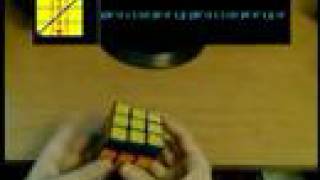
Learn the 21 PLL algorithms for the Fridrich speedcubing method, or start with 7 for beginners. The presenter shares a custom webpage organized by difficulty and frequency, memorization tricks like tracking cube patterns, and a PLL Trainer program that generates random cases and tracks your times.
Chapters
This video is something like a follow-up to my OLL PLL tips and tricks video, but concentrating more on just the PLLs. I think that there are a few things that I can say that will help people learn the PLLs, so this video is pretty much about that. So just briefly, PLL is the last stage of the Fridrich method where you move pieces around the cube on the last layer without changing their orientation. So for example, here I have to swap these two corners and these two edges to solve this PLL. The full PLL requires you to learn 21 algorithms, but if you're a beginner, you can choose to learn only 7 of them and perform the 2-look PLL. In the first look, you do all the corners. In the second look, you do all the edges. So for example, I have the T permutation here as well. It's the same thing. If I were to do it using the 2-look PLL, I would first do the corners and then I would do the edges. So that was decent, I suppose, but if you were to do a normal PLL, then that would be it. So learning all of those is really a very small price to pay for the increase in speed. Okay, I would now like to show you a webpage that I made for the PLLs. Most of these algorithms that you're going to find here are the same algorithms that you can find on cubewiz.com. I find these algorithms to be pretty good for the PLLs, but by the way, be warned, that Bob Burton also has a section there for the OLLs, and I had to relearn a good portion of those OLLs. They're not that great, so just be careful with those. Anyway, so most of the websites organize their algorithms based on arbitrary groups and symmetries that they find, but I organize mine in the order that I think you should learn them in. So in the end here, I have some algorithms that are pretty hard to learn, but they do not come up too often. So they're in the back. I will now go over the columns briefly. This is the diagram for each case, so the edges you wanna swap, the corners you wanna swap, etc. This is the algorithm for each diagram. They're all very nice and color-coded as well. That actually took me a very long time, so I hope you will appreciate it. I color-coded all the triggers, such as the RUR trigger. It comes up here, here, here, here, here, just everywhere. I also highlighted symmetries and things like that, so I hope that's gonna be useful. Here's a name for each diagram and each algorithm, so when you talk to me or someone else about them, you can clearly refer to them and we know what we're talking about. This is the chance of occurrence for each case, so if you solve the cube 18 times, you're likely to come into this algorithm once. This is the difficulty to learn each algorithm, which is approximately what I think is correct. I assigned them arbitrarily though. Every row assumes that you already know the rows above it. Also, they're color-coded sometimes like this. This is just kind of like logical groups that I put them in because the algorithms are very similar. Okay, and here we have the comments for each algorithm, so I just talk about basically how I memorized each algorithm and maybe you'll find those useful as well. So as you can tell, this entire page is geared towards helping you remember these algorithms, it's geared towards memorization. If you want tips on how to do better execution, go to Bob's PLL page here. I actually had it open there. You have all the PLLs here, the comments on execution, and he has a video, slow and fast, for each PLL, which I found to be pretty instructive. So I found that to be pretty useful. Okay, now I will briefly go through some examples of these things that I list there, just to illustrate some memorization techniques for these algorithms and stuff like that. So the first way to memorize an algorithm is to use notation as your tool to memorize it. A very good example of that is the algorithm UB because its notation is very easy. So this is the case, it's U-perm going clockwise, Actually, kind of clockwise, whatever. Notice that it's always an R turn and then it's a U' or a U turn, and it always goes U', U normal, U normal, U'. So that's symmetric. So you go R U', R U, R U, R U'. And the last portion you don't even really have to remember because look that the cube is 3 moves away from being solved, and you can actually intuitively even see what you need to do to actually solve it. So once you actually remember how to do this, you can practice it enough until it becomes muscle memory, and then you won't need to go through this derivation always of how to actually finish it. You'll just remember it. So that's a way to memorize based on notation. Okay, so that was this algorithm right here. You see that I highlighted those parts for you that I talked about. This algorithm is a very similar thing as well. You do R2U, RUR trigger, then the last 2 letters of the RUR trigger, and then you fix up the cube. This algorithm is only chance 1 out of 72 to occur, but it's very easy, so I put it here. Notice how the M2s alternate. I will now show you how you do these 3 because they all use the very, very same idea. Okay, I will now show you one way to memorize the T permutation. So we have the T permutation. We will track this F2L pair and this F2L pair. So just concentrate on this one first. I'll do R U R' U', and now I'll do R' F. So that pair is now there, and that pair was moved to the top layer. So now we want to move this pair away from the top layer. So what we'll do is we'll insert it with these whites, so do an R2, insert it there, and insert it down. So we now kinda have this funky F2L which is messed up. Now we did all of this, just do a U', and now restore everything. So these two have to be with the greens with greens, restore this, and restore that. Also, the G permutation, by the way— the J permutation, I mean, comes for free if you know the T permutation, but you must have the T permutation in your muscle memory, so it will take some time. Get comfortable with the T permutation so that you can do it with your eyes closed, and then you can do this one. All you do is R U R' F', and now just start doing the T permutation until you solve the cube. It will sort of be midway of that T permutation, and you will solve it all by itself. So that's pretty easy. And the Y permutation is pretty analogous to that kind of reasoning with the F2L pairs as well, but check that in the comments. One more way that some people use to remember algorithms is to track patterns on the cube. I can best illustrate using this N permutation. So first I track this corner, so there's some tracking too. I track this corner, it makes a U on the cube as you do this. R U L, so the corner is here. Now I do U2 and then align the yellows here, align the yellows in the back, and align the yellows. And I'll do the exact same thing again. Track that same corner, do that U, U2, align yellows here, yellows there, yellows there, and solve. So by remembering those patterns on top and aligning the yellows, I was able to solve that as well. Learn also the V permutation. It's a little messed up algorithm, but once you know the V permutation, you know the F for free because there are very little changes that I highlighted here. So that's basically two algorithms for the cost of one, almost, as if. So that's why I put it so high up. I also showed you the M permutation. And this J permutation is very similar to it. I unfortunately don't have time to go into these because I want this to be one video. The G permutations, even a year after I learned them, I can't think of a simple way to remember the G permutations. I am sorry. When I learned them, it was just brute force. I just learned it. I still can't think of a good way to do it. I wrote up some stuff, I highlighted some stuff. There is a little bit of pattern to these Rs and the Us and how they intertwine, but you're gonna have to study that, and you're gonna have to just suck it up and learn them. Okay, so finally I'd like to show you guys this program that I wrote just recently. It's called the PLL Trainer. Basically, it generates a random PLL for you, and it tracks your time of execution for that PLL. And then it tracks all the times for all your PLLs, and you can see and compare which PLLs you need to work more on or get better algorithms for, things like that. You can also disable and enable PLLs so that they won't be generated for you if you don't know them. You can also save and load sessions, so I can basically load a session from 2 months ago and I can see how much I improved since then and things like that. You may need to have these pictures rotated because that's not how you recognize your PLL. So just go to the directory that contains the— in the program— with the program and rotate these in MS Paint or Photoshop, or even the Windows Image Viewer can do it. And because this program just merely loads those pictures. So I'll now give you a demonstration. I have a cube here. I click Start and I execute that PLL. And I hit spacebar or something and it saves my time for that PLL. Okay, so I didn't really have enough time to go in depth into anything that I showed you. The main purpose of the video was basically just to show you the website and the program. So check those out. And also, if you think you have a very good way to remember some PLL or a very good algorithm for it, then you can post a video response so that other people can see it too, maybe. Okay, that's it. See you.
More from Andrej

Skill Issue: Andrej Karpathy on Code Agents, AutoResearch, and the Loopy Era of AI





Andrej Karpathy: Tesla AI, Self-Driving, Optimus, Aliens, and AGI | Lex Fridman Podcast #333