Kenny Keller explains how to repurpose one piece of content (a video) into multiple formats to drive an online business: transcribe the video, place the transcript in the YouTube description, reuse the transcript as a blog post (hosted on WordPress), extract audio for a podcast, and later combine a series of transcribed pieces into a book. He demonstrates practical WordPress steps (copy/paste titles, use H3–H6 headings, embed the YouTube link, include calls-to-action linking to his Amazon author page) and emphasizes original, helpful content over obsessing about keywords. He also claims he became an Amazon bestseller within 12 hours after turning content into a book.
Questions this video answers
Kenny Keller
October 28, 2015
12 hours
Chapters
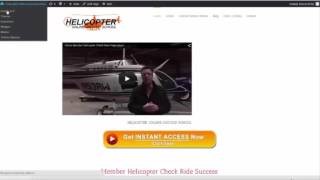
Okay, next, I want to talk about moving to a blog, and I want to hopefully help you make some sense of what it is we're doing. I've showed you how to make a video, how to get it to YouTube. I told you to have your videos transcribed. Well, guess what the beauty of having your video transcribed is. You take that text, you. You put it in your description box on your YouTube video to help the search engines, then you take that text, and that's how you make a blog post. You take that text, put it in the blog post, put a link to your video in the blog post, snap a snapshot of it and make a title on your picture that's on your blog, because that will go to Google Images. And then we take that YouTube video, and we're going to run a audio file from the video. That's going to be your podcast, and we're going to go to that one. And then here's the big hint that I haven't really mentioned yet. You're going to take this content that you're building, you're having transcribed, and then once you have a series of videos, a series of blog posts and podcasts that are all done, all transcribed, there is where you take your content and you organize it into a book. It's very, very powerful. I've done it. I hit Amazon best seller in 12 hours. And we're going to go through all that, and I'm going to show you how to do it. And you'll be amazed at. I don't want to say easy, but it's very accessible. It's not as expensive as you might think, and maybe much easier than what you think. So the work that you're doing for these videos, getting started, can very easily be turned into a book later. So that's why I've laid out the training as I have. I'm showing you what I've done, and it's a natural progression of where I started to what I'm doing today. So we've done. We've covered making a video, we've covered getting it transcribed. So now I'm going to take you to my WordPress site, show you how I do blogs. There's many different forms out there. They're fairly inexpensive and easy to obtain. Okay, so now I'm going to show you my website blog to just give you a little background. Originally, I had a website, and I had a blog site. And then I hired a young guy to take and put the two together. So you drive people to just one website. It can be done either way. If you already have a website, great, you can add a blog or vice versa. If you have a blog, you can add a website. You can have both, you can put them together. I use WordPress. A lot of people like WordPress, some people don't. But this is what I've been using for three and a half years. So here it looks like a standard webpage. It's not that exciting, but we had a recent breakdown and I've got a guy redesigning it. So, you know, websites are important, but you don't want to spend all your time worrying about small stuff. Do the best you can, you want a decent looking site. But I a believer that putting out content and putting out content that helps people is the most important thing. So on a WordPress to do a blog post, I'm just going to show you an existing post. So I'm going to click post and it'll list all my recent blog posts. So we're going to click edit and go and take a look at it from the backside. And basically like this one, you know, I have my published book that was based on a series of videos that I did, transcribed them, turned them into a book and now I'm taking the book chapters and blogging each chapter. Each chapter is a podcast, each chapter is a blog, each chapter is a video. So hopefully you can kind of see how, you know, you create content once and then post it everywhere. And there's a number of different ways of doing it. So real simply like the book is already made, I already have the file. When you get your videos transcribed, you're going to have the title of your video. What I usually do is just go directly from YouTube. Whatever the title was on YouTube, I make the blog post the same title. I copy and paste. And an important thing is you want to put titles in with your content. There's two places to click, text and visual. So you click visual, you can see what it looks like. So I take that title, chapter 13, Kenny's Stupid Weather Decisions, copy it and I paste it usually three to four times and paste it through the blog post because again, you want this to be searchable. When I put the title in, I just highlight it and I go up here and I'm using heading three, heading four, heading five, sometimes heading six. It just depends how much text I have on the page because that way it's going from larger letters to smaller letters. You don't want it so many times it's annoying to the reader, but you want it in there. At least three times. I take the transcribed content, put it in. I may reword it just a little bit. There's one button you can click to add recent blog posts. So it puts it at the bottom of the page. So if they're reading this blog post, they can see the last three that you've done. Gives them an opportunity to click on it. I put the YouTube link at the top of the page so that when you view the blog post, it's going to look something like this. Here's the video so they can watch the video if they like. Here's the content of what I had to say. I didn't use the whole transcription because it's like four or five minutes long. I just took the short version enough to get them interested. So they want to go to the blog post. They can either watch the video or they can read it. You can spend hours and hours worrying about putting the absolute keywords in there and trying to make it the most searchable possible. What the experts are saying now is, of course you want your keywords in there. But what Google is really looking for is content that's original, that helps people, and that people will go to and like and read and share. So you don't want to get too caught up in spending so much time making the perfect blog post. I've spent a lot of time, more time than I want to care to, messing with blogs. The important thing is to get the information out there and have the search engines be able to pick it up. I have a call to action right here below the video. Visit Amazon's Kenny Keller page at this link right here. So if they're interested in my book, they can click on the link and it takes them to my Amazon author page where they can see the books that I have available, read my bio, and check out my products and services, which I will be adding more and more to Amazon as time goes by. So we have the call to action to my book right here. We have a call to action for my book over here on this page. So whatever it is you're promoting your book, your website, your membership site, there's a million ways to send someone to the page you want them to go to. A little bit of, just a bit off track, I want to say, about the book and the power of a book. I have people that purchase my book either as a digital copy in Kindle or the paperback book. And my book is something that gives them information about me. I have calls to action in the book like, go take our test drive I have member testimonials. I give away content, or not give away, but I have content in there that actually interests the readers. And then they come by a day later, a week later, a month later and buy my actual membership. And it's a really, really neat deal. The book is a lead magnet. It's to introduce you to the world, let people know what you're about and drive them to your products and services. So that's the basics of a blog post. And it's important because it gives you rankings. In Google, people can find you. This is something we can work together, one on one. I'm not an expert at it, but I know enough to get the content out there. I can tell you a lot of my posts show up on page one Google. And I can tell you again, it's all about creating valuable content that helps people. During hovering flight. Also called tail rotor drift. It's one of the three T's that everybody screws up. Effective translational lift, transverse flow effect and transit. So you want to learn about about an online business selling your information product online? That's what we're here to talk about. I'm going to show you all kinds of cool stuff and I'm going to tell you the story.