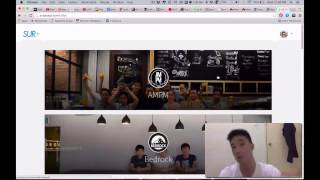
In this Day 4 video of the "55 Days in San Francisco" series, Kit Neoh presents a live demo of Jellybean, a prototype video‑aggregation platform. He explains the motivation behind Jellybean—addressing YouTube’s algorithmic, single‑source recommendations by enabling a community‑driven feed that pulls videos from YouTube, Vimeo, and Vine. The demo walks through the user experience: Facebook login, a personalized profile with a color‑filled background, uploading videos via URL (including title and description), viewing a timeline of community‑uploaded videos, upvoting content, and navigating via pagination (due to limited content). Kit also shows a mock‑up of the final design, describes the private‑beta sign‑up process (email collection), and urges viewers to test the prototype, report bugs, and provide feature feedback. He provides a link to the prototype and an email contact for feedback, positioning early adopters as co‑builders of the product.
Chapters
Hi guys, so this is day 4 of 55 Days in San Francisco, and today is the product review, actually the product demo of Jellybean, and I'm super excited to show you guys what Jellybean is all about. So this is the front interface of Jellybean. This is what you're gonna interact with. And bear in mind that this is just the prototype stage, so nothing is final, nothing is set yet. But this is Jellybean. So let, let me tell you guys why we are actually building Jellybean. So why Jellybean? Like, it all started with YouTube. When YouTube is the technically the largest video platform, video distribution platform out there, so how they actually recommend you videos is based on an algorithm that you liked or, um, you subscribe to any channel, they recommend you videos based on that. And there's no community base of, um, uh, uploading videos. It's only based on one source, which is YouTube. So with Jelly Bean, different people have different tastes can upload videos, so we all will get different kind of videos to watch every single day. And with Jellybean, we are able to streamline videos from YouTube, Vimeo, and Vine all on a single focus, so we can watch different kind of videos from different people posting, and you can watch what your friends are watching, which is super cool. So without further ado, let me just log in. With Facebook. And so this is what happens when you log in. Right now it's just prototype, so this is the logo button that brings you back to home. This is About, Blog, and Fact, More Info button. And this is your profile. Let me go to your profile. This is my profile, so this is the profile picture. Kit Neoh is my name and my website. So if I actually If you guys actually see this circle, let me just show you instead of explaining. It actually fills the background of your color, so it personalizes your profile, makes it more— it suits more towards your personality, I would say. Why we actually did this was because we are not able We don't have a feature to enable you guys to upload pictures yet as a background, so why not put colors, which would be— which actually looks pretty cool, actually. So now, how do you upload videos? Just click here and you can see video URL, video title, and small description. So let's go YouTube. And let's— let me just take this video about Elon Musk. Is your fleet on the— okay, and let's paste this here. Elon Musk, that's the title, and I'm going to bracket it demo video, and I'm just going to put this demo video, and I'm going to hit pin. And you'll see your link has been published. So you go here, there, I just published this video 3 seconds ago by myself. This is the video. So if I hit this, it goes right straight to the video. So anyone who hits this will be able to watch it. And this is the timeline of videos that people would upload. So right now we don't have infinite scrolling because we don't have a lot of content and we don't have a lot of users. So the best way is to use, uh, pagination way of doing it. And this right here, if you can see right here, it is the vote, uh, you can upvote, you can upvote videos based on anyone who posts. So people will know, um, what type of videos which has been upvoted or, um, which is kind of like the best videos, I would say. So technically, this is Jelly Bean. It's super simple, and this is just the prototype of it. Oh, let me just show you what it might actually look like, um, once it's fully designed. This would be what Jelly Bean looks like, and you will actually enter into private beta, so we will need your email You'll need your email to use Jelly Bean. So right now, all you guys need to do is just use the prototype of Jelly Bean. Just keep using it, figure it out what's wrong with it, and just give me as much feedback as possible. And if you have— right now you guys are early adopters of Jelly Bean. I don't know if Jelly Bean will be like a huge, huge thing, but what I do know is that we can all pitch in our part, put in a lot of content in it, and let people see it as much, uh, let people see all those videos that we uploaded. So I'm gonna actually drop a link of Jelly Bean, the link of Jelly Bean below, and I'm gonna put my email Eric's email, which is working on the website, to submit your feedback and just let us know, like, what can be improved, what features that you guys would actually think would be really cool to have on JellyBean, because ultimately we're building this product for you guys and for us to use as well. So yeah, this is JellyBean demo, and knock yourselves out with using Jelly Bean. Try it out. There's a lot of bugs on the prototype, but it still works. So just use it and let me know how— what you think.