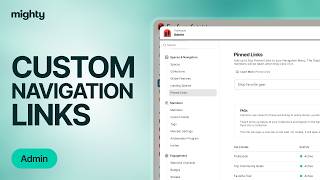
Kyle Ford shows how to add custom navigation links and set landing spaces in Mighty Networks. You can add up to four links in Admin, and direct new members, returning members, and visitors to different spaces. Ford recommends sending returning members to the community space so they see what they missed.
Chapters
You can add up to four custom navigation links that appear in the bottom of your left hand navigation bar in your Mighty Network and link out anywhere you go. Think things like podcasts, affiliate gear, and more. To do so, click on your profile photo and head over to admin. Then type in navigation links and click on that tab. From there all you need to do is add and display text. This is what members will see at the bottom of your left hand navigation bar and add in the URL. Then click Save. That is all you need to do. Don't forget to double save it. And as soon as you do so, this link will appear at the bottom right here for your members to check out. You can also customize exactly where members land when they join your Mighty Network, or when they visit, or when they come back. To do so, click on landing spaces. There you get to decide when a new member joins your Mighty Network. Where do they land on? By default, if you don't select a landing space, they will appear in whatever the top tab is of your left hand navigation bar. Whether that's your global member list or maybe if you have that turned off, it's your first space. If you want to select a specific space like you want new members to end up in your guide so they can check it out and get brought to incredible results and transformation right away, go ahead and select that. From there you can also select a space for returning members. By default, when a new member signs in, they will return to the last space they were in. So if they were reading through a feed, that's where they'll pop back to. If you want to customize that space, select space here. I typically recommend selecting the community space so they can get caught up in anything they might have missed. And then lastly, you can select the landing space for visitors. That way anyone can view the content inside. This is best if your Mighty Network is set to anyone can explore from there. Once again, just select the space there. You've done it. You've set up custom navigation links that members can find your affiliate program, your gear, your podcast or your website. And you've customized the landing spaces so that members join or a visit or sign in. Again, they land on the space that you want them to. That's all.