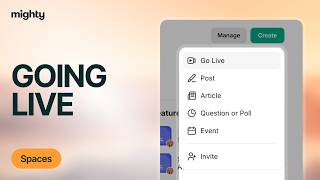
Kyle Ford walks through how to start a live stream in Mighty Networks. Hit the Go Live button, grant camera access, pick your camera and mic, name the stream, and you're broadcasting to your members.
Chapters
Live streaming in a mighty network is a great way to get up there in front of your members and bring them together in real time. To live stream from your mighty network, go ahead and click on this Go Live button right here. Alternatively, within a space, you can also click Create and go live from there. As soon as you do so, you'll get into the green room of your live streaming. Here you'll have to select Access your camera, go ahead and click on your camera and turn on the access. Then you'll be up in the green room of your mighty network. You can go ahead and select the camera you want to use, select the microphone you'd like to use, and name your live stream. Whatever feels right. Then all you need to do is click Go Live now. And you'll be up there in front of your members.