Webcams vs. Dedicated Camera: Getting High Quality Video for Streaming, Courses, and More
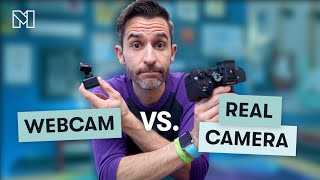
Kyle Ford compares webcams and dedicated cameras for streaming and courses. Webcams like the Insta360 Link are cheap and simple but capped at around $300 for quality returns. Dedicated cameras like the Sony ZV-E10 cost more and need extra gear, but give you better low-light performance, depth of field, and creative control.
Chapters
If you make videos, host livestreams in your mighty community, or spend a lot of time on video calls, then you probably thought about how to get the best video quality possible. But there are a lot of options out there when it comes to cameras. So today we'll break down the differences between using a webcam and a dedicated camera for all things video related. Let's start by talking about webcams, because they are the go to option for most people to go to. Because of their convenience and affordability, Webcams are often just built right into a laptop or other device, but they can also be purchased separately and they do offer quite a few advantages. Now, one of the biggest advantages to using a webcam is accessibility. Many devices come with a webcam built right in. This is just me on my MacBook's webcam. With my MacBook's microphone. There's no additional gear, no additional anything to set up, to get up and running, recording audio and video. And to take that even further, Apple even recently made it possible to use your iPhone as a webcam. And so now you're looking at me using my phone as a webcam, which is a great way to get improved quality over most of the built in cameras on laptops and things. And you're just listening to the microphone from my laptop. And this is super easy. I like this kind of setup because most of us have a phone, but it's also a great setup for older phones. So if you have in this case an old iPhone sitting in a drawer somewhere, this is a great way to breathe some new life into it while also upgrading your your video setup. Moving on from using phones or built in webcams, one of the biggest benefits of using a separate dedicated webcam is that they are pretty budget friendly, which makes them a great option for anyone who doesn't really want to spend a lot of money. Or maybe you're just a beginner and you don't want to dive into the complex world of dedicated cameras just yet. You do get what you pay for when it comes to webcams though. So the least expensive webcam you can find will probably have pretty lousy image quality. So whatever you saved in money, you'll end up paying for in frustration. Now, just based on my personal experience, I think it's usually around $150 that you'll start getting a webcam that looks and sounds pretty decent. Right now I'm using the Insta360 link, which is my personal favorite webcam, because it does a lot of really cool Stuff. This is a $300 webcam. But the extra price, you're kind of paying for some extra fancy features. For example, what I can do is hold up my hand like this and then the camera will see me and now the camera will start following me around, which is, which is pretty cool. Even if I get up and go back here, the camera will pan tilt zoom. It's pretty nifty. And I can just do that with a gesture. And if I want it to stop, I can just hold up my hand again and now it won't follow me anymore. So the image quality is great. It's a nice 4K webcam. But that kind of functionality, especially if you're somebody who does a lot of online classes or workshops or things where you need to move and you don't want to think about the camera, that kind of ptz pan tilt zoom functionality is incredibly useful. Now, all that being said, while quality does tend to correlate with price, I wouldn't recommend spending any more than $300 on a webcam. There are some higher end models out there that promise amazing image quality, mirrorless camera or DSLR type image quality. But the truth is, no webcam is capable of competing or exceeding the quality of a dedicated camera like this because it's honestly just not physically possible. So once you go beyond $300 with webcams, at that point it usually makes more sense to just make the leap to a dedicated camera, which is something we'll talk about in just a little. Now, one of the best things about webcams is their simplicity. For the most part, you just plug them in and you're good to go. There's no need for any additional equipment or technical setup. This instalink camera that I use right now, I just plugged it in via USB and it was selectable on my computer as a source. There is a dedicated app that comes with this camera, and lots of webcams have their own dedicated apps, but you don't have to use them. It's not absolutely necessary. You can just go into whatever software you're using to record you, to stream to video conference and select your camera as a source. Now, even though there are a lot of great things about modern webcams and they offer a ton of convenience and advantages, they do still have some limitations. As I alluded to a little bit ago, it is important to be realistic when it comes to webcams and the quality they can provide. Webcams are designed for video conferencing and casual use, and they usually have lower resolution, lower bit rates, lower quality lenses, and smaller sensors that can struggle in low light conditions. So even though something like a 4K webcam can deliver really nice image quality, this is 4K video. But this is also 4K video. And it's pretty clear that even though these are both 4k, there's a pretty big difference in the actual end result when it comes to image quality between the dedicated camera and the webcam. Webcams also usually have limited manual control over more advanced settings like aperture, shutter speed, ISO, which can hinder your creativity and image quality in some scenarios. And even with webcams that do offer manual control, it's not always easy and smooth to make those adjustments on the fly, since you typically have to dig into menu settings within an app rather than just using physical controls built right onto a camera body. Another thing to be aware of is that webcams typically have a fixed field of view, which can be limiting if you need to change to either a wider or or a more narrow, tight shot. The lens that comes with your webcam is the lens that you're pretty much stuck with forever. And even though some webcams do offer a zoom function, it's usually a digital zoom. It's not a lens that will optically zoom and physically move something. It's usually a digital zoom, which means that the image quality is going to deteriorate pretty quickly as it digitally zooms in on the scene. So with all that in mind, let's move on now to talking about dedicated cameras. These are purpose built for photography and videography, providing a wide range of options for all kinds of creative control over your image quality. With its larger sensor and higher quality lens, a dedicated camera is just going to excel at capturing sharp, detailed image, even in the same environment where it's the same high quality studio lighting like this scene right here. The dedicated camera just looks so much better than the webcam. And part of the reason for that, as I've mentioned before, is the interchangeable lens that dedicated cameras have. This is one of the biggest advantages, the ability to swap out lenses, because it gives you so much more versatility in composition, depth of field, and just all kinds of other fun stuff. When you buy a dedicated camera, it usually comes with kind of a basic lens, sometimes called a kit lens, and even though that is usually one of the lower quality lenses that a manufacturer will include in their lineup, and it's still way superior to the tiny built in, sometimes plastic lens that a lot of webcams will have. So even that kit lens is going to give you a huge boost in image quality. And then as time goes on, you can get a more specialized lens for your specific needs, which is just going to level things up exponentially. And the reason for that is because since you can swap lenses, it means you can find the right lens for your space, your purpose, and your style. Like right now I'm using a 24 millimeter prime lens, which gives me this wide field of view because I like a wider field of view. I like being able to see the desk. I talk with my arms a lot, so I like being able to move my arms. But I like using a prime lens because it will keep me in focus and blur out the background. I have all this stuff back here. If all of this were in super sharp focus in addition to me, it would be really distracting. But being able to have myself in focus while the background is a little bit blurry keeps the scene interesting with without being super distracting. Now I've switched to a 50 millimeter prime lens, which still has me sharp and in focus, still has the background blurry. But if you notice the frame is a lot tighter. You can't see the desk. My arms go out of the frame. This isn't better or worse. It's just a totally different style. So this is the kind of versatility that having interchangeable lenses offers you. And the background also looks a little bit closer to me. If I go back to my 24 millimeter lens, you can kind of sense that there's distance between me in the background, Whereas over here on the 50 millimeter lens, it's almost like there's more compression and the background seems closer to me. Again, it's not good, bad, right or wrong. It's just a different style. And it's a lot of versatility that a little tiny webcam just isn't made to offer. And the same is true if I do what I mentioned just a moment ago and switch to a super wide lens, where now it's almost like a GoPro. You can see so much of the room, but everything is in focus. And it looks kind of neat, but it could also be overwhelming in my specific situation. It's very different than having me sharp background blurry. Having the whole scene in focus is just a very different feel. But again, it's all about having the option to have that level of versatility for your specific needs and your specific setup. Dedicated cameras also give you full control over settings like ISO aperture, shutter speed low, which allow you to fine tune your shots for pretty much any situation. In pretty much any environment. And you don't necessarily need to know about those things to use a dedicated camera. But the option to learn more about advanced settings is always there if you decide that you do want to level things up as time goes on. And even if you do choose to put your camera on full auto mode, you're still going to get better image quality right off the bat than a dedicated webcam, since you are using higher quality components all around. And the camera itself and all the processing inside of it, the sensor inside the camera that actually captures the image, and the lens that captures the light and directs it towards the sensor, all of those things are just of a much higher quality. But just like with webcams, even though dedicated cameras are great and they offer a lot of advantages, there are definitely some limitations. So even though it might sound like I'm favoring them pretty heavily, they are not always the best choice for everyone. The biggest disadvantage to dedicated cameras is their cost. There are some pretty cheap models out there, but it's just like with webcams, if you buy the cheapest one, it's going to be very frustrating. The least expensive dedicated camera that I personally recommend is the Sony ZVE10. It's sort of like a miniature version of the camera that I have right here, which is the Sony A7IV. But I like the ZV E10 because of its image quality, its reliability and its versatility. And even though it's an entry level camera, the setup with the camera and the basic kit lens still costs about $800. So from there, higher end cameras and high end lenses can reach almost unlimited price points. Like you could just drain your whole bank account very easily. And I do think though that it is totally worth that investment if your work or your business relies on projecting the best image quality possible. And, but it's definitely not something that's in everyone's budget or that everyone really needs. If all you need is for people to be able to see and hear you clearly, a webcam is probably more than enough. Using a dedicated camera also usually means that you're going to be adding quite a bit of complexity to your setup, not only with the camera itself, but you probably then will need a capture card to run the signal from the camera into your computer. And, and then on top of that, you typically need to find an external power solution so that the camera can be run for an extended period of time without worrying about the battery running out. It's not incredibly difficult, but it's a little bit complicated and a little Bit costly and just one more layer of complexity that gets added into your setup. Now, some cameras like this one right here, the Sony A7IV, are able to be used as webcams via USB, which means I don't need a capture card or anything. I just plug the camera in via USB and it shows up on my computer. But the downside to that is that they are usually limited then in terms of resolution and frame rates. So it's important to know the features of your specific camera and whether or not you'll need a capture card for the best results. If I want actual 4k streaming from this camera, I have to use a capture card, which means I run an HDMI cable from the camera into a little capture card that goes into my computer and then the camera signal gets brought into my computer in full resolution if I connect it via USB. As a webcam I'm limited to 1080 and not 4K. Even with some pretty advanced automatic modes. You do need to have at least a basic understanding of camera functions and settings when using a dedicated camera. So if you're a person like me who likes cameras that can actually be really fun to learn about, you might enjoy it a lot. But if you're a person who's just looking for a plug and play setup and you just want to set it and forget it, then you might find yourself feeling really frustrated when trying to incorporate a dedicated camera into your setup. So I can't emphasize enough that there is no right or wrong. The type of camera you choose just depends on your specific needs, preferences and budget. If you're just starting out and or you have a limited budget, a webcam is probably the best option. Just remember, I wouldn't recommend spending more than $300 on a webcam. And for anyone aiming at professional quality content or pursuing videography as a career, then a dedicated camera is definitely the way to go. There's an old saying that goes buy once, cry once, and that definitely applies to camera related purchases. It's a lesson I've had to learn myself many times over the years. And finally, it's important just to consider overall whether you value convenience or you desire more control over your videos, because that's going to help you find what's best for you. So I hope this was helpful. Be sure to subscribe if you wanna learn more about creating with Mighty and check out this video next for more tips on leveling up the quality of of your audio and video.










