coding the next BIG social networking app (ep2)
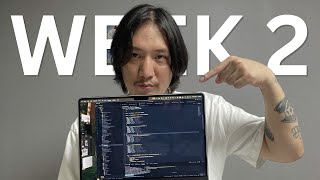
Phil Choi (creator) walks through episode 2 of building Less Social, a social networking app for programmers. He describes finding a designer, creating wireframes (using Excalidraw), deciding core screens and UX patterns (limited comment depth, list/card views, onboarding), and implementation choices (using email as the unique identifier via Firebase). He outlines an MVP scope (login, sign up, chat, edit profile, post/comment), current technical setup (mobile front end mostly done, backend needs more endpoints, admin panel in progress), team roles, and immediate next steps (send wireframes to designer, build initial layouts, finalize onboarding).
Questions this video answers
February 27, 2025
About $1,000
Excalidraw
Email (Firebase uses email as unique identifier)
Login, sign up, chat, edit profile, post, and comment
Chapters
Previously on Less Social. And now that we're ready to get designed, we're gonna spend, you know, some money, maybe like a thousand dollars. The dad, senior developer and his mentees are finished setting up Less Social, a social networking app for programmers. Now we are on a quest to find a designer. What's up, guys? I think we found a designer for the app. Just gonna have a meeting with him and about to get on a call. I used to, I used to know him because he used to work at a different company at the startup center when I worked there. And we used to actually drink a lot together a long time ago. And we'll talk to him and see if he can do a design for us. Cool. This is gonna be some kind of like community posts and stuff. Then there's gonna be some kind of explorer where people can like find other users or see other people's posts. Yo, do you have a wireframe for this? Not yet. Okay, so we're gonna have some roles. Like everyone's gonna be a user, right? But there's gonna be a question asker, right? Let's say. Yeah, any. Anybody can ask a question like, like it's like a programming question. Like they need help, so they ask and then which answer. Whichever answer they see helped them the most, they'll probably. Oh, I understand. Okay. Yeah, like stack overflow. What I really like about Reddit, right, Is basically you can have a main post, you can have a comment, then you can comment to a comment, and then you can comment to a comment and things like this. But I don't want it to get that deep. I just want the first comment replied to a comment be the, like the extent of it. Let's be social on. Let's social. Let's connect. That was almost the app name, but let's be social. I'll let social soon. Not yet, we're still building it. What do you think, dude? You know, the app setup is done. I think that's where we left off, but we took a little break, found a designer, but obviously we need to kind of give him a little bit of direction. I just threw him something and he kind of threw something back. But now we have to actually try. So we're wireframing the app a little bit. I just learned about this really cool wireframing tool, excalidraw. This is gonna be like the login, shit, login stuff and then there's gonna be some onboarding screen and then maybe some post screen. You could have like two different views, a list view and a Card view and then post detail screen in the comments. Something like this. We're have like replies and we have a view profile screen, search screen and it should look pretty cool. I decided I'm going to work on this one and should be fun and should be fun to like build your own profile and stuff like that. Can you show the setting up so far what it looks like? Yeah, but there is a little bit of a bug on one of the main wrappers I made with like the insets because I realized like some of the components if like you use a header on react native elements it already sets the safe area insets for you. That's what it looks like for now. This is a little bit messed up. We got some chat stuff here. Send mmm, flat view here. It's all set up here. Looks nice. Logout is a nice little show toast and login screen sign out screen. Everything should be good here. Refresh it. There's a no network connection should break. Shouldn't be allowed. It shouldn't be able to be used. Maybe we'll just do. Maybe just return no network screen here. That'll be a little bit better. That way the app is completely unusable and I'll just take this out here. There you go, that's a little bit better. And then if I turn the server back on somewhere app can be used again and then cool signs in server dies fresh. No network connection. And all that kind of stuff is all set up now. So pretty happy about it. It was a lot of code to set up and now we're ready for the ui. Guess we have to do some social authentication stuff, be pretty quick. And we set up some trello boards and we have the wireframe now we'll send that off to the designer that'll get used and that's where we're at. So if you want to learn how to create an app, start to finish, click on the link in the description, contact me and let's get started. The next steps is, you know, we have the wireframes of how we want the app to work. Now we need, I mean it's not completely done but we need to send it off to a designer, get the design. But at least we know what is going to go on the screens and we want to just add some capabilities in there that we make it easy for the end user. Like if you want to comment to a post, maybe like a hold like a, like a tap and hold to pop up some kind of form screen. Just some things that'll be easier to Use than other apps maybe. So what is wireframing? Wireframing is just, you know, like. Like, you know, when you draw like stick figures or just like. Because if you just tell someone to make a design, maybe they're not going to know all the features or all the buttons that are supposed to be there, all the bells and whistles. But at least it could be like a stick figure representation of like what you actually need on the screen to make it feel complete as a programmer. But then, you know, the designer shall make it look pretty. Right? So you're just making the structure. So I want to start with the. So what kind of screens that we have? Right. I'm going to authentication. We're going to have home screens. So we see here, right. Right now we have three screens for authentication. If you sign up or if you go to. If you. If you successfully log in, you probably go to the home screen. Right? And maybe this is the part that I wanted to kind of talk about with you guys. Should we put the username? I think it should be super easy to sign up. You think the username would be better than the email since you already have the social things? Well, I feel like. Okay, so maybe I feel, in my head, I feel like the. Our unique identifier is going to be email because, you know, no account can have. No email can have two. Two accounts. Right. And Firebase uses the email as like a unique identifier. So maybe we're gonna have to have an issue if they have, like, if they sign up with Google and they try to sign up with that same email, we're gonna have to block it and all that kind of stuff. So I think email is a great unique identifier because everybody only has one of that email, right? Have you heard of X Carry Draw? No. It's like similar but better in my opinion. You want to move it over there then? So some ones that we're benchmarking or referencing are like LinkedIn, Reddit threads and Stack overflow. So some of those are just posting and all that kind of stuff. But definitely like the asking the questions and answering and some kind of bounties and stuff like that. It seems fun. And also like the number one social networking app in the world right now is what, Instagram. So maybe take some influence from there as well. You think you're gonna have stories? What do you think? I think the first release. No, maybe later. I'm not sure we could. It's not like I implemented it before. There are some cool libraries to get it done. But if it's necessary, we could. But I just want to. You know, the main thing that you need to get out for an MVP is login, sign up, chat, edit, profile, and they can post something and comment on it, right? So those are the things that we need to get done and we need to get those things 100 right. Right before, before adding on. I don't wanna, I don't wanna think about too much right now. That's about it. Rather than like doing the final product or whatever. Because you're never gonna be at the final product. You gotta find the fastest path to release and then you can always upgrade it, right? Because what if we start building too much and it's not even what people use, you know, it makes no sense. I'm building that shit out. I always think about it like this. You know, you always order more food at the restaurant, but you can never unorder food. So because the more documentation you have as a programmer or the more documentation you have as a designer, the more in the direction you can go and not just play off of like, oh, like you can't just go up to a programmer and be like, hey, build this app. You know, you gotta ask like, what do you need on the app? So since we have like what needs to be on the screen, I think we like kind of code out like the basic layouts because I don't think like from just our wireframe, to be honest. And then from there, you know, ask the, you know, designer move this and then create some kind of design system or whatever where, you know, we have a default padding, default margin, a default button, a default this, and then we can just make sure that we're using that same component everywhere. So then we just have to code it once somewhere and it'll take effect everywhere else. But I did up with the main wrapper, so I have to fix that. And guess I have to make a couple of screen wrappers, like chat wrapper, auth wrapper, main wrapper. I use the wrapper components kind of like these containers. So then the container always holds something like the header, the safe areas and all this kind of stuff. So I don't have to code that out every single time. And I just pass the children. So kind of have to make a couple of those and it's about it. So once the female arrives and once we start delegating the tasks, it will just have a sprint planning day, you know, planning poker, list out the tasks, see what's, See how hard some tasks are, see how hard they're gonna be and make sure everybody's being challenged enough, you know, because we are working on many different code bases right now, right. We have the server, we have the mobile front end which is probably the most done. And the back end is pretty cool too but we have to add a lot more endpoints. And then Jocelyn, we got Jocelyn on the admin panel. Just got to keep on moving forward probably Song, Gabe and I on the front end, Jocelyn on the admin panel, Booty and I on the back end. When I first started programming I was probably like 29 was too. I was super new to coding, you know, I didn't know the computer could be used for more than AOL Engine messenger, but. Or Facebook messenger, whatever it is, right. But you know actually, actually the extent of programming out was like styling my MySpace page, but I didn't even understand that. I just copy paste that shit. Anyways, anyways then you know, I decided I wanted to start coding and I thought, you know, I always thought of like server backend programmers like these computer whizzes. So I was like, you know what, I'll just do front end development. You know, I like design and I like doing that stuff. Then I start hating design. Just kidding. But actually like the front end that interests me the most for me was like the API calls and making sure, you know, the requests are all set up very correct, you know, this kind of stuff and following patterns and. And then that kind of helped me with the back end. So I moved over to the back end and you know, that's where I was kind of like working alongside more the database and making sure you know, you're protecting the logic of the app and all that kind of stuff. So authentication and all that kind of stuff, protection, security. So a lot of people think front end development is just HTML, CSS, JavaScript, but there's so much more about creating like API layers creating like how you're going to talk to the data models you're going to have. And even with like TypeScript in the front end, right. Like it almost seems like a lot of these back end tasks have come to the front end, right? Even like frameworks like next and stuff like that. Now you have like these mono reposition where these front end developers are, where backend has become easier than front end. Almost like if you look at my front end code, it doesn't look like how front end code used to look. I think it looks React made it way crazier and you have to handle all these hooks and global state management and all this kind of stuff. And it just. Now it's just equal. Like, it doesn't. Doesn't matter. But there's so many things that go on the front end now that you have to think about. Because, I mean, I think people think front end development is easy from like this website from 1996, 1998, 2000. You know, it's just a static website with like a blue sidebar, a side or something aside, or whatever. And then they have, you know what I mean? Like these really simple websites. I was looking at one website. This isn't like how websites look anymore. You know what I mean? Front end. Front end has gotten a lot crazier where you have animations and all this kind of stuff, right? And I don't know, like, like you have things like excalidraw where you're talking to some kind of canvas and stuff like that. I think Friday development has gotten, you know, a lot more complex as people are kind of like wanting more than just this static button eight, like, anchor tag that you're clicking on to go to a different page and stuff like that. All right, so to do until the next time we film is probably get some initial layouts down on the page. So actually, you know, there's something a little bit more impressive to look at and get the onboarding process done right. And like, when they first log in, if it is first login, we need to tell, you know, they need to tell us about themselves, select their programming languages, program levels, select interests, and all this kind of stuff. And then also maybe fix that main wrapper, dude, and make a couple wrappers, you know, like, this wrapper is. Where is this wrapper? It's supposed to wrap my whole thing. And if I pass like these things, it's supposed to use scroll, viewer, view, and in there, set the content, container style or the style. And it was like, some things are kind of just like screwing me up a little bit, but I'll fix it. So if you want to join my mentorship where I help people navigate through their career, please click on the link in the description and let's get a conversation started. And if I can do it, you can do it too. Coding saves lives.
More from Phil



day in the life of a software engineer | 5 hour productivity | building my dev agency 🔥


day in the life of a software engineer | 3 hour productivity | coding my 6-figure community startup


day in the life of a software engineer | 5 hour productivity | coding our sns startup app LFG



day in the life of a software engineer | 5 hour productivity | creating apps that makes big money
