Learn Any Programming Framework from scratch! (FULL GUIDE)
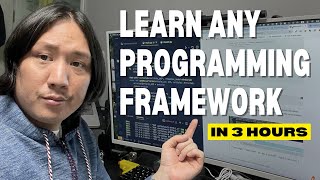
Phil Choi, an ex-English teacher turned senior developer, walks through his three-hour process for learning any framework from scratch. He demonstrates with FastAPI: research, read docs, watch tutorials, find GitHub examples, then build a small CRUD project. The video shows installing FastAPI, running a simple app, and prototyping endpoints with an in-memory list.
Chapters
I still remember my first line of code console logging hello World as I shifted my career from an English teacher to a software developer. Seven years forward I became a senior developer and have leadership experiences in multiple companies. Started a couple on my own and now I mentor aspiring programmers. In this video I'll teach you exactly what you should do in your first three hours of learning any programming language or framework. So my name is Phil. I became a senior developer after the age of 30. If this video becomes of use to you, please like and share this video and comment your own tips and tricks. Maybe even comment the reason why you want to start becoming a developer. I I read all my comments and would love to hear about your journey. I'm actually learning Python and Fast API at the moment because my friend asked me to write some backend code. So I'll be able to show you exactly what I would do in the first three hours. When I'm learning something new, I'll just go through the steps real quick. So step one I'd Google step two look at the documentation. Step three watch a tutorial. Step four and I think this one's very underrated. The GitHub search bar is very underused but search GitHub for example projects or templates and and you can see like the best practices with it and I think it's a very underrated one. And step five start building a project and if that doesn't work try and find someone who knows. Let's get started. So the first thing I'll do is look at Google. I'm learning Fast API right now. I Google search Fast API Thumbs up if you guys are wondering what this extension is here, it's called Grepper, just an extension that I use for programming or whatever. It comes up with like the first answers and like stack overflow with the green check mark or something like that. It's pretty useful. So let's look at the Fast API code and what it is. So Fast API, let's look at the Wikipedia. I've never really looked at the Wikipedia before. It's a web framework for building HTTP based service and API. It uses PyDantic and type hints to validate. And Fast API also automatically generates open API documentation for APIs built with it and it was first released in 2018. Cool. So I think a big one is it makes documentation automatically makes documentation that's pretty good. Pydantic is some validation so it maybe can help with throwing throwing some four to two errors. Starlet is a lightweight ASGI framework toolkit to support async functionality in Python. UVicorn is a minimal low level server application web server for async frameworks following the ASGI specification. Technically it implements multi process model with one main process which responsible for managing a pool of worker processes and distributing incoming HTTP requests to them. The number of worker processes pre configured but also can be just up and down at runtime. And the open API integration is documentation I believe. So let's read about what ASGI is. Really quick. So Asynchronous Server gateway interface so is a convention for web servers to forward requests to asynchronous capable Python frameworks and application. It is built the successor to the web server gateway interface wsgi so I guess it allows us to use these async await kind of things inside of Python. So let's take a look at it and try it out. So I think I have a pretty good understanding of what fast API is. Let's look at the GitHub fast API has a bunch of stuff and I'll probably look at this fast full stack FAST API template I think that would show me like the best examples of the code and stuff like that. So fast API it's fast, on par with Node JS and go fast to code. Let's see Starlet for web parts Pedantic for data parts. So all you need to do is create an activate virtual environment and then install fast API. Let's try it out. What is this? Make sure you put fast API in quotes, ensure it works in alternative. Okay. And let's create it so that's something we can do. It's. It seems pretty easy. Let's look at the documentation as well. The fast API. Start reading about it. Look at the bottom. What I like to go to is there should be like a quick start thing and I always try to just like follow the real quick start guides and then build on top of that. The first things we're going to need to do is first steps. The simplest fast API file would look like this Run live server. Okay, cool, cool, cool. So let's just look for a quick start kind of thing. First steps tutorial guide I don't really need to know all that kind of stuff. Let's go here. Where's like the install concurrency Tutorial user guide first steps, path parameters 3 about concurrency and async gateway Details about the async def syntax or path operation. Some background that asynchronous code concurrency and parallelism Python with single threaded but if you can handle concurrent tasks that's Pretty cool. Guess with different workers. Let's look here. So I'm learning environment variables. I don't need any of those virtual environment. I know how that works. Let's try it out. So what I need to do now is we'll go to that GitHub fast API and let's go here. That's the CLI. Let's go here. Fast API. I'm going to go to the installation. Let's copy paste this. I think I already started this code here. So I go to CD code CD apps CD cell trip. So trip backend code. Right. So it's an empty project. I'll go in here, make it a bit bigger. First steps first. So I need to create a virtual environment. There you go. Now we need to go into the source VNV bin activate. So now I am in a virtual environment. So if I PIP freeze, I'll have nothing. I'll run the PIP install fast API standard command that it asked me to. And now if I pick freeze, I should have a bunch of packages. So now I can pick freeze and then write it to my requirements txt. All right? And now this is created for me. So now if later on, if someone wants to like PIP install minus or the requirements txt later. So now I'm going to put this to git. So the first thing I want to do is a fast API gitignore file. So I'm just going to look at this guy. I want to copy paste this, I'm going to new git ignore and I'm going to paste that. And then git status and git add commit init push Whoops, push. All right, so now we're on like we're, we're, we've kind of done step one. We've googled about it, we read the Wikipedia, we're looking at the documentation and basically now, you know, in the documentation there's some kind of quick start tutorial or something or how to like a sample file that I can kind of copy. And I'll look at that real quick. And I know this isn't like learning a programming language, but it's framework, I guess Python is pretty cool. And I'll open the browser here, put the code on this side. So now I'll go to here and it says that I can create a file main py. So I'll just do that main new file main py. Let's copy paste that in there. And now I'll close the file branch, I'll clear and then I'll do run it with the server fastapi dev main py so fast API dev main py so let's run this file. And now it runs. So let's read what's going on here. So what it did was from typing importunion from fast API import fast API and then at app get just the bare route. It'll just say hello world. It'll return an object like this, I guess. And then at items at item ID it'll, it'll return me something. Let's, let's check it out. Does it work? And right now I know that it's running at 8,000 and it gave me a docs file too. So let's look at the docs real quick. Localhost8000/docs. Look, I have some read root I can try it out. Execute it. And it says hello with a key hello and a string of world. Okay, that's cool. I can hit it a lot. And it says that I'm hitting a 200 every single time. All right, cool. So now let's look at this items. Item id it says it's required. So I'll try it out. I'll put in like a one. It says that this one is not required. So I'll just try that one. Execute. Something's hitting so item id 1q null. So if I type in one and I execute, it'll, it'll send back the parameter. So that's I guess how you get the path parameter and this, this thing, the union from typing. So I guess Q has to be a string or none I guess. And item ID is a number, I guess. Let's check it out now. Now that we have an understanding, let's try to make like a another route. Like let's go like abc. That's the decorator. And this is the read ABC and then return key value. There you go. And now if I refresh this guy, is it going to happen? So now I have a new route here. Read abc. Try execute. Execute, Execute execute. And now it returns me key value. That's pretty cool, pretty easy and pretty fast. So now what do I have to do? So next I'd watch a tutorial. I'm going to watch that on my own real quick. I'm going to pause the video real quick. I'll be right back. I'm going to watch the like how you can find a tutorial is maybe just go to like YouTube.com and let's just do fast API tutorial quick. Maybe I watch like a nice quick fast API video like 11 minutes long. I'll be right back. All right, So I got back, I watched the tutorial. It seemed pretty doable. So I don't want to connect to Postgres yet. So I'm just going to make a static variable and make some kind of easy crud. So now I watch tutorial step four. You know, I search for GitHub or start building a project. And a good way to build a project because honestly, you have to think like everything on the Internet is like a crud or like what you're doing has been done before, right? So maybe I'd look for like fast API crud. And then like there's a quick guide to implementing crud. And I follow this tutorial, right? And it came out recently. One thing you have to look at, like on tutorials, right? I always look at the date of when it was made, right? So that's pretty important. So, so you know, a CRUD is a create, read, update and delete. So it's saying that I need UVicorn as well. So let's look at that. So earlier when I ran my freeze command, is there going to be a. Okay, so UVicorn automatically already got installed with the fast API package. I guess they changed that recently because this guy's telling me to change install fast API and UVicorn, but I installed it through the standard command. So fast API in a string bracket unicorn. So I did that one. So now he's telling me to create main PY file. Now let's define a data model. So just open this up and let's. Let's make a new folder called like crud and then I'll make a model py. All right, now I'll do. I'll just copy paste this. So I'll copy that and then I'll make. I'll just put in the main py for now. Put these guys in. And then I have an articles. Wait, I'm going to close this up and I'm going to import this add from crud model, import articles and list. I'll import this too. All right, now got rid of all the red lines. Okay, so I imported list from typing and then the crud model from article. So I'm going to move all this crud operations in there. But I'm not really like working on these projects now or this is just a test project. So let's just get it working. So now I'll run the application and I'll do. What was it? Fast API dev main py. All right. So now let's go to the localhost 8000/docs. And now I have this articles crud, right? So right now if I try it out, I execute it. I execute, I get a 200 empty, empty array, which is this empty array that got set here, right? Let's just act like this is a database, all right? And then let's post some article here, I guess. So let's post it, try it out, execute, execute. So now I should have two items here, right? So I could now execute on get. And now I have two items in here and we can try to update one, I guess put. So the article ID that I will use. I know I'm going up and down a lot. I'll do ID one, I'll find the first one, I think and then I'll just try it out. Put in 0, and then I'll change this ID to 1. And let's try it out real quick. Execute. Execute. And now the ID is one. And now if I get it, I post it on accident. Now if I get it, I should get 1 0, 0. So I know that I'll turn the first 0 back into 2. So we can kind of 0. I'll change this to an ID of 2 execute that execute. I have ID 2, ID 0, ID 0. All right, cool. I guess it's getting it from the index. Oh, that's what's going on. If I wanted to change. Okay, let's just try to change it. 0, 1 and 2, 1. Second article ID at 2, I'll change the 0. Execute. And then at 1 I'll change to 1. 1 Execute. And then 1. At 2 I'll change 2. I know this isn't how DB works, but this is how the array index works, and that's how they're kind of updating it anyways. So I'll just now try to get them and they should be all in order, so. Oh, now it's two. One, two. One second. Let's fix that really quick put. And then at article zero, I'm going to change him to zero. Execute. And now if I get these guys, now should be 01, 2. Yeah. All right. Now if I want to delete one, how does it delete work? It takes the ID and it deletes the one at that index. So I'll delete zero, I guess. Or I'll delete the last one. So two and execute that. And it seems like one got deleted. So if I get it now, execute, it's 0 and 1. All right, cool. I Understand how to like make these crud and like these paths and then kind of like use this article type and pretty cool. So it's always going to come back as ID name and price as a dictionary. And I did clone a project recently and I will show I have to look at how to connect the postgres. I'll just look at it with you guys, but I won't do it. So let me look here. Oh, let me go here. App database. We will use SQL Alchemy and I'll just send in the create engine with the SQL Alchemy database URL and I'll just, I'll get that going with that and that'll create the session that'll create and I'll do it with Docker to up the postgres for now and I'll probably take this file that I found in a different repository and it'll kind of speed up my processes and now I can build a project and now you know, if that doesn't work, you know, I'm going call up one of my friends that have used fast API and that'll be it. So now I kind of know how to do fast API. Now I have to put it together and make a back end for my friend. We're going to make a pretty cool project. He sent me some algorithms for something that he wants to put together about vacationing or something. So now what I showed you today. These steps will work with any programming language or framework you want to learn. This is how I would learn today. Even as a senior developer I would do these exact steps and this would be my first three hours. If you want help learning programming, join the Discord where you can meet like minded programmers who want to level up together. Remember, if I can do it, you can do it too. Coding saves lives.
More from Phil



day in the life of a software engineer | 5 hour productivity | building my dev agency 🔥


day in the life of a software engineer | 3 hour productivity | coding my 6-figure community startup


day in the life of a software engineer | 5 hour productivity | coding our sns startup app LFG



day in the life of a software engineer | 5 hour productivity | creating apps that makes big money
