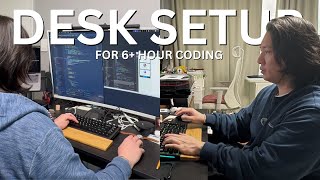
Phil Choi walks through his work-from-home setup for long coding sessions: a 39-inch curved monitor, MacBook Pro M1 Pro, Targus docking station, and an Ikea Markus chair. He prioritizes a good keyboard, minimal clutter, and quick-dock convenience for staying productive through 6+ hour days.
Questions this video answers
GMMK Pro (with Echo V3 Pro crane switches).
Logitech MX Master Series 3.
Hansong 39‑inch curved monitor (Korean brand).
MacBook Pro M1 Pro, 10 GPU, 16 GB RAM (middle model, not base; before M1 Max).
Targus docking station model 190, uses DisplayLink.
Chapters
I think a lot of people are asking me like that setup and stuff like that. So let's, let's go through it. Okay. So my name's Phil. So this is my office over here. We got a bunch of keyboards that I use and Apple keyboard, some custom built keyboards, some topre keyboard. And we're over here. So this is my daily driver. So I think it all starts with the keyboard because your fingers are on it the most. This is the glorious GMMK Pro. It has the Echo V3 Pro crane switches in, in there. So it has a pretty good sound. And then we got the Logitech Master MX Master Series 3. It's really good for programming. We got the Xiaomi monitor light that's gonna help me at nighttime. A lot of people ask me about my monitor. It's a Korean brand called Hansong. It's a 39 inch curved monitor. Show you guys real quick. 39 inch Hansong monitor curve. This one right here, it's in Korea. Like alright price cheaper than a lot of things. So I like it and it's nice for programming because I get a lot of real estate and I think it's pretty good. The computer is a MacBook Pro M1 M1 Pro. It's an M1 Pro. 10 GPU, 16 gigs of RAM. I wish I got 32 gigs of RAM or 64. So that's what I'm gonna do when I upgrade. It wasn't the base model, it was like the middle model. Right before M1 Max. I got this. I stood in line for this five in the morning on the first day M1 Pro came out in Irvine. It's a good computer. I will upgrade soon. And what else? Oh, one really big thing that about my monitor is I about my setup is I have this. I always have a docking station. So this is the Targus docking station. Let me see if I can bring it up. Targets one nine zero. So it's not. Oh yes, it's right here. It's the 190. A little bit pricey but for a docking station. But it uses everything through display link and basically everything is connected to my docking station. If I take this computer to the cafe, I come back and I can just hook up one little USB C and everything's connected again. So that's the most comfortable part about that. And then it's about it. I mean I got the computer, I got the laptop stand. It's just a little stand that I use. I have the big monitor and then I have my keyboard. I have the docking station. I have my key mouse. That's. That's all I really need. Honestly, I don't really think I need that much. But honestly, this is even too much, to be honest. I think a really good setup that I like is having the MacBook here and then having the monitor a little bit up so then I don't have to switch over left and right. That's how I usually have it at work, but this is how I have it at my house and it's worked for me, so. And, oh, the chair is an Ikea, Marcus. It's. It's really comfortable. I use it all day, every day. And. And for music I have my vinyl player, so. And my vintage Bose speakers, so that's. That's all I got. So you don't need much to start coding. Just get coding. And if I can do it, you can do it too. Coding saves lives.