3 Claude Routines Every Upwork Freelancer Should Steal
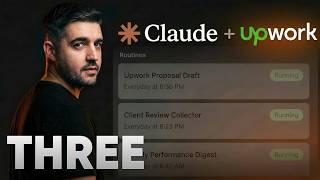
Michael Elliott shows three Claude automation routines for Upwork freelancers: one scans Gmail for high-value leads and alerts you via Slack, another groups notifications and drafts replies, and a third captures case studies from completed contracts. All prompts are free in the video description.
Chapters
These 3 Claude routines are running my Upwork business whilst I'm asleep. Come with me, let me show you. So guys, when you've been on Upwork for as long as I have anyway, you realize that there are only 3 places really that freelancers lose money. The bad news is that you probably lose it in all 3, because I did for many years, 4 years probably. The first one, it costs you the biggest deals on the platform before you even knew they existed. The second one eats up and burns your evenings and still somehow loses you clients. And the third and final one, well, this is the one that nobody really figures out, and it's costing you work you don't even know that you're qualified for. I'm not going to sit here and list what they are. I'm going to show you each one happening, and I'm going to show you what I do now instead. By the end of this, you won't be checking Upwork anymore. Upwork will be checking in with you. Guys, if you're new here, quick context. My name's Mike. I've generated over $1.1 billion in revenue for my PPC clients. 14 years in the Google Ads industry, top 1% on Upwork, expert vetted. And here's what I've just learned. So up first, let me show you the first leak happening in real time. 3 hours ago, this invitation landed in my inbox. This is a good solid lead— urgent UTM tracking specialist, GTM, Meta, and Google Ads— the exact work that I do every day, the exact kind of invitation that could potentially turn into a 5-figure retainer for me. And I wasn't looking at my email, I was in a meeting. 3 hours, 4 hours pass. By the time most freelancers see an invitation like that, the game is over. Client's already interviewed 5 other people. You're number 7, 8, whatever. You're wallpaper. Except I saw this within 20 minutes because of this, this Slack alert. And the thing is, here's why this matters. When a client invites you to a job on Upwork, you have roughly 2 hours before they've messaged the next 3, 4, 5 freelancers. Invitations also convert like something crazy, like 10 times better than cold proposals. The client reached out and chose you out of the crowd specifically, especially if you're boosting. This is important. So the entire game is be the first one that they hear from, which means that every other freelancer is now checking their phone every 15 minutes at dinner, in the car, during parents' evening. They know it's a problem. They also can't stop it because the cost of missing one is 5 grand a month for the next year. That's the default Upwork freelancer experience. Hyper-vigilance as a business strategy. But here's what I do instead. Every hour, a routine that I wrote runs in the background, scans my inbox for Upwork invitations, pulls out the job title, scores it against what I actually do— Google Ads, PMax, shopping, GTM tracking. If the score's high, it pings me in Slack. That's it. Hot innovation. My phone buzzes. No match. Silence. I get to have dinner. And then there's this one from this morning. This one scored a 10 out of 10. A flame emoji. If you get a flame emoji, it's never a bad thing, is it? So I glanced at my phone. I decided that it was worth breaking my time and my stride, what I was doing, to respond. I replied, then we got in a conversation. Done. 20 minutes in, 25 minutes in. Not 3, 4, 5 hours. Not tomorrow morning. Now. Now that's the first leak sealed, but there is one that's harder to fix because this one happens when you think that you're doing everything right. When I first built these 3, one of them would not post to Slack. Claude kept saying, "No Slack tool available." It drove me up the wall for about an hour. I'm used to doing significantly more complex tasks than this, and because it's new, I kept thinking, hmm, like, something's wrong here, I've done something wrong. I was convinced that I'd built it wrong, and it turned out that it was just the Slack connector had disappeared from the routines connection list. It was a UI bug. I disconnected Slack at the account level, reconnected it, and every routine that I've got suddenly saw it again. I'm showing you this on camera so you can see here now, if I add a connector, Slack shows up and I can select it, but that wasn't happening for me. Most of the time, Tutorials hide the messy bit. These are the tools. Tools break. The fix was 30 seconds. If you install these and one of them can't post, simply go to Manage Connectors and then go to Settings inside of here. If we choose Slack, for example, hit Disconnect, get the MCP URL in this case, and reconnect it. And honestly, it will, it will work again. Run the routine again, it will work. That's it. Back to the leaks. I'm 33 years old and you think that I would have learned turning something on and off again actually does work. But anyway, every Every freelancer has the same Friday night. Been happening to me for years. 7 PM, you're about to close your laptop. One more refresh, one more check of notifications on your phone. Client sent a message, a clarification on a proposal that you sent yesterday or the day before. Now the thing is, is you've only really got two options. Option one is you don't reply. You go and watch the Netflix series, watch them interview someone else on Monday morning, and be gutted about it. Or option 2, you reply from your phone at 8 PM, 9 PM, you rush it, over-explain, spend the weekend second-guessing whether you came across as desperate, and you don't get another bite of that cherry. Option 3 doesn't exist. Not on default Upwork. And here's the part that makes it worse. Most messages that you get from Upwork aren't really one message. Upwork batches notification emails every 15 minutes. One client sending 3 messages in 20 minutes turns into 3 mails inside of your inbox. You see 3 red dots, you panic, you reply to the first one without realising there are actually 2 more after it. I built a routine for this. It runs once an hour. It reads the message notification emails. Then it does something that most freelancers don't realise Upwork even lets you do. It groups messages by conversation. Upwork hides a unique room ID in every single message email. Use that and 3 emails from one client becomes one thread. No double replies, no missing context. Then it classifies each one. Is this a new lead? Is it an interview reply? Is it a scope change to an active project? A client pushing back on price? Each one gets a different draft message for you to copy and paste back. New leads gets warm but specific, reference their problem, one proof point, lightweight CTA. Objections get firm acknowledgement, the concern in general, reframe with a number, offer, reduce scope, whatever. Active project, confirm the action, commit to a timeline, done. And if the message is dodgy, client asking to move to WhatsApp before a contract starts, that kind of thing. It flags it separately altogether, gives me a safe decline line I can copy. I don't have to think about whether this is a real client or someone who's setting up a scam. The routine literally tells me. Every draft sits in Slack, so when I open my Slack every morning, this is what I see. So I scan the drafts, I copy the email response, and I send. So when it comes down to this, it will only give you an answer if it decides that it can give you one. So, suggested reply: Here's an inquiry. Cheers, Silvio. Glad it was useful. Ping me once you had a chance to sit with the ideas. Happy to jump back in when you're ready to move on any of it. My phone doesn't live in my hand anymore. My evenings are mine again, and I have it automated into Slack. Here's what I want you to do right now. Open the email app on your phone and search Upwork. How many unread notifications are just sitting there? Drop the number in the comments right now. I'm at zero now, but it used to be like 160 68 or something. Most freelancers I know are at least 40 plus. And that number, it's not laziness, it's not disorganization. That's Upwork doing exactly what Upwork is designed to do— keep you checking, keep you reactive, keep you scrolling an app instead of earning. Now, the next leak, that's the one that cost me the most money over 14 years, and I only figured it out about 6 months ago. Now, don't forget, I've earned over half a million on Upwork, nearly 5,000 proposals sent. And if you asked me to name 10 clients from my first year on the platform, I literally would come, come up stuck. I wouldn't know. I remember from my career perfect draft, a couple of the big ones, but everything else is gone. It's just literally gone out my brain. I'd finish a contract, the client pays, leaves a review, we move on with our lives. I start the next one. 6 months later, I'm writing a proposal for a job in the same niche. I need a case study. I know I've done this work before. I can't remember the numbers. I can't remember the client's name. I can't remember what I actually delivered. That's not a memory problem, really. That's a systems problem. Every closeout is proof that evaporates the moment that you move past it. But here's what's worse: most freelancers don't ask for the review when the contract ends. So you lose the review and you lose the case study. You walked away with the money, that's fair, that was the deal, but you left 6 figures of future proposals on the table. And let me show you what I do now. Every morning at 9, a routine scans for your contract has ended emails. But here's where it gets clever. There are 2 types of Upwork profiles. One, you're a freelancer where clients hire you, and one as a client where you hire somebody else for video editing, design, I don't know, whatever you've got. But both profiles get the same contract has ended email. Upwork identical templates for both sides. So the routine does something neat. It looks at the contract title and only the title. If it mentions Google Ads— for me, this is Google Ads PMax tracking, that's my work— label it your project. If it mentions video editing, web development, graphic design, that's someone that I hired, label it client side. So take a look at this. This is a project of mine that closed this week, and this was ended this week 3 weeks ago. That is just, just under 3 weeks ago, I think. March the 23rd, $3,500 review request. This gave me the template to ask for the actual review of what we've got. And then there's a softer variation here just in case, depending on how the relationship went. So there's multiple contracts closed. This is an audit request that I have on my Upwork profile, and then this is a freelancer that I used to just do some consulting on, uh, on some vibe coding that I was doing. So 2 contracts closed. Contract 1 Label, literally, you know, your project, big green tick. Second one, client side, big office building. Now when it comes down to the case study capture, what was the measurable outcome of the project? What was my specific role? What did I actually do? And what's one reusable proof for the future proposals? One sentence. You are in a position now where you go away and you're prompted to ensure that you gather the data from the work that you have done. So those three questions are incredibly important to keep you in check. So now I've got a case study that I can pull in every proposal for the next 10, 20 years. Contract 2, the label client side. Like I said, a video editor I had last month, routine, doesn't draft anything, just logs it, me reminds me to give them a good review if they've done a good job. Same routine, same email inbox, two completely different responses because the routine knows which side that I am on. 6 months from now when I'm writing a proposal and I need a specific win, I search Slack, and that's not important today, but 6 months from now when I'm writing a proposal and I need a specific win in a specific niche, I search Slack, I find read. I copy the proof point. The clients I used to forget became the clients that I can't forget because the system remembered them for me. That's the third leak, and it's probably the most expensive one. Not because of the money that you lose right now, but because that credibility is the money that you lose for every future proposal when they're making a decision on whether to use you or not. One thing I do need to flag, guys, is all three of these run on an hourly schedule or a daily schedule. One. For most freelancers, hourly is the difference between catching everything and missing everything. But if you want them to fire in real time, 30 seconds after the email arrives, not an hour later, there's a way. CloudRoutine supports webhook triggers. You bridge Gmail to the routine with Make.com or any— and 5 minutes of setup, literally. I'm making a separate video on that bridge that will come out next week because the real-time version of the invitation routine, for example, is the difference between responding in 20 minutes and responding in 30 seconds. For the top clients on Upwork, 30 seconds is the whole game. Subscribe so you see it when it drops, because once you've got these 3 things running, you will want that upgrade. So you're not a freelancer competing for scraps. You're not hypervigilant, stuck to your phone when you should be with your little girl or whatever. You're not reactive. You're not losing work because you blinked. Hot invitations surface automatically. Client conversations get drafted before you even open your laptop. And every contract that you finish turns into proof that you'll still be using 10 years from now. That's not Upwork tips. That's an Upwork business. Most freelancers don't even know this version is possible. The 3 routines that I showed you, I'm giving them away for free. Every line of the prompt, no upsell, no course waiting on the other side. Literally in the description you will find the free prompts to put into these routines. Hook up your Slack, hook up your Gmail. And if you haven't seen the first video about proposals landing and validating them, scoring them live, I suggest you watch this video next. My name's Mike, thanks for watching. I'll catch you in the next one.









