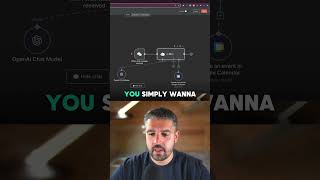
This is a YouTube video titled "AI Agent Calendar in 60s (N8N Magic)" created in July 2025. It features a single speaker demonstrating how to automate calendar scheduling using an AI agent within the N8N platform, including integration with OpenAI and Google Calendar. The speaker walks through the setup process and shows an example of booking a meeting with someone named Michael, but the content is a tutorial rather than a conversation.
Stick around for this one because I'm going to show you how you can fully automate your Calendar using an AI agent in N8N in under a minute. So first thing you want to do is add a first step and search for an AI agent. Select that, exit back to Canvas, add a chat model. We want to go for OpenAI or at least I am going to again exit back to the canvas, stroke that over here, add a tool that's Google Calendar in my case. Inside of here we want to select from the individual calendar list. So select what calendar you want to attach to this individual agent. When it comes to start and end, just hit the AI automation, let that decide. We do want to add a field for the summary though because the summary is really important obviously to give some context to whatever mean it is that you are booking in. You come out of there, you simply want to click into the AI agent node there and and you want to add an option system message and type. The current time is curly brackets dollar sign. Now enter. There you go, that's complete. Type in here. Please book a meeting with Michael at 9pm to discuss having a BE. If we go over to my calendar, you'll see there meet in tonight, 9 o' clock about having a beer with Michael. That's how you build an AI agent in under a minute. If you want to see more, head to my channel.