Forget ChatGPT - Google’s 12 AI Tools Are About to Take Over 🚀
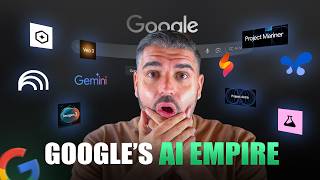
This is a YouTube video titled "Forget ChatGPT - Google’s 12 AI Tools Are About to Take Over 🚀" created in September 2025. The content is a detailed monologue by a single speaker explaining and reviewing Google's extensive suite of AI tools and platforms, including AI Studio, Firebase, GenKit, Gemini, VO3, Nano Banana, Project Astra, Project Mariner, and others. The speaker discusses the capabilities, integrations, and future potential of these tools in the AI landscape, emphasizing Google's dominance in the AI race. The video is educational and promotional in nature, aimed at viewers interested in AI technology and development.
If you think that chat GPT is the only game in town, then I've got news for you. Because Google is quietly amassing the most powerful AI toolkits across 12, 13 individual softwares that are going to change and revolutionize the next 10 years of AI. So today my job is to take you through each individual one, starting off with the King, which is the most common one, which is Google AI Studio. I have a whole video on this. But for anybody who hasn't seen this, this is effectively an all in one playground for you to be able to not only search as an LLM using Gemini like I'm using Gemini 5 Pro here, you can also use streaming where you can either talk to it conversationally, you can go live on webcam with the turn the webcam on from from an AI perspective or the really interesting one is sharing screen so you can have a conversation with it just like you would do with any other LLM. You can ask it questions like normal, but you can go on a screen share and actively go through whatever softwares or issues that you're facing at that moment in time. And it will instruct you and help guide you based off of all of its understanding. So that allows you to be able to use it from a a technical point of view without the the back and forward, the two in and fro in. You can also give it system instructions so you can tell it who it is before you jump on this on the screen share, which means you can tell it that it's a veteran NAN builder and then you can go inside of NAN and the LLM will tell you directly how to how to do it. So that's crazy but I mentioned it was an all in one playground. Now Nano Banana is Google's latest and greatest creation. It is fantastic but you also have the imaging suite of creating images, speech generation Lyra real time, interactively create control, perform music in the moment. We'll go into that in a bit more detail a little bit later on. But you inside of here, not only can you use the LLM, you can use a live function of discussing backwards and forwards. You can also go and create media using VO and using Nano Banana and generate imagery that's of industry standard for free. Generally speaking most models are available for free, some of them that you may have to pay for. But the final one is that you can build apps with Gemini now effectively a lot of what we're going to discuss later, things like Opal et cetera, are plugged into any AI studio. AI. The reason I've started with it is because it's sort of like the umbrella that everything falls under and is powered by. You would assume anyway that if they're using things like Opal to build these flows out, then when you build apps inside of Gemini it would reference that and use it. So that is the first tool and is probably the first place I would start if I was you in on my journey. The second tool from from Google is Firebase. Now Firebase is a comprehensive platform for developers to build mobile web applications. It has the key. The reason this is important is because your apps are built from the ground up from prototype building, deploying full, full stack AI apps that full stack apps that you can use but but you can use them with AI and an agentic development environment. So for developers this basically allows them to be able to build and develop applications with an infrastructure that's built on AI to speed up processes of them going to market of them being able to have a framework that's available to them extremely quickly. Everything from app hosting to distribution configurations, AI logic for clients, for SDKs, which is technical and if you're not a developer you might probably won't be in here. But I advise that you check this out because this is the future. More, more Google and third party integrations. You can easily integrate Firebase with favorite tools. So Google Ads, slack these things. I have a big background in the PPC space. Google's changing the world at the moment and this is it. And yeah, being able to input code inside of here, wherever you're at with your app at that moment in time, inject it, let AI do its thing, help it, assist it and you will be left with what is an easy integratable app that's fully functional that nobody would ever tell was built from an AI perspective. I think it's really important and there's a lot of developers that I know that have this now this kind of rolls into. And you'll see on this page here Genkit. Okay so the third one is Jenkit. So Jenkit is an open source framework for building full stack AI powered applications. Basically it's built and used in production by Google and it allows you to be able to snap together and unify individual frameworks that developers used to really, really struggle with rapidly deploying AI agents, chatbots, recommendations systems and things like that. Using streamlined APIs, multimodal content that keeps everything condensed from a developer point of view, you know, structured outputs and call ins under its key capabilities, the broad AI model support, which is why we're Here it allows the AI interface to integrate with hundreds of models. So OpenAI anthropic llama. It gives you the ability to be able to use streamlined APIs and build features. It's those two, GenKit and Firebase from a developer perspective are really key. So we then move on to, to Gemini. And Gemini is that Google's LLM. Now you can access it inside of AI Studio but it can stand alone. And what's interesting about this is like if you look at tools inside of Gemini so you can ask it to I don't know the recipe for salmon or you know the recipe to the best omelette or whatever you want it to ask it, you know. But when you are talking about what this tool can actually do, what they are doing is let's just change that because I can't spell very well. No, I'm just kidding. So you know, I think almost got two L's. No. Yeah, two T's. That's it. I can't spell evidently. So you know, you can ask it normal questions like you normally would with any LLM like you do with Chat, GPT, Claudette, whatever is your, you know, vice of choice when it comes to LLM. But, but you also have the functionality for image creation. You can see here guided learning. Guided learning as a, as a tool I want to learn about the, the second World War starting with the basics and it's, it already has a pre built in function that will change and pivot its approach to its responses. Um, and allow you to be able to go through that in a really comfortable environment whilst having access to deep research. But also like image creation. Please create me an image of Google's logo winning a marathon against other AI tools. See what this spits out. Maybe it won't allow it, maybe it won't let you do it but the point of the matter is, is that Gemini, you're probably aware of Gemini if you're watching this video. If you're not, it's my personal favorite. I use it inside AI Studio because I want the power to be able to do it. This is, it's got the year wrong but this is what I think is actually going to happen. When it comes down to the AI race I think Google are going to win and I think it's because of these tools that I've that I'm put piecing together now. Now moving on we have VO3 so you can try VO3 in Gemini. If we open the link in a new tab you can see well we can try VO In Gemini if I don't get a beach ball and Gemini's when I just load. But you can also use VO in Flow. So VO3 is their latest and greatest and most powerful, most powerful model. But when it comes down to actually being able to use it from a perspective of like Flow, for example, Flow has access to an abundance of tools. When it comes down to Veo, VO3 is the leading video creation model and it can have audio alongside it. If you've seen any of my other content or other YouTubers content, you'll see that. But VR, you know, using their DeepMind approach and having the VO3 model underneath it, as well as an upgraded VO2, that leaves you in a position where you can now create hyper realistic, literally realist, photo realistic, video realistic, exactly real as if it happened. Videos with prompts. And you can integrate it using AI into your systems. So you don't necessarily have to come here to use it. You can call on an API using nan. But, but I think that when it comes down to the video creation from VO3 as an example that we have, that we have here, let me turn my sound down so I'm deafen. You force a wild untamed might and she commands your awe with every breaking light this ocean it's a force a wild untamed might see that the realism is out of this world. And Google's VO3 is leading the way into terms of real life imagery. And that's obviously meant to be animated, but I mean the power is, is crazy. And the showcase that it's got available to you now allows you to be able to, to use this. And you can see how businesses like this one's cool with the keyboard, with keys made of different types of candy. That, that's cool. You see the ability to be able to produce such, such quality videos if you just simply, just roll back five years and just think about video quality and what went into production of videos like this. It's. It's insane. So when it comes down to flow, Flow is where the wave of storytelling happens in Google's eyes. You can try it free of charge and you can use v3 inside of it, but this is effectively their hub of, you know that their hub of individual video usage. Consistent, seamless, cinematic jellyfish in a car is probably your worst nightmare. But it is something that is, that is necessary now when we head on to imaging and whisk. So you can go to Flow and use it if you want to, if you want to go check that out now. Imagen is their leading text to image model. But Nano Banana is king. There are different use cases where you may use Imagen for speed can be one of them, cost is another. And you want to choose LLMs or you want to choose individual AI tools that you use based off of price, quite conservatively because the majority of what I'm showing you here can be used for free. It's up to some capacity. But when it comes down to the use cases, sometimes you don't need to use a powerful model. If I'm asking basic questions and giving basic instructions, sometimes I just use Gemini Flash as the LLM. But if I'm doing deep research or I want deeper information, I'll use the Gemini Pro. And that can. You can run out of credits for that on a free plan. When it comes down to Imogen, this is, you know, you can head over here, check out Imogen for. You can try also try it in Whisk. Whisk is their plan, which is where we're going to get to here. So from a Whisk perspective, we have a lot that comes under this. We covered flow a moment ago. Videos. You know, generating videos with, with Whisk you can do an abundance of different things. When it comes down to imagery, imaging is inside of it. I'm not going to launch all of, all of, all of these. But inside of Whisk you can use a multitude of different individual tools. And I would definitely check Whisk out as a start. Whisk and Flow for vo flow for VO3, but then image effects and Music. Music effects, they go under the radar a little bit. From, from a Google perspective, some of these tools you've probably not heard of, especially when Firebase and Jenkit. But when it comes down to image image creation and Image effects and Music fx, those two individual tools I don't hear anybody speak about. Well, they are powerful ways. Music Effects is competing with Suno, AI and other major sound creating tools bringing music to life. And this is why I think Google is winning the race. Because it's not just about what you see now and the new shiny object that you might see in the news, for example, or like you see from your RSS feed following that, VO3 is this and VO3 is that. Whoops. If you look at the actual, if you look at the actual build out that Google has from a perspective of, of its toolkit, it gets scary and it's about to get scarier. Okay. Because we have Project Astra and Project Astra is effectively Google's ambitious approach to creating A truly universal AI assistant that can in, you know, it could talk, it can interact, it can integrate with the world that's around you at this, at that, at that time. And that is important from a futuristic point of view because AI assistants are going to be universal moving forward. AI assistants are going to be the future. And I'm not talking about AI assistants, the insider nan, I'm talking about AI assistants in general. Like using AI as a leverage. Like the personal assistant role of a job is going to be gone, if it isn't already, because of the fact that AI can do it together. Once you sew all of the intricate pieces into one big picture, which is where Google wins because it has the power, it has the search engine, it has the individual tools all separated out and all that we're going to see over the course of the next, what, two to five years? Even faster than that, like it was happening 18 months, they'll merge together. An AI studio is a good example of that, where you can use everything in one go. And the last tool in this is a really important tool. This is not the next tool is the last one, but the last one is a really important tool for this. With what Google is producing now. My personal, most interesting tool that Google are using is Project Mariner, right? So it's a research prototype that explores the future of huge and agent into human and agent interactions. But it starts with search engines and that's where my keen interest comes in. With this tool, you will not have heard of Project Astra or Project Mariner potentially like completely under the radar, along with music and image effects like underneath the radar. But Project Mariner, if you've noticed, if you're opted in, if you've searched on the Google search network, there was, there's a whole list of adverts, Google advertisements, there is the organic rankings on a search engines results page of a traditional search engine results page. But if you've noticed they've incorporated AI into answering queries. So often you get the answer without even visiting a website. The AI tells you the information. Now this is a really interesting battle. I have a massive Google Ads background, I have a massive Google Ads client list, not in terms of size, in terms of quality and like this where my career started before I came into the AI arena. So I understand AI very well because businesses have been using it way before the LLM start to blow. But it was that the tools weren't available to be able to automate it in a certain way. It's why I'm in such A strong position now to educate and to speak to people because this is going to change the way. Google's biggest ROI by a country mile is PPC. So it's based off of paid advertisements, YouTube, YouTube videos. Well that is something that is is going to change as the AI landscape changes. So will they incorporate campaign types into say like Google Ads that are for LLMs. Like the way that the world is going now is. That is a really interesting conversation and my thoughts on that would be really good to share with you if somebody with 14 years in the game of Google advertisements. My thoughts on where this is going is interesting. But effectively Project Mariner observes so it identifies and understands web elements including code, images, forms to build understanding of what is displayed, interprets complex goals and reasons to plan and actionable steps. The agent also share a clear outline of its decision making process to showcase why and then takes action. And it takes action, navigates and interacts with websites to carry out the plan while keeping you informed. You can further prompt the agent at any time or stop the agent entirely and take over what it was doing. You could effectively teach the agent repeat it, but you can have it do specific tasks. So like you could have it read individual websites and, or if you need something completing like if you need a, I don't know, you need like a like something building and you, you know this person like that, this website that you've used historically and you go, and then you and, and it will go and it will find that information for you and connect you and say hey, you should reach out to this. Eventually you'll be able to submit forms for you, book meetings for you. It'll be able to do everything crazy. Project Mariner is my number one in terms of what I'm keeping an eye on because I'm so big in the search engines results page space now conversational AI on YouTube is, is the next one and conversational AI on YouTube is a little bit different because conversational AI on YouTube is something that you are in a position where I'm yet to see it. So it's not something that, that I have seen. Let's go head over to YouTube now. I'll. I'll make sure that I turn the sound down to avoid any issues with it. But like when I let's have a look for study information on World War II. As you go through this and you see this, we can see. Let's see if we get any that. Let's see if we get any that. This video is brought to you by captivating history, World War II. But I can't see any point in most cases the coolest conflict. The point is that actually you're going to be able to have a conversational tool that asks questions about a video. So if you were watching this video now and I referenced like Project Mariner and you were like oh, like I wonder what Project Mariner can do for like I had this idea like and it will go and it will research and pull information from the video and extract it, use AI to expand on it and give you further information that I might not have covered or another content creator might not have covered. How powerful is that? That's insane. Like imagine when you're watching a YouTube video, especially if it's a documentary or you're learning. But when it comes down to any YouTube video could be anything. It could be like music and it could be like, you know something about the lighting. You could be asking about how they orchestrated this or who was in this video. Anything like. And you could ask it and the AI would go and it would find that information out for you. Scary stuff. Now one of the biggest ones that in terms of what you should know like where, where to get what to do is Notebook lm. Notebook LM is an absolutely fantastic tool that allows you to effectively have a sound wall that for you it's for research and, and thinking. But you can ground all of that information with the Gemini models and stop hallucination by simply going inside of the the AI. The the AI gain an understanding of any new documents. Create a new. Let's try an example notebook and I'll show it with you. So inside of here you can see the individual here's got not understand anything anything with Notebook LM. So Notebook Notebook LM. Let's ask it. So how does NotebookLM transform various sources into diverse actionable outputs for users. And it's got 26 sources as you can see down here to choose from. It'll go away. Here's how Notebook facilitates transformation. You input sources, interaction and understanding. Chat so you can chat with it and go backwards and forwards generating diverse outputs. Studio the Studio panel located on the rise where the AI transforms this into new formats so that can obviously video you could go through some huge and as it expands and improves it's going to be powerful. Video overviews, AI narrated visual walkthroughs, pulls images, diagrams, quotes, numbers. You get the, you get the picture if you go to create a new notebook. And I love dark mode so apologies if you like light mode you prefer it but dark mode's my thing, you can upload sources and you literally just upload your sources inside of here Google Drive, you connect Google Drive, you paste text in, you paste links to information in YouTube videos in and then from there you can ask it questions, query it, ask it to create content, ask it to create information. And I strongly advise that you go and spend an hour or two on notebook because it is extremely powerful. I do personally use it and I think that this is one of the main key and core points of why Google are taking over. And last but not least, something that is really powerful is Opal. And Opal is an amazing system that allows you to build and edit and share basically mini AI apps using natural language. So if you go to head over to Opal and you can just check this video out and have a look but you can see the sort of input here of how you would, of how you would do it. Let me log in when you go through early access app. So I need to enable it in the console for this email but under the, under my AI train email I've built inside of of Opal. Now this is in its infancy I would say when you look at things like NAN and the power that NAN brings like Opal is not something which I divert to naturally it isn't but what I'm saying to you here and what the underlying message should be is that you put a simple text input in place and it will build you a flow. Right. You don't have that ability in nan. Well, if you just think for one moment about this and you think about everything that we've just been through, we've been through developer kits, we've been through you know with Jenkit and, and Firebase. From a developer perspective. Gemini obviously one of the leaders in the LLM race, if not the leader. VO3 the best quality image out video output generator. Nano Banana the best image generator in my opinion the by far the best image generation tool. Nano Banana it's not quite there yet from an image perspective have been nailed on, on the button but you better believe it is coming and we are going to be in a AI rules the earth. That is one that is just a fact. Then you factor in things like the you know, music, music effects that people don't even know about Flow imaging, you know Project Astra and Mariner of changing the way that we, that we, that we search and and, and, and sort of grouping all of Google's toolkit together. In my opinion there can only be one winner in the AI space and I think the winner in that AI space who's going to dominate is going to be Google, and it's going to be because of these tools. There are more that they've deployed. It's going to be because of these tools that they have together and their leverage already in the market, using the search engines. So, guys, go and check out all of these tools, because they are incredibly powerful, and every single one of them has a use case. Some of them aren't yet available. Request early access if you're interested in using them. But you'll have seen that as I've, as I've progressed. But when, you know, when it comes down to the race for the AI finish line, I think Google is going to get there first. And I think that the image that we saw on screen proves it. And I think that's going to be the way that it ends up. Thanks for watching.









