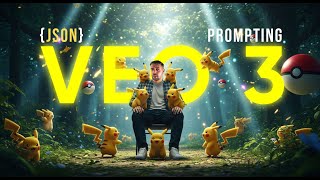
Learn JSON prompting with VEO 3 to generate viral ad videos like unboxing and product showcases. The speaker compares VEO 3 models, shares system prompts for high-quality output, and walks through the exact techniques used to create six-figure ad creatives.
These VO3AD creatives are going absolutely viral lately. They're all using a new type of format and that is JSON prompting. Now it all started on X when it blew up with unboxing videos. But you are not limited to the unboxing style. You can create product videos that are centric like this. You can create cartoon related videos like this. You're not limited in terms of the brands that you can use. The style that you can use in today's video, I'm going to show you how you can make them yourself. I'm going to give you all of the prompts that you need in order to be able to generate videos like this. And I'm going to show you a few creative examples along the way. So let's jump in. So the first thing I'm going to start this section off with is that JSON isn't this magic spell. You don't need to be concerned. The only reason that it works so well is because it's a structured categorized list. Effectively is the way you should consider it of items that, that allow the AI to be able to understand specifics around camera lighting, objects that are elements that are inside the video, a big description that AI has generated. And at the end of this video I'll give you the system prompt I used so you can implement it in chat GPT and use it yourself. But I wanted to make that point to not because you can create videos like this using JSON prompting with ease. Once this is set up, you set it and forget it. And I'll show you how easy the prompts are right now. So if we. The first thing we need to do before we jump into anything is we need to find where we're going to use VO3. Now you can use whatever you want ki fal, which is what I'm using here, file AI. You can go to Google with Flow itself and use it there. But we have VO3 and we have VO3 fast. So we can use VO3 fast, fast and VO3 itself. In this particular video, I'm going to compete both of them against one another with the same prompt. So you can see what the output. Because they are two different models, one's cheaper, the fast is obviously cheaper. But let's stick with FAL for now in terms of what we've got going on. So you'll see the same screen whether it's for fast or not. And there might be a few differences in terms of the duration. No. So inside of here you have a prompt which we're Going to create in a moment. We have an aspect ratio so the aspect ratio of the video itself. How long do we want the duration to be of the video? A negative prompt so you can give it. This is an option that foul has. It might. You might not have it. Don't worry if you don't. Enhancing prompt we want to turn off because we want it to stick strictly to the prompt that we give it. Enhancing the prompt will increase the likelihood of poorer quality results. Auto fix we can leave on and I'm going to turn the resolution to 1080p with sound enabled and I'm going to do exactly the same thing in my second tab which you might not need, but I'm going to do exactly the same thing here and now. I personally use Google AI Studio and the system prompt I'm going to give away at the end of this has allowed me to tailor in and get detailed JSON outputs like this one off of eight words, nine words. Please give me a Pokemon themed bedroom unboxing video. And the prompt that comes back is this. So I'm going to copy it and I'm going to paste it inside of file in where the prompt input is. That's all I've done there. I can drag it so you can see it's literally just the Jason that's inside of there. I'm going to do the same thing in the. In. In VO3 and fast. And we'll hit run and we'll hit run on this as well and I'll catch you once it's done. So the horses have ran their race. Let's check out what we got back. So let's start with VO3 fast. Going to drag it back to the start. In fact, let me just pause it, turn the sound on. Try not to deafen you with it. I'll make it full screen so you can see it. Incredible. That is absolutely incredible. As you will all agree. And that was using the fast model. So now let's check out application error requests. V3. Here we are. Still here. Let me. We kind of caught this at the end but unbelievable. Like if I was a kid and my bedroom looked like that, then I would be. I would be more than, more than more than happy. So now what I'm gonna do or what I've done is I've asked it to give me a prompt advertising a Porsche 911 Carrera 4 GTS, which is an incredible car, incredibly expensive as well. And I'm going to do exactly the same thing if I stop getting this application Error. I'm going to do exactly the same thing inside of here. Input aspect ratio, turn the prompt off, set the resolution at the same thing and hit fire. And then go over to VO3 and find the playground. Paste in the new prompt. Let me just make sure that it is the new prompt. Yeah, yeah it is. So we're just going to change these options once again. 1080p. These are saved. 8 second auto fix. Hit run and I'll catch you once this is done. So both of these are done. Now check these out. So this is the VO3 fast version and this is the VO3 normal version. I'm not sure which version out of those two I prefer. The seating at the end makes it a little bit awkward, but those are ridiculous. Quality creatives based off of the prompts. Now I promised you I would give you the system prompt, so I'm just going to quickly show you that based off of the. Based off of the next steps. I'm going to watch this one more time because it's just that, wow. I do this all day, every day and I'm. I'm still impressed. Which is it just tells you everything you need to know. Now, inside of here at the link in the description of this video, there's going to be a link to, to a example JSON format and a full system prompt that I use to create these. But effectively what you're looking at is let me get rid of this because there's only one is box opening VO3 prompts. You can remove that if you don't want it to be box opening. I do mention in this, in the section below that most of these are unboxing videos because that's what a lot of people have been using it for. But you could change that as necessary. You could change this from unboxing to product showcasing video. Whatever. The point is, is that be creative but follow the exact format including the number of items in the array and precise trace and structures we set the scene. But this is the important bit to learn about prompting. You're a veteran Creative Designer with 25 years experience of producing industry leading creative using Jason prompting. So I expect extreme detail and the highest quality output possible. You've got to tell the AI who it is, what it is, what it's going to do, what it needs to produce. Otherwise you will fail. But one last time, check this video out. How can you not be amazed by the quality of this? Use this prompt. Use VO3. Get quality images like this, like subscribe, drop in the comments. What you use this for? I'm really interested to see people's creatives using this. And I'll catch you in the next one.