I Built a Photoshop AI Agent in n8n With no code in Nano Banana (Free Download)
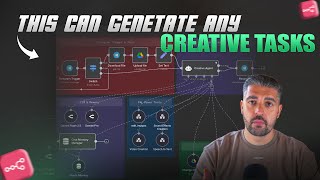
A developer builds a no-code AI agent in n8n that automates image editing, video creation, and sound effects using Nano Banana, VO3, and 11 Labs. The workflow integrates multiple APIs to handle creative tasks end-to-end, and the tool is available for free download.
Today's a special one because I'm using an AI agent to be able to handle all of your creative suite. Everything from image creation using nanobanana, VO3 using speech to text, creating sound effects is all going to be available inside of here. This is a creative executives and worst nightmare because it's going to replace them. I'm giving it away for free at the end of this video. Let's jump straight into this. So guys, this is the flow. Absolutely incredible stuff. Let's, let's hit it off. So we're going to first off send this picture of a shaker. We'll hit execute, we'll watch the flow run and you'll see that it has access to. Please describe the edits you would like me to make to the image. So we'll say please change the file name to Protein Shaker using Google Drive. We send that off, we execute step. Obviously in production you wouldn't need to do this. You can see there it hit Google Drive to change the file name to Protein Shaker. Now what we're going to do is we're going to ask it to do something amazing and call on one of our tools. I'm going to call on the Edit Images tool which is the Nano Banana tool. And what we're going to do is we're going to say use Protein Shaker as an image to edit images and produce a photorealistic image of a hand coming out of the ground, condensation running down the shaker in a dark themed forest at night. We'll send that off. We hit Execute workflow, it's going to hit the Edit Images tool. You can see the Edit Images tool there running. So this is now going through Nano Banana. It's going to take our prompt, which was a decent prompt that I just wrote out but it wasn't as ultra specific as you can get. The power of this is ridiculous. Nanobanana is frighteningly powerful and this is going to give us an image output. Not only that, it's going to fire it back. As you can see here, the image was created and named Protein Shaker. Here, here is the image in Google Drive gave me, gave me two messages weirdly. Let's load that up on the screen here and see what we come out with. We can see that it gave us the image with the hand. It's not exactly coming out of the ground but it is, it is there. Condensation, nighttime theme forest, ridiculously high quality production ready imagery. Right. So we can do that. Fantastic. We could, we, we can call on the tool. Well, let's now go back to this and let's upload. Let me just get rid of that. Let's go back and let's upload this image of Drake. It's going to upload the image to, to Google Drive. It's going to come back. Please describe the edits you would like me to make. Please change the file name of the most recent image to Drake. We hit execute, it goes through it, changes the file name. If we go into here, look, you'll see that this image is inside of there. If we hit refresh, it's going to bring it up these two images. This is an older image. Just before recording images to, to Drake. I'm going to delete that just in case. Just to make sure we want the output to be to be bang on. So it's updating the in Google Drive. It's updating us now and it's giving us the information that we need. Now we're going to do something ridiculously special, right? Please create an image of Drake drinking from the phone from the protein shaker. Please create a photo realistic image of Drake drinking from the protein shaker in front of the CN Tower. CN Tower. Don't like that. CN in front of the CN Tower. Let's fire that off. Let's hit execute. This is now going to hit that image edit image tool again. But this time it's going to combine multiple images together to give us, or at least it should to give us the. To give us the image. Now this is ridiculously powerful. If you think about models and stuff that you use for businesses, E commerce businesses, E commerce suites, it seems to be sticking with that. I'll have a little look into that while that is there. But look at that for a photorealistic image. That's the Boy six. That's the boy. And that is a ridiculously powerful image of exactly what we asked it for for Photorealism. Incredible. Right? Now let's go and start testing some of our other individual creatives. Okay, so I'm gonna hit forward slash start just to give it a hard refresh. I put this chat memory manager in here to clear chat memory so that you can keep doing it. AI Assistant. AI assistants, they love to hallucinate, you know that. So having that chat memory function available with forward slash start to refresh. Now I'm going to go into video. I just wanted to do it. Okay, so in for the video, what do we want? Let's say please create me a video of a man walking through Hyde park through Hyde park, being stopped within the first two seconds and being asked by a lady with a microphone how his day has been. He responds that he loves London and he then walks off. We fire that over, we execute the workflow, it picks up the video creation tool and it's now using VO3 to produce this image that we've got. Sorry, to produce this video that we're asking it to. To. To create. That gives you the. That. That gives you the. The platform to be able to just go and select whatever tool, as you can see literally by the single prompt inside of the chat, that it's going to produce something special. Now what's interesting here is I'm looking forward to seeing whether VO3 actually spits out the audio or not, because VO3 is not guaranteed to create audio alongside the video. So if it doesn't, it's not because the, the prompt, it's just because of VO3, generally speaking. But this is, this is incredible video creation. Naturally. Pardon me, that is naturally the longest one that it's going to take to produce because we're in a situation where obviously it takes time to, to create. When I show you the sub workflows, it will make a lot of individual sense. But, and I'll not explain it in detail, but what we're looking for here is in our pocket power to be able to create anything that we want using nano banana, VO3 and, and. And 11 labs for the sound effects whilst that's creating the image. These are the individual subflows and these are all of the, the. The four that we. That we could call upon Minimax. I don't know why it's a maxi Minimax text to speech, VO3 to video 11 lab sound max final Edit images tool. Because I made a few, few edits to the images tool. Let's go and grab this link for the interview in Hyde Park. Let's put you over, over here. I'm going to download it for ease of use. I'll bring it onto the, onto the screen. Let's pop this up. It's going to bring it over here. Let's load up this video. This is the video that it created. Excuse me, sir, how's your day been? Oh, it's been fantastic. I just love London, especially on a day like this. She left him. That is it. She left him on red. That's not. That's not good. But yeah, you can see the power. We'll watch it one more time. Just to showcase from, from the interview, it was the prompting that I gave it as you can see. Excuse me, sir. How's your day been? Oh, it's been fantastic. I just love London, especially on a day like this. Yeah. So you can see the power of the video that it creates. Okay. We could, we could hit that with another, another video. You can manipulate the prompt to do it. I'm gonna now do a final thing. Please create me a sound effect. You have full autonomy. I just want a sound effect. I'm gonna fire that over, hit execute. It hits the sound creation model. This shouldn't take that long really. And giving it autonomy. Just who knows what this is going to create. This could be magic carpet Aladdin. It could be a deep beat R B. Who knows? Like it's 11 labs calling on it using foul. Which is something I'm going to go into in a moment when we go through the structure of the, of the build. But I just want to this to fire off and listen to this, this sound initially. Before we do, let's hit this in Google Drive. It's going to bring up this Google Drive mysterious chime. So it created a mysterious chime. Fine. Like it was. It created the, the tune. You can create any tune that you want by giving it a specific. By giving it a specific prompt. So I've run through three out of the four of the. Of the four of the four tools. Now we're going to jump into what the subflows look like and, and how they operate. So everything that we, we use Google Drive, we use an AI agent, we use Telegram, we have a switch. So if it's text, it goes straight to the creative agent. If it's a file, it goes up, uploads the file to Google Drive. We then set the text inside of here. The user just submitted a picture. Here is the ID and it pulls the ID through to give it to the AI so that it can reference it obviously. And yeah, it's. It's quite a simple flow of them that. Now I'm using Gemini Flash 2.5. I've got the sampling temperature at zero and then I'm using 2.5 pro sample temp temperature at zero. You can use whatever LLMs you want. These just. I use Flash and that is perfectly capable of being able to produce a video out of this. But I have. The way that you should structure your AI agents is that you should use. If you are going to use a weaker LLM initially, always have a more powerful LLM as the backup because then obviously if it fails and you need something a little bit more robust, then that's where you want it. The chat memory manager, as I just briefly covered is a feature that is important because both the chat memory manager and the AI agent are connected to the simple memory. And simply using forward slash start wipes the the memory. So if you ever get in a hallucinating agent that's causing you any issues, you hit flash forward slash start that will. That will close the history of the. Of the memory. But importantly you can still search for the RAW files and stuff. So if you give it a specific request to go and search for the raw file, it will. It will still work. Now when it comes down to the individual workflows, we. We had some inside of here. I showedcase that I showcased that to you. So let's have a look at them in production. If we go into this and go to sub workflow the workflows look exactly the same. You'll see the input from a. From a perspective of. Of the Edit Image tool. I'm going to open that and save it for when I give it to you guys. So it's when it's executed by another workflow we give it a prompt, we give it input images which allows any type output image name. So we get the name, we get the images that are input and we get the prompt. We set the images the type of images, we change that and ensure that it's split out correctly. Avoiding in terms of commas because it was the. The AI agent was giving me a comma which was something you might have seen in the Telegram chat previously. And then yeah Jason JSON input images which is then passed on sorry which is then split out with image ID Image underscore ID that we then download into Google Drive. The only thing of note that I would say to you here that I have got is these two nodes where we make the request. So we have create an image and get URL. Now when it comes down to. When it comes down to the. The. The. The. The vo. The. The. The Nano Banana is Nano Banana. Nano bananas input. It can only read from a URL. So we upload to Image BB and it basically stores the. The. The. The file. So it uploads. You hit this upload you'll need to create a credential. Literally head to Literally head over here login. It's free. You go down to Settings and then go to is it Settings. Where is it? We'll find it for you. API of the homepage API Go to. Go to API. Don't worry, I will delete my key after this or just blur Out. But yeah, like so we've got this. This key. You literally just add an API key. It'll give you an API key. You. You create a credential using header off which is important to know. If we look at the. The tool here. So sorry for it for Image bb it's a query off that is important query of correcting myself. It's a query of credential type. And down here we're just telling it to send the binary file of the images if they are uploaded. It then aggregates the data, it creates the image and this is using file. So FIL is an incredible tool that allows you to be able to pull the API instead of going to every individual like VO3, Nano, Banana to fetch their own API documentation. It groups all the API documentation together. Cover that towards the end of this video or towards the end of this section. Don't worry about the the code for now. I've just done some mapping to basically stringify it and that gives us the ability to be able to do this. Now this is a loop. This is just for time saving, circum circumstances and reasons. Obviously it's not going to be ready immediately, which means that we're going to have to poll and go over the. And relax whilst we wait for the image to be created. You don't actually have to do anything, but I'm showing you the. The core underneath fundamentals because of that. Like that'll just ping you a message back in Telegram as soon as it's complete. It downloads the image uploads file. The download image section just gets the URL which is from the get result here JSON request id. It downloads the image URL. It uploads the new file to Google Drive and then obviously it uses the final set node as the response. So the image was created a name name. Here is the link to the image in Google Drive. Boom. Oh, here's the link. Let's change that to this is the link in Google Drive. We'll come out of there, save and yeah, that's the fundamentals of the image creation node. There's not really a lot to do. All of this will be in the gumroad underneath. But if we go back now and we take a look at video creation and this will showcase the example to you go to sub workflow. We literally executes the step. We give it video title and a video prompt. It then passes that through. If we look at the executions of the one that we've just done, if we take a look through here, you'll See the prompt. A man walking through Hyde park is stopped within the first by a lady with a microphone asking how long is Dan being? He responds that he loves London and then walks off. The walks off was what threw off the video. But create image in VO3, it gives it the video prompt that we gave it. Now you could go incredibly more detailed here and have prompts rewritten. System prompt. You could go into extreme detail, but you'll see why the loop's important because it literally is just waiting for the result. This waits 30 seconds originally, then 15 seconds after because of how long the videos take. It loop for four times and then it downloads the video, uploads to file. And the same thing with the, with the, with the output. When it comes down to the sound effect, I mean, we don't really need to go into any more detail than that. When it comes down to the creative agent, I've given it a relatively robust, robust instruction manual, but only for the tools and what it's going to use. I haven't gone through and given it specific examples of outputs and stuff which you should and would do if you were to put this into production. Like you can do that to define it however you want to be. You can maybe change it for your brand. You can just take that to AI, give it the prompt and say you want some examples included that and then give it some specific examples of what you've got and it will give you the outputs that, that you require. Ultimately, we have a pocket rocket here of a creative assistant that can not only search files, change names of files, but taps into VO3 and goes through everything from, from, from, from the ground up from a creative perspective. So jumping into file, which is one of my favorite tools at the moment, this groups together an abundance of individual APIs for you. And why this is important is because if we go to explore and use search by look at this image to JSON image to image, the 233 different options right, available to us that we can use from all sorts of different providers. I picked my two favorites, Nana Banana VR3. You could use different things. There are other image generation tools that might be better for specific types of imagery that you might want to use. You could bring every single one of these as a tool inside of the AI flow, or you could have multiple creative agents with that had that flow, which had the specific information about it to get more granular depending on what you were using. And you can improve the description somewhat as well. All of those things you can do. But the thing about FAL is this that I wanted to show you so you can understand here that you have all of these available. I'm using four of them to be able to do speech to text and stuff and all of those lovely things. But when it comes down to the power of foul, I like it because of this. Let's go and pick an image to image. Let's say cling, right? We go into cling. We go into the API of cling. You can test it here in the playground. So that's the end of the example. Slow motion sequence catches the catastrophic implosion of a skyscraper. I don't know why anybody would use that given the. Yeah, I don't know what that, what, why that's their foul. That's poor taste. But when it comes down to. When it comes down to. I guess it's just demolition. When it comes down to the, the API, what is interesting is this will probably be set here first for you. But if you go to HTTP curl, right? And look down the side here, look Q. Hit Q. This is your curl for submitting a request. This is your curl for fetching its status and this is your curl for getting the result. So if you look at the subflows like this one, we have the create video and get result. All I had to do. Well, obviously I could do it, but all I had to do when it came down to, to this was copy this curl. Now importantly, this is for a term. This is as if you were running it in your terminal. So you have to copy this. If you copied it all, it wouldn't work because of this. But you copy that there, right? And that's your curl request. If you go into any command C, go into an hit tab HTTP request import curl, paste that in import, you've got everything that you need. I would turn off the headers authentication, generic credential type header off. Because it's a header off file API and it's got everything here for you. You'd want to dynamically map them in obviously. But like, come on, it's giving you the. The curl is, is so important. Now, curls are not special on as within themselves. You've probably used them previously. But what I'm telling you here is, what I'm trying to showcase to you here is I like the documentation, I like the way that it works and I like the way that you can find hundreds of different tools in one place with all of the curl information. So you don't have to go and find all of the API documentation and read through it. That's what the point of the video and this sort of section of the video is so image BB foul. You can see I've got $33. I think you do get some free credits with file but to you to create a video and using VA3 you're probably going to need to add 10 books to it. Who knows Like I don't know exactly what the current but what the free the free value was but I I have I'm giving this away. This is going to be downloadable including all of the sub workflows in the in the description of this video. It's fully functioning ready to to work. You might want to make some changes to it in terms of prompting and you obviously got to connect your own telegram and stuff. All of that is inside of the inside of the instructions from the setup here. The chat memory manager is is important but I wanted to give my audience something that was special in terms of creation of imagery and production and you can go and expand on this as much as you want. I've shown you foul there all of those tools could be used. Guys, that was an incredible video. I really enjoyed that one because it was just me sharing something that I built with you just to give it away for free and it's is awesome like subscribe comment let me know what you'd like to see in terms of these AI agents and that and their power. The engagement helps me know what type of content to create. So if you enjoyed this video and you like the fact I gave it away for free, just hit me up in the comments like subscribe and I'll catch you in the next one.









