No-Code Landing Page Tutorial: Build a Site in Minutes with N8N
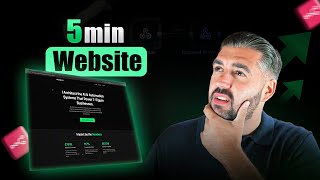
Michael Elliott shows how to build a landing page in minutes using N8N with just two nodes. He walks through the technical setup, shares examples from his own businesses, and explains the prompt engineering techniques to customize pages quickly without coding.
Hi, I'm Michael. I own multiple seven figure businesses, one in the AI space. One of the things that is the biggest gripe for me is the way that businesses charge $150, $200, $80 for landing page creation and builds. When you can do it inside of any using two nodes, literally within five minutes. It took me five minutes to prompt engineer for this landing page. You could create anything with a little bit of effort. And I'm going to show you exactly how you do that within the next 10 minutes. So we're going to head to Nan. We're going to create a node and the first node is literally two nodes. One's a webhook, one's a response, a webhook response. So we have the webhook now. Okay. I'm going to flick it into production URL. And the only difference here is we want to change the respond to respond to webhook node. Okay, Exit, exit back to Canvas using Escape. Then we want to add another node which is respond to webhook. Now this responds to the to the web hook. Now there's a few intricacies here. It's not much, but when we want to respond with, we want to respond with text. Okay, now this is the body. This is effectively where the HTML is going to go for us to build landing pages. But we need to give the, give the machine the response headers in order to be able to ensure that it does respond using HTML. So the first thing, the name of that is content type. And then I'm just going to copy the second bit. It's, it's text/HTML. And I will cover what this is now for you in in one second. So basically, text ht text slash HTML char set equals UTF8. UTF8 is basically what the whole universal text encoding engine runs off of. It's just, it's just the, the base for everything. So it's the best one. That's all we're telling it to do here. There is never no magic. You can literally copy that off the screen, type it out. It's not difficult. But I just want to cover that in case you needed any further information on it. You know, it stays efficient for common languages, English, etc. So it works. And that is why that is the response. Now, once that's done, you literally can save this. And I'm going to go back to some prompts engineering that I was doing inside of insert inside of AI Studio and I'm going to literally paste inside of this body, this little piece of HTML and I'm going to hit, I'm going to hit save and I'm going to turn this on and I'm going to execute the workflow. I'm going to go inside of the first webhook node and I'm going to click this, this URL and I'm going to open it. And when I open it, you're going to see this is a landing page. Hello, from N8N. Your webhook is working correctly. This page was sent from a responder webhook node. That was my original test to make sure that the HTML worked. I'm going to save you the boring pieces of just a couple of back and forwards that I had with it to get it to give you the right color scheme based off of like my YouTube channel and the way that I would approach it. And I'm going to copy this code and I'm going to go back in because we want this landing page. I'm going to go back in and I'm simply going to go to the respond to the webhook node. I'm going to open this for you just so you can see it because it's so basic. That's the basic HTML that we've just used. This is the new, more high leveraging powered HTML. Literally, AI Studio did everything I just told you what I wanted. Okay, maybe some examples. You can put screenshots in there, you can do whatever you want. You could build the world's highest quality landing page. And I'm going to show you how in a moment, right? You come out of there, we literally go back, we save. Let me just make sure that that's saved. Yeah, that did save. Let me execute the step just to make sure. Yeah. Okay, so now I'm going to save again. I'm going to hit execute workflow. I'm going to go back into the webhook, I'm going to get this URL, I'm going to paste it, and when I paste it, I'm going to have a full landing page already built custom inside of Nan. Right now. That landing page is obviously not fantastic. It's not the best landing page that you would, you would, you would expect to see, but you can literally see how you can. These are some of the businesses that I work with based off of my upwork profile. My automation and growth strategies have saved clients over 2.1 million per annum in operational hours. Like it's taken information from me to do that. So let's, let's switch this up. Okay, so let's go to, let's go to upwork. I'm gonna flick the camera to me for a second just while I load my upwork because obviously it is private. And I'm just going to go to the profile section now. Now I'm heading on to the profile section. You'll see here I obviously have two profiles. I have a marketing automation profile and a Google Ads profile. Well, what I'm going to do is I'm going to ask it to edit the landing page now based off of this individual, this, in this individual variation of my page. Because that page was produced from the marketing automation profile. This one's going to be from the, the digital marketing one. Please. This is brilliant. Please can you just update the copy in exactly the same way you did previously? You did previously, but using the following information. Hit run, let's see what this spits out. And then after that we're going to try and get it to change, to change the, the, you know, like the maybe, I don't know, maybe the logo, where the logo area is or maybe a section. We change some sections and I'm going to show you how easy it is to prompt engineer inside of AI studio literally to get whatever you want. Now if you think about this from a logical perspective when you're talking about being able to build custom landing pages inside of Nan literally using two nodes like I've just shown you, you're in a position where you can build out a template which allows you to be able to go and then sell it to businesses. So you can have a core understanding which then is manipulated like a lead gen business. Let's say you worked in lead generation for SaaS companies and you wanted an optimized page for, for demo bookings, you could produce that and then just change the color palette and change the information for them. Really, really, really, really powerful. It's doing its thing, it's in its groove, it's getting its groove on. So as soon as it's complete, we're good to go. Let's copy this, let's go back to the workflow. Simply remove the HTML, paste it again. I'm going to execute the step, I just like to do that and then hit save. Okay, Execute the workflow, come back here, click this, paste it in. If you look at the variations between. I don't think. Did I lose it? There you go. I architect the AI automation systems that power seven figure businesses. A Google Ads veteran engineering elite ROI as an, as a Google Premier Partner of over 14 years in the trenches of search engine marketing. You can see generated 67.7 million from ads. So you can see that, that is. That's now being fully changed. The whole landing page off of one single prompt. It took me 10 seconds to write it. So I'm going to do. Let's do one more with you. Let's try and give it an image. Okay. And we'll say. Do you know what we'll do? Let's say this, let's see if. Let's just see the power. We're going to learn this together. Let's see the power. The header section image attached is great. Can you move the text to the left and add a form field that is. That has round edges. Follows the color. The color scheme. Color scheme of the site. And as render just follows the comp and simply asks for name. Asks for field one name. Field two email. I haven't done this before. We're going to see. But what I'm going to do is I'm going to take you to. I mentioned about being a serial entrepreneur. Well, not only am I in the digital space, I actually own a holiday park in. In. In Skegness, which is where I live. And I. This is the website for that. Okay. This is the park. This is, this is how the park looks or we'll look upon completion. So what we're going to do is we're gonna. I'm gonna literally let this finish. I don't really care about the outcome. Right. I didn't attach the image either, which is not ideal. Let's see what, let's see what it spits out. Wouldn't surprise me if this was broken because I told it I was giving it an images and I didn't. But the point is already proven. What we're trying to do here is just to see manipulation from a perspective of what it can do. And you could literally prompt it with some actual elite prompt engineering. Yeah, that seemed to break it. Let me just see. Let me just go back and make sure that I copied the HTML properly. Still writing. That's why maybe was it. Let's see if it. If it can generate it. If it can't, it doesn't matter. We just move on because we will reuse the original. But I wanted to see, to showcase that too. If you want me to make some edits, I'll. I'll do it. I have no problem. The form was just a. Was just an idea that I had for the, for the. For the thing you see. So it's put the form here, your name Your email. If you think about the system prompts and structure that I have given it, right, It's a little bit embarrassing frankly. Like I've put zero effort into the prompt engineering. I'm literally sat here just typing it out while I'm talking to you. Like there is no, there is no thought process, no professionalism inside of what I'm doing. And I'm creating landing pages like this, you know, like even let you fill in the form. Like if you spend time crafting a system at prompt, that you will be able to build landing pages that are ridiculously high quality. And I'm going to show you exactly how. Right, View page source. Let's grab this, let's go inside of the responder webhook node. I'm going to paste that in, I'm going to execute the step, I'm going to save it, I'm going to execute the workflow, I'm going to come in here, I'm going to get a production URL and I'm going to open it up and guess what? It can build the whole landing page, which is based off of HTML, which is one for a site that I own. Now you, the point of this video is to showcase to you the power of those webhooks and nodes and how you can use them. These are examples of basic landing pages that are still half decent. You get a few images in here, maybe some UGC and you could, you could use it like, you know, if you like starting out and you want a free landing page effectively, then you could use something like this. So you've got something to showcase. If you're looking for something really comprehensive, as you can see, I've just used a website that I own, right? A business that I own, that I've pulled the HTML from it and I've inputted it inside of these two nodes and it's given me the exact. It's given me the exact. Sorry, there it is. It's giving me the exact website back. The point I'm making is that if it can render my website that's built like that professionally, you can prompt engineer it in order to be able to build you any website that you want. This is extremely saleable, especially when you look at people who don't have proper landing pages. Maybe some of your clients need ppc, CRO, optimized landing pages. What? Maybe it's just that you need to make some edits, maybe you want to generate them for yourself. Maybe you want blog posts that are posted on a, on a URL Maybe you want to create, and this is a good, great idea, maybe you want to create your whole proposal template for AI automation using a landing page, which is, which is built, which is built. And what you could actually do is you look at this basic flow and you see that there's only two nodes. That's the scary thing, literally two nodes, right? To do this. But then what you can also do is you could build out a major, major, major flow with subflows, with everything. And when you actually have an inquiry that comes to you, you could have this render using AI, give it information, form information, graph information, tech stack information, whatever their problems, explain it, use AI in the middle of this, or use AI somewhere in this to the input to be able to effectively use all your documentation to produce a landing page which is actually technically your proposal of how you would fix the solutions. I've just given you some gold in this video. It might be the favorite one that I've ever done. Please, like subscribe comment if you agree on the power of this, because this is frightening. It's exceptional. My name is Michael Elliot. I'm a serial entrepreneur. I build AI automations for a living. I scale digital marketing, digital marketing companies for a living, campaign strategies, everything of the sort. I am heavy into the AI space like and subscribe because this is the kind of golden information I'm going to be giving out every single day. Cheers.









