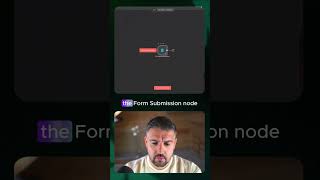
This is a YouTube video titled "You Won’t Believe What AI Studio Stream Feature Can Do!" created in August 2025. The content features a demonstration involving two speakers discussing how to use AI Studio's streaming system to build workflows with nodes like form submission, Google Sheets, and Gmail. The video showcases the tool's capabilities for guiding users through complex tasks.
I'm going to show you how you can use AI Studio to literally hand hold you through Nam builds. So inside of AI Studio, you head to stream, you hit share screen, you select the screen that you want to share. Hi, can you please show me how to. I'm in Nan looking at a blank canvas. Can you please tell me how to add a form submission, then a Google Sheets node and then a Gmail node, please?
Sure, I can help with that. First click on the add first step button. Then search for form submission and select that node. After that, click on the plus icon next to the form submission node. To add another step, search for Google Sheets and select the Append row node. Finally, click on the plus icon again and search for Gmail. Then select the Send email node.
Amazing. Thank you very much. That was absolutely great. Thank you for your help. Cheers. You can see how powerful that can be when you're stuck on complex issues. That was a basic understanding and flow, but you can actually use it on really in depth analysis and it is an absolutely fantastic feature that so many people miss out on. Use AI Studio's streaming system. It's absolutely ridiculously powerful.