How to claim £££ tax relief on your professional expenses (2026)
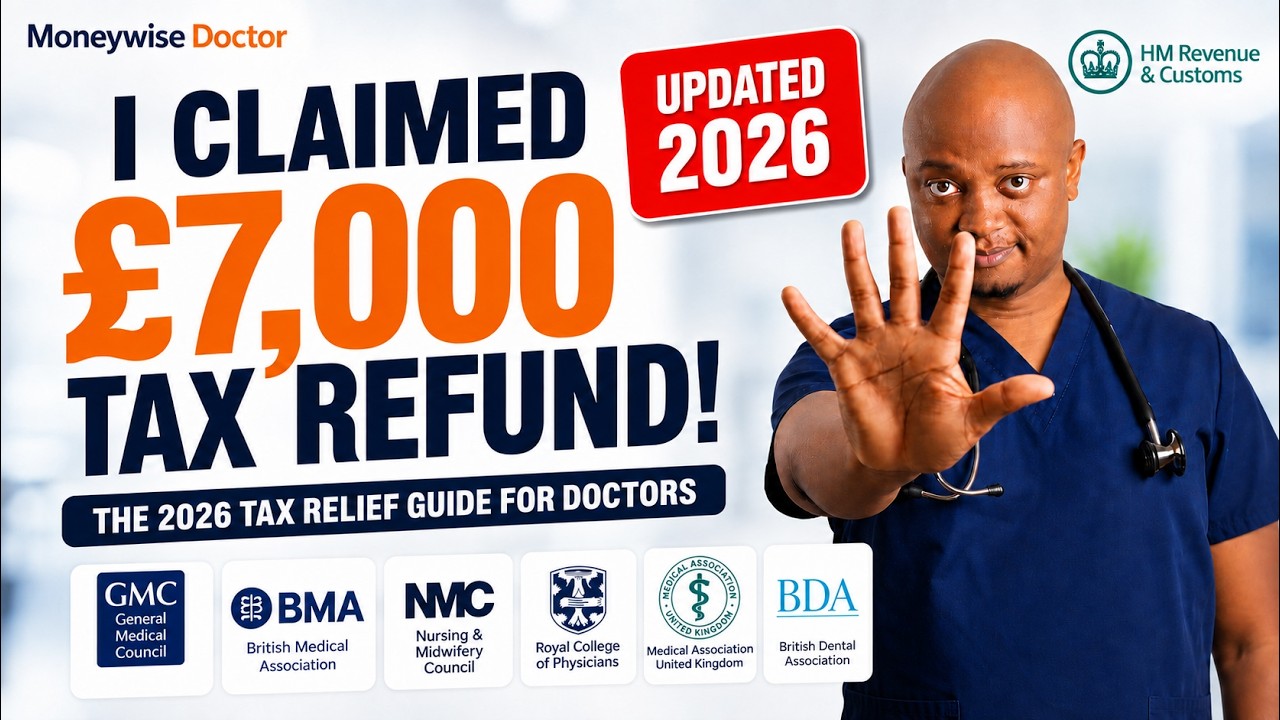
In this 2026 YouTube tutorial, Dr. Ndubuisi “Andy” Egwim, a former NHS GP and founder of MoneywiseDoctor.com, walks UK doctors and other healthcare professionals through the entire process of claiming tax relief on legitimate professional expenses via HMRC’s online service. He begins by highlighting how many clinicians overpay taxes unknowingly and shares testimonials of doctors who recovered thousands of pounds. The video explains the five‑year claim window, the £2,500 single‑year threshold that forces self‑assessment, and the eligibility criteria (employer must not have reimbursed the expense, the claimant must have paid tax, and expenses must be £2,500 or less per year). Egwim then demonstrates, step‑by‑step, how to navigate the gov.uk tax‑relief‑for‑employees page, select expense categories (flat‑rate uniform/work clothing, mileage, professional fees and subscriptions, equipment), enter employer details (PAYE reference, job title), upload required receipts (GMC, Royal College, medical defence, BMA, etc.), and submit the claim. He explains the evidence requirements for mileage logs and professional fees, the difference between online submission and the postal P87/P H7 forms, and how HMRC calculates the refund based on the claimant’s marginal tax rate. Throughout, he reminds viewers of the importance of acting before the claim window closes, promotes his free downloadable guide, weekly newsletter, and the ABCDE Tax X‑Ray scorecard that assesses broader tax‑efficiency areas (allowances, business structure, clawbacks, deductions, estate planning). The video ends with a call to share the information with colleagues and a teaser for a forthcoming deeper dive into the ABCDE framework.
Chapters
If you're a UK doctor or healthcare professional, you may be overpaying thousands of pounds in taxes, more than you legally need to, without even knowing about it. Let's not do that. We already work hard enough. In this video, I'm going to show you exactly how to check and claim any tax relief from your professional expenses, especially the ones you're legitimately entitled to, step by step through HMRC. Not theoretically, In fact, you can open HMRC while you're watching.
Pause me when you need to.
Click where I click. And if you're eligible, by the end of this video, you will know exactly how to make the claim yourself, or even you would have completed the claim by yourself. Okay. About 18 months ago, I made a video showing how doctors and healthcare professionals can do this, exactly how to do this. Since then, thousands of doctors and healthcare professionals have watched it and used it, and something remarkable started happening. They started writing us back. In fact, we've got a lot of testimonials. You might see some of them on the screen. Doctors have contacted me and my team telling us that they discovered thousands of pounds of professional expenses they had never claimed tax relief on. One NHS psychiatry doctor told me she claimed about £9,000 across 5 tax years that she hadn't claimed. Another one submitted £9,562 of professional expenses that he hadn't even— didn't realize was there. Some claim thousands, some claim hundreds, and those are only the people who actually came back and told us. Well, here's why I'm making this video now after 18 months. 18 months is a long time in tax years. HMRC's process has changed a few times since then, and if you've been following my email newsletter, you would have known about this. Some of the rules have changed. Some things you could have previously claimed have changed. The evidence HMRC may require has changed, and most importantly, the clock has kept moving. Every April, another tax year gets older. If you wait long enough and a year passes, you could suddenly lose a year that you could have claimed if it falls out of HMRC's deadline. And once it's gone, it's completely gone. I know many doctors this has happened to. In fact, Dr. Sarah, who I write about in The Money-Wise Doctor in chapter 5, is one of them. An NHS consultant, 15 years of service, who never once claimed tax relief on her professional expenses. By the time she had discovered what she had missed, 10 of those years were already outside the claim window, and that was about £10,000 in relief, totally gone. She could still claim the 5 years that remained open, and that brought her a good refund of a few thousand pounds, but she couldn't go any further than that. And I don't want that to be you. So don't assume you're owed thousands of pounds. You may not be, but equally, don't assume you're owed nothing. It's important to check. That's what we're going to be doing together now in this video. I'll show you what you may be able to claim, what you absolutely cannot claim, how far back you can currently go, um, and the threshold, the important £2,500 threshold per tax year where you may need to use self-assessment instead of this process that we're going to walk through. And then I'll take you on to HMRC and show you the current 2026-2027 process step by step. I've also updated the free professional expenses tax relief guide for doctors So you don't need to remember everything about— I'm about to show you. I've included screenshots in it as well.
Just download it below with the link.
So open HMRC and let's see whether you've been leaving money on the table without even knowing about it. Look, if you are new here, if you've never met before, I'm Dr. Andy Egwim. I'm a former salaried NHS GP. I'm an investor. I've been an investor for more than 20 years. I'm the founder of moneywise doctor.com. I'm also the author of this book, The Money Wise Doctor, which became an Amazon bestseller in personal finance and retirement planning has been read by thousands of doctors. So through Moneywise Doctor alone, we've helped more than 4,400 doctors better understand tax efficiency, sensible investing, you know, strategic retirement planning, and general financial well-being. And every single week, I send out my free financial education newsletter to about 10,000 doctors every single Sunday. So I know a little bit about tax efficiency for doctors. But one important disclaimer before we continue. I'm not your accountant, solicitor, tax advisor, or financial advisor. Everything in this video is general financial education, not personalized financial, tax, or legal advice. Look, tax rules change, and your individual circumstances matter. So please check the latest HMRC guidance and seek appropriate personalized professional advice where needed. Now that we've got that out of the way, let's dive in.
All right, so now we're looking at the practical bit. It's of course it's me again, Dr. Andy Egwim from moneywise doctor dot com. This is a practical bit on claiming tax relief on your professional expenses. Like you know, I've done this guide about eighteen months ago, and thousands of doctors have used it to claim several thousands of pounds in tax relief. But there has been quite a few changes since then, a lot of back and forth changes and. Back to where it used to be, and then more changes. So what we're going to do now, we're just going to go live and I'll show you what to do. So first of all, just start with Google. Just go straight to Google. So if you go to Google, just type tax relief, or you can start with HMRC claim tax relief for job expenses, something like that.
Simple.
Okay, and then you go ahead and click on Um, claim tax relief for your job expenses. So what does that do? It opens the page directly on HMRC website. You can check on top to make sure you're on the right page. So it's gov.uk/taxreliefforemployees. Okay, um, the link is also in the step-by-step guide, that downloadable PDF here. So it's claim tax relief for your job expenses. You can look at overview, working from home, uniforms, and all that. Just pick professional fees and subscriptions. I like to read through the page just to see if there's anything obvious. Um, but because I've done it quite a few times, I'll just go and pick professional fees and subscriptions. Feel free to read more if you like. Okay. Now claim tax relief for your job expenses. What's next? So a bit of a read. Professional fees and subscriptions. You can claim tax relief on professional membership fees if you must pay the fees to be able to do your job. So it has to be something that you need to pay the fees to be able to do your job. For a doctor, that's like GMC fees, that's like BMA, which is required a lot of times for your job. I mean, one might argue about BMA, but you can argue about GMC indemnity, and most times Royal Colleges as well. Okay, now you can also claim annual subscriptions you pay to approved professional bodies or learned societies, and HMRC has a whole list there which you can click to check. We won't go into that because we already know the professional bodies for most doctors, and for a dentist it might be BDA, and for nurses it might be NMC, different bodies. So it highlights here you cannot claim tax relief on a life— on life membership subscriptions or for professional membership fees or annual subscriptions that you've not paid yourself. For example, if your employer has paid them for you, or you have paid to professional organizations that are not approved by HMRC. Again, if you want to see the approved professional bodies or learned societies, you'll get the link in our guide as well, and you can check it. Okay, now your organization can tell you how much tax you're allowed to claim back. Okay, that's if your organization has paid for you, um, has paid something for you. But it also says you can claim for the current tax year and 4 previous tax years. So you can claim 5 years, the current tax year, and can go back 4 previous tax years. I've seen times when doctors miss several years, and once you are outside that window, you can't go back more than 4 years.
And how to claim?
So when you claim, you must send copies of receipts So this was not there when I made the first guide, but now you must send copies of receipts and other evidence that show how much you paid for each professional's fee or subscription. So at some point, HMRC introduced, um, the requirement that you had to post the paper receipts, but then after a while, they listened to reason and they changed back to the fact that you can upload the receipts. Now you can use this service to claim.
Okay.
But you can also use it to check if you can claim. So what to do now? Of course, a quick mention, if you complete a self-assessment tax return, then you shouldn't use this system. You must claim through your tax return instead. So without much ado, I'm just going to click start now. So let's start. So that will take us through the process. So scroll through the page as usual. I like to go through the page before I click anything. So select all the expenses you want to claim. So if you're claiming for uniform, work clothing, and tools, they're flat rate expenses. You do not need to send evidence. So if you're not just wanting to claim more than the flat rate, you don't need evidence. Okay, so working from home could be something you're claiming, but you can only claim for extra household costs such as business phone calls, gas, and electricity. So this might not be ideal for you, especially if you're just doing a straightforward, simple NHS job.
If you're wondering if a limited company is right for you as a doctor or physiotherapist or healthcare professional, maybe a medic doing some locums or have some side gigs, a limited company could save you thousands, but it's not for everyone. Now, my free guide explains, based on my own experience and from research, when to consider a limited company, the pros and the cons, how it works for doctors and healthcare professionals, and you can get it all for free. So get your free guide with the link in the Now let's jump right back to the episode.
Now, uniform, work clothing, and tools is flat rate expense. That's about £80 now. That's something you should claim. It doesn't require any evidence or receipts to send. Okay, vehicles you use for work. Well, you could claim mileage around this one, but again, keep a mileage log or something that you can provide as evidence. Travel and overnight expenses, I'll skip this one. Now, professional fees and subscriptions, again, is to approved professional organizations. You can check out the list again. That will be things like General Medical Council, Royal College of GPs, you know, medical defense unions and all of that. Of course, buying other equipment might also be something you did. Either you replaced the stethoscope or you've done something that cost a bit of money. Okay, so if you, if you have other expenses, you can click here. Then I'll go ahead and click continue. So if you click continue, what does it show you? It brings you to this page. It says, who are you claiming for? Who are you claiming expenses for? Of course, I'll say myself. Then continue. Are you claiming for expenses after April 2022? Remember, you can only go back 4 tax years, so that's the threshold. Due to the current tax year, and when you watch this or use the video, you can also find out by just going back four tax years from where you are because the tax year ends on fifth April and a new tax year starts on sixth April. So I'll say yes, I'm claiming after fifth April 2022 because that's a that's a criteria. Now, did you pay tax in each of the years you are claiming for? Again, another criteria. If you didn't pay tax in that tax year, you can't. Claim tax relief. That would— that wouldn't be practical. If you have not paid tax, how can you claim tax relief? Okay, so I'll say yes, I did pay tax. Do you complete a self-assessment return? Again, another eligibility. If you do, then this is not the right form to use. So if you say no, this is just the system reconfirming that you are supposed to use this form. Now, another practical important threshold Are you claiming expenses of more than £2,500 in a single tax year? Why is this question important? Sometimes you might want to claim more than £2,500 because if you incurred extra expenses, you paid for so many things. Now that would require you to use a different process. That's the self-assessment form, and self-assessment usually closes, I think it's about 31st of October for paper form. And electronically, you can submit up to 31st of January. But this is not self-assessment now. We're talking about tax relief on professional expenses. So are you claiming expenses of more than £2,500 in a single tax year?
No.
And just to clarify, you might end up claiming— like when I first did this, I claimed about £7,100, and I've seen doctors who claimed £9,500, £9,000, £8,000. But not in a single tax year. So if you have a backlog of years that you've not used and you decide to claim them, you might still be able to claim more than £2,500 in different tax years, but, but not in one tax year. So it might be £2,500 in this tax year, £2,400 in this tax year, £1,000 in this tax year. Yes, but for a single tax year, it's £2,500. So the answer is no. Has your employer paid any of your expenses in this claim? Again, if your employer has paid, you can't claim it because employer has paid it. So I'll say no, none of my expenses. Continue. Do you use a vehicle for work that you bought or leased with your own money? Okay, well, I'll say yes. So in this case, you want to claim mileage, so you might need to highlight that. So do you want to claim the approved mileage rate? For your own— for using your own vehicle for work. Now, you cannot claim money you spent to get to and fro from your normal place of work. The approved mileage rate is for things like fuel, electricity, road tax, MOT repairs. Um, you can only claim tax relief if your employer pays you less than the approved rate or nothing at all. Okay, so the question is, do you want to claim the approved mileage rate? I'll say yes. Okay. Do you also use a vehicle that is owned or leased by employer? I'll say no. Continue. Now, of course, if you, if you've not done anything that requires mileage or if you've not gone out of your normal workplace, then you can skip that bit. Now here's the next question. Are you claiming for more than 5 different jobs? Again, if you're claiming for more than 5 different jobs, say yes. But if you're not, say no. Most doctors I know are not claiming for more than 5 different jobs. But if you say no, then click on continue. So you've met all the criteria now. So it says you can make a claim for these job expenses. You can claim tax relief for uniform, work clothing, and tools. So work clothing will be things like scrubs and all of that, but they are flat rate expenses. You can claim for the vehicle you use for work, professional expenses, professional fees and subscriptions, and buying other equipment. Again, just to clarify, this is just— you can only claim for what you've actually spent on, what you've paid for. So if you have not really, you know, used your vehicle for work, you know, extra mileage, or you've not bought any equipment, then you don't have to include them. But everyone pays professional expenses, every doctor. Okay, now you need for this work clothing, uniform, and tools, Um, if you're claiming the flat rate, so if you're claiming a fixed amount of tax relief, you don't need to send receipts or records. Okay, so you don't have to worry about that. If you want to claim more, you're going to need receipts. Now, for mileage, you must send a copy of your mileage log for HMRC for each job. I mean, it used to be quite simple to do a mileage log, and you can still do it as a spreadsheet, or you can go online, Google download a mileage log template, include your starting point and where you go to, and it can help you to work out how much mileage you've covered. Okay, you should show why you made the journey, so the purpose of the journey with the starting and finishing postcodes. Now, if your employer has not paid you back any mileage or travel cost, you need to send a letter explaining why. So these are some extra hurdles that come in in the last couple of years. Now, for professional fees and subscriptions, you must send copies of receipts or other evidence. That should be simple. In fact, before you start this, or if you've already started, you can pause here, go to GMC login, download your GMC receipt for the year you're claiming, go to Royal College if you are a member of Royal College of GP or Royal College of Surgeons or Physicians or Anesthetists Just go any Royal College you belong to, emergency physicians, download the fees. Just have them by the side, you know. If you have paid for MDU or, you know, BME, all the stuff, just download it to make it smoother so it's not stressful. I've downloaded mine. I'm not going to cover in this video how to download your receipts from Royal College and all those ones. They are quite straightforward. And also in the downloadable guide, the PDF guide I can download. It contains all of this, so you can check the link in the video description and download it totally for free, or comment if you're looking for the link and can't find it, and someone from my team will share it with you. So just have those ready because you must send copies of these receipts or other evidence to HMRC, and currently, thankfully, you can just upload it. Now, buying equipment, you must send a full list of your other expenses did other expenses, including details of which job they are for, especially if you are claiming for different jobs. And HMRC also needs copies of receipts or other evidence that show the name of the item you've paid for. So it's not something you can just claim randomly. Continue. Now the next step is to sign into HMRC. Again, at this point, if you don't already have the HMRC Government Gateway, or one of these other ways to log in, like gov.uk OneLogin, okay, then it's best to create it. Again, this is not the video. If we have to make a video on how to create that, the video will now— will be so long. So what I've done is in the downloadable PDF, the guide on tax relief, I've also shown how you can open this gateway. It's not difficult. I assume you have one, but if you don't have one Just go ahead and register for one. So now I'm going to go to the gateway, the government gateway. Continue. Right. So first of all, you fill up the numbers. So I filled my numbers. As you can see, it's blurred because it's private to me. I'm not supposed to share it with you. So don't share your own with anyone as well. Then I sign in with my government gateway. Right, so once I sign in, it takes me to my account, my tax account. It says tax relief for expenses of employment. So this is my taxservice.gov.uk account. Again, it reiterates the points. You can use this form to claim tax relief on employment expenses if all the following apply. 1, your employer has not paid back all your expenses. 2, your allowable expenses are £2,500 or less for the tax year you're claiming for. 3, you've paid income tax during the tax year you're claiming for. 4, you don't meet the criteria to complete self-assessment tax returns. So it's just reiterating the criteria again. So for the tax year you're claiming for, if you don't meet the criteria for self-assessment, then you can proceed with this. But if not, then you have to go do self-assessment. Right. And the eligibility for self-assessment is a different discussion altogether. I've made a whole guide on that as well. And if you want it, just comment and I'll share it with you. You can go download it. It just tells you who needs to do self-assessment and who doesn't need to do self-assessment. Now, again, this notification from April 2026, which has now passed, you'll no longer be able to claim a deduction from income tax for additional household costs. When required to work from home. So if you're working from home, in the past you could claim tax relief on some household expenses, but now you can't do that from your income tax. Okay, so you can still claim for earlier taxes if they are still open for claims, if you're eligible, if you have not already claimed them. All right, so this is just a little bit of understanding what you can do and what you can't do. Okay, now you'll be able to tell HMRC about multiple taxes and up to 5 employments if you use this online form. So now there's also a P87 postal form that you can use, or you must use if you want to do more than 5 employments. So if you're claiming from more than 5 jobs, then you have to use the postal form. So you can click the link there, download the P87 form, and use that. I think that's a pain, to be honest. I prefer to do it online. But if you're claiming for more than 5 jobs, that's what you've got to do. Now, if you're also claiming tax relief on fuel you paid when using a company vehicle for business journeys, you still need to use the form, the PH7 form. Now, here's the guidance from HMRC. Before you start, you can use your personal tax account to access your tax records to check the following. If you are registered for self-assessment for the tax year you are claiming for, Or if you've already paid tax during the tax year you're claiming for. Again, if your employer name and employer reference and your employer PAYE reference number. Okay, so employer name and your employer PAYE reference number. So you're going to need this employer PAYE reference number. You can get it from your payslip. If you've got a P45 or P60, you can easily get it, and you see it when we start filling out the form. Now, if you complete self-assessment tax returns, you will still need to report any current year expense claims on your tax return. Right now, to complete this claim form, you're going to need a few things. We're going to need details of your employer. We mentioned this already, including PAYE reference, and it could be from your P60, could be from your payslip, or your personal tax account, which is here online. Now, you're also going to need amounts of any expenses of employment you want to claim tax relief for. And 3, you need your payment details or your nominees if they are due for a refund. So that's, that's interesting. That's the part most people like. So by that, they need your bank account so that if they need to pay you, they know where to send the money to. Or a check. Okay, if you, you need to submit evidence in support of this claim, this helps HMRC to process your claims. Now, claims for flat rate expenses do not need to be evidenced. Okay, so these are all basics before you click Start Now. So, so far so good. If you want to make this smooth so that you don't have to get frustrated or waste time, just download your GMC receipt, your BMA receipt, MDU receipt, Um, if you've got Royal College receipts, whatever you're claiming for, if you can download their receipts, just log into their membership area, download it, have it on your desktop ready to go. And of course as well, if you can get your PAYE reference number, the simplest way to get this is your payslip. It's usually 3 numbers slash, you then get like 4 letters or thereabout, and you'll see that when we start. All right, now that I've got everything ready Let's just dive into it. Go ahead, click Start Now. Okay, so it loads quite quickly. So if you go Start Now, it says you can continue from where you left off last time. Yeah, I'll just say delete your progress and start again, because if you had already started it, you can just click like continue from where you were. But I'm just starting again so that you see the steps. So it says, are you sure you want to delete your progress and start again? I'll say delete and start again. Right. So tax relief for expenses on your employment. So tax relief for expenses of employment. Now you can see HMRC wants to make sure. So it brings back the criteria again. It says you can use this form to claim tax relief on employment expenses if all of the following apply. We've already gone through this criteria. Your employer has not paid back all of your expenses. Your allowable expenses are £2,500 or less for the tax year you're claiming for. You have paid income tax during the tax year you're claiming for, and you do not meet the criteria for Self-assessment. We already know all of this. It's just a repetition again. Now, it's good to read it and understand it, but if you haven't read it, okay, it's just good to read it so you know what you need to have. And it also mentions, oh, if you, if you have completed a tax return for the year you want to claim for, you should claim your expenses through self-assessment. Again, click Start Now. Okay, so now it brings us to this. Again, you can see your— my National Insurance number is already prefilled, um, because, um, it's my account and I've logged in. But I've blurred it out, it's private to me. I don't think you need to know about it except you need to pay me some money. Um, so my first name, my last name, my date of birth— so these are all my personal details— is blurred out. Postcodes, you can enter your postcode as well. So I've entered mine. But you can see it's blurred out and it's private to me as well. If I wanted my— if I want everyone to visit me, I'll put my address publicly. All right, so find your address. It finds your address, you pick up your address. Okay, so that's the first step. Easy, straightforward. Include your telephone number. So I've included my— I've included mine as well, right? Again, it's blurred out basically. Because it's my private telephone number. Right, now this is where it gets interesting. The tax year. Remember, you can claim different tax years. So what I tend to advise and what I tend to do myself is go to the oldest tax year because that's the one that you can lose. That's the one that by the end of this tax year is gone. That's the one in danger. I mean, you can claim all 5 now if possible. But if you were rushing for time, you didn't have any time at all, I didn't know, you know, you just wanted to do one quickly, start with the oldest one. So currently it's 6th April 2022 to 5th April 2023. So that's April, um, sort of like 2022-2023 tax year. That's the oldest one. And after that, you can just do the rest as well. So click Save and Continue. Now it says tax year 2022/2023. So you can see which one you're doing. Now enter your employment details. So this is the place you enter your employer name. So I'm just going to enter Royal Cornwall Hospital here. Okay, and now I need to add my employer PAYE reference. So this is usually a 3-digit tax office number. I mean, before I started filling this form, I didn't even notice it. Is a forward slash. I mean, it's the first time I filled this form many years ago that I noticed that employer PAYE reference number. What is right there on your payslip? So if you get your payslip out or your P60 or P45, it's like a three-digit tax office number, the forward slash, and a tax office employer reference like 123/AB456. It may also be called employer PAYE. Reference or PAYE reference. Okay, I'll grab mine. Okay, because I've got it then saved and then I'll enter it. Of course, I'm going to blur mine because it's none of your business. I can enter yours as well. This was my previous employment, but you can use it. So if I enter mine here now, so enter the numbers, the first 3 digits, and then the rest of it. Right, that's done. And then put in the title for what work you were doing. So I'll say general practitioner. Okay, you can put in yours. Okay, save and continue. That's it. Now the next one is now the actual claims, flat rate expenses. Again, you know, you can claim a flat rate and no need to submit a receipt. So this would be for something like your uniform that you use for work, scrubs or stuff like that. For this is for maintaining it, washing it, and the rest of managing it, fixing it, repairing it. So do you want to claim a flat rate deduction? I'll say yes. I think you can claim as much as £80, but that's just about it. And type of industry, I'll say typing the type of industry is something you need to do, you know, There's a quick way to do it. Let's say if you're a doctor, just type doctor and then it brings up healthcare doctors. If you're a dentist, just type dentist and it brings healthcare dentists. If you go the other route, like type in healthcare, it's just going to bring out so many— ambulance stuff, ambulance staff, dental nurses, dentists, doctors, healthcare assistants, healthcare scientists, midwife, lab and the rest of it. So if you just pick up your stuff, just pick up your own profession. Like if you're a doctor, just type health doctors and it brings out yours. Now maximum claim for this industry is £80. So how much do we want to claim?
£80.
Save and continue. Okay, now that bit is done. Now the next is vehicle, using your own vehicle for work. Okay, because you want to claim mileage for this one. If you're using your own vehicle for work, um, you cannot claim traveling to where you work. So your primary place of work, you cannot claim for that unless it's a temporary place of work. But a lot of doctors find themselves working in one place primarily, or either seconded to somewhere else, or doing a posting somewhere else, or you're covering more than one hospital. So you can claim those extra mileages. Now, if you need to upload— I mean, you're going to need to upload your travel log for this one if you're going to claim tax relief. Again, I said earlier on travel log, you can just do this in a spreadsheet and you can download the template online. It's not that difficult. But if you're going to upload more than 20 files with supporting evidence, then you're going to need to use the P87 postal form. So that's no longer online. You have to post the paper form to the post office. That through the post office. That's— I don't— that feels like it's too much effort. So do you want to claim tax relief for using your own vehicle for work? I say yes. Now pick up what type of vehicle you use. I'll say cars and vans. Save and continue. So total business mileage on your own car. Okay, now let's say it's 100 miles that I did, or maybe 50 miles. Again, you have to check what you've logged in. If it's 50 miles, it's saying up to the first 10,000 miles multiplied by the approved rate. So it's going to give me £22.50. Doesn't seem like much. And if you've done more miles, let's say you've done 100 miles, go ahead and include it as well. So £45, not nothing. Okay, now next is mileage allowance. Have you received— and that's mileage allowance payments. So now asking, have you received any mileage allowance payments? No, because if you've received some payments from your employer, you're not supposed to claim it. So if you say yes, then you need to indicate how much you received and then deduct it from this amount. But if you've received nothing, you say no. So you save and continue. Okay, now the next is travel and overnight expenses. If you work overnight and you have to travel, you can then Pick it up from here and you know click on yes. You know put in where you stayed. Is it a frequent business trip? But for many doctors who don't do that, just say no. Save and continue. Now professional fees and subscription is kind of the main thing for most doctors because most doctors might not travel. They might not claim mileage. But everyone pays GMC. Most people pay Royal College. Most people pay BMA. And almost every doctor, I mean, except your hospital is paying for you, almost everyone has to pay medical defense. Okay, so that is MDU, MDDUS, MPS, any of them. So professional expenses. So let's start with this one. It says professional fees and subscriptions. You can reclaim tax on fees or subscriptions you pay to some approved professional organizations, but only if you must have membership To do your job, or if it's helpful for your work. So your local golf club—you cannot become a member and then claim it as professional expense. Even if it's a wonderful club, even if it's a noble club, even if it's Rotary Club—that's not how it works. So the first question: Have you paid professional fees or subscriptions? Yes, because if you haven't paid, you can't claim. So you start with professional fees or subscription. You put in the full name of the professional body. So start by typing the name of professional body and then select it from the results. So you must select from the result when it comes up. So I'm starting with General Medical Council. So that's GMC. And look at GMC comes up. So I pick General Medical Council. Again, I saved how much I paid. So I'm just gonna check to make sure. So if you check your GMC fees, and I'm seeing £463. So again, if you want to, you can click on the link here to find the name of your professional body. Again, we already know the bodies we are looking for, so we'll just carry on. So amount paid by you, £463. Amount repaid to you by your employer, £0. Okay, if your employer repaid you, then put the amount you are repaid. Don't put £0. My case, I'll say £0. Okay, so that's GMC done. Now don't skip ahead and click Save and Continue here. That's where many people stumble and then they struggle. They wonder what's wrong, where do I fill this thing correctly. No, come back here after you filled out the first one. Come back here and click Add Another Professional Fee or Subscription. Good. So if you click that, it opens another area of the form. So Professional Fee or Subscription 2, again you put in the body. So which one should we claim next? I think we should go for Royal College. Okay, let me see why I saved this. So I sort of like brought out the details, so of the ones I did. So Royal College of General Practitioners, okay, that's RCGP. And you can put your Royal College as well. Okay, so how much did they pay for Royal College? Oh, these things are not cheap. So £645. Amount repaid by employer, £0. Okay, now doctors, this money that we spend on professional expenses, they do add up, and many doctors don't even claim any tax relief. They think they are too busy to do it. But the problem is that sometimes you're going to work an extra shift, but if you're leaking in taxes already, maybe if you're able to plug your tax leaks, it might mean that you might not need to work that many shifts. Okay, so this is for Royal College of GPs. And now let's do the same thing again. Don't skip to save and continue. Add another professional fee or subscription. What should we go for now? I'll go for medical defense. So medical defense union. So medical defense union, that's MDU. But if you use MDU or MDDUS or MPS, just put in the one you use. So for medical defense union. Let's say £500. Okay, so £500. Include the amount you paid for indemnity. And I'm gonna repeat to you, if your employer is that generous as you paid it for your medical protection, include it. In this case, zero. Okay, not minus 32, I'll say zero. Okay, now you can still remove a professional fee if you want to remove it. But in this case, you want to add another professional fee or subscription. And which one haven't we added? BMA. Okay. Now if you just type BMA, nothing comes out. So type British. So British Medical Association. Okay. Now it brings out so many British Association Emergency Medical Technician, all of that. Ignore all of that. What you're looking for is British Medical Association. J, tax relief is restricted to 85% of annual subscription. Okay, so that's for BMA. Now, amount paid by you—
how much do you pay for BMA?
I think it's £555 or something like that. Just gonna double-check. I don't know what you personally paid, but mine is about £555. Okay, that's per year. Amounts paid to you by employer, £0. Okay, so altogether, it's put this all together and you have total professional fees and subscription paid of about Exactly £2,163. Okay.
This is how to get financially smarter in just 5 minutes. Sometimes the difference between making smarter financial decisions and costly, horrible financial mistakes is having the right information at the right time for the right person. So every week I write the Moneywise Doctor Weekly Newsletter. It's an email newsletter packed full with valuable financial insights and updates to help you make smarter financial decisions and avoid costly mistakes. Some of the areas I've been covering over the last 70 weeks include actionable tips on tax strategies, pensions, investing, side hustles, and several other financial areas. Now, join thousands of medics who subscribe to the Moneywise Doctor Weekly newsletter to receive it straight to your inbox. And it's totally free. Don't miss out. Subscribe now using the link in the description. And now let's jump right back to the episode.
Now you save and continue. So you're still below the 2.5 threshold. Using your home as office? I'm just going to skip this one and say no. Now, do you want to claim tax relief for any other allowable expenses you have not already claimed on this form? I'll say no, man, except you want to replace your status quo. We've already done flat rate for, um, uniforms, so I'm just going to say no and save and continue. Now, amounts repaid to you by your employer— this is checking again to say, has your employer paid you any of these expenses so that we don't have to give you tax relief on it? Stay signed in. So have you received any additional amounts from your employer which you have not already declared on this form? We said no. Save and continue. Now it shows you the summary for your tax year 2022-2023. Total expenses claimed for this employment is £2,288. Okay, says you can add more expenses from other employment during this tax year or make a new claim for a different tax year on the next page. So what do we do here? Save and continue. Now it's giving you your total expenses claimed. You receive tax relief on the amount you claimed at the rate of tax you paid. For example, you make a claim for expense of £150 and your rate of tax is 20%, the tax relief you get will be 20% of that amount, which is £30. That also means if you're a higher rate taxpayer, that's even better for you. 40% of that £750 will give you £60. So this is why claiming tax relief is really important, because it can lower the tax amount of tax you pay and also help you improve your, your chances of avoiding falling into the 60% tax trap. Okay, so that's for Royal Cornwall Hospital. Now you might want to add another employment, so I'm just going to do one more to add another employment, or you can just add another tax year. So if you worked in a different job, you can add the other employment. Just click carefully, the same process. Or if you're in the same job, you can add another tax year. So again, it brings us to this page again, looking at the tax year. You pick which tax year you want to claim for. We have already claimed the oldest, so claim the next one in line, April 2023 to April 2024. That will be 2023-2024 tax year. That's the next one in line that are at risk of being lost. Save and continue. Okay, employer name. What do you think? We'll just use Royal Cornwall Hospital again because I like Royal Cornwall Hospital. Yeah, so I used to work there. So pick Royal Cornwall Hospital. Then it puts in my, you know, my employer PAYE reference because I've put it in before. Again, it's blurred, um, you can put in your own reference if you like. Put in my job title, general practitioner. Save and continue. Now it says the same thing about flat rate Pens. You can claim. Do you want to claim a flat rate expense? You say yes. That would be something like your uniform or scrubs and whatever. Again, remember what I said. Just type doctors, or if you're a dentist, type dentist. If you're a healthcare assistant, type healthcare assistant. Okay. So, for healthcare assistant, might be a little bit different. Let's see. Healthcare assistant. Yeah, it's there. Healthcare assistant. So. I'll just type doctors to make it quicker because I don't want to spend all day just filling out this form. It says maximum you can claim is £80, and the maximum you want to claim, the estimate you want to claim is £80 as well. Save and continue. Again, the same thing you want to do with your mileage stuff. Do you want to claim tax relief for using your vehicle to work? Yes. Now pick out which vehicle. If you use a motorcycle or cycle, just say so. If it's car and van, just say so. Save and continue. Put in the total mileage you've done. Let's say you've done 150 miles in that particular taxi because you have to travel a lot to cover multiple sites. Um, it says, okay, yeah, you can claim £67.50. So it's already calculated for the first 10,000 miles, it multiplied by the approved rate, and over 10,000 miles is approved and is a different rate. So total approved here is £67.50. So you save and continue. That's for your mileage. Now, have you received any mileage allowance payments? I mean, has employer paid you for the mileage? If yes, say yes and put in the amount. If no, say no and save and continue. Okay. Do you want to claim tax relief on expenses from a business journey? That's have you done travel and overnight? I'll say no here. Save and continue. Professional fees and subscriptions. Again, the same thing we've just done. Yes. Now I want you to be doing this. You can do this actually as I'm doing this video. Click stop, click pause, and get it all done. Don't wait and think I'm going to do it someday. And that's how many doctors have lost out on thousands of pounds in tax relief. Don't postpone it. Just go ahead, do it straight away. Now, have you paid professional fees or subscriptions? You said yes. Okay. So again, let's start again with General Medical Council because that's the one Every doctor has to pay. The General Medical Council, amount paid by you, £463. Okay, I don't know how much you paid. Now, amount you paid by employer, £0. Okay, now again, remember, don't rush to save and continue this time around. Add another professional fee or subscription. Then we go for Royal College, Royal College of General Practitioners. So it brings that out as well. You can put Royal College of Dental or something, you know, whatever your Royal College is. And I'm checking again. So for Royal College is £645. Oh, it says I must— okay, I need to complete and then pick up the name. Royal College of General Practitioners. So £645. Amount paid to you by employer, £0. Okay. Now you can add another professional fee or subscription. Which one do we add now? So remember your MDU. Sometimes just type MDU to see if it's going to bring it out, but that's not going to happen. You have to type medical defense or something, get as close as possible. It brings out Medical Defense Union. Okay, how much for MDU? Let's say £500. Okay, for medical defense. I'm sure it cost me more. Check your actual MDU fees. So that you're filling the right in. Amount repaid, zero. And if you've had a generous employer that's paid your medical defense, include the amount they repaid to you so that— I mean, HMRC doesn't want you to claim whatever your employer has paid for. And then the last but not the least, let's say add another professional subscription if you're a member of BMA, British Medical Association, Association. Then pick it up from here as well, British Medical Association, and make sure it's the right one you've picked, BMA. This form is always better if you get it right the first place to avoid any sort of like, um, complications or long— I mean, if you don't have it right, HMRC is obviously going to delay it. So what's going on now? You must select from the list of Course you've selected from the list. Okay, British Medical Association. Okay, that's it. Amount paid by you. Okay, amount paid by you, £555. That's £555. Amount repaid to you by employer, £0. All right, so we've ended up with £2,163. Again, what are the chances? Yours might be a bit higher. But just make sure you check the numbers before doing this. That's why I insist it's better you download the receipts, have them, and you can check them. Save and continue. Right, so it's showing us for 23/20/24, did you use your home as an office? Again, if you don't work from home or you don't use your home as an office, and even if you're an employee, um, there are now restrictions on what you can claim and the claims you can make. So I just say no here. We don't want to claim use of home as an office. Now, if you're running a limited company or a business, that's a different story altogether, but that's outside the scope of this particular video. So save and continue. Right, other allowable expenses, um, no, we've already claimed mileage and all the professional expenses, so say no, continue. And of course, if you have other expenses, go ahead and include them. Now, now checks amount repaid to you by employer. So it's checking again. Has employer paid anything? No. Save and continue. Now says, well, you can add more expenses from other employment during this tax year or make a new claim for a different tax year. But for this particular one you're claiming, the total you can claim is 2310.50. So that by the time they add the flat rate, um, for your scrubs and the professional expenses you paid, um, it brings us to 23,10.50. So you save and continue. If you need to leave for any reason, you can save and come back later, or just save and continue. It's always better to just get out some time and just get it done, smash it out, and then it's gone. So it's now showing 2 different tiers for 2020-2023 We've got 2288 that we're going to apply to claim for, and for 2023-2024, we've got 2310. And don't forget, if you haven't done this and there's now like 5 years of unclaimed stuff, you might as well just claim the 5 years. I mean, I usually like to wait for a tax year to finish before I claim it, just in case I incur other expenses in the tax year. But if you are close to the tax year or you just You know, you've paid all the fees already. Might as well just claim everything at a go. At least claim the four, the last four years. Okay? So you can either add another employment if you have another employment or add another tax year. We've already demonstrated that, so we're not going to go back to that again. So save and continue. Now here's the part supporting evidence. Okay? This didn't used to exist. My previous video, that bit wasn't there. It wasn't required at that point. But then after I created that video, so many doctors were using, you know, the downloadable guide and the video to claim tax relief. I don't know if this has to do with it or not, but along the line, within a couple of months, HMRC changed the system and now required people to post their receipts. But after a few months again, they changed back to, well, you don't have to post the receipts, you can now upload it, except if you're uploading more than 20 files or You're making some other claims like I mentioned earlier on. So this is where it's not that difficult, it's straightforward. You can upload your files, so click your browser. So you have saved the files, you save in your desktop, makes your life easier. So I'm just going to go to my desktop now and pick up the files. Okay, so if I go to desktop, I saved as GMC, so it brings me GMC receipts. Okay, yeah, don't think you need to see my desktop. Stuff, but you can do that on your own. So I did that, I save and continue. So I've done that. You can go back and do it for the other files as well. So I'm just going to go back. You've uploaded this, drag file here. Now this is not the only file anyway. If you want to upload more than one file, you can still go ahead and upload. So what I'm doing now, I'm just going to try to find the Royal College as well. Okay, so there are now 2 files. And if I wanted to upload other files as well, I'll just upload them and save them. The next page is payment details, and HMRC says this: not everyone gets a refund. If you are due a refund, we can either pay you or someone you nominate. It sometimes isn't possible to cash a British pounds payment overseas. So you're approaching the money now. Who would you like us to make payment to? You, of course. So save and continue. Now, make a payment to you. Where would you like the check to be sent to? So we are talking money now, right? Man, the first time I did this, I think what we claimed was about £7,100. We then balanced out some other tax stuff. I've also seen doctors who Claimed. I remember this GP. I mean, he has some issues with HMRC. HMRC said he has fallen into the 60% tax trap. Obviously, HMRC doesn't use language, the language 60% tax trap, but he has lost his personal allowance. He ended up with £100,000 adjusted net income, and he was now owing taxes of about, you know, several thousands of pounds. So claiming this tax relief helped to reduce his adjusted net income, and he had not claimed for the last 5 years, he was able to claim about £9,562. That was a precise figure because he sent me a screenshot on a text message. So you may not get a check if you already owe them tax. It might balance it out. You may get a check, or it might just reflect in your tax account. So I'll pick the UK address I have already given in the form because it's straightforward and that's where I live. Save and continue. Now it gives you a summary. Again, you can do summary. There's your National Insurance number. Again, I've blurred mine. You don't necessarily need to see it. Um, my first name, last name, you know, date of birth, you know, UK address. Again, these are personal details. They are all blurred. Like, do you really need to know my address or my phone number? Okay, well, this is just a summary page. Your employer, you can see what you've just filled out. That's basically it. Scroll it, check everything, make sure it's right and you haven't missed anything. Because if you've made a mistake now, it might delay the form. So just take your time, spend that extra couple of minutes and just check. Now, if you click save and continue, you now get to the declaration point. This is the point I call the point of no return. So HMRC wants you to declare. It says, I declare that the information provided is correct and complete to the best of my knowledge and belief. I understand that the deliberate provision of false information may be a criminal offense. So that's heavy stuff. Don't claim what you've not paid. Don't claim what you can't evidence. Just make sure that everything is done prim and proper, above board. So include your email address here and then confirm your email address and then you click Confirm and send. So don't confirm and send until you've checked everything, till when you get to this point. So I hope that was helpful. That's taking you through the process of claiming tax relief on your professional expenses. And tell me how you get on.
And that's the process. I hope you don't just watch the video and think, hmm, that's interesting. Go ahead and use it. Don't let the time pass. Go through your records.
Don't miss the deadline.
Check the years that are still available to you and claim every last penny of tax relief you are legitimately entitled to. Then come back here and tell me in the comments what you found and how much you managed to claim, because that's exactly what happened after my original video. People watched, they took action, and months later, even More than a year later, I'm still receiving messages from doctors and healthcare professionals who discovered they were owed money. But before you go, there's something else I want you to understand. Professional expenses are only one small part of tax efficiency. In fact, what I've just shown you fits into just one of the 5 areas in the system I use with doctors called the ABCDE Tax X-Ray. A, allowances. Are you using the tax allowances and wrappers legitimately available to you? Business structure. If you have income outside your NHS employment or your regular work, is it structured appropriately?
Clawbacks.
Things like child benefits, loss of your personal allowance, and the notorious 60% tax trap.
How do you avoid them?
Deductions, tax reliefs. That's the area we've just been walking through in this video. Professional expenses and other legitimate reliefs you may be overlooking. And of course, there's E, estate and exit planning. What happens to all this hard work you've been doing, the wealth you spent your career building? And what happens if you eventually leave the UK, or even when you pass on? What happens with your family and inheritance task? So these are 5 areas, but because you could successfully just claim £1,000 in tax relief, but you might be losing far much more in other areas. So I've created a free ABCDE tax x-ray scorecard. It takes about 3 to 5 minutes. It can help you to determine your tax efficiency. You just check a few questions about your own situation, and it helps you to identify which part of your tax planning and strategy may deserve a closer look.
I'll put the link below.
It's totally free. Take the scorecard and find out where your gaps are, where you might be leaking taxes. And of course, if this video helped you, don't keep it to yourself. Doctors are generous people, so don't claim your tax relief, put the money in your account or spend it how you like, and then hide the video from your colleagues. Share it with at least one doctor or dentist or healthcare professional who might benefit from checking too, so that they don't lose out on their tax relief. So just the same way I've shared it with several doctors, thousands of doctors have used it. You can pass it on to somebody else the same way I've shared it with you now. And if you do make a successful claim after watching this, I'll be delighted if you come back and tell me in the comments. My team gets really excited when we get comments on the videos. Look, your comment might be what helps another doctor who's been putting this off for several years to finally check and claim money they're entitled to. Because sometimes the biggest financial breakthrough is not earning more, it's stopping the leaks in what you already earn. So to make sure that your money is working harder than you do. And in my next video this weekend, I'm going to walk you through the entire ABCDE tax-exempt rate system so you can check each of those 5 areas.
There are 5 areas.
So if you don't want to miss that, go ahead and click the subscribe button and I'll see you this weekend. In the meantime, go ahead, use what I've already shown you today, claim every penny of tax relief you are legitimately entitled to. And of course, go ahead and share this video with one colleague who might be leaving money behind too. I'm Dr. Andy Egwim from moneysisedoctor.com. See you in the next one.