Real Estate Riches: Payneless Cash Buyer Secrets
In this live YouTube session, Nathan Payne teaches real‑estate investors how to conduct virtual wholesaling using Zoom and Google Meet. He demonstrates step‑by‑step how to schedule virtual seller appointments and virtual walkthroughs for cash buyers, share links, record sessions, and use the recordings for credibility and training. Payne walks through his seller‑call script—running comps, discussing options, presenting cash offers, and offering creative terms—while emphasizing professionalism and trust‑building through face‑to‑face video. He shows real examples of a virtual walkthrough with a property manager and explains how to leverage recordings for future deals. The session also promotes a free offer calculator hosted on painlessflipping.com, encouraging viewers to subscribe to his newsletter for additional resources. Throughout, Payne stresses time efficiency, standing out from competition, and using technology to scale a wholesaling business without extensive travel.
Chapters
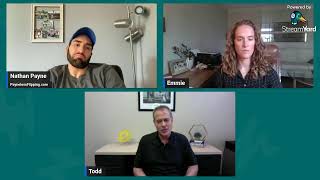
What is going on everybody? We are live. Just going to give it a little bit of time. I got something really cool I can show you guys for everybody that is virtual wholesaling, which should be everybody. Even if you're in your own market, you should be doing virtual sales calls, doing things virtually to save yourself some time. So I'm going to be showing you guys something really cool today. So let me know where you're watching from, type it in the comments and then we can network. Give me a shout out. It's always cool to see where everybody's watching from. But yeah, we got some good stuff today. I'm going to show you guys exactly how to set up virtual walkthroughs, exactly how to set up virtual calls with sellers. Because guys, you got to stand out these days. There's a lot of competition. You got to set yourselves apart somehow through being able to be a little bit more professional, be able to show people who you are, your face. You got to be able to set yourself apart than just a phone call, in my opinion. So yo, type where you're watching from. Give this video a like wherever you're watching because the algorithm says, hey, this is a good video, let's freaking, uh, put in front of more people. So help me out with that. And I get a little parched, you know, so I got to drink my, uh, sparkling water. Amazing, amazing. All right, everybody. Oh, we got somebody from New Jersey. Hola, hola. All right, New Jersey. Is that— are you saying hola? Or is that, uh, hola? Are you Spanish? It's good to see you. Houston. All right, good, good to have people from Facebook on here. Let me see, get my YouTube people. We got a hi over here. Thank you. If you can, as I'm giving you a shout out, just hit that like button wherever you're watching. I appreciate it. Like I said, I got something really important to show you guys because again, in this age of technology in this age where it's, you know, people are constantly getting bombarded, you got to set yourself apart from the competition. I'm going to show you guys exactly how you can do that and how I do that with, uh, using technology and using Zoom calls, Google Meet calls, uh, running, you know, doing virtual walkthroughs. Much— I'm gonna show you guys right here. Rogelio, what's up, brother? Good to see you, man. Thanks for popping in. All right, everybody. So, um, we'll give it maybe another minute. Again, today I'm going to show you guys exactly how to wholesale virtually, and one of the aspects of wholesaling virtually that will set you apart, especially when you're working with cash buyers, especially when you're working with sellers. They don't know who you are. Maybe some of the cash buyers, they've never worked with you. Maybe they can't go see the property. Uh, I'm going to show you guys exactly how to set everything up so you can get more done in less time because that's what it's about, guys. You know, we all have the same amount of time in a week, in a day, you know, and if you're not able to maximize that and be able to do more with less time, you're going to get beat out by other people that have more resources. So how do you do— how do you stand out? Well, you got to be professional, you got to be trustworthy, you got to be the best when you chat with sellers, you got to set yourself apart and I'm going to show you guys again how to do that. Yeah, this is actually recorded. This is actually on my YouTube channel depending where you guys are watching this from. If you guys just go to my YouTube channel under live, you're able to go watch this back. Okay. All right everybody, let's dive right in, but hold on, we got one more. I got to ask your friend name and CTE again in case we happen to connect. Where I see him at REI meetup. Yeah. Yeah. So Connecticut, Nathan Payne, if you're talking CT, Connecticut, I think that's what it is. Um, yeah, he's Nathan Payne. Okay. All right, everybody, let's dive in. I'm going to show you exactly how to do something extremely important in virtual wholesaling. Okay. And it's going to save you a lot of time because I don't even go on seller appointments when it's like 20 minutes away, 30 minutes away. And I'll show you exactly why. Through what I'm about to show you right now. All right, I got to get ready. Okay, let's dive right in. So right now what I'm about to do is I'm about to show you exactly how to set up virtual appointments with sellers and how to set up virtual walkthroughs with your buyers so you don't have to drive all the way to the appointment, whether it's 20 minutes away, whether it's an hour, whether it's across the United States. And you've never been to that property or that state, it doesn't matter. I'm going to show you guys how you can set yourself apart with technology and how I use, uh, setting up of Google Meets and Zoom calls to be able to chat with sellers, show my face, show them I'm professional, make them feel comfortable. And outside of sellers, so if my buyers can't walk the property, how I can use a virtual link and give it to them so so they can walk, uh, they can see the property and have the seller walk it. Okay, this is going to save you guys a lot of time. And again, I'm going to show you exactly how to do it. So the first thing I'm going to show you is how do you set up a link so you can send it to your sellers to hop on a call so you can do a virtual call and a screen share, or how do you set up a link so you can send to your buyers and do a virtual walkthrough. Whether you go to the property yourself and walk through, and you can send the link to as many buyers as you want and they can watch it, or, uh, you can just send the link to the seller and the seller can do it, which I'm going to show you. I have two examples, one of me doing a screen share with a seller, a virtual call with the seller, and also a virtual walkthrough. Okay, very, very important. Need to use this, especially if you want to use your time most wisely, because, and you know, if you can go, maybe you can go on like 2 or 3 seller appointments a day if they're not too far apart, or maybe you can only do 2 or 3 walkthroughs a day. Now, if you do this strategy, you can do multiple uh, ones, and it's recorded, and it's, it's just better to use. So let's dive right in. Let me show you guys exactly whether you have a Gmail account or you can get a free Zoom account, both of these work. Let's, let's dive into Zoom first. Okay, so let me share my screen. Okay, so if you are gonna set up a virtual appointment with a seller or a virtual walkthrough and then send it to your buyers, this is all you got to do. You just got to go to schedule meeting. And you got to— let's say this is a virtual, uh, no, you don't have to say virtual, be seller appointment. And let's say the seller's name is Jan, with Jan. Okay. And it's tomorrow at 3:30. Uh, all you got to do is type in Jan's email and it will send her an email invite with the link that's generated automatically, uh, to her email. Very, very simple. Okay. And then you save, and then you get the link. It creates a meeting, and it's set up that way. Now, same thing with a virtual walkthrough. You just go virtual walkthrough for Jan's house. Okay? Now, you would send this to Jan. You would also do the same thing. You'd put in the email. You'd send— you can get the link, or you can also send the emails to the buyers that you know want to walk through, or you can just send the link once it's created., and you would send this link to Jan. You say, hey, Jan, at 3:30, all my buyers, all the people I work with are going to hop on this link and you're just going to walk people through. I'm going to show you guys what it looks like, how to do it like that. So anyway, there it is on Zoom. Very, very simple. Okay. Now, if you guys have Google like I do, like most people do, this is— I prefer to use Google Meet. So what I do is I go to my— this is actually my calendar, but I'm just going to use this, this one that's blank. So all you do is you go, uh, seller appointment, and, uh, with Jan, you type in Jan's email. But let's just say I don't have Jan's fake, so we're just going to put Nathan's Valleys. So then it creates a join with Google Meet, it creates a Google Meet, um, and then you save, and it's going to send an email, um, notification, and it's going to throw it on their calendar for Nathan Valley or Jan in this situation, and it's going to let them know exactly what time the appointment is. Okay, so you'd want to call Jan, just like, hey Jan, are we good for Thursday the 18th at 5:00 AM? Which might be a little too early in this scenario, but then it pops up. Okay, so now if it's a walkthrough, same thing. Okay, walkthrough of Jan's house. Okay, and then you just add the emails of the buyers. The buyers all get the links. And if your buyers for some reason don't get the, like, the email, all you do is you just copy the URL here, and then you can text it to your buyers and they all can hop on. And the cool thing about it is you can record the calls as well. Very simple. Uh, I'll show you guys how to do that just on Google Meet. Very simple. So let's say we're having a meetup. Let's hide this. Okay, let's say we're about to do the walkthrough. You just go to manage recordings, press record, then everybody gets the recording even if people didn't watch it. Weren't on the link live, you can send it to your buyers. Do this all the time. Okay, so the next thing I'm going to show you some examples of how this works. All right, so first we're going to show you how this works with a seller appointment. Okay, so what I do is I send— this is a video I did with a seller. Well, his dad passed in 2020. Okay. And then his mom, um, passed unexpectedly. And yeah, because, you know, I'm sorry, guys, I was muted. Oh my gosh. Okay, let me, let me— I'm gonna do it again. I don't— I'm sorry, I don't know why it freaking muted me. So, um, if you're all still with me, let's freaking dive right back into this. Okay, so Let me share the screen again, man. Apologies. I guess when I unplugged my mic to do this, it stopped sharing. Okay, let's do it one more time. So in this scenario that I'm about to share you right, right now, I got to share my tab right here. I, I call the seller and we have an appointment and I share my screen and I go through a process to make them feel more comfortable to trust me because they see who I am. And this is because I'm not able to go meet them in person. What, to do that? Yeah, we'll have to do that. Yeah. So we start chatting about the condition of the property, what the situation of the house. I run comps with them. I look at Zillow because everyone feels comfortable with Zillow. I then go to Batch Leads for further credibility because it has a bunch of information on their property. I then go and start running the numbers saying, hey, if I were to flip your house, this is how much I'd make. I am very honest with, like, you know, the numbers and what I would make. I let them know I'm a business. I got— I can't do it for free. They usually, they obviously understand that. Then I run through their options. If they don't like my cash offer, I say, hey, you know, you could always list this and renovate it yourself. You have multiple different options, but my cash offer is this. If you don't want to flip it yourself, we also can do a novation or we can do creative terms. Okay. And the purpose again of setting up the call this way is so you can set yourself apart from the competition. Instead of just being on a phone call, you can show them that you're real and you can establish credibility. That's the sales process I like to do a lot. Now, if I can just lock them up, then great. And if I can't, then, you know, I obviously go through this process if I feel like it's worth my time. And just, you know, if you guys kind of see how I'm talking to the seller, just like this is, this is some of the audio from it. To, you know, paint it. So, okay. And painting isn't too expensive. Yeah. I'm basically saying, hey, have you thought about just fixing it up yourself? I like to push people towards that so they can feel comfortable and know that, like, I'm not just going to stiff arm them and be like, hey, 'You have to go with— you know, I really want you to go with me.' Like, I know I say, 'Hey, you probably should go with Fix It Yourself because you're going to make more money.' Now, that's the process if you're going to send them a link and have them go— like, if you're going to send them a link and do a virtual call. Okay. And again, I do this all the time here in Utah instead of driving like 20, 30 minutes, because sometimes it turns out to be way longer. You got the hour, hour and a half appointment or 30-minute appointment. Then you drive back, you hit traffic. So I'm trying to get as much done. And I think a Zoom call is just as efficient and effective. Plus you can record it and use it for future trainings. You can send it back to them. It increases credibility and you're going to be able to stand out outside of the competition. So that is if you set up a Zoom call or a Google Meet call with, with, uh, the seller. Now, how do you do it if you're going to do it for your cash buyers? Let's say I want to share I see a property and my cash buyers can't go. They can't go for some reason. They're busy. But I got some awesome buyers that want it. They just can't make it. I will send the Google Meet. I will get on the Google Meet call or the Zoom call with the seller and say, hey, seller, can you just show us around the property? I have a couple of the people I work with that are going to be on here, watch this recording, and they're going to kind of be able to know exactly where they need to be on the price. So this is how that process works. Let me show you like a real situation of that right now. So let me share my screen so you guys can hear that audio. Let's see, okay, here it is. This is an actual virtual walkthrough I did and then I sent the link to a couple buyers. Yeah, and then just Okay, then we'll do it. So I called the seller, uh, actually I gave the— it wasn't the seller, it was like their landlord or whatever, uh, no, no, it was their property manager that, that I sent the link to and he was showing the property. So this is how I navigated it, very simple. Yeah, and then just, uh, if you want to walk us through and narrate, we won't say anything just because when we talk it shows our camera, so we'll just let you do the whole thing and everybody just mute it and we'll let you go through. Okay. Lights on, on it. Yeah, Nate, you can obviously— Nate Worthen, you can obviously say something if you need to, but, uh, it's best that we're muted if so. It doesn't— my questions for the end. Okay, we'll save the questions for then. Okay, the property address is 11100 Orange River Boulevard. Fort Myers, Florida 33905. This is the driveway off the main road. All right. And you guys get it. He's, he's— I'm you. I'm making, or I'm having the seller or the— well, this is the property manager do the walkthrough for me. So I don't have to go all the way out there and I can use the recording. As you guys see, I have the recording and I have my buyers on the link. If they have specific questions, we're like, hey, actually go to that swamp cooler. Or go to that door that looks nasty. I want to see it a little closer up. So this is a good way for them to have the recording and to see it without having to go out there. Okay, let's see. So anyway, those are the two options, everyone, where I like to use technology. I like to use Google Meets and I like to use Zoom calls. I prefer Google Meet again because it's pretty simple setting that up. To not have to drive out there and go out there. I leverage the seller doing the walkthrough for me, and I have my— I give the link to the buyers. And I like to meet with the seller face-to-face over a virtual call. And if I need to meet in person, I will. But most of the time, it's pretty simple. Everybody's got a phone, everybody can FaceTime. It really doesn't matter what you use. I just use Google Meet or Zoom because you can record the call. You can have multiple people hop on. So I wanted everyone to know how to do that because as this— as time gets— time is always valuable, it's always valuable. But as you get deeper into this game, you want to use your time more wisely. When you first start, you're like, oh, I'll just go to any appointment, because that's how I first started. I was like, oh, I'll just go to any appointment. But soon you realize some appointments aren't worth going on, so you don't want to waste your time, especially like all day driving somewhere, going to a couple appointments anything. You can knock it out with a Zoom call or a Google Meet call and go through the process of taking a seller through their options that I liked. I like that process versus just lowballing them or anything. I just say, hey, you got a couple options, what have you explored? And I hope this was helpful. I hope this helps you all out to know that you can use your time way more wisely. You can knock out way more calls, and it can set you apart from the competition who just is on the phone. You know, you can do phone calls, but if you can hop on and send us a video recording of the call you just did, man, that's going to set you guys apart a lot. So anyway, any questions? This call was, you know, I'm sorry for muting, but I don't have to go too much more in depth than that. Just pretty simple. Any questions from the audience, from my people? I'm curious. Big time and painless. I'm glad you like it. I, I think it's awesome because again, I never have to leave this office if I don't want to, right? Like if a seller's like, oh, I want to meet you, be like, hey, I totally get it. Let's— let me propose this. If it's too far, even if it's close, just be like, hey, look, I have a— I guess you could overcome that objection just being like, hey, I know I have no problem going there, but I prefer if we met so we could record the call and you could have it for your records. And enables me to actually do a little bit more appointments if I don't have to drive around. Now, if they're like, you have to come here, then it's like, okay, that's fine. But, you know, I'd go for this. This is the first option I would shoot for if they— to set yourself apart. I'm glad you like that. Okay. All right, everybody. Well, I hope this was a good call. I hope you guys try it. Like I said, it's very simple. Just set up the Google Meet, send the links to whoever you have, send the email. By putting in the email. Very simple. And use these recordings, keep them, keep the recordings, watch yourself back, see how you can do better. And that's how you're going to improve. You got to take your shot. If it's the process that you go through, it isn't that smooth, then you can be like, oh wow, I messed up at this part, what I recorded, or the walkthrough didn't go well here. This is what I can do better. And again, this is the Painless Cash Buyer Secrets call. And you know, The reason I'm showing you this is so you can have more cash buyers look at your deals versus just, you know, a couple people that go and that's all. Okay. How can I get the calculation worksheet? You just have to go to painlessflipping.com. All right, let me share this. I'm going to share my screen with you guys so you guys can see it. Turn screen. All you got to do is go to painlessflipping.com. There you go, and then you get it. Subscribe. It's basically— I want you guys to subscribe so I can send you more resources. And for subscribing, it's my weekly newsletter. So if you subscribe, I tell you stories about how I first got started. Every store you get a resource but I give you a calculator just for subscribing. Alright everybody, and one last thing I'll tell you about the calculator— offer calculator. You— all you have to do is— this is the copy that I use. You have to go in here and make a copy of it, okay. Just make a copy or you download it as an Excel. And that's it. All right, you can't— you can't ask— you can't request to use this one because this is the one I use. So hope that helps. I did buy your program. Well, let's go! Awesome. Well, just DM me and I'll send you the link. I can't see who you are for some reason because it just says, uh, Facebook user. So on these lives it doesn't let me know. Sorry. Uh, But everybody else, yeah, if you're not in, obviously working with me, then just go over there. But yeah. Okay, cool, cool. Awesome. Yeah, just DM me. What else was I going to say? Yeah, like this video, please, because it helps the algorithm. It helps to get to more people. So if you enjoyed this, if you thought this is good, I do the calls every week. I'm here to help you guys succeed. I want, I want you guys to reach out and say, hey, Nate, I did a deal because of something you showed me, or I'm progressing. That's my goal. I'm not just doing this for the heck of it. I'm doing it because I want to help you progress and succeed, everybody. So anyway, let's do it. Let's get it. And, uh, yeah, give me that like so we can— more people can get a piece of this, because I don't think a lot of people are seeing this because, man, I'm telling you that Google or whatever, Facebook, they're limiting my reach. They're saying, yo, we're not letting anybody see Nate's stuff. But you're all here, so I appreciate you. Okay, anytime. Peace out, everybody. Later.
More from Nathan

Why Traditional Wholesaling Keeps Failing You (Use This Pre-Flip Method Instead)