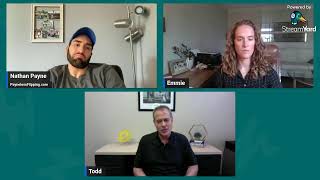
Save Time: Virtual Walkthroughs for Real Estate Deals
Nathan Payne shows real estate agents how to use Zoom and Google Meet for virtual seller appointments and buyer walkthroughs. Schedule a meeting, run comps on Zillow, present cash offers, and record the session. Skip the drive time and handle multiple deals in one day.
Chapters
Right now what I'm about to do is I'm about to show you exactly how to set up virtual appointments with sellers and how to set up virtual walkthroughs with your buyers so you don't have to drive all the way to the appointment, whether it's 20 minutes away, whether it's an hour, whether it's across the United States and you've never been to that property or that state. It doesn't matter. I'm going to show you guys how you can set yourself apart with technology and how I use setting up of Google Meets and Zoom calls to be able to chat with sellers, show my face, show them, them professional, make them feel comfortable. And outside of sellers, so if my buyers can't walk the property, how I can use a virtual link and give it to them so they can see the property and have the seller walk it. Okay, this is going to save you guys a lot of time. And again, I'm going to show you exactly how to do it. So the first thing I'm going to show you is how do you set up a link so you can send it to your sellers to hop on a call so you can do a virtual call and a screen share? Or how do you set up a link so you can send to your buyers and a virtual walkthrough, whether you go to the property yourself and walk through, and you can send the link to as many buyers as you want and they can watch it, or you can just send the link to the seller and the seller can do it, which I'm going to show you. I have two examples, one of me doing a screen share with a seller, a virtual call with the seller, and also a virtual walkthrough. Okay, very, very important. Need to use this, especially if you want to use your time most wisely, because maybe you can go on like 2 or 3 seller appointments a day if they're not too far apart, or maybe you can only do 2 or 3 walkthroughs a day. Now, if you do this strategy, you can do multiple ones and it's recorded and it's it's just better to use. So let's dive right in. Let me show you guys exactly whether you have a Gmail account or you can get a free Zoom account, both of these work. Let's dive into Zoom first. Okay, so let me share my screen. Okay, so if you are gonna set up a virtual appointment with a seller or a virtual walkthrough and then send it to your buyers, this is all you gotta do. You just gotta go to schedule a meeting and you gotta, let's say this is a virtual, no, you don't have to say virtual, seller appointment. And let's say the seller's name is Jan. Okay, and it's tomorrow at 3:30. All you gotta do is type in Jan's email., and it will send her an email invite with the link that's generated automatically to her email. Very, very simple. Okay, and then you save, and then you get the link. It creates a meeting, and it's set up that way. Now, same thing with a virtual walkthrough. You just go virtual walkthrough for Jan's house. Okay, now you would send this to Jan. You would also do the same thing. You'd put in the email. You can get the link, or you can also send the emails to the buyers that, you know, want to walk through, or you can just send the link once it's created. And you would send this link Jan, you say, hey, Jan, at 3:30, all my buyers, all the people I work with are going to hop on this link and you're just going to walk people through. I'm going to show you guys what it looks like, how to do it like that. So anyway, there it is on Zoom. Very, very simple. Okay. Now, if you guys have Google like I do, like most people do, I prefer to use Google Meet. So what I do is I go to my— this is actually my calendar, but I'm just going to use this, this one that's blank. So all you do is you go seller appointment and with Jan, you type in Jan's email. But let's just say I don't have Jan's fake. So you're just going to put Nathan Valley's, then it creates a join with Google Meet. It creates a Google Meet and then you save and it's going to send an email notification and it's going to throw it on their calendar for Nathan Valley or Jan in this situation. And it's going to let them know exactly what time the appointment is. Okay, so you'd want to call Jan and just be like, hey Jan, are we good for Thursday the 18th at 5 AM? Which might be a little too early in this scenario, but then it pops up. Okay, so now if it's a walkthrough, same thing. Okay, walkthrough of Jan's house. Okay. And then you just add the emails of the buyers. The buyers all get the links. And if your buyers for some reason don't get the, like the email, all you do is you just copy the URL here and then you can text it to your buyers and they all can hop on. And the cool thing about it is you can record the calls as well. Very simple. I'll show you guys how to do that just on Google Meet. Very simple. So let's say we're having a meetup. Let's say we're about to do the walkthrough. You just go to manage recordings, press record. Then everybody gets the recording, even if people didn't watch it. Weren't on the link live, you can send it to your buyers. Do this all the time. Okay, so the next thing I'm going to show you some examples of how this works. All right, so first we're going to show you how this works with a seller appointment. Okay, I call the seller and we have an appointment and I share my screen and I go through a process to make them feel more comfortable, trust me, because they see who I am. And this is because I'm not able to go meet them in person. What, to do that? Yeah, we'll have to do that. Yeah, so we start chatting about the condition of the property, what the situation of the house. I run comps with them, I look at Zillow because Everyone feels comfortable with Zillow. I then go to Batch Leads for further credibility because it has a bunch of information on their property. I then go and start running the numbers saying, hey, if I were to flip your house, this is how much I make. I am very honest with like, you know, the numbers and what I would make. I let them know I'm a business. I got— I can't do it for free. They obviously understand that. Then I run through their options. If they don't like my cash offer, I say, hey, you know, you could always list this and renovate it yourself. You have multiple different options, but my cash offer is this. If you don't want to flip it yourself, we also can do a novation or we can do creative terms. Okay, and the purpose again of setting up the call this way is so you can set yourself apart from the competition. Instead of just being on a phone call, you can show them that you're real and you can establish credibility. That's the sales process I like to do a lot. Now, if I can just lock them up, then great. And if I can't, then obviously go through this process if I feel like it's worth my time. And just if you guys kind of want to see how I'm talking to the seller, just like this is some of the audio from it. To, you know, paint it, so And painting isn't too expensive. Yeah, I'm basically saying, hey, have you thought about just fixing up yourself? I like to push people towards that so they can feel comfortable and know that, like, I'm not just going to stiff-arm them and be like, hey, you have to go with, you know, I really want you to go with me. Like, I know I say, hey, you, you probably should go with Fix-It-Yourself because you're going to make more money. Now that's the process if you're going to send them a link and do a virtual call. Okay. And again, I do this all the time here in Utah instead of driving like 20, 30 minutes because sometimes it turns out to be way longer. You got the hour, hour and a half appointment or 30-minute appointment, and you drive back, you hit traffic. So I'm trying to get as much done, and I think a Zoom call is just as efficient and effective. Plus you can record it and use it for future trainings. You can send it back to them. It increases credibility, and you're going to be able to stand out outside of, uh, the competition. So that is if you set up a Zoom call or a Google Meet call with the seller. Now, how do you do it if you're going to do it for your cash buyers? Let's say I want to see a property and my cash buyers can't go. They can't go for some reason. They're busy, but I got some awesome buyers that want it, they just can't make it. I will send the Google Meet. I will get on the Google Meet call or the Zoom call with the seller and say, hey seller, can you just show us around the property? I have a couple of the people I work with that are going to be on here, watch this recording, and they're going to kind of be able to know exactly where they need to be on the price. So this is how that process works. Let me show you like a real situation of that right now. So this is an actual virtual walkthrough I did, and then I sent the link to a couple buyers. Yeah, and then just, uh, Okay, then we'll do it. So I called the seller. It wasn't the seller, it was like their landlord or whatever. No, no, it was their property manager that I sent the link to, and he was showing the property. So this is how I navigated it, very simple. Yeah, and then just, uh, if you want to walk us through and narrate, we won't say anything just because when we talk it shows our camera. So we'll just let you do the whole thing, and everybody just mute it, and we'll let you go through. Okay. Yeah. Nate, you can obviously— Nate Worthen, you can obviously say something if you need to, but it's best that we're muted. If so, it doesn't— I'll save my questions for the end. Okay. We'll save the questions for the end. Okay. The property address is 11100 Orange River Boulevard, Fort Myers, Florida 33905. This is the driveway off the main road. All right. And you guys get it. I'm making, or I'm having the seller or the— well, this is the property manager, do the walkthrough for me so I don't have to go all the way out there. And I can use the recording. As you guys see, I have the recording and I have my buyers on the link if they have specific questions. We're like, hey, actually go to that swamp cooler or go to that door that looks nasty. I want to see it a little closer up. So this is a good way for them to have the recording and to see it without having to go out there. So anyway, those are the two options, everyone, where I like to use technology. I like to use Google Meets and I like to use Zoom calls. I prefer Google Meet again because it's pretty simple setting that up. I do not have to drive out there and go out there. I leverage the seller doing the walkthrough for me, and I have my— I give the link to the buyers, and I like to meet with the seller face-to-face over a virtual call. And if I need to meet in person, I will, but most of the time it's pretty simple. Everybody's got a phone, everybody can FaceTime. It really doesn't matter what you use. I just use Google Meet or Zoom because you can record the call and you can have multiple people hop on. So I wanted everyone to know how to do that because Time is always valuable, but as you get deeper into this game, you want to use your time more wisely. When you first start, you're like, oh, I'll just go to any appointment because that's how I first started. I was like, oh, just go to any appointment. But soon you realize some appointments aren't worth going on, so you don't want to waste your time, especially like all day driving somewhere, going to a couple appointments that stink. You can knock it out with a Zoom call or a Google Meet call and go through the process of taking a seller through their options that I liked. I like that process versus just lowballing them or anything. I just say, hey, you got a couple options, what have you explored? And I hope helpful. I hope this helps you all out to know that, uh, you can use your time way more wisely. You can knock out way more calls, and it can set you apart from the competition who just is on the phone. You know, you can do phone calls, but if you can hop on and send a video recording of the call you just did, man, that's going to set you guys apart
More from Nathan

Why Traditional Wholesaling Keeps Failing You (Use This Pre-Flip Method Instead)