Teaching AI to Speak Your Design System's Language with Reony Tonneyck
In this episode of the Intent and Craft podcast, senior product designer Reony Tonneyck (formerly design system lead at Khan Academy) walks host B and co‑hosts through his unconventional career journey—from animation school and a recession‑forced shift to web design, through startups, a telehealth product, and finally to cybersecurity startups—culminating in a deep dive on how he builds, maintains, and evolves a design system at Command Zero. He explains the decision to adopt an open‑source Angular UI framework and its canonical Figma UI kit, the challenges of achieving code‑Figma parity, the evolution from a centralized to a decentralized team model, and the practical trade‑offs of using proprietary versus open‑source design systems. The conversation then shifts to AI‑augmented design workflows: early adoption of Raycast, extensive use of Claude (including Claude Code, Claude Design, and Claude‑driven release‑note automation), token management with Token Studio, the role of Vercel’s skills.sh, and various voice‑to‑text and browser tools (SuperWhisper, DIA, Arc). Reony shares both successes (auto‑generated release notes, design pattern templates in Notion, Figma Make kits) and pain points (slot boolean loss, breaking changes in Figma Make, mismatched variable naming between Sass and design tokens). He concludes with reflections on overhyped AI narratives—particularly the myth of fully replacing humans—and recommends a focus‑enhancing tool, Brain.fm. Throughout, he emphasizes the importance of human visual intuition, cultural aspects of design system adoption, and pragmatic documentation practices.
Chapters
In terms of like the design world, it's not always about the output. You know, there's that understanding and visual design taste and even like sort of exploration when you're still manually tweaking and playing with pixels in Figma, you might have like that accidental aha moment that these agents really can't do.
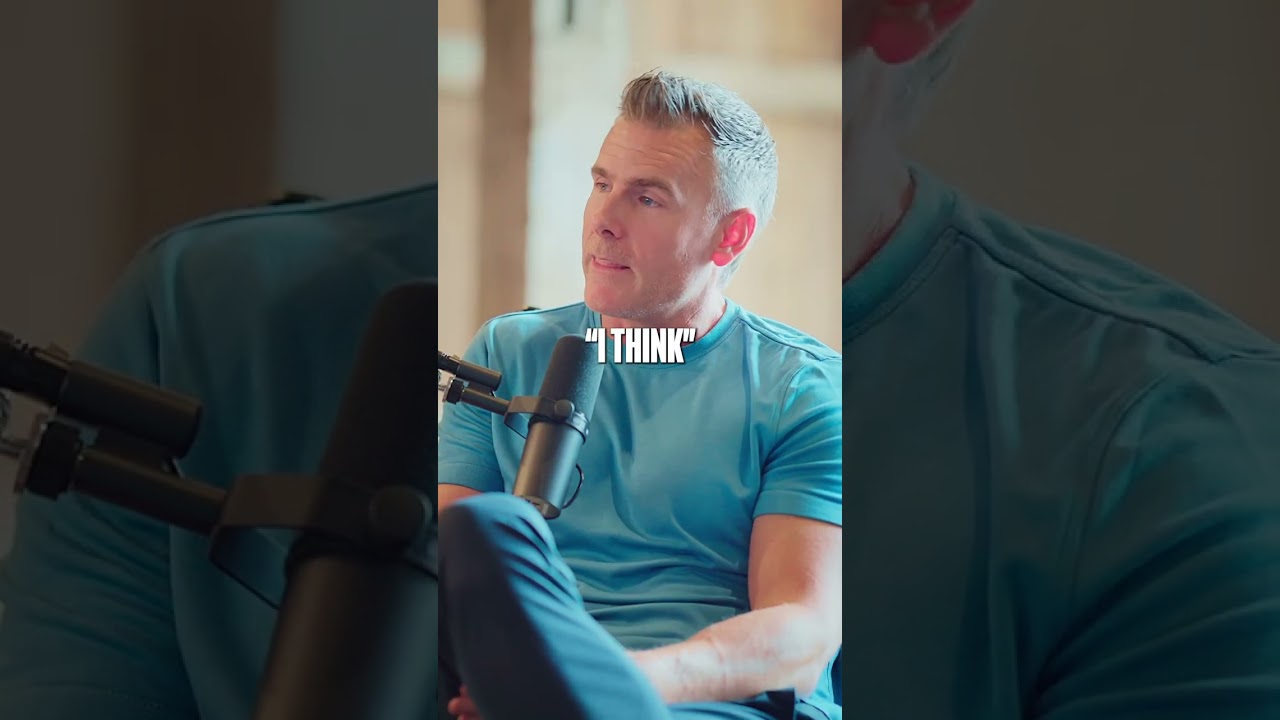
Welcome to Intent and Craft, a product design podcast where we dig into design systems, AI in the design process, and what it really takes to scale design for modern-day software. In this episode, we sit down with Rioni, Senior Product Designer at Command Zero and former Design System Lead at Khan Academy. Command Zero is building the next generation of cyber investigation tools for enterprise security teams. In our chat, we get into what's really like building and maintaining a design system on top of an open source framework. What does your team actually own versus what do you inherit from upstream? How do you set up tokens and documentation so AI tools can actually use them? And how Rioni is setting up a Claude and Notion automation to document and put release notes out straight from GitHub. So let's dive into it. Can you kind of walk us through your, your design career and kind of give us a little bit of a roadmap of, of how you landed where you are now?
Yeah, so I've heard this story from other people sort of around my age as well, but I went to school for animation. Uh, at the Art Institute, which yeah, has reduced in size quite a bit, uh, since then. And I had a pretty rounded education. So after my first job or so, the Great Recession around 2008 happened, as a lot of us probably remember. So I had to quickly career shift essentially with something that I could land, and that was when I first stepped into web design, sort of around that like Web 2.0 era. And I landed at a federal contract position for the state government doing what they call e-learning, which are these sort of learning courses that they eventually apply to a DVD for State Department employees that are maybe traveling, traveling internationally and need to learn about the culture and the country that they're going to, et cetera. And I was there for quite a while and then I kind of had enough of that, you know, culture and environment. I was like, I really want to get into like a startup or some small like local agency, like get into mobile web design. 'Cause the iPhone and then the first Android phone just came out, which is what I went with, with like the cool flip keyboard and stuff. And yeah, did that for quite a while. Long story short, basically was always at startups, uh, in some form. And then there was sort of this pivot where I was at a place, we made software for law firms, so a bit more technical and dry, not like visually super interesting. And I started to really get into building a Dribbble portfolio. And that was sort of me prepping to try and get into a position where the work was, you know, more creative, bit more modern in terms of practices and things. So I used my Dribbble portfolio to just build concepts and even get into like some prototyping tools at the time. One was called Principle. And yeah, and then I landed something and fast forward a few years, got into my first cybersecurity startup. Currently I'm at one now. And that was like a big pivot point. So I finally joined a, a team where we had a few designers, started mentoring another junior designer at the time, and then landed a job at Khan Academy, which was my first dedicated design system role to lead their design system team on the design side. And my wife puts it like Khan Academy was like my master's degree in a way, just surrounded by incredibly bright and good people and just learned so much and absorbed everything that I could there. And that, yeah, that's where I kind of solidified that knowledge and understanding and practice and the craft around design systems. And then went through a big layoff, like a lot of big tech did, sort of, you know, the tail end of COVID and then landed where I am now, another cybersecurity startup.
So.
Yeah, that's very cool. It's funny cuz like that, you say like that era of designers have all had that like career shift. I did the same thing myself. Started in a completely different industry and then moved into, uh, product design. Also an early Android adopter.
That was nice.
Nice. On the iPhone right away.
So yeah, I, I saw a little glimpse of that same phone on some video I saw recently.
I was like, I want to get my hand on one. That was such a cool device with the keyboard, with the screen that flipped down.
Yeah.
That's awesome. How did you, you know, like through all of the startups that you worked in and then getting into more sustainable tech company like Khan Academy and things like that, how did you move from product design into design systems? Was that like an intentional choice? Was that like you had to wear the extra hat or just sort of a happy accident?
Yeah, it was kind of both actually. So like I started building up right before I was at Complex, the first cybersecurity startup. I worked for a small telehealth, like virtual health platform company that was later acquired by Amwell, and I was specifically hired to lead design systems there. I was an early adopter, even sort of beta phase with Figma. So was there for a little while, but then at Complex with a larger org, still startup, it was like less than 100 people, but in terms of startup world, a bit, bit larger. As the product started to evolve and scale, it was just out of necessity. So we had a, like, pretty decent size of frontend folks, multiple designers. I came in with a very strong knowledge and background of Figma, which which we adopted as soon as I came on board. They were using Sketch, uh, right before I, I came. So it was much easier to start to ramp that up, especially as the features and tooling in Figma started to evolve. And yeah, I mean, we, we got scrappy, but we had, uh, an open source framework there as well and used Atlassian for documentation for formal decisions, things like that. Before then, in terms of interest, I think like frameworks like Bootstrap come to mind, learning about Brad Frost and atomic design system concepts, even like Bass CSS, uh, was, was, uh, I don't know if a lot of people know about it. It was like a, basically sort of a utility layout based framework, uh, super lightweight and it was really fun to use. And then another really big pivotal moment for me as well. Before leading to Complex was when I joined this virtual design community called Spec.fm, which they also have numerous podcasts and they're still around, I believe. But the big one there was Design Details, and that was led at the time by Bryn Jackson. Brian Levin's still there. And that was probably one of the best decisions that I made because I was at these small companies, usually the only designer, so having to get a strong understanding of front-end knowledge as well, which is a big advantage to me. But I wanted to be, you know, in some form or fashion, even virtually surrounding myself with more designers, not just like making concepts on my own. And then Bren Jackson had a connection with someone at Figma and he started to write one or two blog posts to essentially promote Figma before they were officially in production. So I got a beta invite there and yeah, as, as we know, if you remember Figma, one of Figma's strong sort of key points and highlights with their features was like components, like no other tool had that at the time. So that was like, you know, sort of the first entry step into design systems, making it a lot more accessible and approachable for, for design tooling. So yeah, a combination of all that. And then finally at Complex, really being able to practice that for like 4 or 5 years allowed me to build like a pretty strong portfolio, case studies, stories, et cetera, which landed me that job at Khan Academy eventually.
Awesome. Yeah, I know when, uh, when the components first came out, I remember folks who were setting up design systems in Photoshop using smart objects for a while. Uh, it was like brutal to manage all those disparate files everywhere.
Yeah.
Yeah.
Awesome. With your team now, what's different compared to like past design system teams? Because you've done kind of design systems at a couple of roles and you're doing one now. How does it feel and how has, how has things like shifted over time?
Well, where I'm at now, the team, the entire org is quite small, around 30 people. I never joined an org this early before. I could essentially say I'm a founding designer, which is really exciting. Uh, but when I joined, it was almost a, a bit of a culture shock and I didn't quite know what to expect. But yeah, because of that, the majority of the folks here are very senior plus, so there's a lot of knowledge, passion, drive just to get things done, which was, again, could be quite a shift that you have to get used to if you're not used to that sort of velocity. But I adapted. I'm usually pretty good at adapting. And then I, yeah, I could see the advantage in this sort of culture and mindset. And people usually frame design system teams and how they're maintained in like 3 models. There's like the hybrid or the decentralized, um, et cetera. It's kind of a mix here. It started, I would say, as a couple centralized people.
So when I started, that was one of the main focuses of why, uh, I was hired, started contracting at first for that sole purpose.
Uh, eventually as things started to evolve and really mature, I could label us as decentralized now. So everyone's contributing, you know, within the UI team, UI meaning the designers that we have and our UI engineers.
That's just how we label it.
So it's about like 4 or 5 of us. We have someone on the ops side specifically for UI, and then we have the designer, myself, and a teammate who worked with me at Komplex before. And we have an intern now as well, which is, which has been a really good experience for us. And so myself and my teammate, we, we come from a strong systems background. After we left Complex, he joined, uh, Cvent to join the design system team, which was really neat, um, after we worked together and I sort of mentored him along the way during his, what was I believe his first job, uh, out of school. Um, so now we're kind of, yeah, synthesizing and like merging back together all of that knowledge and practice.
That's awesome. It's cool to hear that you guys have sort of that open contribution model and decentralized team. I know for small scrappy teams, that's like the ideal way to run. So the team isn't dedicated to just the design system.
So that's awesome.
Yeah. Was there any struggles in getting that sort of set up and, and running with, uh, the team you have? I know you said mostly you have a pretty senior team, but I know everyone's always like, there's some times there can be alignment issues or things. Yeah. Was any hardships getting that rolling?
I think like to your point with the, you know, senior sort of plus folks, I think one, one downside of that is people can be very focused on like their sort of habits and how they do things. So as, as we know with design systems, or maybe you don't know, it's not always just about the tooling and what you're offering and You know, the consumption of those, but there's that cultural part as well. You have to know how to work with people, sort of remember, oh, this person likes to be communicated with, you know, in this sort of way, or, you know, even times of the day, things like that.
There, there's sort of that more interpersonal aspect of, of design systems.
But yeah, it is an interesting story there because when I joined, the team was around for at least a couple years already. They already decided to use Angular, uh, which I hadn't used in a while, but it was cool to get back into it because everyone's using React and including Khan Academy. So I was, yeah, interested to get back into Angular and it was nice to see like the Angular community is still very active, constantly putting out releases. So we had that to start with, which was nice. And like a lot of open source frameworks, there's documentation site. So when you're coming on board, it's an excellent resource to start getting familiar with, see what the, you know, system's capable of. But then on the Figma side, we also had our own essentially, you know, UI kit library. And that was a big focus that I was asked to, to work on and improve because it, it wasn't really parity with code. There was a big gap just the way it was. And because of that, it sort of forced me to really dive into things, see where the gaps were, understand like why things were the way they were. And eventually I discovered the team of the framework that we use, they actually sell a, essentially a companion or canonical Figma UI kit. So as they put major releases out for the framework, they typically will also release a new Figma UI kit. You can imagine there's pros and cons to that, but this was a huge, uh, opportunity for us to essentially switch over to something that's, you know, aligning and meeting parity with code mostly and work from something that actually maps pretty much one-to-one when we're designing things in Figma. We have that dev handoff for engineers. They actually know what it is.
They don't have to do that guesswork.
Yeah. So building on top of like that open, open source UI framework instead of like everything in-house, how did that decision originally get, get made by the team? Was that before you were there? Were you part of that decision-making process?
Yeah, that was made before I joined. So already, even though the product was so small and young at the time, I think because of like I'm the new guy in town. I just joined. I would say like 80 or 75% of the people that were there at the time when I joined all had known each other from the past or worked with each other from the past and had pretty good, like strong relationship with, with one another. So I wasn't gonna be like that new person and be like, hey, let's, you know, switch to this. So it was just the situation that I had to accept and, you know, work around those those constraints. Um, so you don't want to come in and disrupt everything. Yeah. Yeah. And they already had something. It's not like everything was POC and like, you know, backend logic. There was already a UI started to be established and a lot of the work behind Figma that we could build off of, even though we found this, you know, canonical Figma UI kit that we could, we could switch to, but even that library that was there still proved a lot of value and were, was already being used in, in UI designs. And there were a lot of com—
custom components as well.
So even now at this point, that same library has evolved to only our custom components.
And then we have that sort of companion Figma UI kit that's, that's in parity with, with code.
And there's another really interesting story there with discovering that Figma UI kit that the framework team provides, because when I started using it, I quickly discovered that they were starting to use Token Studio. So they weren't using variables even though it was available. And this was when Token Studio was gaining a lot of popularity. And I believe the version right before the one that we started using was when around the time Token Studio was released, there wasn't variables in Figma yet. So that was sort of their next best thing if they really wanted to meet parity with, with code. And for context, they're using, uh, SCSS variables and like I said, Angular. Um, so that was really intimidating because if you've not used Token Studio, there's so much there. And it was still on version 1, the UI was still like really clunky, clunky, and just a steep learning curve. So because of that, I reached out to the team. They have a Discord server, uh, and I also joined the Token Studio Slack community. Just started diving in, trying to, you know, make, make sense of things. And eventually I met Sam Gordoshko, uh, or sort of her tag name is, uh, Sam I Am. And she's been a huge advocate for tokens. She was working, working for Token Studio, sort of their first like community advocate in a way. And she was a huge help and we chatted a lot. She helped me get started and I quickly discovered that the method in terms of the frameworks team that, uh, they were using in the Figma file was actually really not the right way to do things., and I was like, oh, this all makes sense because I was trying to make sense of like the Token Studio structure and why aren't things working? And she was like, yeah, because it wasn't set up right. So long story short, I connected her with the Framework team's lead designer and eventually that put them on a good path and the three of us sort of collaborated for quite a few months, which was really cool. Um, and eventually, yeah, they put out a few more big releases and yeah, the, the library's in awesome shape. And the most recent one, they actually completely switched to native Figma variables.
They're not using Token Studio anymore.
That's kind of cool how, uh, using an open source framework and, and plugging into their library and trying to solve some problems that you were able to contribute back up to, to them and, and help set them on a nice path.
That's— Yeah, very cool. Yeah.
Yeah.
And I'm, I'm still in touch with them as well, but it's, yeah, exciting to see the direction this team's taking. So.
For any other, you talked a little bit about some like pros and cons of, of using a, you know, building on top of maybe an open source library or having the Figma library there. Anything else that like folks who've only worked with proprietary systems would want to know, or like what's different about building on top of those that maybe you haven't mentioned already, or any gotchas that, that you had to you had to also work through.
Yeah. Um, I could imagine like being at an org that's very large, has a very extensive mature design system and shifting to a very small team is quite different. And then for context, Icon Academy, it was proprietary. So that was actually a new experience for me and seeing how much slower things are. But yeah, where I am now at Command Zero, when we had something that was already being used, I think the first one that people could probably think of is obviously you could get started so much more quickly when you just, you know, use something that's readily available. Obviously so many people now are using Tailwind. But yeah, which is cool, but also it lends the risk of things starting to look kind of the same, um, unless you put in a ton of work and and modifying that. So like as a startup, especially early, early phase, you can imagine like that's a huge ROI, you know, return on investment as you're, as you're starting off just to get things moving, not having to worry about like, oh, I have to build this component and this component. Now I have to maintain that. And thankfully we are blessed enough to even discover the Figma UI kit, which is usually like the bottleneck, right? You have the code available, but oh no, I have to recreate everything. In Figma. So yeah, that, that was a huge advantage once, once we discovered that. On the other side, something that we always have to keep in mind at past places as well, when we were switching frameworks and stuff, is like choosing wisely in terms of like looking at that repo, you know, if it's open source, see how active the community is, who maybe who the core team members are. Even like how often releases are, like if I see a framework or something and it's not had a release for like 2 years, you know, I'm gonna probably second guess that a bit. Or even looking at their issues list, like if you see hundreds of bugs, you know, another sort of red flag. Yeah.
Yeah.
And, and sometimes that's just the case because the framework's been around for so long, but yeah, if it, the list just keeps growing, it's probably not a good sign. And then at that point, you might ask yourself, like, okay, can I live with these bugs, or do I directly contribute the, you know, to them? Do I design around these constraints and wait things out, et cetera?
Um, those are definitely questions you'd kind of try and answer at least.
And then going back one more time, like, to the plus side, or sort of both, is obviously having that documentation side for that framework that typically exists, that's such a huge advantage, especially when you're coming on board or, or being onboarded as a new member. But then also at the same time, you have that learning curve of trying to learn all of that instead of sort of learning along the way as you're building a proprietary system from the ground up and you just gain that knowledge as, as it evolves and, and expand, uh, scales.
Yeah.
Yeah. Yeah. I could see it like drinking from the fire hose a little bit as you're trying to, but then a whole bunch of decisions have been made for you that you don't have to make.
So yeah. Yeah. Certainly pros and cons. And the one thing obviously like none of these account for is always like sort of that next level where design systems try and get at is when you're like documenting design patterns or, or layout and interaction patterns.
That's something that.
You'll have to deal with any of them as, as the product evolves.
Because typically, you know, those are, those are around product and feature decisions and flows and such.
Yeah, that's always, uh, you know, the project we're on, we're also looking at getting into like service level patterns and interaction patterns across multiple products. And, and it's, that's like where we want to be. We've finally gotten out of the raw component bit. And moving into that, which is, is a lot more documentation and a lot more research heavy.
For sure. Yeah. One good way that I found, and I won't get too far into this so we can move on, but one, one good sort of method that I found that proves to be pretty effective, but is still scrappy, but easy to maintain is what we did at Complex. And I'm doing here as well, in addition to like, we have a very scrappy Notion doc site, which is also very easy to maintain. So we have a separate Figma library. We just call it design patterns, and it's a series of templates for screens or maybe a series of interactions that we have designed out and as many components as we can from the main component library nested in that. And that way we have those sort of templates. And when we sort of try and formalize them, uh, we'll turn those entire screens or a series of flow with multiple screens. Into components, obviously for entire screens. So you're not going to be able to just work with that screen when you drop it into another design, but it's a nice way to just have that sort of template that's designed to be detached. But when you just detach it, it still has those nested core components and styles, et cetera, in them. So it's, it's better than nothing or having to like hunt for a feature that maybe was more recently designed that you like that pattern, but the other designs don't. So it's, it's another thing to maintain, but at least it's more interconnected with, with the core system. Yeah. Yeah, for sure.
And I imagine the new, uh, slot functionality assist making those things a lot more dynamic than they were. No more weird hacks.
Yeah. Huge help. Yeah. We just started trying it out for some of those more dynamic components, like dialogues for the content and tables and stuff, but Yeah, we found one thing that we quickly realized is not a good thing with the slots is it will very easily remove booleans. So for example, boolean props. So in the dialog, we have a footer with, you know, a couple actions buttons. And we were like, oh, let's make the footer a slot as well, because sometimes we want to add like a switch or an extra control in there and not just the submit and the cancel button. When we did, then we published the library and we pulled that update. It actually reset all the overrides and the components in the footer, which we didn't expect. So, and then those booleans go away. So you manually have to hide or delete those buttons and change things. So there's certainly a, a con to the slots, which I'm sure Figma will address at some point.
Like if they could, you know, retain those boolean props for things within slots, that would be amazing. But right now it just kind of disables them and then the props go away.
So we'll see. But it's definitely a huge help for sure.
Today's episode is brought to you by Headway. Do you need to design and build a world-class user experience for your software, but feeling like you just can't get there on your own? That's where Headway comes in. We're the folks who help ambitious startups and enterprise teams bring their product ideas to life through design, development, and product strategy. We don't just give you user interface designs and leave you to figure out the rest. We work with you and your target customers to create beautiful user experiences, build scalable design systems, and provide Silicon Valley-level talent to get it done right the first time. Whether you're launching a new software or just looking to add features, we've got your back. We've worked with startups in industries like logistics, healthcare, fintech, and edtech, helping them solve their biggest software challenges. And here's the thing: no matter how complex your product is, we can help you gain clarity and get the job done together. We're so confident that we'll be the right fit that we offer a 50% money-back guarantee if you don't think we're working out within the first 45 days. Ready to see how we can help you and your team? Just head over to headway.io and book a free consultation today.
Back onto like all the bits and pieces of, of the design system and with the system that's set up built on top of, or built with Angular and using their Figma component library, like what parts do you own and then what parts are you inheriting from them and kind of following their methodology to to either component naming, variables, things like that? And if you had any sort of parts where you're like, I'm going to diverge from what they're doing, or do you stick pretty much in line with what they kind of recommend?
Yeah, I would say that's certainly in the top, like, 3 things that are maybe not necessarily a drawback, but a huge sort of maintenance undertaking when you, when you take on an open source framework. Yeah, in terms of what we own, certainly I mentioned it a bit in the past, but we do have an expansion of our own custom components. A lot of times those do have the, the core, like, Frameworks components, certainly styles, variables, things like that within them. And those are typically, like, maybe larger sets of templates or certain sets of table rows or even certain forms or drawers that have certain controls that we don't wanna remake.
But all of those have those core components and styles and variables, et cetera, applied to them.
The other big thing that initially wasn't ours, but now we sort of see as our own, are the modified themes. So when I started and even like up to a year ago or so, the way we were creating our own theme wasn't really the way ideally it was meant to be done. And that was just the circumstances that were happened and maybe a little bit lack of knowledge when I came on board. And then once I got really familiar with the framework and we were looking to do a major upgrade last year that we went through, we learned how to and the, the team that builds the framework has specific documentation on keeping the, the logic and the files that come with the entire theme and, and the framework, but modifying it in terms of the right way, doing things at build time, et cetera, versus just like, you know, overrides in terms of CSS and stuff, which, you know, no one, no one likes to, to deal with. So now I, I would say that's very much ours. And then the other aspect is mentioned earlier, some Notion docs that we have. So I just have like a Notion space, very lightweight tools, you know, to edit and maintain, very easy to embed rich content, even Figma previews and things like that. So we have that for, I would say like some scrappy design system decisions, but at least it's there.
And if we forget something, we can always go back and refer to that and it gives an opportunity for, folks outside our team to maybe read it if, if they need to, uh, as to why, like, a decision was made.
And then, yeah, like, brand-specific stuff is ours, of course. It's always like another layer on top of the core framework. And yeah, on the more inheriting side, obviously, yes, core component, like logic, naming, all of that. And then that quickly took a shift because once we discovered that canonical Figma UI kit that the framework team provides because we, we get that version that they release at the time, you know, no library's ever gonna be perfect. So even with the Figma library, there were bugs that we discovered or maybe some gaps for component props and things like that that we wanted.
We were a little puzzled, oh, why didn't this come with that?
So we have essentially turned it into our own. So we've enhanced it quite a bit. But making sure that we're doing changes that are essentially possible in the codebase for the framework as well.
So we're not stepping outside the boundaries. That's what our custom components file is, uh, is for.
And we even did something where I found a really handy widget for Figma. So not a plugin, but a widget called Figlog. And it lets you drop in like a dynamic changelog that you could very easily update, um, add new ones, modify. It's got different states for what the change is for, even a URL if you want to point to like a commit in GitHub. Because we were using Token Studio, sometimes we like to just call out that specific change that we made to the commit so we could see what we did for the JSON. So, you know, every place you want to be on the latest and greatest, but especially with like a security platform, it's not typically an option to do like a major upgrade. And when we did that one last year, that was a huge undertaking and I'm really glad that we did. I don't know when we'll do the next one again, but the point is like it's working for us and we have a good system that's working for us. So chasing the, you know, the greener grass isn't always worth it.
It feels like everyone now is using AI and the design system workflows, you know, with whether it's like variables or building components or, or transposing stuff. How did like AI tooling first show up in your workflow and, uh, or has it even showed up in your workflow yet? Uh, and was there anything that you were like skeptical about at first that maybe was like eureka moment?
Yeah, where it kind of started for me was Uh, Raycast. So I feel like so many people are using Raycast at this point, but when these LLMs are so new, I think that was a very sort of approachable and accessible way, especially for people in tech and maybe more non-technical folks like designers.
Or maybe you are a designer that's very technical.
Uh, not, not to label, put a label on things, cuz I'm certainly one of those, but Yeah, that, that was my first entryway. And then just like getting comfortable with how these, these tools work and get an understanding of them. And then, you know, even our org, we, you know, lean very heavily into Claude. So I got access to API keys. So now I can like bring my own key to, to other tools. Raycast brought that over.
So I started exploring using Claude to like generate more complex assets for designs like charts.
No one wants to, like, in my experience, no one wants to manually edit charts in Figma. It's super tedious, but then, oh, I gotta make it, you know, resize to my design, et cetera. And I've used plugins and things in the past, but yeah, having Claude generate a chart for you and then I could export that SVG and just bring that into my design, that was huge, uh, advantage and actually really impressed the frontend engineers. It was like a little proud, you know, pat on my shoulder moment and it saved them a lot of time as well because now they don't have to sort of translate a static chart mockup in Figma. They could actually go to, I used CodePen, so I was using Claude with the CodePen page in Raycast.
So I have my like AI chat open.
And I could essentially have it reference that, that JavaScript, making sure it's, it's understanding and it's referencing the API for the chart system that we use. And yeah, I just had these CodePens, made about like 5 or 6, and then just handed them off. And of course they're like dummy data, but it's way more effective.
Um, and you, you know, you're speaking the, the language of the engineers and they could take that and run with it a lot more quickly versus just a old Figma mockup.
Yeah. And then there are like some other tools, like maybe you've heard of Rewind where, you know, essentially starts taking like snapshots of your, of your computer and you can kind of ask it something that you saw in the past or it could record a meeting and they kind of did quite a lot.
Um, and then later they released Limitless, which is more focused on like meetings and audio transcription.
And then like, this is where things started really picking up. So later discovered one called SuperWhisper, which I use constantly, which is basically a voice-to-text tool. So instead of typing, you're typing all day, you could just say what comes to mind. It'll remove filler words. You use different modes depending on context and it can reformat that based on the tool you're in or, you know, the sort of medium, like if I'm doing an email versus chat or message, even code. And then, yeah. And then the browsers as well. So a lot of folks, you know, in tech were using Arc. Um, and then Arc released, uh, well, I should say the browser company released Dia. Um, and everyone was skeptical. I was just like, I'm just gonna try it. And it was super minimal, uh, minimal, but I saw a lot of the potential and I was just like, I'm just gonna stick with it and see what happens. And yeah, now I'm a huge fan of DIA and the fact that I can like have it sort of cross-reference and give context to a bunch of other tools and, and features, et cetera, is, is a huge advantage. And yeah, I'm really glad they got acquired by Allison because they said they would release an Android app, uh, and a Windows app, which is what I use personally, but Mac for work. So it'll be amazing to finally have like more modern browser across all my devices, but I, I'm still waiting for that to happen. So I, I'm sure it'll happen.
I gotta make that jump yet. I'm still living in Arc. I haven't made the, the full, oh man, the jump yet. But I am fully on board with all the, uh, personal dictation tools. Uh, WhisperFlow, at least for me, has been a lifesaver for everything.
Yeah.
Yeah. But now my kids think I'm on a meeting all the time.
I need her. Yeah. SuperWhisper, they just released a Windows app and it's impressively really good and like almost identical to the macOS app. They have a, an iOS keyboard, which is what you use to like, you can type, but essentially uses it to like use your clipboard and then insert it into the, into the field that, um, you're looking at in the app.
But yeah, they're supposed to work on Android and that would, that would be fantastic.
But, uh, for now it's Gemini, which is pretty good.
Um, I won't lie.
Anything that you're like skeptical of or like you've tried and just kind of fell flat?
Yeah, even until now everyone's trying like, you know, design generation tools or like UI generation tools. It depends on, on, on the context. So a big fan of like tools like Lovable. Um, I think they're doing really well for what they are. And now, you know, most recently we have Claude Design, which is essentially a direct competitor to Lovable. And now most recently we have more of those like open canvas type tools like Paper. And another one I just came across that's very similar to Paper, uh, is pencil.dev. They both do a couple different things, so it's cool to see those. But, and then we have Figma Make as well, which I think is is pretty underrated and I was a big fan of until recently.
So here's sort of where I'm a little skeptical on is a lot of these tools, they're focused on like, I would say like linear flows and prototypes and it's, it's great to see the tools like paper and pencil where it's more of an open canvas exploration.
And I think that's gonna do well, but with something like Figma Make, I think as these, you know, these models and LLMs, design generation tools are evolving for so quickly and they're essentially reliant on them. You know, things are, are bound to break. And I kind of experienced this when Figma Make, and nothing on the, on the Figma team, it's just how things went. Make was great and working just great the way it is. And our team used the, you know, the template feature, which at first we were like using just a single file with guidelines in them. So we would manually duplicate that. And then they released formal templates. So I could publish that file as an actual template. So you go to make a new Makefile.
It's always funny to say that, make a new make.
And you could choose that template. And then great, it's got all the guidelines that we established from that Figma component library, you know, that the framework team provides. That we've customized and everything. And then just recently they, they launched this new kits feature. So now they're essentially separating the template to just be a template file. So it's more of like, maybe like for a feature that, you know, you're gonna iterate on. And then the, the kit is really the design system. And when they launched that or released that and I went to open our template file to try it out. The onboarding experience, and I'm sure I'm not the only one to experience this who was using Make and templates before, essentially destroyed what we had. And I think, I don't even know if there's a way around this because they're restructuring how the, the file is, all the guideline files, um, how it's referencing the library and now the kit is the focus on that. There was no way for me to like revert back because this is at like the tooling note level, not like the file system version history. Um, and thankfully I, I had that snippet of the one large guidelines file in another safe place so I could start over and go through the process of rebuilding it. And in the end, it's much better, but that, that was kind of alarming. And I, I hadn't seen, you know, Figma like kind of drop the ball on that. And again, I've not like hunted down, you know, into community forums and such to see if, if others were complaining, but there was, you know, there's obviously people who were using Figma Make prototypes before, and I'm sure they had templates. So yeah, I'm a little worried, worrisome about like what the next version of that will be. And in the end, you know, I sent the support team a message, but, um, yeah, it'll be hard to kind of keep up. With that, especially when it's kind of out of our control.
Yeah, I struggled a little bit with Make 2, getting the kit set up. And maybe I, I just, I very much like skip the tutorial and just go in there and try to do it myself. And so I couldn't get it to reference my component library correctly and pull the information, but then I did have some success when I started to investigate like design.md files. And I built one of those with a rough, uh, markdown version of the, uh, button component and basically one-shotted all our buttons into the kit having that, which for them was kind of cool cuz then I was able to do that in Claude Design as well, is get that same representation from that one file. So like I'm really interested in, in spending some more time exploring that.
Uh, yeah.
I think that's, maybe that'll be a way to maintain that visual language everywhere.
Yeah, I think Cloud, Cloud Design really nailed that onboarding experience for like creating a design system because completely new, just diving in, not knowing what to expect and the way it sort of guides you step by step through all those sort of main foundational elements like typography, iconography, colors. Dimensions, et cetera. And then you could provide it feedback after it sort of pulls that information in and shows you a little preview. You could say, no, it's not quite right. Go back again. So it's running multiple agents for each of those sort of elements. That was very cool. And I think in terms of like the tool to try and approach things this way and for a design system for like quick prototypes and stuff that it's been the best experience that I've come across so far. So yeah, kudos to them. Nice.
Kind of delving back into, into the design system itself and any, and just the way that your system is specifically structured. When you're giving like the AI tools any context about the system, is there anything that may be harder when parts of it live upstream or parts of it aren't necessarily in your control, you know, or opposed to having everything owned by you.
Yeah. The first sort of conflict that we quickly ran into was things around like variables or props. And it's an interesting sort of situation that we're still dealing with, but we've kind of resolved, uh, with Claude guidelines is like I mentioned, the, the Figma UI kit that, uh, we got for the framework was pretty close to parity. The big gap that it had was it's using Token Studio, which has a very specific naming structure, but on the codebase it's Sass variables. And there was no like transformation pipeline like you might expect with, you know, more mature system where they use like Amazon style dictionary to transform that into CSS variables.
The team now with the latest version, they do offer a service that has their own pipeline. It does all the transformation and syncs with Figma and stuff, which is cool.
But we were noticing like Claude would take using the Figma MCP, you know, engineers would try and implement designs and it would take the literal naming structure of the, the styles. Uh, and the one that we have, this is not using variables, would create new variables in our codebase, but we already had the ones in Sass. So eventually we had to tell it, okay, use the variables or the styles in Figma for just essentially identifying the ones that we already have in our codebase and then match and use the one that is in our codebase. Don't generate new ones if that match exists. So it's, yeah, working around like exclusions and, and whatnot to do is certainly a thing we had to figure out, but it's working now. And like I said, like there's too much work and like we don't have the resource and the bandwidth right now to completely upgrade to the modern one. And it's working for us.
We just know we work around that.
Yeah, I would say that was probably the main big one.
Just naming is always a big thing, like any org that you're going to be at. And now we have an LLM that has to translate that. Yeah, we don't have like a transformation pipeline, so you're essentially maintaining two sources in a way, the design tool and the code, even though they're pretty closely aligned.
But yeah.
Well, cool. Is there any like AI tools or workflows that you're using right now that's like saving you time, maybe like custom skills or, or anything that, that's providing to be really valuable?
Yeah, the first one that I learned about was this really fantastic, like a skills directly, uh, directory, excuse me, that Vercel published, uh, called skills.sh. And it's, it's an aggregate of multiple sources, but it's an excellent place to just browse, download a skills file, try it out. So we tried some there. One that really stuck out to me was one that someone had made for design system patterns, I believe it's called. And that was just like a very large overall one that even covers mobile, et cetera. But we're just web desktop platform. So essentially what I did was start with that. I talked to Claude, Claude quite a lot and just heavily modified it for our own purposes and tech stack. And it proved super helpful. And now it has all that context around our design system, how we use Token Studio, even context of the JSON.
As sort of some source of truth.
And yeah, and then we have a specific one I made that sort of branched off that just for Token Studio knowledge as well. So when we're making modifications to the Figma library, just want to double check things, you know, that are semantic, et cetera.
Any sort of like automations that you've, that you've built for yourself with any of the tooling to kind of like, I don't know, speed some things up here and there?
Yeah, we have biweekly release notes and at first we started exploring generating those with our browser. So DIA chat with their AI, uh, or some other folks might be using Chrome with, with Gemini and we have our releases page and then a Notion doc that we essentially dumped the release notes into and we would cross-reference those and it worked pretty well. But again, like the browser, you know, LLM is reading those. They don't have direct access to the code and, and the release notes with RFC. So as we started leaning into Claude more, I was exploring doing more of like an automated task. And obviously with Claude Code, it has direct access to the repo. It can see what's, you know, in the PRs and the releases.
So, uh, I was really interested in seeing like how much more accurate It could be.
And I have that up if you want to take a look. I could quickly show. Yeah, not spend too much time, but yeah, this chat was like the first one where I was just seeing if it was entirely possible. So I was just asking Claude like, hey, I want to try out making this, you know, recurring task. Can you walk me through it? I want to automate it and essentially getting some background in terms of what's possible. So I don't have to go and hunt through Cloud Docs. And then I was like, oh, you know, in the end, oh, there's this scheduled task and essentially a routine. Walking through Claude, seeing what types of routines we could make, uh, etc., etc. And then, you know, we have connectors as well. So like I said, we use Notion, so they have an official Notion connector. So now that's already a level up from the browser, just reading sort of a, a read-only view of the Notion. It could also write with this connector, uh, versus the browser, it was like a copy paste. Yeah. So I had that, we're obviously connected to GitHub. So in the end, now I have this scheduled task that generates, you know, essentially a guideline with a bunch of steps using the GitHub API directly. So I can point it to the release. You do have to use a personal access token. And at first it was like, no, don't give me the actual one because you don't want to expose your actual access token to Claude. So you make an environment variable.
That's probably the most technical thing it did.
And a few other steps. And then in the end, I had it actually generate a guideline that other designers or even more non-technical folks can follow. So it's very approachable and anyone can try it. And a few other things around like output in terms of sections, ordering, et cetera. And then at that point, right now it's not scheduled. It's just manual. So I choose when to launch it in case we have like an odd week or something. And then that way, not only is it fetching the latest and the actual source, which is our RCs from our release page and the RCs, we have a few RCs leading up to sort of that actual release day. So that page will change. So I, you know, the next week I could say, hey, let's check if there was another RC, see what's missing. Let's update the Notion. And now I don't have to go and copy paste and cross-reference between windows what's in Notion. It just knows and it edits the Notion for me. So we've only done this a couple times, but it's been a huge time saver. And yeah, in the end. The release notes end up in customers' hands as well. So it's not just for our own team and stakeholders to know, you know, what's coming out, because folks like CEO, etc., and even our Chief Product Officer, they're not constantly looking at releases, right? They're worried more about bigger picture stuff.
So it's nice for them to just have that, that list, including our like customer service people too.
Yeah, absolutely.
That's really cool. Well, awesome, Rioni. Thanks a ton for, for really deep diving how your design system's set up and really how you have that sort of a unique scenario for you guys. Before you leave, two things. One, do you feel anything that you feel is overhyped right now in the AI world? And then the other thing, is there something that you're using right now that you think everyone should go check out?
Ooh, yeah. Overhyped. Everyone's always talking about like completely replacing people, I definitely think that's overhyped. Even like when I come to think of it, like, do you want to trust like some business that's completely ran by like a bunch of agents and maybe just one person? Like, I, I don't know, personally, I wouldn't be.
And then there's even just like that knowledge of knowing how to run a business, those interpersonal skills.
And as things scale, you know, your business is growing, like, it's, you're gonna burn out if it's just you for those things. So that's sort of my take on that. And then in terms of like the design world, it, it's not always about the output. You know, there's that understanding and visual design taste and yeah, things like that. Even like sort of exploration when you're still manually tweaking and playing with pixels in Figma, you might have like that accidental aha moment that these agents really can't do.
And yeah, obviously there's always the debate, but that's sort of my take on it.
And yeah, one tool I always mention to people is, it's called Brain.fm. It's like a background audio sort of focus tool that just lives in your menu bar. There's a lot of really interesting like science behind, like the frequencies and stuff that they use. And yeah, I got in very early, but yeah, people I've gotten acclimated to that become a big fan. So if you want something that's—
doesn't have lyrics and things, just pick something based on a mood, definitely check it out.
Awesome. I'll definitely have to check that out. Well, thanks again for hopping on with us. Uh, we appreciate you taking the time.
Yeah, thanks for having me. It was a pleasure. Take care.
Thanks for watching Intent and Craft. Want to support the show? Subscribe and turn on notifications so you never miss an episode. You can also share it with your team or leave a rating and review to help other designers and product leaders find us. We'll see you next time.