2:12
Remove an unwanted carrier update on a jailbroken iPhone that changed your carrier name to TFW (Tracfone Wireless). Use Cydia to install Carrier Update Remover, then toggle LTE off and on to restore your original carrier name.

Remove an unwanted carrier update on a jailbroken iPhone that changed your carrier name to TFW (Tracfone Wireless). Use Cydia to install Carrier Update Remover, then toggle LTE off and on to restore your original carrier name.
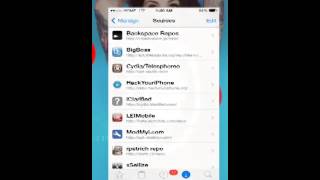
Right, you go on Cydia, Manage, Sources. You want to install this repo, this one right here, and when you install, you're gonna Respring, and you're gonna install Carrier Update Remover. I already got it, so I ain't installing it again. Install. After you install, you're gonna reboot. You reboot, you know, go Settings. You're gonna have to type everything again, APN and the MMS settings. Once you do that, you're gonna reboot. Till you reboot, you go Settings, turn off LTE. Wait for you get 4G signal, then you're gonna enable LTE. Now wait for have LTE. You should have your carrier name back to home instead of TFW, I think it is, Tracfone Wireless. And you're done. Thank you.

@badbunnypr le contesta una #tiraera a @almightytgc de años a tras donde dice:

how to save bad bunny limited edition concert camera light show #badbunny #puertorico