Fix the TaiG jailbreak "Apple driver hasn't been found" error by installing iTunes 12.0.1 instead of a newer version. Turn off your passcode and Find My iPhone first, close all iTunes windows, and if the process stalls at 20%, do a hard reboot and try again.
Chapters
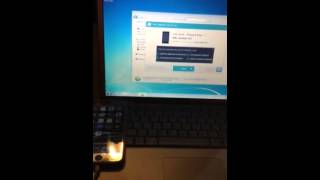
Alright guys, um, I hate making videos, but I know a lot of people having problems with the TaiG jailbreak, especially they getting stuck in this page over here. Apple driver hasn't been found. All you have to do is install an older version of iTunes. I got an older computer over here and I got iTunes I believe it's 12.0.1. This one, I got the new one and jailbreak is not working. I got my iPhone 6 over here. Apple Watch. Okay, let's take it out from this one. Plug it into the old computer. Yeah, I was pairing up that Moto 360 to the iPhone too. There you go. Okay, I'm gonna put the iPhone right here. I'm using an iPad Mini to record. It blows, sucks big time. I don't know if I'm gonna keep the Apple Watch. Maybe I go with the 360. Close this iTunes, open Taiji. Make sure you turn off passcode and Turn off Find My iPhone and close all the windows in the, in the iPhone. I did an early jailbreak and my phone, after jailbreaking it, the settings wasn't there, was a blank page. I was stuck on a blank page and I had to restore. All right, so make sure Find My iPhone is off. I'm gonna check this Chinese apps. Find My iPhone is off and password is off, and close all the pages. Don't leave it on the Find My iPhone page because you're gonna get stuck with the settings. You're gonna have a blank page. All right, we're in 20%. Sometimes you get stuck on 20%. All you have to do is do a hard reboot on your phone and try again. Let's see if this time it works. Ah, alright. iPhone is It's reloaded. Let's pray I don't get Stuck on that 20%. All right, we have been 30, and the first jailbreak was so fast I just break the iPad Mini, the one I'm recording with, and It took like a minute. It was so fast, I was so happy. But with the iPhone, yeah, I'm getting problems. But hey, we're in love with an 80. If you get stuck, just reboot, try, try again. I'm using iTunes 12.0.1 and it's working great for me. All right, restoring device. AirBreak succeeded! Yay! Let's close this thing over here. Close iTunes. Wait for the iPhone to restart. If you got only one computer, delete everything, delete everything from iTunes, everything, and restart your computer, and then install iTunes 12.0.1, and it's just working, working great. Let's see over here. Here's my iPhone. We got Syria. All right guys, I hope this helped. Sorry about my crappy videos, but I don't like making videos. Have a great day!