Panel Discussion: Measuring the Impact & Adoption of AI Coding Tools

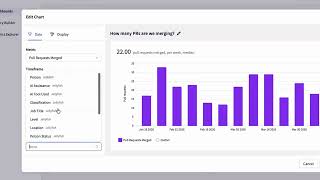
In this 2025 Glow Live panel, moderator Krishna Kanna (Jellyfish) leads a conversation with Kevin Isaacs (SVP of Engineering, Avid), Andrew Weiss (Field CTO, GitHub), and Daniel Koch (GitHub Practice Lead, BoxBoat/IBM Consulting) about the practical rollout, adoption, and impact measurement of AI‑assisted coding tools, chiefly GitHub Copilot. The discussion covers: - How Avid moved from a 20‑person pilot to 160 active users (80% monthly usage) across a 280‑engineer org, highlighting the importance of early evangelists and gradual scaling. - Real‑world use cases such as rapid scaffolding of Java classes, unit‑test generation, code conversion (e.g., MATLAB → Python), Infrastructure‑as‑Code (Terraform), and tech‑debt reduction. - Metrics for impact: subjective developer‑experience surveys and objective Jellyfish analytics that compare Copilot users to non‑users, revealing productivity gains and higher focus on feature work. - Governance: legal sign‑off, a generative‑AI coding policy, mandatory code‑review gates, and the risk of blind acceptance of AI suggestions. - Adoption challenges: technical blockers (IDE version support), trust issues, model selection uncertainty, and the need for clear policies and training. - Strategies to drive engagement: showcasing concrete daily‑use examples, fostering “aha moments,” and using community resources (GitHub blog, preview builds, VS Code Insiders). - Recommendations for staying current: regular hands‑on practice, following GitHub’s preview releases, and applying AI tools beyond coding (e.g., Microsoft Copilot for music composition). The panel concludes with actionable advice for organizations seeking to scale AI coding assistants while maintaining quality and compliance.
Chapters
Welcome everyone to our last session of the day at Glow Live. My name is Krishna Kanna and I lead the product org at Jellyfish. I'm really thrilled to kick off this panel because we have 3 amazing participants. We have Kevin Isaacs, SVP of Engineering over at Avid. Andrew Weiss, Field CTO at GitHub, and Daniel Koch, GitHub Practice Lead at BoxBoat, IBM Consulting. Today we're going to focus on the use of AI coding tools like GitHub Copilot, how to drive adoption and rollout, measure their impact, and just get the most out of them and so much more. So excited to dive in. To get started, let's do a quick round of intros. Introduce yourself. Current role, and any relevant background details before we get started. Kevin, do you mind getting going first?
So Kevin Isaacs, SVP of Engineering here at Avid. I'm responsible for our, basically our enterprise products, which is basically our video editing software, as well as our production management, storage, and all the different pieces that come along with effectively developing and running the media entertainment industry.
Awesome.
Next up, Andrew, say hi.
Yeah, thanks, Krishna. Hey everyone, I'm Andrew Weiss. I'm our Field CTO for our public sector and broader regulated industries organization here at GitHub. Super excited to be here. I've been working with GitHub Copilot, I think, since its inception a number of years back, having contributed to some of the early research there on large language models. So super excited to engage in this conversation today. I'm excited to hear from the other panelists as well.
Awesome.
And Daniel?
Yeah, hi, thanks. Yeah, so I'm Daniel, Solutions Architect and the GitHub Practice Lead at BoxBoat. We're an IBM company, been acquired by Bell 4 years ago. Been a GitHub partner for about 4 years as well, doing a lot of work helping clients adopt GitHub Copilot and other GitHub platform features and certainly a whole bunch of other things. My background is actually as an SRE, which is interesting because there's a lot of metrics involved there. But yeah, I'm just a big nerd.
Awesome. Well, we are— we're delighted to have all three panelists here today. And there's so much to talk about with these coding tools that I thought maybe the best place to start would be just a quick round the horn on what are folks most excited about with these new technologies. And to hear that, why don't we go in reverse order? Daniel, you want to go first for us?
Yeah, I mean, I think even personally, uh, the most exciting thing is like I only have a certain amount of time in the day and I can, I can traverse multiple paths and make choices between, uh, trying two different implementations, uh, a lot faster, right? I can make things, I can make ideas a reality. And, um, it's always easier to, to showcase an idea if you can actually show a demo, right? Or something like that. Uh, but I see a lot of other, uh, engineers and developers, right? The opportunity to explore areas that they may otherwise be a little uncomfortable in, right? Pick up new technologies and things like that.
Yeah, that's awesome. Uh, Andrew, what are you excited for?
Yeah, Daniel, you bring up a good point. I think this is really one of those moments, those once in a decade shifts, uh, in technology that we don't see very often where generative AI, uh, in this use in coding is really changing the way in which we approach software development all up. Uh, you mentioned really empowering developers, empowering people to learn more and to tackle new challenges. Or take on new challenges. We're really seeing that with the advent of tools like GitHub Copilot and the use of AI throughout the entirety of the software development lifecycle. So maybe I'm biased, but I'm personally excited about the promise of the technology. I use it personally every single day, and we're seeing its use all across industry and across multiple industry verticals. So there's still a lot of questions to be answered. I think maybe we'll answer some of those during today's discussion, especially around metrics and how folks can capture the true value of the use of these tools, especially as the technology has really exploded in the last couple of years. But I'm personally, like I said, super excited about the promise that it has for changing how we do software development all up.
Yeah, that's great. And then Kevin, more from the practitioner leader point of view, what are you excited for?
Just the rate that it's evolving, to be honest. You know, having— we've been using it here at Avature for a little under 2 years. So we had a lot of early adopters that jumped in there. And it started off pretty rudimentary. Usefulness was a little bit questionable, but you could see the promise. To now it's just every month, right? There's something new coming that is just truly, truly changing the game, right? Whether, you know, I had one of my developers coming to me the other day saying like, I can convert MATLAB to Python now. And, you know, it doesn't matter what it is, you can throw it at a generative AI and it is able to help solve the problem and just make everybody's life better, which has been fantastic.
Yeah, I think let's follow up on that thread, Kevin, to maybe help our audience. Could you share a little bit more detail? You mentioned it started small, built through momentum. It's gotten bigger now. What's the overall scale of your Copilot usage, active users versus power users? Any context you could share there?
Yeah, sure. So we did start small, right? We started with a small pilot group. We wanted to make sure that it was actually something that would be useful, right? And that people would like, because as you can imagine, when it first started, everybody was like, you know, like every new technology, often we'll run out, find a cool new tool, you know, implement it. And then, well, actually that was a waste of time, right? So I wanted to get, you know, solid feedback from a pilot group. So that's exactly what we did. We started off with a pilot group of 20 people and it was a, it was a mixed bag, right? I had a mix of, of senior and junior coders in there just to see, you know, what people thought of it truly. And was this something that we wanted to look at? Overall, the feedback was positive, so we decided to move forward. We've since then started to do major rollouts. We've been basically across the entire development team now for about a year, and we're up to 160 users in the team, right? My developer pool's, you know, around 280, so the bulk of it, of people are effectively using it. And of that group that signed in, you know, I've got an 80% usage, monthly usage on it. So it's very high and people are using it daily. It's, and it's, you know, through at least starting off small and starting with that little Tiger team, it really, they evangelized and, you know, cheerlead the effort. And it made a huge difference to actually have people like saying, oh yeah, this is something that we really want to use. They've helped each other. And, you know, I'm just not seeing anybody stopping using it too, which has been great.
Yeah, that's awesome. So maybe to summarize, then I'm going to— then I'll pass it for a sec. So summarizing, you're saying start, start small, about 20 folks. You're now at well over half the org and you're seeing daily usage and you're not seeing people drop off. So that I think is key. Once you get the adoption, they're staying with it.
Yeah.
I mean, everybody you talk to really says how much they love it and not saying that, oh no, this was useful. And then like I said before, the rate that it's changing, right? We have quite a large C++ code base and C++ is now the most used language, which exactly as it should be. And earlier on, the models weren't that great for it. So it's, you know, truly people are finding it useful and are not, are not, once they've used it, they're hooked, then they're not moving away.
That's great. So, so Daniel, you talk to a lot of different companies. How, how typical is Kevin's experience to what you're seeing?
It's fairly typical, I think. The biggest challenge that I saw for like a lot of companies was they're trying to just adopt this is getting, reaching those developers and helping kind of showcase like practical use cases where those developers can use it. Because simply saying, hey, here's the thing, sign in and go, that doesn't work, right? A lot of people need a lot of different type of spark, maybe, or motivation, right? And getting there and being able to show a developer, like, a real use case, something that they need to do every day. Hey, look, you can do this or you can do that. I think that's been something that has really helped a lot of customers. And we get that kind of feedback from our clients a lot. And, like, that is one of the things that works, right, is just showing them a real practical example of how they can use it.
Gotcha.
And, and Andrew, you also talk to, to a ton of different folks. So what, what would you add to, to Daniel's description here?
Yeah, to add to that, I mean, that's really what we're showcasing day in and day out. Um, the challenge that we see on our side is that historically GitHub has been a little less prescriptive, uh, given we're the home of much of the world's open source software. So we foster communities or we help foster communities and we never actually prescribe any one way of doing things. But because AI is evolving so quickly and it's so new, we are actually in a decent position to prescribe some approaches in how to do some of these things. Because a lot of folks at the end of the day, while we're showing them some tips and tricks, they are looking for that easy button. They are looking for the panacea. And can Copilot do that today? It can't. But we're kind of going in that direction where it can do more and more. You look at some of the new agent mode functionality that we've introduced, the Project Padawan initiative that we'll maybe talk a little bit more about towards the end of this panel. Wherein you're giving more and more of the responsibility to the AI to complete tasks and relying on it to provide more applicable results. Is it an easy button? No, but we're definitely going in that direction or making it more approachable to more teams, especially when you look at using it to address some of those broader challenges. You look at technical debt, legacy systems, being able to modernize some of these application stacks and rely on AI to streamline those processes to ultimately save on cost and time. So In the short term, relying on a lot of our delivery partners like Daniel and team at BoxBoat to really assist our customers in tackling some of those turnkey scenarios is definitely really where we're spending a lot of our time. That's great.
So, so we've mentioned a couple different scenarios so far for using Copilot. Daniel, you mentioned at the outset being able to explore different paths concurrently in less time. Andrew, you're talking about paying down tech debt or maintenance work. Kevin, you mentioned actually converting from one stack to another. What other use cases are you finding? Maybe, Kevin, start with you. What other use cases are you seeing where Copilot is particularly useful in your teams?
A lot of the setting up the scaffolding, you know, like in setting up a bunch of Java classes, which would normally take a whole day, right? You can effectively now do them instantaneously. And so a lot of the, as my devs like to put it, you know, the rudimentary, rote, repetitive work that I want to do. It's really, really good at doing that. It's also good at writing unit tests and effectively driving into a lot of the test-driven development side, like Andrew was saying, right? The generative side is getting better and better and better. I mean, the dev started, like everybody knows, Copilot started off as 100%, you know, the original ghostwriting from comments, right? Whereas now it's more conversational and you can get a lot more complete. So yeah, that's Those are kind of the main areas. It's still without question being used for code generation the most. You know, I would definitely love to see to the point, you know, where it can be referencing across files too, right? Because I have a very, one of my products anyway is a 30-year-old product, right? Being able to refactor some of those, but being able to follow the, you know, follow the code path all the way through would be fantastic. But, you know, getting there. I know it's, it's definitely coming.
Daniel, any other use cases that you're seeing?
Uh, well, yeah, I, I want to— I guess I want to kind of, um, add a little bit to one of the items that, that Kevin mentioned, which is literally in like test-driven development. Uh, test-driven development and code quality are two things that, you know, companies and literally everyone talks about the, uh, how important those things are. But when it comes time to get features delivered those are often the first things left on the cutting room floor, right?
First thing out the window.
Yeah. And now, and now we're, now we're seeing a lot of companies actually be able to dedicate the, the resources to actually getting those numbers up, right? Test coverage, code quality, uh, numbers better. Um, and that's, and that's entirely due to developers now having this, this pair programmer that they can, that can really help them implement those things from the get-go, right? But additionally, I've done a lot of work, you know, because with a lot of customers, you know, adopting, adopting like Copilot or adopting any AI coding assistant, it's not the only initiative they're doing, right? We're helping a lot of customers over the last couple of years do things like platform engineering, which is DevOps. And you work with a lot of teams where they have previously existed in like just a system administration silo. And now, now those teams are tasked with learning things like infrastructure as code. And, you know, 2 years ago, that required like an instructor or somebody that knew that sitting there with them doing a lot of shoulder surfing. But now you can just give them Copilot, and Copilot can help them stay within the bounds of sanity when they're learning how to do Terraform or any other infrastructure as code language, right? And I think really helping those teams adapt to like new roles that they need to fulfill, that's something that's really awesome and I love seeing that.
Yeah.
It has surprised me actually how much Terraform my team uses it for. Did you say that right? IaC has been far more used. I mean, to see which of my teams are actually using it the most and where the adoption's been quickest, that one was quite surprising. But you're right. And then, you know, effectively the testing and all the test cases or finally all the stuff that you really wouldn't want to put on your pair programmer, because you feel bad about giving him the not-so-cool work, you can give it to Copilot.
Yeah, and I'll say that we see one of our top use cases outside of traditional programming languages is around Infrastructure as Code. And going back to my original point around developer empowerment, that's really what it's all about, being able to take time away from that monotony that has traditionally existed in software development and being able to focus on learning new things. Kevin, I think it would be interesting to hear from your team along the lines of, What about the flip side? Is it leading to any bad habits in certain circumstances? And, you know, some of those questions that we don't yet have answered around AI for software development. I'll say, for example, you know, I use it every day to maintain a couple of projects, and sometimes I even find myself almost blindly accepting suggestions just because the code compiles and my tests pass. Granted, we always want to have a human in the loop to review these things, but I'd be curious to hear from you, Kevin, on maybe for you, Daniel, as well, if you're kind of seeing some of those behaviors emerge and how you might be addressing those.
We are. And it's funny too, because one of the big things to getting it adopted was actually getting a legal sign-off, basically, because legal teams are one that were very anti to start with, just like any new technology. You can remember when open source came in, everybody was like, oh, you don't want to use taint your code. Very similar scenario there. So we actually have an AI responsible use policy as well as a generative AI coding policy. And in there it says that, you know, the developer is 100% responsible for it. We've also asked the developers to comment on what was built using Copilot. And I can tell you the compliance is not good because it is, you know, they're enjoying it, they want to use it. They're like, yeah, as you say, it looks like a compile. So There is a certain amount that's sneaking through. I mean, one of the things that does excite me is the, is the new code review side of it too, right? So the Copilot code review, but that is taking away one of the human review aspects. So, you know, we're implementing it as you've got to go through the code review. The Copilot code review is kind of your first gate and then you still do need to go through a human review as well, just to make sure that that doesn't happen for now anyway.
Yeah, 100%.
Yeah, I'd say, I'd say just to add on to that last bit there, it's, um, it's, it's an opportunity for a lot of our customers, and I think pretty much everyone, to really put an emphasis on some of those foundational things like code review, right? The importance of that, you can't escape it. Uh, a lot of companies even before AI weren't really enforcing it, right? Um, and then, you know, when, when you're talking about platforms like GitHub, right, there's a lot of other tools, uh, and policy pieces in place that you can leverage. To ensure that that code review actually does happen. And so we're walking clients through that, we're helping them implement those things and just, you know, basically do software engineering the right way.
So one question I have for— I think it's for Kevin, but curious on everyone's take here is like, I think as engineers, it's an obvious good for us if you get as much, you know, new roadmap work or new feature work done and you're doubling your test coverage or doubling your code quality. Like, that seems like obviously good. I shouldn't have to prove that. But we've all talked to folks on the other side of the fence who might say, okay, but can you help me understand why do we care? What's the benefit there? And so, Kevin, have you had experience in trying to quantify like same roadmap but at higher quality?
Why is that better?
Well, and also too, you know, whenever you introduce something like this, there's the, well, how much more productive are people? Right. Is this actually having an effect? Right. And really there's obviously there's two ways to look at it. One of them is subjectively and the other way is of course objectively. Right. So subjectively, you know, we ran the developer experience surveys and I can tell you the developers using it say that they're happier. Right. So that's one of the great parts about it is typically it's saying, oh, I'm in the flow more often. I'm happy. So, you know, that's a subjective reading of Okay, clearly they like it, so therefore their productivity may be better because they're working on what they want to work on. The second side is the objective side, right? And that's where the jellyfish metrics have been very valuable for me because I can see now, of course, there's a little bit of bias here because I have, you know, it compares the population that's using Copilot against the population that's not using Copilot as an analog to be able to see what the productivity improvement is. So you would find developers that use Copilot are probably going to be your more progressive thinking developers, right, than the ones that have pushed back. Though I do have actual reasons why some of them haven't moved yet, like, you know, haven't been moved to the latest Visual Studio for that program or something similar to that. But if you do compare those two groups, I can actually see, you know, great productivity gains from that. So of course, that immediately has the product team going, well, how can I put more in the roadmap? So quantitating the actual quality side, not so much, but from at least from a throughput perspective, yeah, absolutely.
Yeah. Andrew, anything you'd add there that you advise your customers?
Yeah, I mean, Kevin, all great points. I think the challenge we still face is, you know, they don't know what they don't know as far as like what to ask, what to look out for. And some of these things are very hard to capture. Now, granted, you know, with tools like Jellyfish, we're really able to bring a lot of these things together from multiple different platforms. But some of those mindset processes that we go through as developers, you, you can't really, unless you actually write it down, you can't really capture that in such a way that is meaningful to, you know, business leaders and decision makers. For example, when you're coding and you solve a problem in your brain, like going through that whole thought process, I, I call it the aha moment in development. We have a lot more aha moments now than we ever did, uh, you know, before AI was introduced into the realm. And so finding ways to capture those things and really kind of whether it's just general excitement or doing that through surveys, I think that's something that we can, you know, do better on to really showcase that value to leadership teams because, you know, happy developers, you know, happy folks that are working on these projects, you know, is ultimately going to lead into productivity boosts regardless of what the other numbers look like. And so those are the types of things that we see, you know, as far as, you know, how, how else can we capture some of this data?
Yeah. So I'm hearing capture aha moments per coding session might be the next new—
Correct. Literally just have a mic and every time someone says aha.
I like it.
Yeah, Daniel?
Yeah, I think that like kind of what Kevin had mentioned about, you know, knowing a reason why a particular team or users weren't using Copilot, that's great if you have the information, like I know that their version of Visual Studio isn't supported, but what if you don't know that? It's like some of your developers might not use it and it's not a technical reason, right? but you want to, you want to be able to have feedback on that. You want to be able to identify those things, right? Um, and kind of like, like I had mentioned prior, like this Copilot adoption or GenAI adoption isn't happening in a vacuum, right? You have other initiatives too. And like, how do you, how do you determine is this an AI bump or is this a, you know, DevOps bump or is this a platform engineering bump or, or, or all of the above, right? Um, and basically you have all these data through the platforms you're using, most likely. Um, and to not leverage that data to, to be able to have this intelligence, uh, is kind of a shame. Um, because with it and with a good analytics platform like Jellyfish, right, you can actually, you can actually figure out, uh, you know, where your, where your next roadblocks are, what's actually responsible for your successes, uh, and kind of orient your, uh, orient your, your, your best soldiers to go out there and be champions and help people where they need it.
Yeah, and that ability to honestly to see which teams are using it from an adoption percentage and seeing, because that's a good way to, I mean, I can tell you like with 280 developers, I don't know what everybody does. I do know what some of them do, but I can't tell you down to every particular module that they're responsible for, right? And being able to see it in the dashboard like, okay, well, why is product X not seeing any adoption, right? That's when, you know, then go speak to the manager. Oh, you know, they have to do a Visual Studio Code compiler upgrade before they can go there. So it's like, oh, okay, we can unblock that, right? And so yes, it is hugely valuable to be able to see down to the, down to the product, the Scrum team level, just to be able to know why they're doing it and then comparing it between the two. And I can also, the other interesting thing too is actually seeing the work that people using Copilot tend to be more focused on the new feature dev and a little bit of tech debt reduction, but less of your typical bug fixing and maintenance and other tasks like that.
You sort of alluded to sometimes adoption is as simple as they don't have the right tech stack in place or technical requirements. What other things are we seeing that might block certain groups from adopting?
For us, it's been the main one, has been that. The other second one is, you know, whether people will actually trust it or not, right? So initially there was a, is this thing really going to do what did you say it's going to do, right? So that's when the evangelism worked really well to get over that stumbling block. But the actual tech blockage now tends to be the big one that I have. You know, we also too initially wanted to go slowly, right? We didn't want to roll all the way out, but now, you know, I'm getting pushed obviously from all directions to, because it is showing a productivity improvement, right, to push it across everybody. And right now it's just about as quickly as, like I mentioned, we have a policy too. So people do need to go through the training and accept it before they can do it. So there's a little bit of time to do that, but it's all, you know, it's all an online interactive anyway.
Yeah.
Andrew, do you see anything different in terms of reasons to not adopt?
It's one of those things because, you know, you look at the rate at which technology is changing, it's happening so quickly, which is a good thing, but in some ways it's also a bad thing because it's happening so quickly. Case in point, we've made model choice a priority in that you can choose whichever model you'd like, you know, to get the output you're after. The challenge with that is you don't necessarily know which model is going to work best for your given situation. And in some cases, because the models are non-deterministic, you could ask the same question, get a completely different answer otherwise. So we're still— I'll equate it to, you know, building the airplane as we're flying it. You know, we're still trying to figure out what are the best practices. You know, we are able to convey thought leadership in certain areas and prescribe, you know, for lack of a better word, you know, certain ways to approach things. But we're also kind of learning which models are the best, you know, for certain use cases and what are the use cases that we think are going to be, you know, the most successful when they're given a customer account. Like I said, we still have a lot of folks that won't touch it because it doesn't fully meet the requirements of their use case. Maybe it doesn't have information about the runtime state of their application stack, although that's even now changing with things like the Model Context Protocol and so forth, or other gaps in implementation that are maybe slowing down some of those day 2 rollout. But as more and more teams adopt it, you know, I think over time, especially as models get even better, we're likely going to see those barriers fall.
The models and the interaction with it, right? Just how you're interacting, you know, like I mentioned, going from the ghostwriting to the prompt engineering to, you know, voice to fully multimodal. That's all definitely happening. And the models, you're totally right. There is a bit of pushback, especially on some of the legacy side that I have on which models to what. And you know, that there's also like everything, there's all the shiny new thing effect, like I talked about earlier, which is like, oh yeah, you know, what does Vendor X have out there that may be better than this? And by opening up the models, that really has helped.
Yeah.
Now I personally think it's all going to come full circle and the models will all coalesce and we won't have this wide range of models for different use cases because the use cases and the differences are going to be so subtle. Maybe this is just my opinion, but, you know, things are moving so quickly that, Identifying the path of least resistance for customers has really been our top priority.
Cool.
So we're having such a good conversation here, we're actually starting to run long here. So let me see if I can ask one last question for everyone. So I would guess that the best way to stay current with this from your opinion is to practice with the tools, engage with the tools. Like Andrew, we talked about that when we chatted last week. What other tips and tricks do you have for folks who want to stay current with the changing technology? Things to read, places to go, what would you recommend, Daniel?
I mean, we're talking about GitHub Copilot, right? The GitHub blog, right? It's, you're gonna see all the things that are kind of available as private previews, public previews, you know, probably wanna get on like Visual VS Code Insiders Edition, so you can actually use those public preview features right away. But, you know, honestly, the biggest thing is probably just start using it, right? Like, I personally, I use it for all those passion projects that I thought I was going to get done that I never got done. You know, my 37 repos that have 10 commits and nothing for like 3 years. Um, just find an excuse and get back to doing something you love. And, and all of a sudden you'll find out that there's all these features out there that actually make coding fun again, uh, and make it something you can actually do when you have free time, you know, your 2 hours a week.
Awesome.
Uh, Andrew, what would you recommend?
Yeah, 100%. Uh, and you know, we work a lot of, you know, business leaders and decision makers that aren't coders. And so our recommendation is use this technology in everyday life. You know, use tools like Microsoft Copilot. I produce music on the side and I use AI to help me come up with chord progressions if I get stuck, if I can't figure out a melody. I think you can maybe relate to that, Kevin, working in this business.
Yep. But it's— definitely is.
Yeah, for sure. I mean, it's just so attainable. And this is why, you know, going back to my original statement around, this is like one of those once in a generation even technologies wherein it's not just for technology enthusiasts, it's really for everyone. And what underpins that technology is the same underpinning for GitHub Copilot and what we're using to generate code. So it's really no different. So, Understanding at a high level how these things work and using it day to day is probably the best way to get acclimated to it so you can have those value conversations with folks within your organizations to understand how they're using it and how they see value. Awesome.
And Kevin, you want to have the last word?
Yeah, I mean, I'll second Daniel's one on the GitHub blog, actually, because what I often find I'll do is actually take some snippets out of it and say, hey guys, this is new stuff. You know, you should start now doing your unit tests this way. And so it has been very effective to, because it's moving so fast, it's like a constant deluge of new stuff to try. Which it also too, for me personally, shows the developers that are really, you know, the bigger out-of-the-box thinkers that want to try it. And it has made a huge difference just to see, you know, who's going to want to step up and dive into it. And also make sure that you turn on all the new stuff, because what will end up happening is brand new features will come along. And if you're not paying attention and turning it on in the GitHub admin portal, you're not actually going to be, you know, letting your developers use everything. So make sure you have an admin who's progressive and, you know, looking forward and going to be turning everything on as those new models to come, et cetera.
Awesome. Well, great, great advice from everyone. And overall, really enjoyed the conversation here. So thank you, Kevin, Andrew, Daniel, for your, your thoughts on this. It's just such a fast-moving time. Andrew, you made this point a couple times. It's changing so fast. So really appreciate hearing from 3 folks on the front lines. I appreciate you guys' wisdom today.
More from Pamela




68% say AI enhances efficiency. But only 10% report strong AI enablement. More trends on May 7.
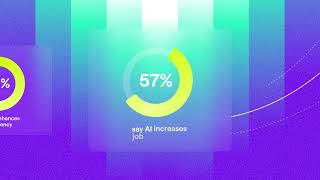
68% say AI enhances efficiency. But only 10% report strong AI enablement. More trends on May 7.