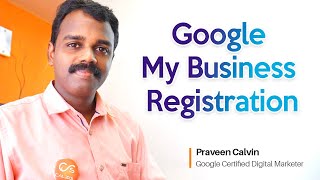
In this Tamil-language tutorial, Praveen Calvin walks viewers through the complete process of setting up a Google My Business (GMB) listing. He begins by logging into a Google account, selecting the appropriate state (e.g., Kerala) and pinpointing the business location on a map. He explains how to define the service area (e.g., Trivandrum) and the importance of accurate location data. The video then covers adding a website—either an existing one or a free Google‑hosted site—and uploading essential assets such as photos, posters, and product listings. Praveen details the verification process, emphasizing the mail‑postcard method that delivers a short code to be entered in the GMB dashboard. After verification, he shows how to finalize the profile, optimize details for better local‑search ranking, and encourages viewers to subscribe, enable notifications, and leave comments. The overall message is that a well‑filled GMB profile, even without a large budget, can significantly improve visibility on Google’s first page.
Google My Business எனந்து Google My Business எனந்து Google My Business எனந்து Google My Business எனந்து Google My Business எனந்து Google
My Business எனந்து Google My Business எனந்து Google My Business எனந்து Google My Business
எனந்து Google My எனந்து Google Google My Business எனந்து Google My Business அந்த லு கிட்டம் இத ஆண் அப்ஷயல My Business எனந்து ஸாய்ட இப்ட நம்ம்ல லோின் சியணம். நம்ம்ட ஜீ மேல ஐி உயி� அதன்னு சேஷன் நமுக்கு ஒரு ஸ்தாணத்தின் பேரை இவர்டே லிஸ்டியாம். லிஸ்டியிது, இது verify சியா, அந்நல ஒரு போஸஸாம். அ நான் இப்போட வரதே கொடுக்குந்தரப் பெயர் ஆண் டஸ்டிங்கனாய்ட. இப்போட நஸ்டு கொடுக்கா. நஸ்டு கொடுத்து இழந்து நம்மர கேட்டரி. ஸ்தாப after that select kerala and click next இப்படி நமக்கு ஒரு location காண்பது களியும். இயர location நமக்கு கறர்க்று ஸதலத்தேக்கு point வயணாடு களியும். இதனால, இயர point நமக்கு zoom சேயலு வச इस लोके सतरत्तां नमन सर्वीस उललत, इस लोके सतरत्तां नमन सर्वीस उललत, इस लोके सतरत्तां नमन सर्वीस उललत, Here we have to enter the area where we are going to serve. Here we can enter Trivandrum. அது போல மட்ட யது மகிளம் ஸ்தலா உண்ணாங்கில அது கொடுகா, அங்கண. ஏதக்கா ஸ்தலத்தான் நம்மல ஸர்வியண், நம� website onda engel website kodukam, illa engel website illama markiyam. Free aayat ola google engel websites kreateyano ongal namakku munamath option edukam. Neste kodukam. Neste koduthi eriyamma namakku verification lotta na pogunam. Finishiyam. Finishi cheyum pedu teyikum, adath varun option namakku verification aada. Google engel official aayat ola office ino thane, namakku 12 dhavasath na agath letter kittam. By mail thane namakku kathu kittam. Aa kathu na agath சிறிய கோடு உண்டு ஆஓம் ஒரு 4 லக்ஷ கோடு உண்டு ஆஓம் அவ் கோு நம்மன் எண்றி இயல்நே நம்மன் லோகேஷண் வரிேட ஆய். நம்மன சரிக்க இத்தனைம் செய்து களிஞ்சம் நமர் ஸமநத்தின் டிடியல்ஸ் வரியட அந்த கடகரில் காணவாணாட் களிஞ்சம். இப்படி நமர நோக்க இதை எடுத்து கழந்து நமக்கு தாராலம options கிட்டும். நமக்கு தாராலம photos ஆடியாம். நமக்கு posters ஆடியாம. நமக்கு இப்பட்ட work ஆடியாம. இந்த Products Added. Google itself has a lot of options. This is not expensive. If we spend a little time, details ஆட it will help us to easily come the first page of Google. So we can do other websites and bring the results of Google My Business faster than its SEO. Try this. If you are visiting this channel for the first time, you can subscribe to this channel. If you press the bell icon, you will be notified when you post new videos like this. இதன்னுடைய எந்துங்களும் comments நம்க உண்டையங்கள் comment box ல ஆறைக்கேம். ஓரோ comments நம்க நம்க நம்க நம்க நம்க