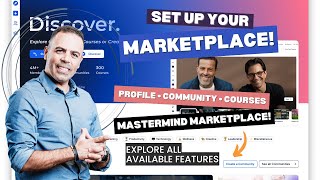
Rami Radin shows how to set up a profile, community, and courses in GoCollab's Mastermind Marketplace. You can create discussion groups, import courses, manage members, host paid events with Zoom links, and track completion. The platform combines profiles, communities, and course hosting in one place for coaches and business owners.
Chapters
Hey everyone, this is Rami Radin, and this video, it's all about the new amazing feature added to Mastermind Business Hub, which is the Marketplace. The Marketplace takes you to GoCollab. It's a community building platform that allows you to create and manage online communities in a very simplified way. It also provides a built-in marketplace and discovery and offers tools for engagement and growth. So let's discover it together. From Mastermind Business Hub, once you log in, here on the left you can go to the marketplace And once you are in, uh, if you don't have your account yet, sign up for it and you'll be in. And once you are in, you have this main page here where it includes a lot of communities and courses to watch. You can also discover it, but for now, this video, it's all about setting up your account there. So the main thing I suggest you do is setting up your account, your profile setting here on the top. So you go to the top here and set up your profile. Inside the profile settings, you can have your full name here, your title, and then the profile slide. Profile slides, it's like the personalized URL for your profile there. Then set up your bio and your location and the time zone. I forgot to do this. And once you're done, you press Save. So that's for the basic information. Then you can go to Account Information, which is the email you used, and then Social Media. You can have your phone number, and here you make it— you can make it visible for public Also the same thing with your email address, make it also visible for public or not, you have the option to do that. And then the social media profile: Facebook, Instagram, Twitter, YouTube, and LinkedIn. Once you do that, you can save, and after that you can go to affiliates. This is your affiliate link to share it with anyone you want. Then language setting, and here's a different languages available. Then notification, where you can set up to get push notifications by email for all these activities. So that's for the profile setup. All right, now, uh, I want to show you how to set up a community too and what's inside of it. So if you go here to this plus sign icon, I mean, you can create a community and, and name it. But for now, in this video, I just want to share with you the community I created so you can get an idea about the features there. So I created this Tech Clarity for Coaches community, and inside the community you can see the discussion here. This is where you can post here and all the members can see it. Like it, comments on it, and so on. It's very similar to what you do on Facebook, okay? And this goes also under announcement, the same thing. Now the second tab, Learning, and this is very important feature that you have inside a community because here inside of this you can import your courses from Mastermind Business Hub. So any course you uploaded there, any lead magnet course, mini course free course, paid course, anything you have there, you can simply import it to here and add it here, and it will be inside the community. You can have free courses at the same time you can have paid courses. So for example, I have this Set It and Send It workshop that I give it for free. It's, it's added here and it's free. And, and Members can simply open this and start watching it. Show you an example. This is an example of the course that I have. This is all the content, and this is the free one, right? So this is a 5-lesson free course. The members can start it and, uh, right away from the community. And then once they finish, mark as complete, they go to the second one. Also they can have comments here. Okay, this is for the free courses. For the paid courses— let's go back— for the paid courses, the same thing. You, they, you can have it here, but they have to pay for it, and then they will get access. All right, with all the modules, lessons, and the details. Okay, so So after that, you can go to members here to manage and invite members. Here you can manage, uh, change roles for the members. You can make admin or contributor. You can ban from the group or remove from group. Okay, you can invite members here by simply share this link or by email. Enter name and email, and also you can give administration privileges here. Okay, so discussion, learning, members. Then this one is called event. This is where you can create events too. So you can have an event here, you can set up payment for it, you can set up the location. If it's Zoom, you add the Zoom link here, the description and you go next. So TechClarity— this is just a sample to show you how you can do— zoom.com testing. They need a valid URL. Anyways, once you set up this, you can go next and also set up the payment details for the event so you can collect payments the other way from here. All right, so cancel for now. What else we have? We have the leaderboard, and this is the levels of contribution of the members. So they go by level, so it's also nice to have it. And this is like a score leaderboard, 7 days, 30 days, and all the time. It will show their names here. Okay, and the last one is the about where you can customize a thumbnail here and about the group, uh, anything you want to put about the group here. So this is a very beautiful, amazing feature. I love it. And this will create a lot of impact to your business or your coaching business because everything in one place. So give it a try, go ahead, play with it, uh, set up your profile there. And if you have any question please let me know in the comments below. Thank you.