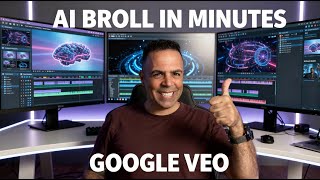
In this tutorial, the presenter demonstrates a straightforward workflow for creating custom B‑roll footage tailored to a short‑form video reel. The process begins with extracting a segment of the reel’s script, then asking ChatGPT to generate a concise prompt that can be fed into Google Veo 3.1 to produce a short video clip. The generated B‑roll is downloaded, trimmed to the desired length, and imported into CapCut where it is positioned on the timeline, optionally layered over a white background. The speaker repeats the steps for a second script segment, showing how multiple custom B‑roll pieces can be assembled to enrich the original reel. Throughout, the emphasis is on simplicity, the importance of accurate prompts, and basic editing actions (trimming, placement, background) to achieve a polished final video.
Chapters
Hey everyone, this video will show you how to use Google Veo 3.1 to generate custom B-roll footages for your video reels. It's very simple steps, not complicated. You can try it right now. I'll show you an example of what— how, how you can use this in a very simple way. If you have a reel, so I recorded this reel on my phone, I sent it to the computer, I'm editing it on my CapCut, and I want to add some B-roll footages, and I want to make it custom based on what I'm, I'm saying, right, based on the, the content I'm sharing. So in order to do that, the first thing, this is, uh, this is the script of the, uh, reel that I'm, I'm sharing, right? And if I want to generate, for example, B-roll footage for this part, right? Very simple. I take this part and I go to ChatGPT and I tell ChatGPT, I need a prompt to generate B-roll footage for this part. And I'll paste the part here. Then you will see ChatGPT will give you the prompts you can use. Inside Veo to generate the video. So I generated this video, then I done. Let's say it. Play it. Funny. Nice. I like it. It's 8 seconds. I can use 4 seconds here, 2 seconds there. So this is a good one. what else I need? Um, I need for the second part, I need another B-roll footage for this part. So again, I'll copy it and go to ChatGPT, and I say, great, and this one too. So I paste the, the script here, and you will see ChatGPT will give me the prompt that I can use to generate the second video. This is the second one. And, uh, yep, I love it. So simply I'll download it, okay? And once I download it, I go and drag it to CapCut and I insert it where I need to. Or save a little time. But when you only use it, let's, let's do it in a different place. Yeah, for example, I want to add it here. I can add it here, add the white background underneath it, and here it is. So I have custom, custom, uh, B-roll footages customized based to my video reel. Cool. Very simple, not hard at all. Just you need to get the right prompt based on your video script. Good. This is the sample of writing for you. It's in helping you get clarity on what actually matters. Good. Thank you for watching.