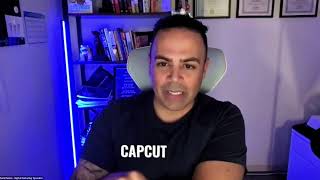
Get free transcripts from Zoom calls and videos using Read.ai for meetings or CapCut's desktop app for any video file. CapCut's transcript feature is free: import your video, click the transcript button, copy the text, and paste it into ChatGPT or a document.
I just wanted to know what to use to get a transcript. So if I want to say get a transcript, something that I've done, a sales call, a training, how do I get that? Like, I know Otter will do that, but I don't have a paid plan, so limited.
Okay, so there's two options for you here. For example, you're talking now about Zoom content, right? Zoom, I have Read.ai that takes everything and it's really beautiful. It doesn't just take— it works more into the meeting, your speech, the words you use, the rate, everything. Okay. Plus record the videos for you. And from there you can take all the scripts. Now, if you have any video, like I collected some testimonials from interviews, from thing and I want to change it to a script and send it by email, I use CapCut. And CapCut, yeah, it's the best, best way because I cut the part. Let me show you live. I have to show you live.
But I tried that. It says that I had to purchase.
I'm not sure which plan. They have it for free. I will show you how to get it for free to have this transcript. So you import the video and then you use the transcript feature. To edit the video. From there you can select the text. There's AI apps right now live that you can upload there, upload the content, and it gives you script. So let me give you an example. So this is a 2-minute video, for example. I want to get the transcript from it. So I press here. You see here, it's a free. You see this here, free transcript. When I press it, so this is the magnifier I use to point. So if I press this, then it will start doing the transcript, transcribing, and this is really fast. So the reason I use CapCut, because I cut the part that I want and then press it, and here's the text.
Oh, wow.
I select it and right-click, copy. So select. Copy and take it to ChatGPT or document where I want to use.
Yeah. Wow.
Yeah.
Are you on the desktop version?
Yeah. Desktop version.
Okay.
I gave you access in the library that I gave you access. You can see a full course about CapCut.