How to Plan a Month of Facebook Posts Using ChatGPT and Google Docs (Simple Content System)
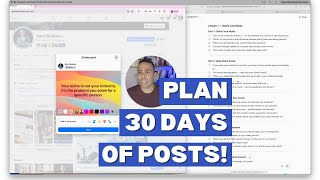
In this tutorial, the presenter demonstrates a simple workflow for creating and scheduling Facebook quote‑card posts for an entire month. The process starts with using ChatGPT to generate the text for each quote card. The generated content is then organized in a Google Docs spreadsheet‑style table that acts as a task tracker: each row contains a building‑block section, the post text, a date field, and a completion checkbox. The document is divided into parts (e.g., Part 1, Part 2, Part 3) and can include sub‑tabs for additional sections, allowing the creator to copy, paste, and edit posts while keeping them ordered by date. By the end of the video, the creator has a ready‑to‑post schedule for roughly 20 days of quote‑card content, making the monthly planning process efficient and repeatable.
Chapters
More from Rami







How to Create a Clear Core Message for Your Coaching Business | Content Clarity Roadmap