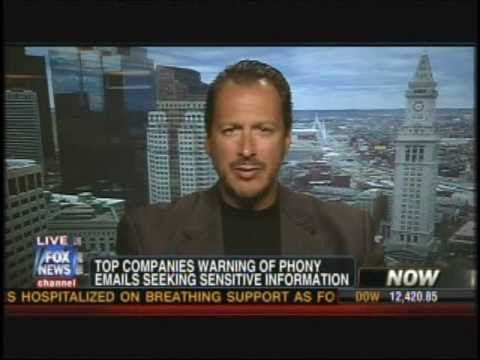
In this interview, host Speaker A discusses the recent breach of Epsilon, a massive email‑marketing firm that handles roughly 40 billion messages a year. The hack exposed email addresses and names of millions of consumers, putting the data of major retailers and financial institutions—such as Kroger, Capital One, Walgreens, JP Morgan, Citigroup, Barclays, Best Buy, and many others—at risk of being used for phishing and spear‑phishing attacks. Identity‑theft expert Robert Siciliano, a consultant for McAfee, explains why the breach is dangerous despite the limited data (email address and name) and warns that attackers will likely send fraudulent emails that appear to come from trusted brands, attempting to harvest credentials, credit‑card numbers, and other personal information. He provides concrete consumer guidance: never click links in unsolicited emails, delete suspicious messages immediately, manually type URLs or use bookmarked/favorite links, employ password managers, and never enter credentials directly into an email. The conversation emphasizes heightened vigilance for all recipients of emails from the affected companies and underscores the broader threat of phishing campaigns that will follow the breach.
Chapters
There could be some real dangers in your email inbox. That email you think you're getting from your bank or maybe one of your favorite stores could be from hackers. What you need to know about a massive cyber attack that's been pulled off. Right now, some top companies are warning consumers to beware of any phony emails seeking sensitive information from them, like their Social Security numbers or maybe private financial information. Just some of those companies asking folks to be on higher alert: the Kroger supermarket chain, Capital One, the bank and credit card company, Walgreens, and the College Board— those are the folks behind the SATs— and even TiVo. Identity theft expert Robert Siciliano is a consultant for McAfee, the computer security company. So what happened here? This was a big email processing company that got hacked?
Yeah, they're a marketing company that has about, uh, 40 billion email communications going out annually, and they were hacked. And over the past couple days, I have received notification from lots of different companies that have my email address that's been compromised.
Well, the company says, look, it's not all that dangerous. All they got was your email address and maybe your name, or maybe could have gotten. Is that good news?
So the email itself and your name isn't a huge problem. However, it's what they do with that information that's a problem. This, without a doubt, is going to put the issue of phishing, with a P-H, on the map for all Americans. Because we're all going to get email after email, phishing email, of bad guys trying to solicit our usernames, passwords, credit card information, maybe other personal identifying information to take over existing accounts or open up new accounts.
All right, let's take a look at some of the companies whose client lists, for lack of a better term, might have been accessed here. We're talking about companies like, uh, JP Morgan, uh, Kroger, US Bank Corporation, Citigroup, Capital One we mentioned earlier. There are more: Barclays Bank, Best Buy, Walgreens, Brookstone. Some of the biggest companies in America potentially had their email lists hacked into here. You have a list of some things that people should do if they, you know, have their email with one of those companies, if they correspond with one of those companies. Let's go through that list right now. First of all, you say—
So inevitably, yep, inevitably we're going to be receiving emails that look like they're coming from these trusted agencies. They look like they're coming from your bank or the retailer you do business with.
Be suspicious.
And you should, right. And these are going to be phishing-type emails that may look legitimate, but in fact are fake, luring you to plug in your credentials. What I tell my clients, what I tell everyone, is never ever to click links in the body of an email because once you start clicking links, then you may end up in the devil's den. You may end up on a website that looks like it's coming from your bank or the supermarket chain or whatever, but in fact is fake, luring you to plug in that information.
So if your bank in the next few days sends you an email that says, "Hey, we just need to update our account information. Give us your account information, your password," that kind of thing, Just delete it immediately.
They may even send you an email saying, "Our information has been breached, and in order for you to update that information, we want you to click on this link." So you have to be very careful of the ruse. I never ever click links in the body of an email. I always hit delete. You should always manually type in any address into the address bar. Don't copy and paste links. Go to your favorites menu. If you have a password manager that you have all your, uh, different websites bookmarked, use that. But again, it's clicking links in the body of an email, it's responding to these communications that look legitimate, that gets most people in trouble. You should never enter credentials into the body of an email.
It's easy to fool people, so I hope our viewers are very much aware. Robert Siciliano with McAfee. Robert, thank you.
Thank you.
That's scary stuff.
It is. Don't press the link. Yeah, do not do that at all.
That doesn't mean not the links in the emails that John and I send out to the production team with stories in it, right John? No, that— You guys gotta—
But if it's got one of those logos on it, that doesn't necessarily mean it's legitimate.
That's a good point. All right, well, watch out. Uh, let us know if you guys experience that. A lot of our members of our own team have already gotten these type of emails, so it is out there. Be careful.