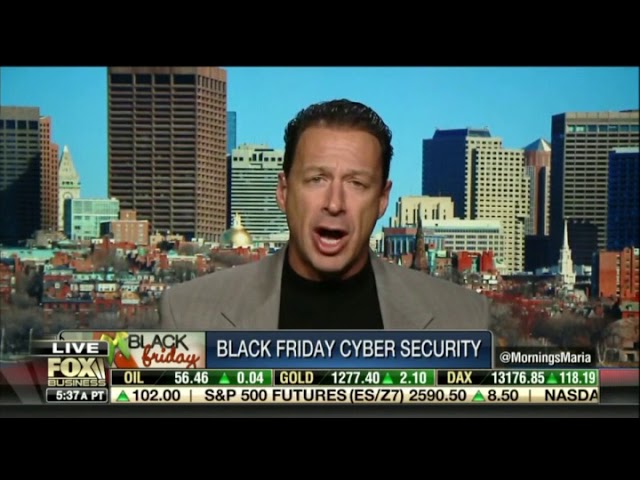
Hotspot Shield's Robert Siciliano warns that nearly 1,500 fake Black Friday apps contained malicious links in 2017. He advises spotting phishing emails by their misspellings and poor grammar, keeping your operating system updated, and using a VPN on public Wi-Fi to avoid attacks like KRACK.
Chapters
As you gear up for this holiday shopping season, buyer beware. A new study lays out the risks of online shopping. RiskIQ is finding that nearly 1,500 fake apps associated with the term Black Friday actually contain malicious and fraudulent links to spam, malware, or phishing software. Joining us right now is Hotspot Shield security analyst Robert Siciliano. Robert, good to see you. Thanks so much for joining us.
Good morning.
Explain the threat. Does this number surprise you? All of these apps trying to get in our data?
Yeah, it could actually even be more. And no, it's not surprising. Bad guys are finding more ways to get access to our personal information, credit card numbers, socials than ever. And so when you download an app that might look like it's coming from a major retailer, it might not be. And the links inside of it could lead you to ransomware, malware, scams that get your personal information like credit card numbers.
Robert, Mitch Rochelle here. Are there any telltale signs when you get an email that looks on its face to be authentic? Are there any sort of telltale signs that you should be looking for that may indicate that it's really nefarious?
Well, old school scammer grammar, right? You know, misspellings and so forth would be telltale signs. Stay out of your spam folder. Your ISPs, internet service providers, are doing a really good job of filtering out that stuff. But once you're in your spam folder, a lot of it looks legit. As long as you're not there, generally you should be in pretty good shape.
Robert, it's Dagan McDowell. I see a lot of even smaller retailers, banks, other financial services companies. They send out emails that are unclear, that even healthcare providers. And it raises an issue of these retailers and businesses need to do a better job at communicating with their customers if they're going to be sending out emails, because a lot of times they look like spam. Quite frankly, they look like phony emails.
Yeah, you know, some studies show that as much as 95% of emails today are, you know, scammy emails that lead to ransomware, which is a form of malware. Here's the deal: I don't generally click on links in the body of an email unless I've just signed up for a brand new site and I have to confirm my email address. Otherwise, even statements that I get from my bank or credit card company, I'm not clicking the links in the body of the email. I go to my favorites menu, or use a password manager to access that information. You just cannot trust phishing, you know, as is, or email as is because of phishing, because there are just too many ways in which people can get scammed and get viruses.
It's John Layfield here. If you happen to get something that looks legit and you click on it, and then you realize as soon as you click on it that it was probably not legit, is it too late at that point, or is there anything you can do at that point, or have they already got you?
So as long as you are practicing basic cybersecurity hygiene, right, making sure your device's operating system is properly updated to its latest security patches, you know, Service Pack 1 as far as Windows is concerned, having the latest operating system on your Android and iPhone and so on, having antivirus installed on Android, of course, just like PCs, generally you should be in pretty good shape and not, you know, being susceptible to various cyber scams, whether they're over the phone, via email, You should not have viruses as long as your PCs are properly updated.
Is there— Robert, it's Mitch Rochelle again. My father-in-law is probably watching, is a notorious email forwarder, and often what's in there is bad news. Protecting yourself in terms of being sort of reactive as opposed to proactive and operating some sort of a virus protection software in the background, is there anything that you'd recommend out there for the regular you know, PC or Mac owner?
See, that— all that stuff is, you know, 101, right? You know, as long as you have updated antivirus, updated, um, you know, uh, oh, and also wireless, like Wi-Fi. Uh, so if you're on public Wi-Fi, if you're on unprotected Wi-Fi, you need what's called a VPN, a virtual private network that protects all of your data when you're on unencrypted Wi-Fi, say in a hotel, internet cafe, airport, and so forth. I work with Hotspot Shield, and they lock down your wireless communications when you're on unprotected Wi-Fi, which is kind of a big deal. There are tools you can get out there for free or for a small fee that essentially will sniff all of your unprotected Wi-Fi communications, and that's a pretty, you know, big risk, along with that recent, uh, KRACK attack, which is a vulnerability in a lot of operating systems and hardware that can easily sniff out even some encrypted Wi-Fi communications, which is why VPN is so important today.
And the threats are everywhere. I mean, we're talking about over a billion of the $9 billion in Black Friday sales last year driven by mobile apps, right? You have different tips for different platforms. Let's go to those platforms. Start with the iPhone. What are the tips?
So with iPhone users, you don't have to worry about viruses so much. The iPhones themselves aren't really infected in that way, but still users can be scammed, meaning you could click a link in a text message, you could click a link in the body of an email, and be led to a spoofed website, essentially, that will prompt you to enter your credentials, usernames and passwords, credit card information, socials, and so on. So just keep your, you know, cyber scam awareness up, and as long as you're not clicking links where you're not supposed to and you're not entering personal information, you should be in pretty good shape on iPhones.
How about the Android? Anything different there if you're using an Android?
Yeah, so Androids are just as susceptible to malware, malicious viruses, and so forth as PCs are, and most people don't know that you have to have anti- antivirus on an Android phone. That's like a Samsung, an HTC, and so on. So go to Google Play and look for antivirus in Google Play and download and install on your Android device.
All right, we'll leave it there. Robert, thanks for the tips.
Thank you so much.
Happy Thanksgiving, Robert Siciliano. All right, coming