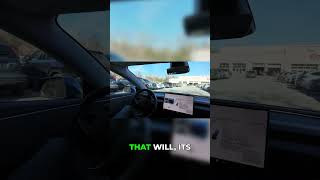
Rob Greenlee tests Tesla's FSD 12.6.4 in his Model 3 and finds it smoother on highways but still hesitant when merging. The car now picks its own speed based on traffic flow instead of following your limit, and a new "Hurry" setting makes it more aggressive. He also notes the windshield replacement costs $1,400 to $1,600 and requires camera recalibration.
Chapters
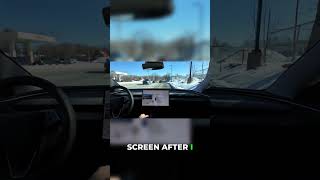
Welcome to another video from my Behind the EV Wheel series. My name is Rob Greenlee, and I just wanted to bring you an update. I got just a day or so ago the new FSD update 12.6.4 for my 2022 Tesla Model 3, and It seems to have just the drives that I've been on have been actually pretty, pretty smooth so far. It's still far from, I would say polished from the standpoint of it still has some situations where it hesitates and things like that. But the update looks like it ran through end-to-end highway improvement. In combination with city driving behavior. So I think it's, it's definitely an improvement, but I have seen some really big changes in the speed management of the car itself and its guidance on that. It wants to really control the speed on the freeways. Based on kind of the, I would say, the settings that I have, but also the default flow of traffic per se. And so it's interesting, the car has been driving a little bit slower. I can set the actual maximum speed, but the car won't follow that direction very precisely. It'll make its own choices around what the speed that it's gonna go on based on what it perceives, I believe, as the flow of traffic that's around the car itself. And so that is a big change 'cause I used to be able to, I don't know if you can see the steering wheel here, but scroll up and down on this right scroll wheel here to adjust the maximum speed that the car would actually drive. And it would generally, in most situations, it would actually follow that pretty closely. But I have noticed that it, especially on the freeway, it actually makes its own mind up. And it's not so much making its mind up because of that it's surrounded by slower cars or anything like that. It's really making up its mind based on, I guess it's the general flow of traffic. So I could have a very large kind of distance between, um, myself and a car in front of me, and it will, uh, maintain a speed like, let's say, 65, but I have it set to 72 or 73. It, it won't go much over like maybe 67, 68 miles an hour. As you can see, it's hesitating a little bit here when there's absolutely no vehicles around. Not quite sure why it's doing that. So there's still some bugs, that are in this version, and I'm not quite sure what's causing that. But I have the car set in its settings to be on the freeway to be what's termed Hurry now. So there's two, or actually there's, I believe there's three settings in there now about setting car behavior. And this, there's like a standard setting, and then there's a Hurry setting, and this is the first time I've driven the car with the setting being set to Hurry, and I noticed that it switched to that on the screen when I entered the freeway. So it may drive a little more aggressively, maybe change lanes a little bit more rapidly. The other thing I've noticed too is that it, it tends to right on the edges of the freeway, like the markers. It gets very close to it, and at times it'll actually go off of the, the road and actually drive over the yellow markers. So you can see it on the screen there how it's hugging the, the yellow markers on the left, and it'll gradually shift back to the middle, but it'll get really close to that, that yellow edge line, and it will actually ride over that for some period of time. When in the prior versions, I did not see it actually doing things like that as much. Now granted, when I went around a turn or a corner, there would be a little bit of sway over to the left a little bit, but it's swaying in the lane more than I guess I've really ever seen it, and I'm not really sure why that's happening. Now, I did here recently get hit by a rock right up here, right up towards the edge of the windshield, and it threw down a big crack. I'm not sure if you can see it on the camera or not. But I've got like a 15, probably a 15 to 18-inch crack in the windshield that goes from up above right at the edge of the windshield down to about here, just in case you can't see it. So I'm going to have to take the car in and have the windshield replaced, and the quotes that I've seen are anywhere, if you ever, if you have this happen, and it's not necessarily an uncommon thing, But the pricing to have a new windshield put on a Model 3 is anywhere from about $1,400 to like $1,500 or $1,600. So it's not a small— it's not a small expense that you would have to go through to get a windshield replaced. And it's not uncommon to get a crack in the windshield. It just so happens that the crack happened at a location, and the temperatures have been very cold here lately, and every time I warm up the car, it creates that, that hot-cold type of thing. So we're coming up on a merging situation here, and it got a little bit behind. It should have probably merged before that, but it waited a little bit too long. So there's all sorts of issues going on with the car, and if you have this challenge with your windshield, then they're actually recommending that you take it to a Tesla service center to have that repair done versus taking it to a third party, like glass repair shop or something like that. So I'm in the middle of trying to explore what the best options for that is. There are certainly national chains on the glass, on the auto glass. That are available out there that are probably certified to, to do that replacement. But I've gathered that replacing your windshield does have an impact on this camera area up here at the top of the windshield, and you want to make sure that when the windshield is replaced that it's properly calibrated. So far The Full Self-Driving 12.6.4 has navigated this construction zone stuff fairly well. I haven't seen any weird behavior, but that weird behavior still exists somewhat in very, like I say, very, not very dangerous situations at a, just like you saw earlier in the video. I think the bugs will keep getting improved. I wonder if we'll see like maybe this path going forward of where we go from 12.6.4 to 12.6.5, 12.6.7. I think that could be the progression that we see. I'm curious to see how Full Self-Driving handles this backup for construction, and it seems like it's done the right thing. It actually got the fastest route going, but I just wanted to update everybody on that. And just, it doesn't seem to be dramatic changes, but Tesla's playing around with trying to make improvements to its behavior between city driving and freeway driving. And I did, I am gonna pull up on the screen so you can see the whole list of improvements to the 12.6.4. So if you haven't seen that yet, uh, you can see it up on the screen now and it'll list out the improvements. It's not very, you know, precise information about how they're improving things, and I'm not sure. Let's see here. So we got update. There's also update that came for data sharing. So I guess Tesla is looking to improve its ability for the data to be shared from the vehicle cameras to help improve the, the models. Anyway, I didn't want to take up too much of your time, and I'll be back with another update as I get um, further progress down this path with my Hardware 3, uh, car here. So thank you for watching. Subscribe to my channel. Come back and check out some of the past Behind the Wheel videos that I've done over many years. So have a terrific rest of your day, and thank you for watching. Okay, bye.